
YANA for Mac
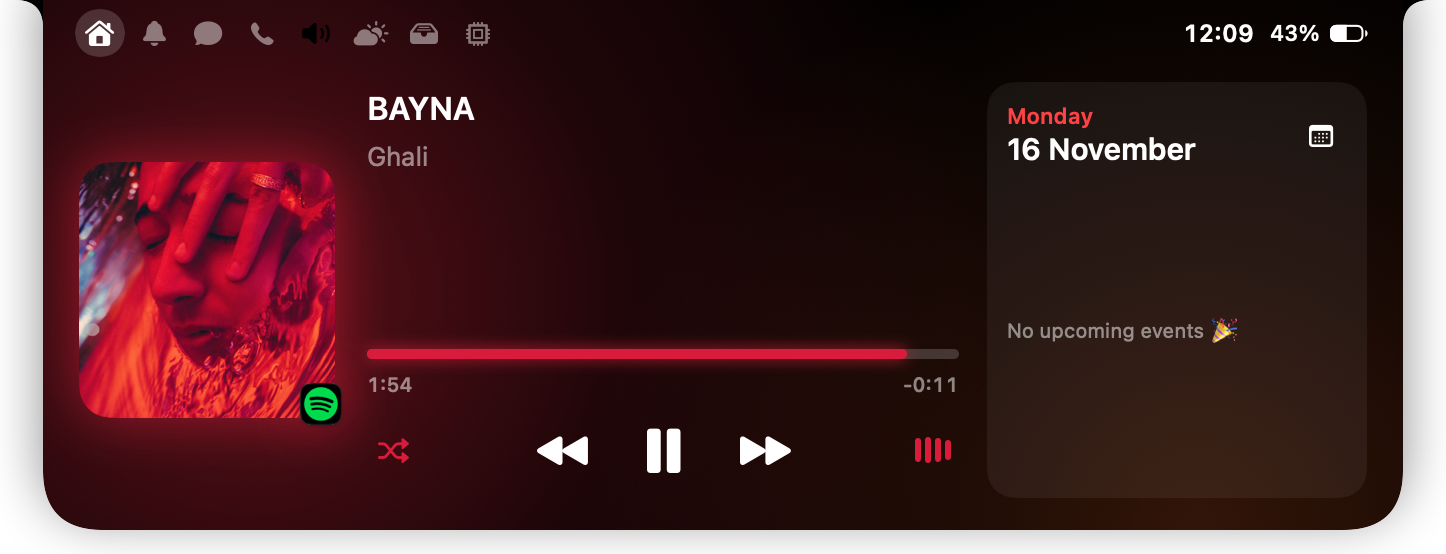
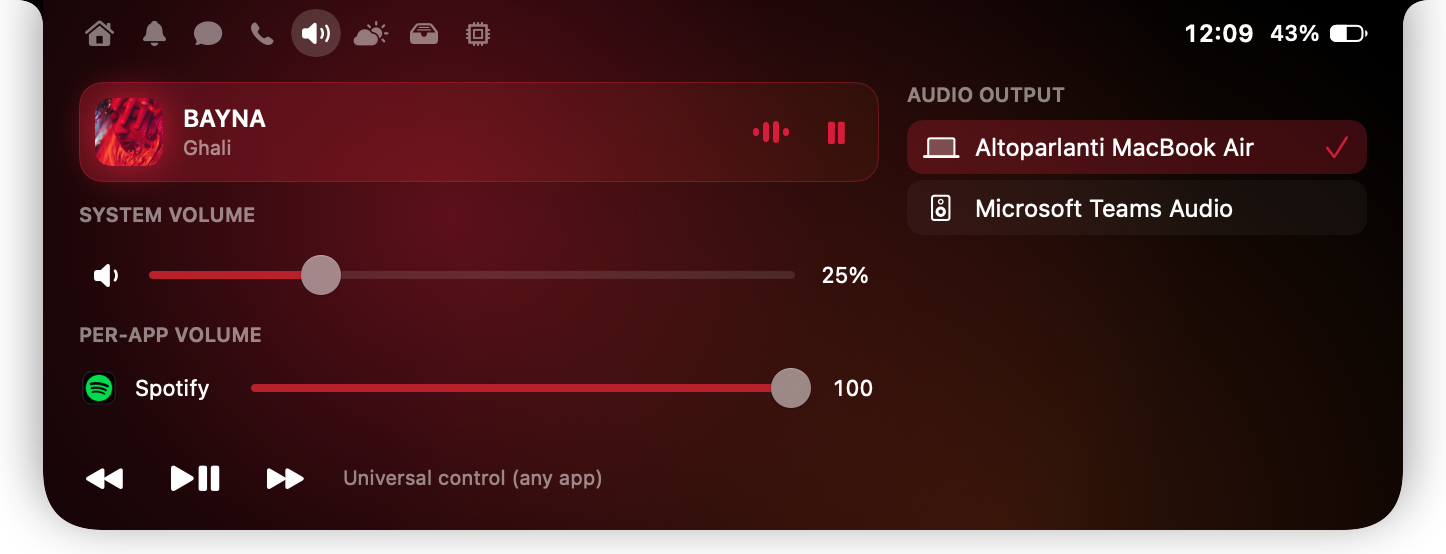
Turns the MacBook notch into a hub for system HUDs, menu-bar tools, and quick controls.
By veaceslavmafteiaevoluta. Free and open source, MIT licence.
YANA at a glance
- Version
- 1.3
- Released
- 16 November 2026
- Download size
- 2.6 MB
- Works on
- Apple silicon and Intel
- Licence
- MIT
- Category
- Menu Bar and Notch
- Developer
- veaceslavmafteiaevoluta
- GitHub stars
- 4
About YANA
Yet another notch app — but free, native and open source. A Dynamic Island for your Mac's notch.
Screenshots


How to install YANA on a Mac
- Get OpenDMG. It is a free app store for open source Mac apps. Download OpenDMG.
- Search for YANA and press Get. OpenDMG downloads version 1.3 from veaceslavmafteiaevoluta's own GitHub release.
- Open it. The download is checked against its SHA-256 fingerprint and its signature is checked on your Mac before it lands in Applications.
Updates to YANA show up in OpenDMG and install with one button. No account is needed.
Prefer to do it by hand? The developer's file is on GitHub: YANA-1.3.dmg (2.6 MB).
What is new in YANA 1.3
## What's new
- **Live activity stays visible.** While music or a timer is running, the artwork and equalizer beside the notch no longer disappear when an app's menus or the status icons reach the notch. Move the pointer into the menu bar next to them and they step aside so you can read and click the menus; they come back when you leave. To get the old behavior back, turn off **Settings › Behavior › Always show the live activity while playing**.
- **Manage notifications.** The Notifications tab groups notifications by app in expandable stacks. Hover a notification and click × to dismiss it, use **Clear all**, or right-click to copy the text, clear an app's notifications or mute its pop-ups. Dismissing only affects YANA: macOS has no public way for other apps to remove items from Notification Center.

## Install
1. Download **YANA-1.3.dmg**, open it and drag **YANA** to **Applications**.
2. YANA isn't notarized, so the first launch is blocked: open **System Settings › Privacy & Security** and click **Open Anyway**, or run:
 ```
 xattr -dr com.apple.quarantine /Applications/YANA.app
 ```
3. Look for the capsule icon in the menu bar. Grant the permissions from **Settings… › Permissions**.

Requires macOS 14+ on Apple Silicon. See the [README](https://github.com/veaceslavmafteiaevoluta/yana#readme) for details.
More Menu Bar and Notch apps
-
 StatsmacOS system monitor in your menu bar
-
 IcePowerful menu bar manager for macOS (upstream, temporarily inactive)
-
 Hidden BarAn ultra-light MacOS utility that helps hide menu bar icons
-
 ThawThe open-source menu bar manager: hide, organize, and take control of menu bar icons
-
 Boring NotchTurn your MacBook notch into a music and file control center
-
 FineTunePer-Application Audio Control for macOS