

FineTune for Mac
Per-Application Audio Control for macOS.
By ronitsingh10. Free and open source, GPL-3.0 licence.
FineTune at a glance
- Version
- 1.9.0
- Released
- 9 July 2026
- Download size
- 5.2 MB
- Works on
- Apple silicon and Intel
- Licence
- GPL-3.0
- Category
- Menu Bar and Notch
- Developer
- ronitsingh10
- GitHub stars
- 9.6K
About FineTune
FineTune, a macOS menu bar app for per-app volume control, multi-device output, audio routing, and 10-band EQ. Free and open-source alternative to SoundSource.
Screenshots
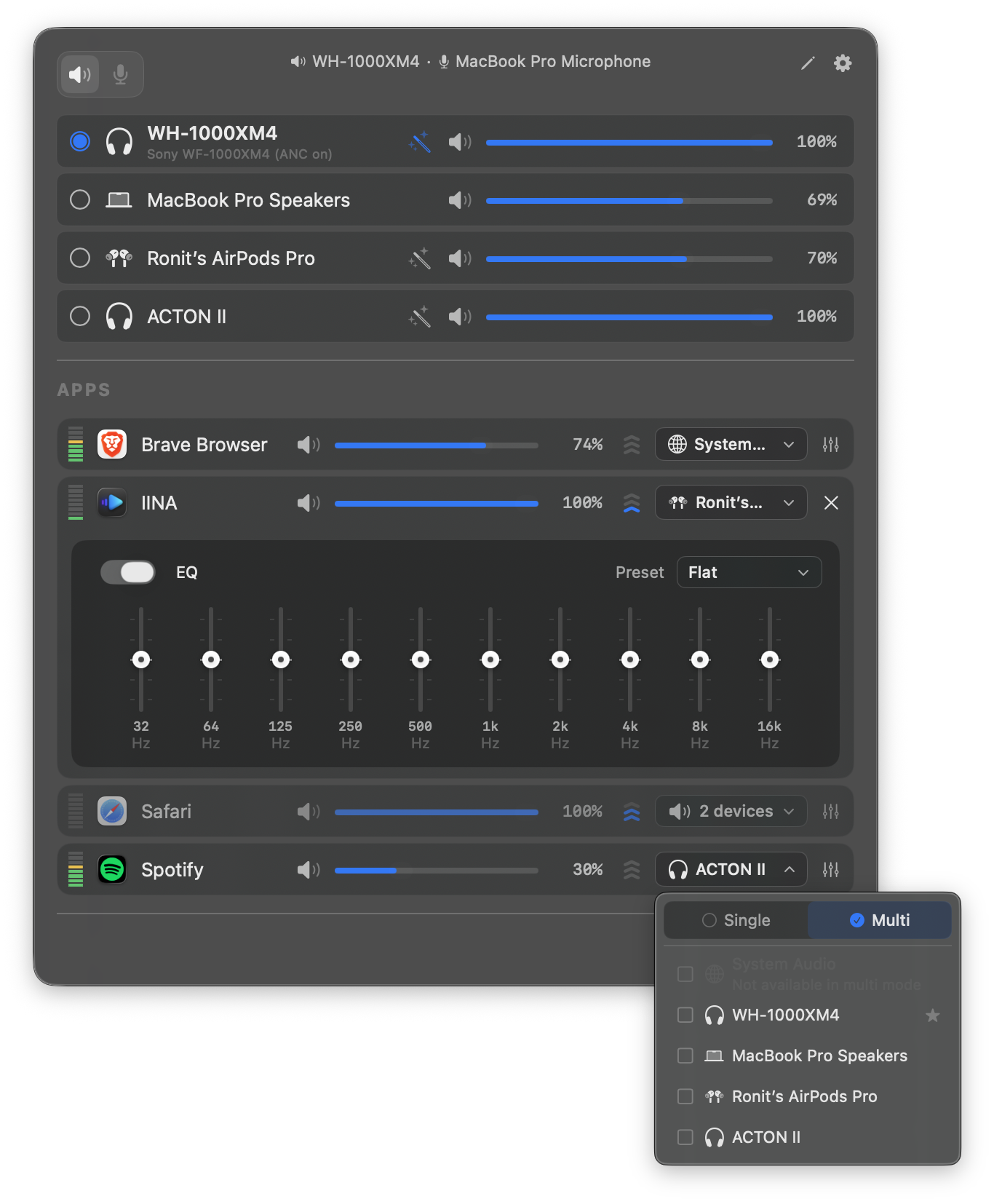
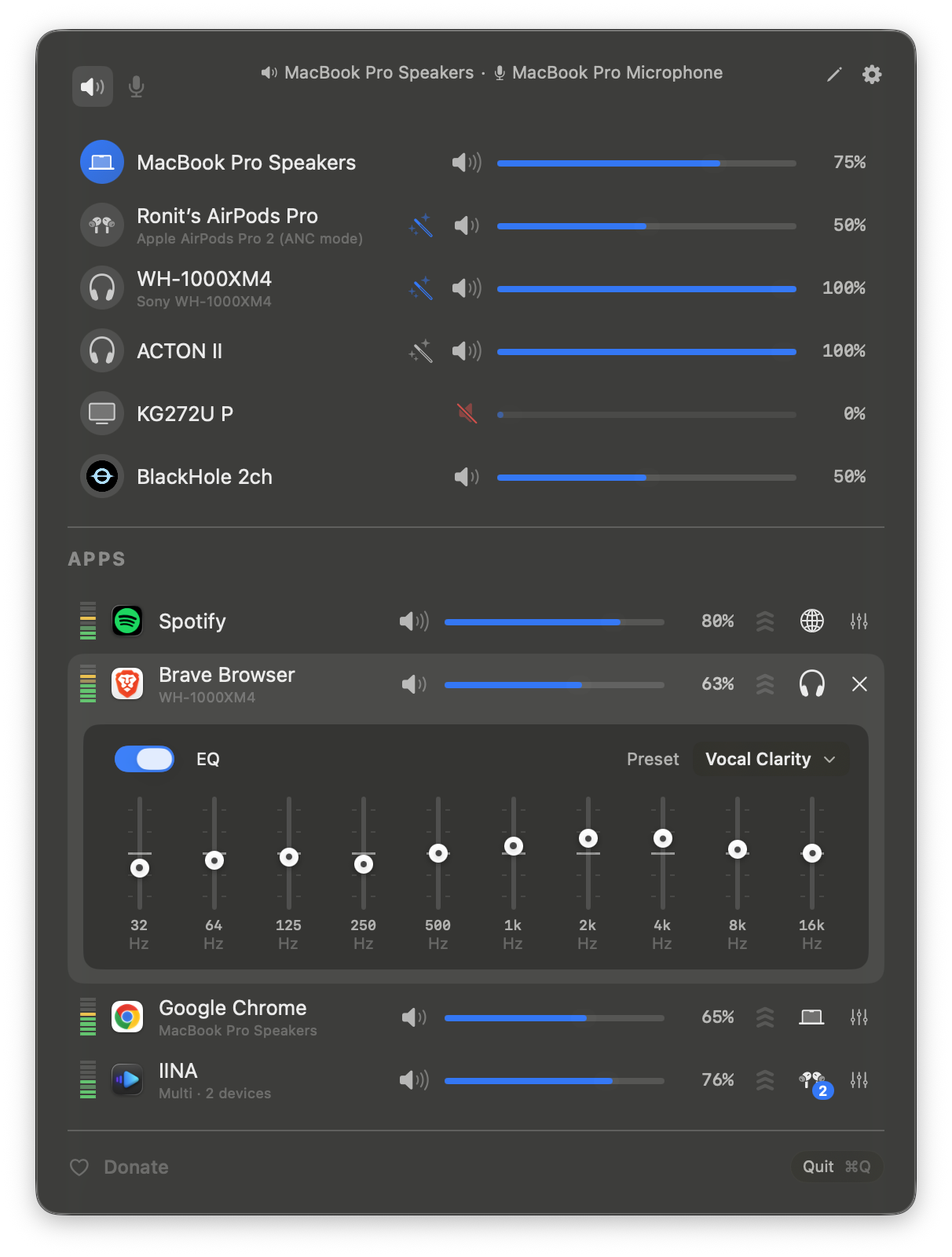
How to install FineTune on a Mac
- Get OpenDMG. It is a free app store for open source Mac apps. Download OpenDMG.
- Search for FineTune and press Get. OpenDMG downloads version 1.9.0 from ronitsingh10's own GitHub release.
- Open it. The download is checked against its SHA-256 fingerprint and its signature is checked on your Mac before it lands in Applications.
Updates to FineTune show up in OpenDMG and install with one button. No account is needed.
Prefer to do it by hand? The developer's file is on GitHub: FineTune.dmg (5.2 MB).
What is new in FineTune 1.9.0
Pick your own icon for any device, and the menu bar icon stops nudging its neighbors. Two DDC fixes land alongside, including the crash on external-monitor volume changes that shipped in v1.8.0.

✨ **New Features**

🎨 **Choose Any Device's Icon**

 - Open edit mode in the popup and click a device's icon to pick a new one from a catalog of 85 symbols across five categories — Headphones & Earbuds, Speakers, Computers & Displays, Microphones, and Connectors & Other — or search by keyword ("soundbar", "projector", "aux").
 - A **Suggested** section leads with FineTune's automatic guess from the device's name and connection type, so the right symbol is usually the first one you see.
 - Your pick follows the device everywhere it appears: device rows, the app-row output picker, the input row, the System Sounds picker, and the menu bar icon when the device-aware style is on.

---

🐛 **Bug Fixes**

 - **Changing volume on a DDC monitor no longer crashes the app.** The Swift 6 migration in v1.8.0 left the debounced DDC write isolated to the main actor, and the runtime trapped the moment it ran on the DDC queue instead (#340, #348, #353, #356). Thanks @maleadt (#361).
 - **External-monitor volume changes stick.** Some monitors ignore the first DDC command, so FineTune now sends every VCP write twice — the same approach MonitorControl uses (#362). Thanks @maleadt.
…
More Menu Bar and Notch apps
-
 StatsmacOS system monitor in your menu bar
-
 IcePowerful menu bar manager for macOS (upstream, temporarily inactive)
-
 Hidden BarAn ultra-light MacOS utility that helps hide menu bar icons
-
 ThawThe open-source menu bar manager: hide, organize, and take control of menu bar icons
-
 Boring NotchTurn your MacBook notch into a music and file control center
-
 eulmacOS status monitoring app written in SwiftUI