
Who Stole My Focus for Mac
Menu bar app that names every app that steals focus, even while you type, with what it took focus from and when.
By stanczykwyatt. Free and open source, MIT licence.
Who Stole My Focus at a glance
- Version
- 0.1.0
- Released
- 29 October 2026
- Download size
- 963 KB
- Works on
- Apple silicon and Intel
- Licence
- MIT
- Category
- Menu Bar and Notch
- Developer
- stanczykwyatt
- GitHub stars
- 4
About Who Stole My Focus
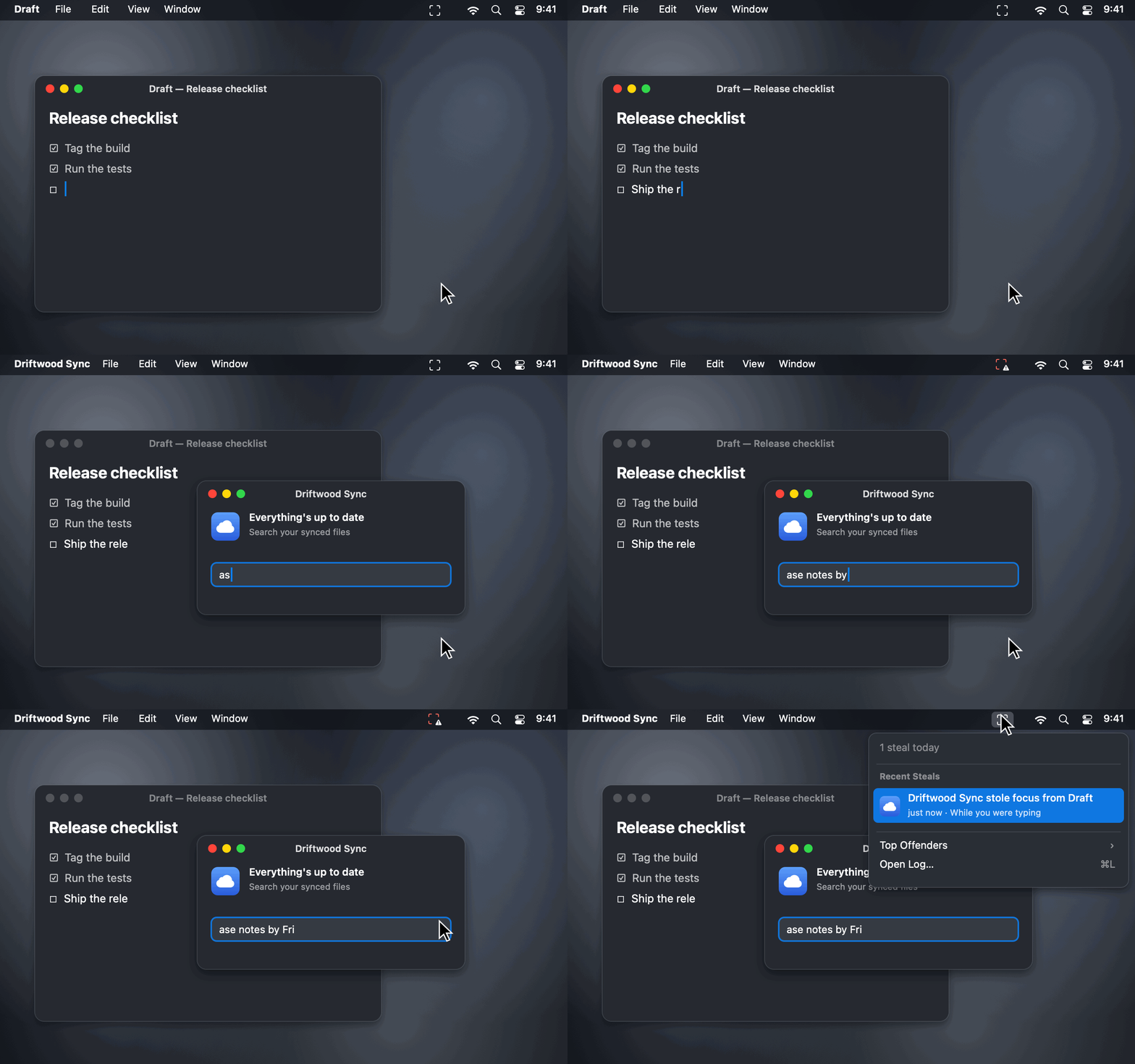
Who Stole My Focus: find out which app keeps jumping in front of your work on your Mac. A free, open-source menu bar app that names every app that steals focus, even mid-typing. No permissions, no internet access.
Screenshots
How to install Who Stole My Focus on a Mac
- Get OpenDMG. It is a free app store for open source Mac apps. Download OpenDMG.
- Search for Who Stole My Focus and press Get. OpenDMG downloads version 0.1.0 from stanczykwyatt's own GitHub release.
- Open it. The download is checked against its SHA-256 fingerprint and its signature is checked on your Mac before it lands in Applications.
Updates to Who Stole My Focus show up in OpenDMG and install with one button. No account is needed.
Prefer to do it by hand? The developer's file is on GitHub: Who-Stole-My-Focus.zip (963 KB).
What is new in Who Stole My Focus 0.1.0
First release. Find out which app keeps jumping in front of your work.

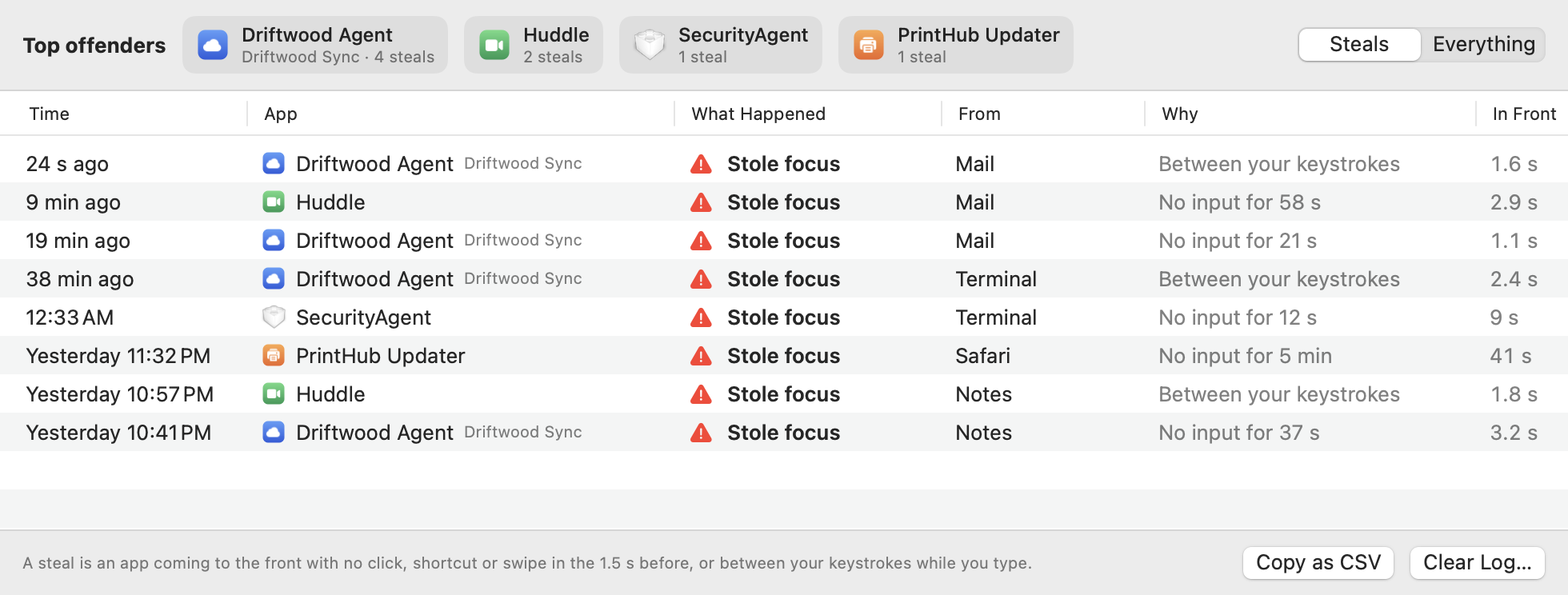
- **Names the app that stole focus,** what it took focus from, when, and how long it stayed in front, right in the menu bar. Helpers show the app they belong to.
- **Catches steals while you type:** an app that comes forward between your keystrokes is a steal, even though you were pressing keys a moment before.
- **Doesn't blame you** for clicks, ⌘Tab and other shortcuts, launchers like Spotlight, swipes between Spaces, or apps you just opened.
- **Doesn't blame the app you were using** when focus comes back to it after a password prompt, the lock screen, or an app quitting.
- **Explains system prompts** like SecurityAgent and Touch ID in plain words.
- **Top offenders,** a log of every switch with a reason for each, **Copy as CSV**, optional notifications, and an adjustable threshold.

No permissions at all, and no internet access. It only knows how long ago you last clicked or typed, never which key or what you typed, and never reads your windows.

## Install

1. Download **Who-Stole-My-Focus.zip** below and unzip it.
2. Move **Who Stole My Focus** to your Applications folder and open it.
3. The log opens once so you can see what it does. After that it lives in your menu bar and opens at login.
…
More Menu Bar and Notch apps
-
 StatsmacOS system monitor in your menu bar
-
 IcePowerful menu bar manager for macOS (upstream, temporarily inactive)
-
 Hidden BarAn ultra-light MacOS utility that helps hide menu bar icons
-
 ThawThe open-source menu bar manager: hide, organize, and take control of menu bar icons
-
 Boring NotchTurn your MacBook notch into a music and file control center
-
 FineTunePer-Application Audio Control for macOS