

Slapss for Mac
Full-screen meeting reminder with a menu bar countdown and one-click join.
By theshiver. Free and open source, Apache-2.0 licence.
Slapss at a glance
- Version
- 2.3.0
- Released
- 4 November 2026
- Download size
- 3.9 MB
- Works on
- Apple silicon and Intel
- Licence
- Apache-2.0
- Category
- Menu Bar and Notch
- Developer
- theshiver
- GitHub stars
- 17
About Slapss
Free, open-source full-screen meeting reminder for macOS. Menu bar countdown and one-click Join for Zoom, Teams, Google Meet and Webex. No tracking.
Screenshots
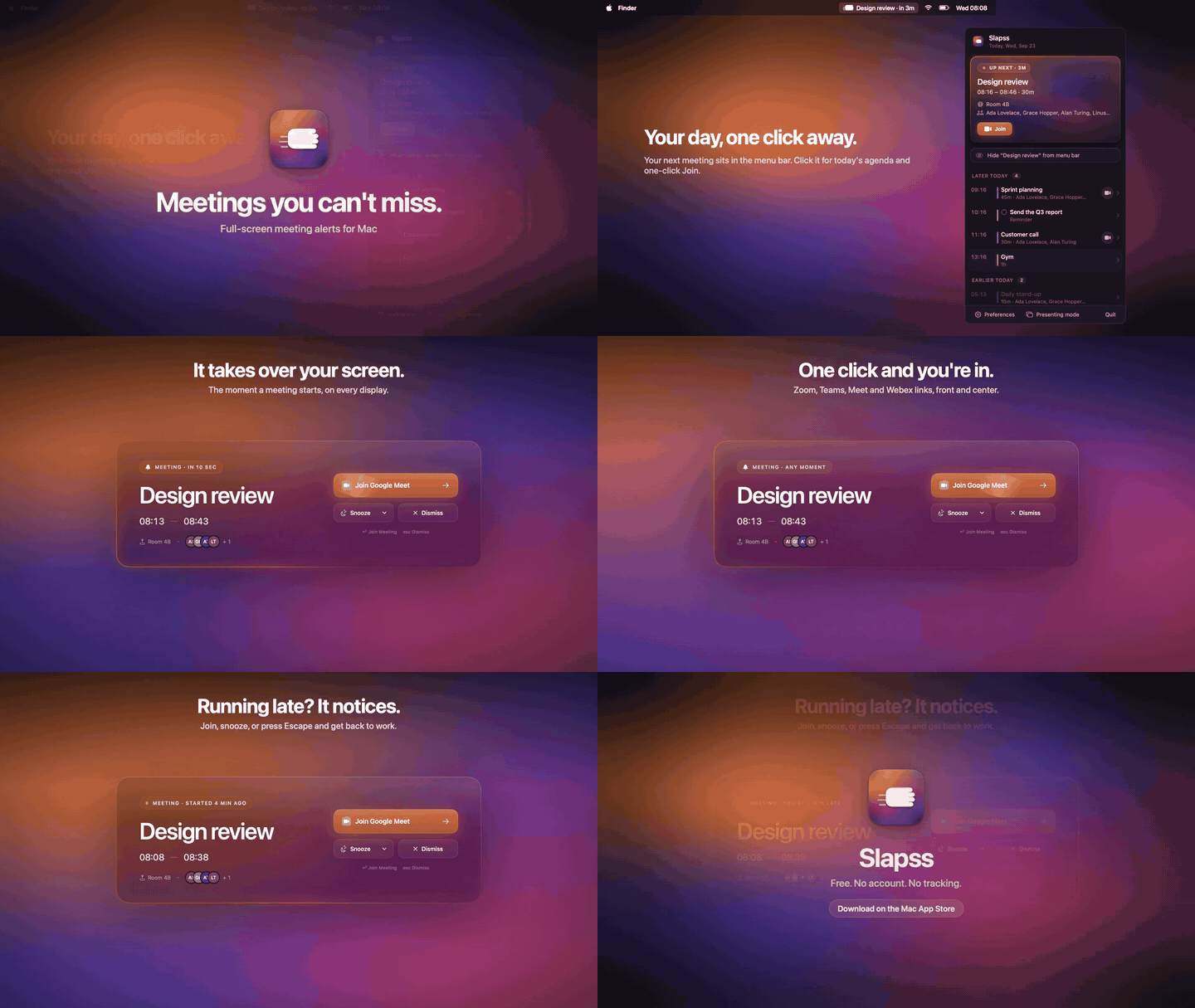
How to install Slapss on a Mac
- Get OpenDMG. It is a free app store for open source Mac apps. Download OpenDMG.
- Search for Slapss and press Get. OpenDMG downloads version 2.3.0 from theshiver's own GitHub release.
- Open it. The download is checked against its SHA-256 fingerprint and its signature is checked on your Mac before it lands in Applications.
Updates to Slapss show up in OpenDMG and install with one button. No account is needed.
Prefer to do it by hand? The developer's file is on GitHub: Slapss-2.3.0.zip (3.9 MB).
What is new in Slapss 2.3.0
- New: you can hide a meeting from the menu bar once it has started, right away or after 5, 10 or 15 minutes. Find it in Settings under Menu bar. By default nothing changes.
- Fixed: turning off reminders only hid them from the list. "Show reminders" now removes them from the menu bar, notifications and full-screen alerts too, and it has moved to the Alerts section of Settings.
More Menu Bar and Notch apps
-
 StatsmacOS system monitor in your menu bar
-
 IcePowerful menu bar manager for macOS (upstream, temporarily inactive)
-
 Hidden BarAn ultra-light MacOS utility that helps hide menu bar icons
-
 ThawThe open-source menu bar manager: hide, organize, and take control of menu bar icons
-
 Boring NotchTurn your MacBook notch into a music and file control center
-
 FineTunePer-Application Audio Control for macOS