
Memo Export for Mac
Exports Voice Memos recordings as audio plus Markdown notes with timestamped transcripts, adding only new memos each run.
By stanczykwyatt. Free and open source, MIT licence.
Memo Export at a glance
- Version
- 0.1.0
- Released
- 3 November 2026
- Download size
- 1.0 MB
- Works on
- Apple silicon and Intel
- Licence
- MIT
- Category
- Menu Bar and Notch
- Developer
- stanczykwyatt
- GitHub stars
- 2
About Memo Export
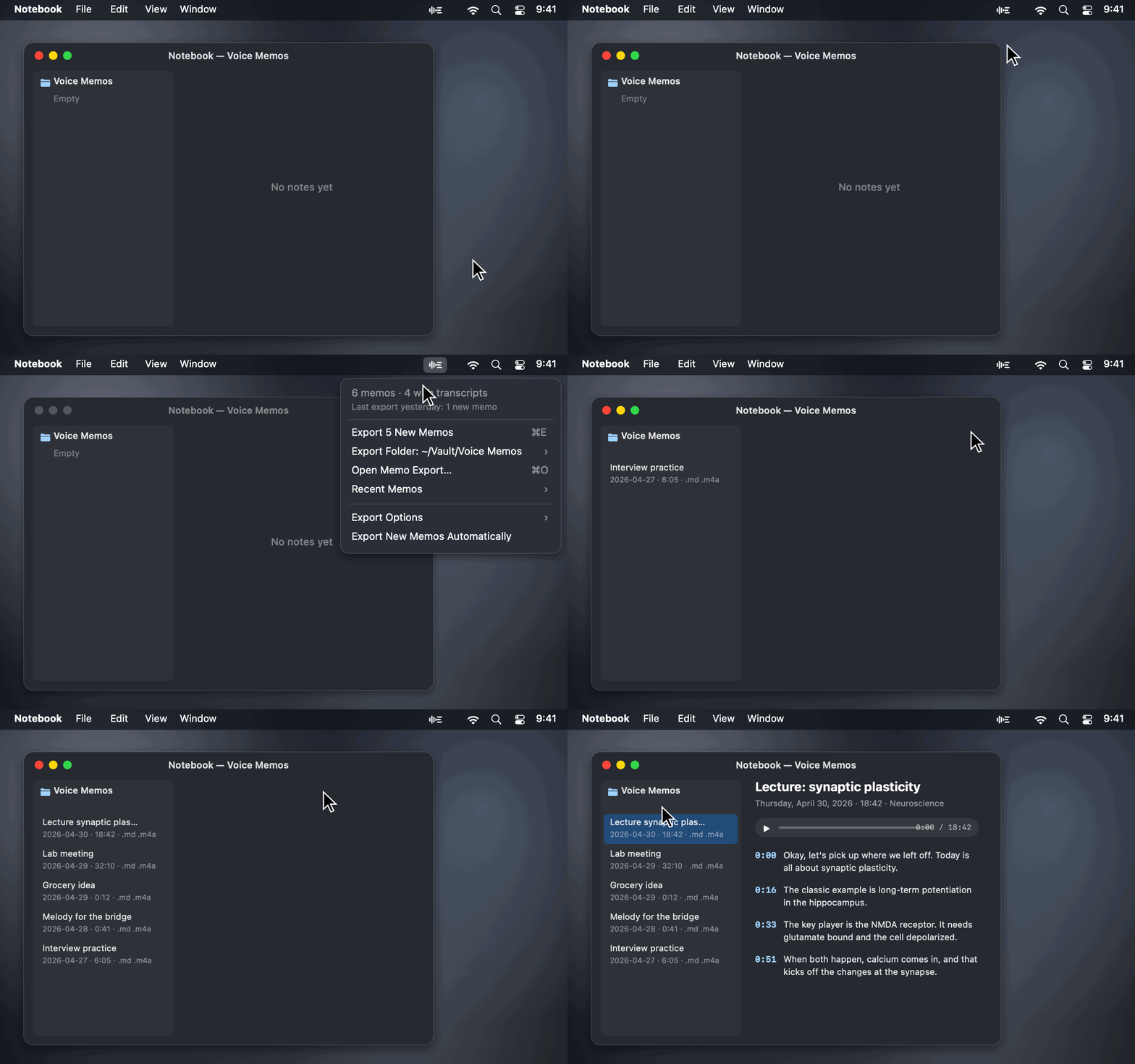
Export Apple Voice Memos transcripts on your Mac as Markdown with the audio: timestamped paragraphs, only new memos each run, Obsidian-friendly. Free, read-only, no internet access.
Screenshots
How to install Memo Export on a Mac
- Get OpenDMG. It is a free app store for open source Mac apps. Download OpenDMG.
- Search for Memo Export and press Get. OpenDMG downloads version 0.1.0 from stanczykwyatt's own GitHub release.
- Open it. The download is checked against its SHA-256 fingerprint and its signature is checked on your Mac before it lands in Applications.
Updates to Memo Export show up in OpenDMG and install with one button. No account is needed.
Prefer to do it by hand? The developer's file is on GitHub: Memo-Export.zip (1.0 MB).
What is new in Memo Export 0.1.0
First release of Memo Export, a free, open-source menu bar app that exports your Voice Memos transcripts as Markdown, with the audio.

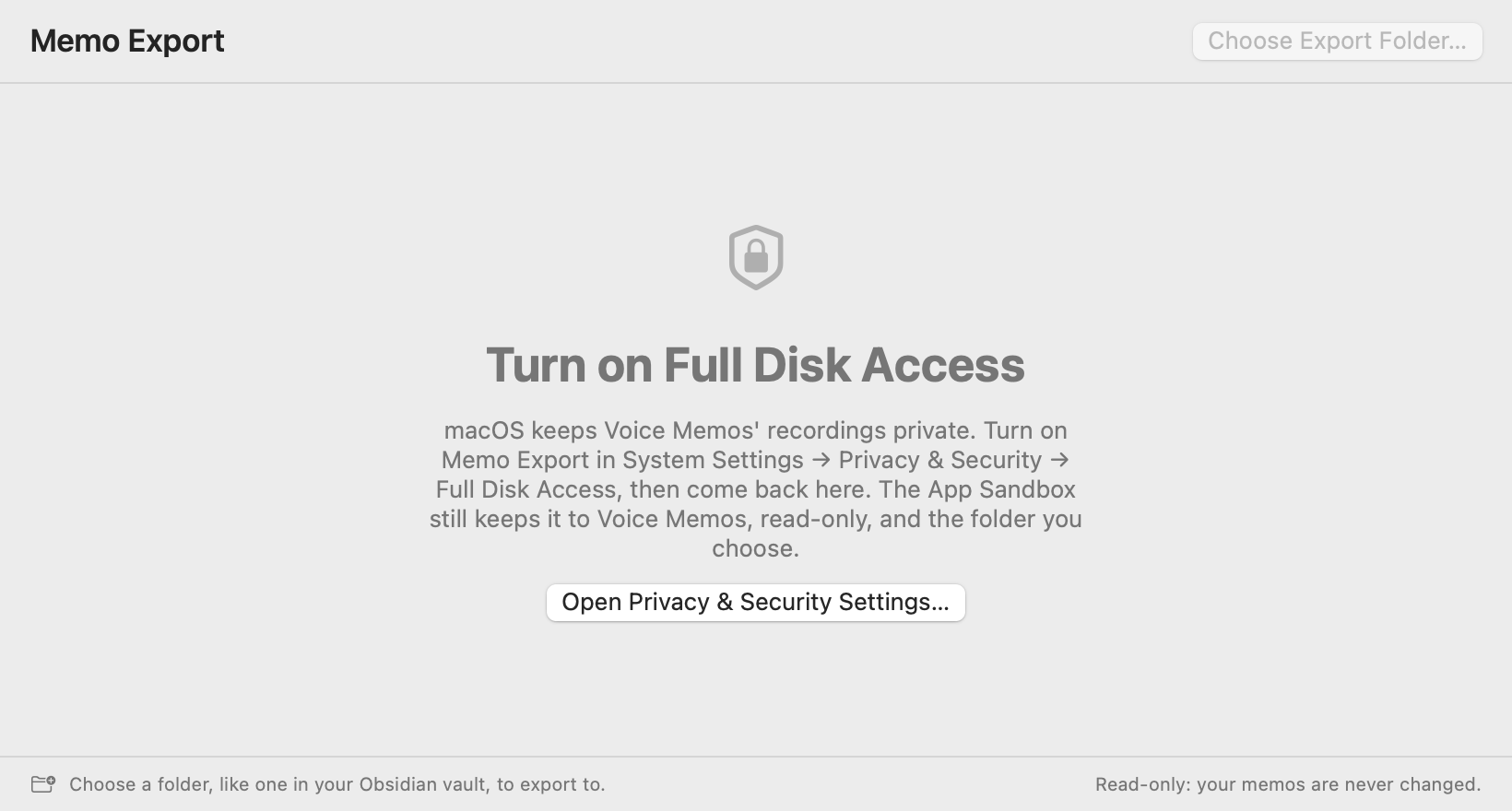
**Early release:** the export code was run against a real Voice Memos library from the command line tool and a sandboxed test build, but the signed app hasn't been tried with Full Disk Access turned on yet. If anything's off, please open an issue.

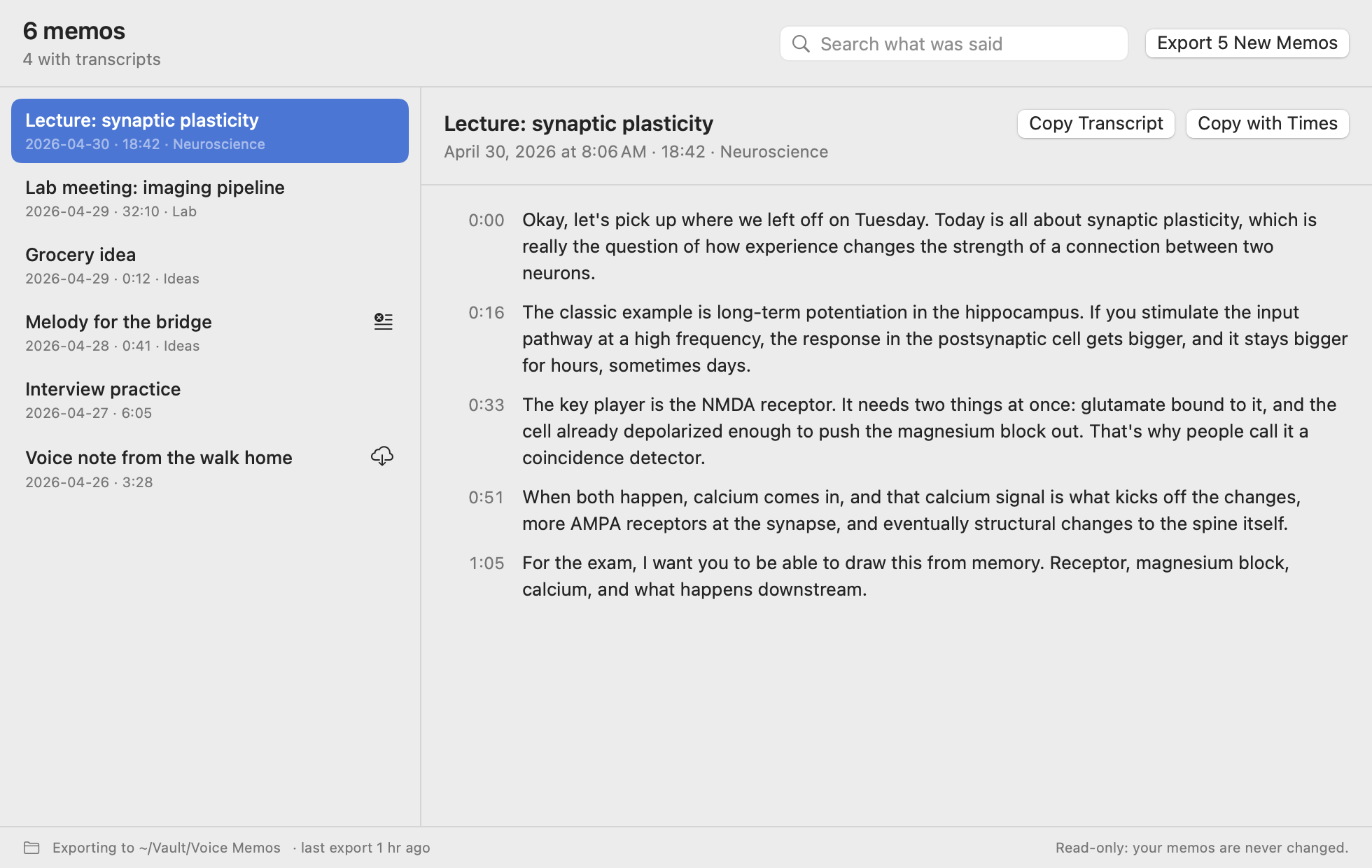
- **Every memo as a note and its audio:** the title, date, length and folder, then the whole transcript in paragraphs, each starting with when it was said.
- **Only new memos on each run,** with a small record in the export folder so nothing is duplicated.
- **Never overwrites your edits:** a transcript that arrives later or a renamed memo updates its note only if you haven't changed it.
- **Automatic export** of new memos, off until you turn it on.
- **Obsidian-friendly:** front matter, a `voice-memo` tag and an audio embed that plays inside the note, or standard Markdown links.
- **Search what was said** across every memo, and copy any transcript with its paragraphs, with or without timestamps.
- **Optional SRT subtitles,** subfolders matching your Voice Memos folders, and the `memo-export` command line tool.
- Runs in the App Sandbox with no network access, read-only access to Voice Memos, and write access only to the folder you choose. No dependencies.

## Install
…
More Menu Bar and Notch apps
-
 StatsmacOS system monitor in your menu bar
-
 IcePowerful menu bar manager for macOS (upstream, temporarily inactive)
-
 Hidden BarAn ultra-light MacOS utility that helps hide menu bar icons
-
 ThawThe open-source menu bar manager: hide, organize, and take control of menu bar icons
-
 Boring NotchTurn your MacBook notch into a music and file control center
-
 FineTunePer-Application Audio Control for macOS