
Çentik for Mac
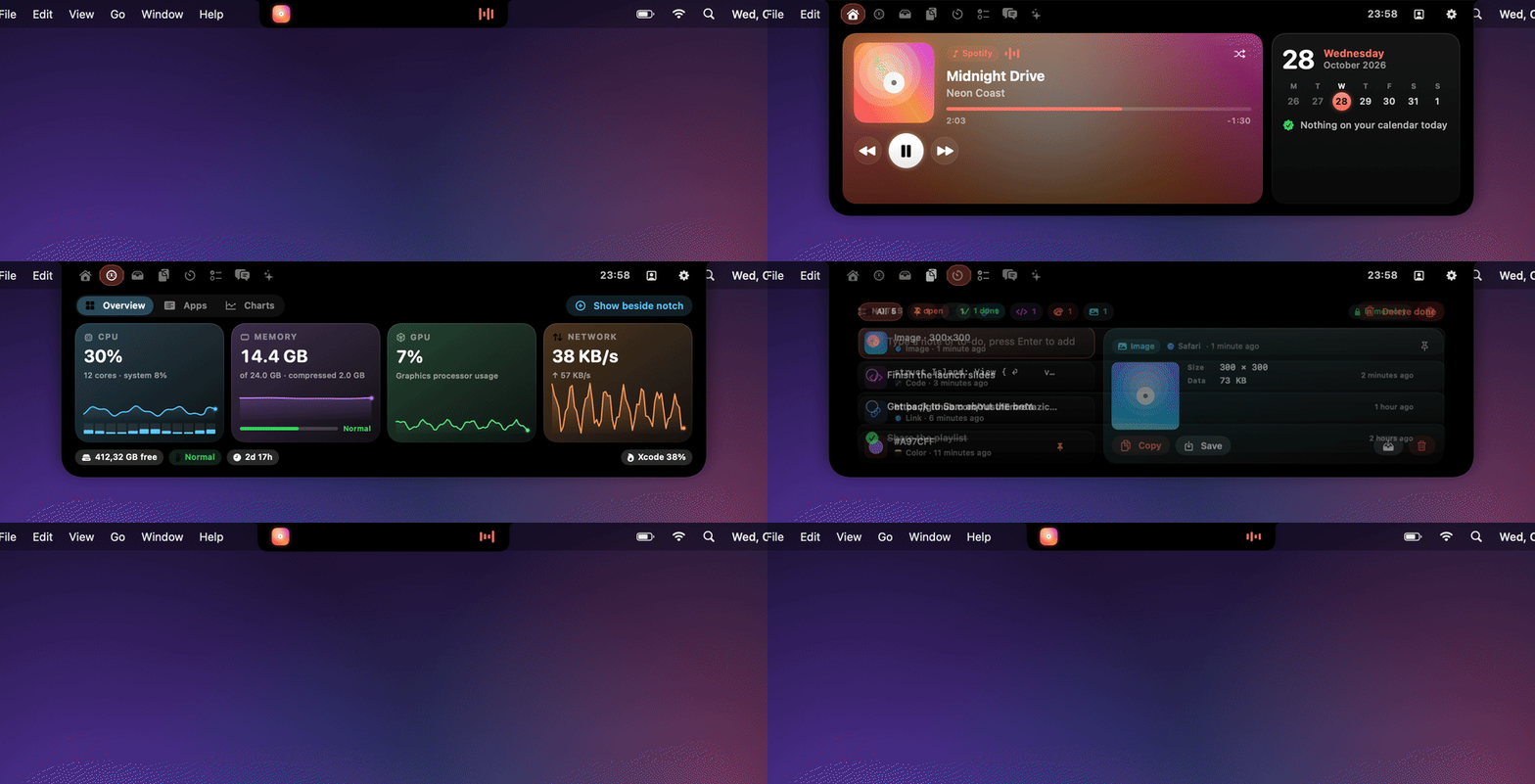
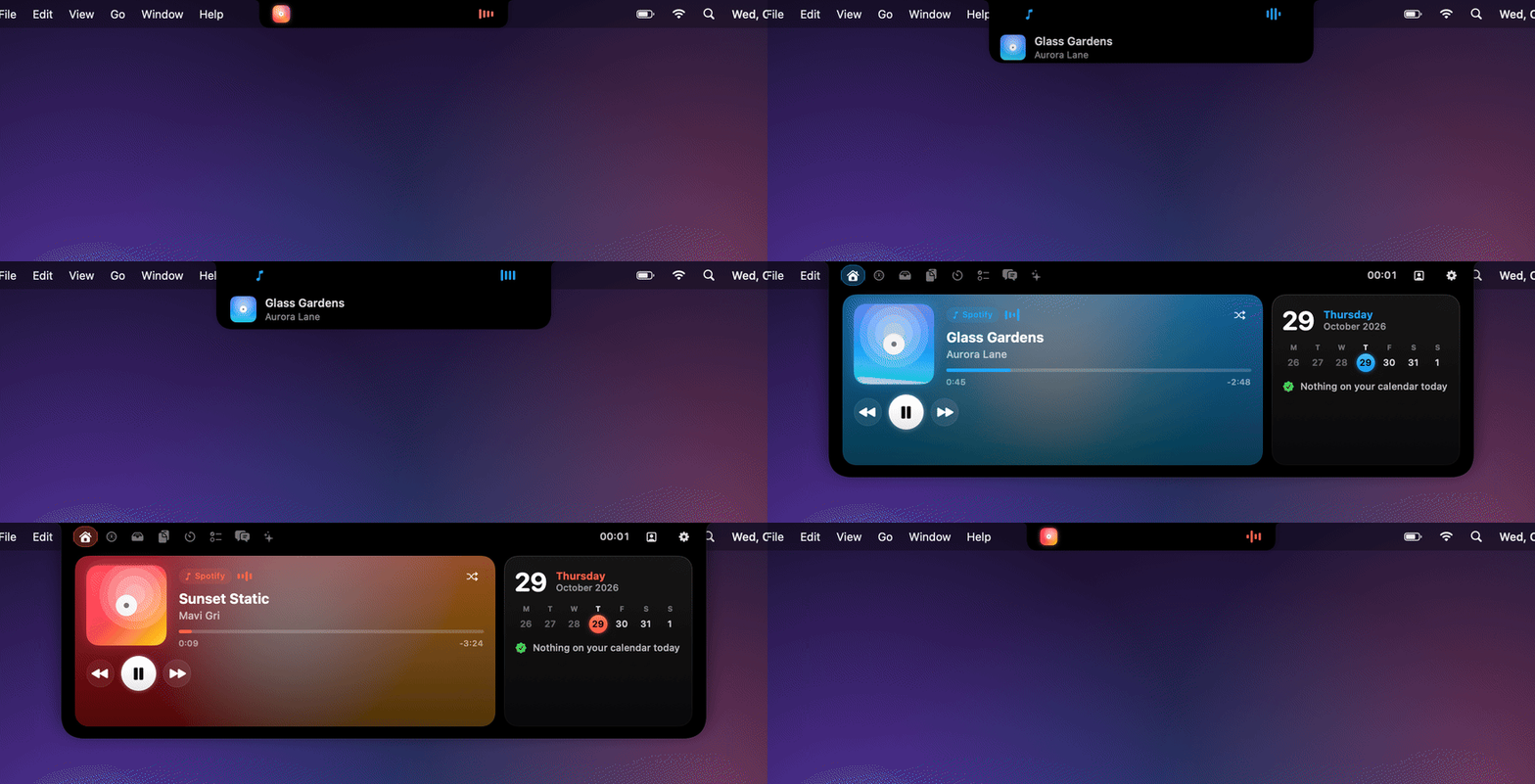
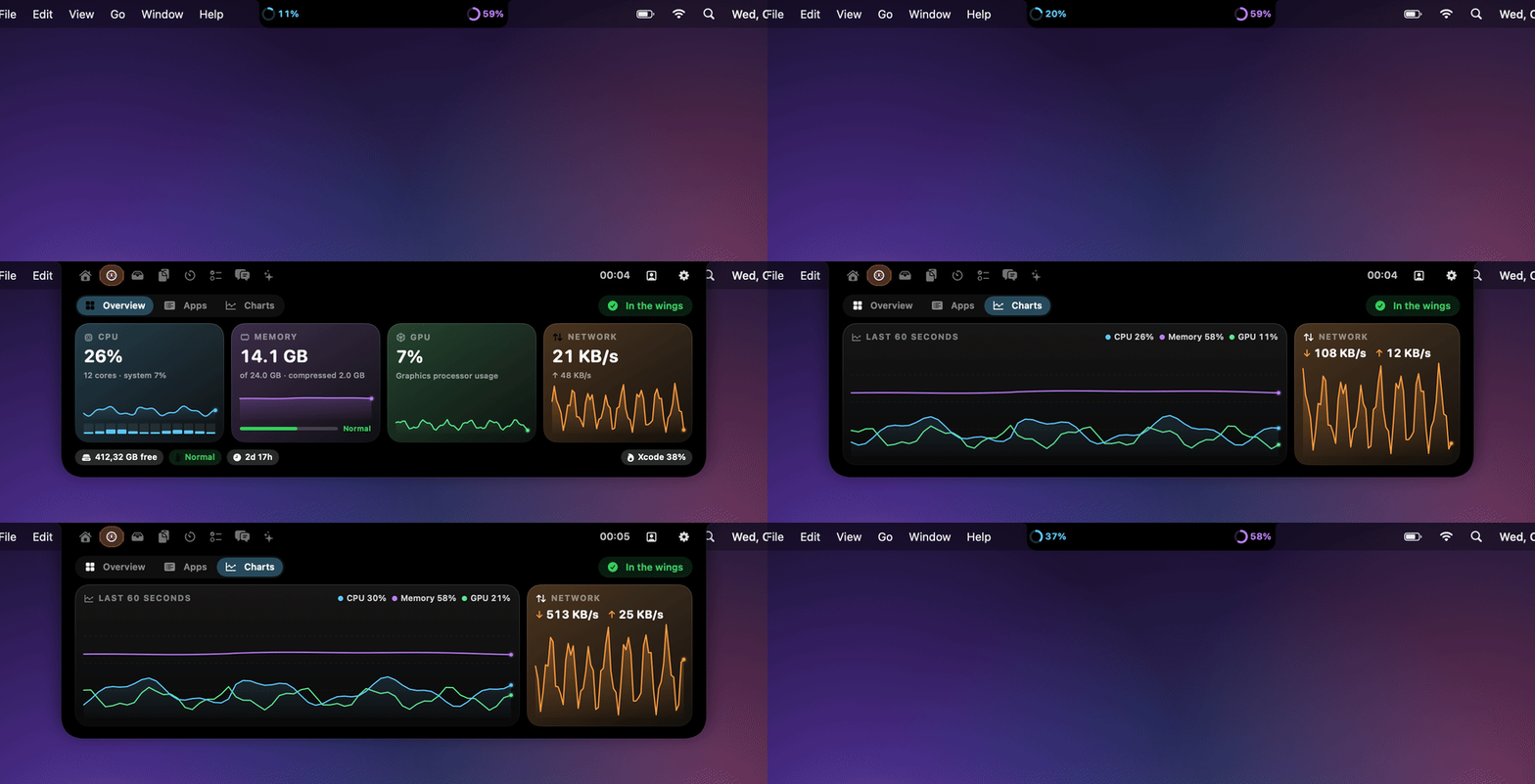
Notch hub for music, system stats, AI chat, clipboard, file shelf, and alerts.
By YusufEmreYazici. Free and open source, MIT licence.
Çentik at a glance
- Version
- 1.1.1
- Released
- 12 November 2026
- Download size
- 3.0 MB
- Works on
- Apple silicon and Intel
- Licence
- MIT
- Category
- Menu Bar and Notch
- Developer
- YusufEmreYazici
- GitHub stars
- 11
About Çentik
Your MacBook notch, finally useful. Music, live system stats, AI chat (Claude, Gemini, Ollama), clipboard, shelf and alerts in a free, open-source macOS island.
Screenshots
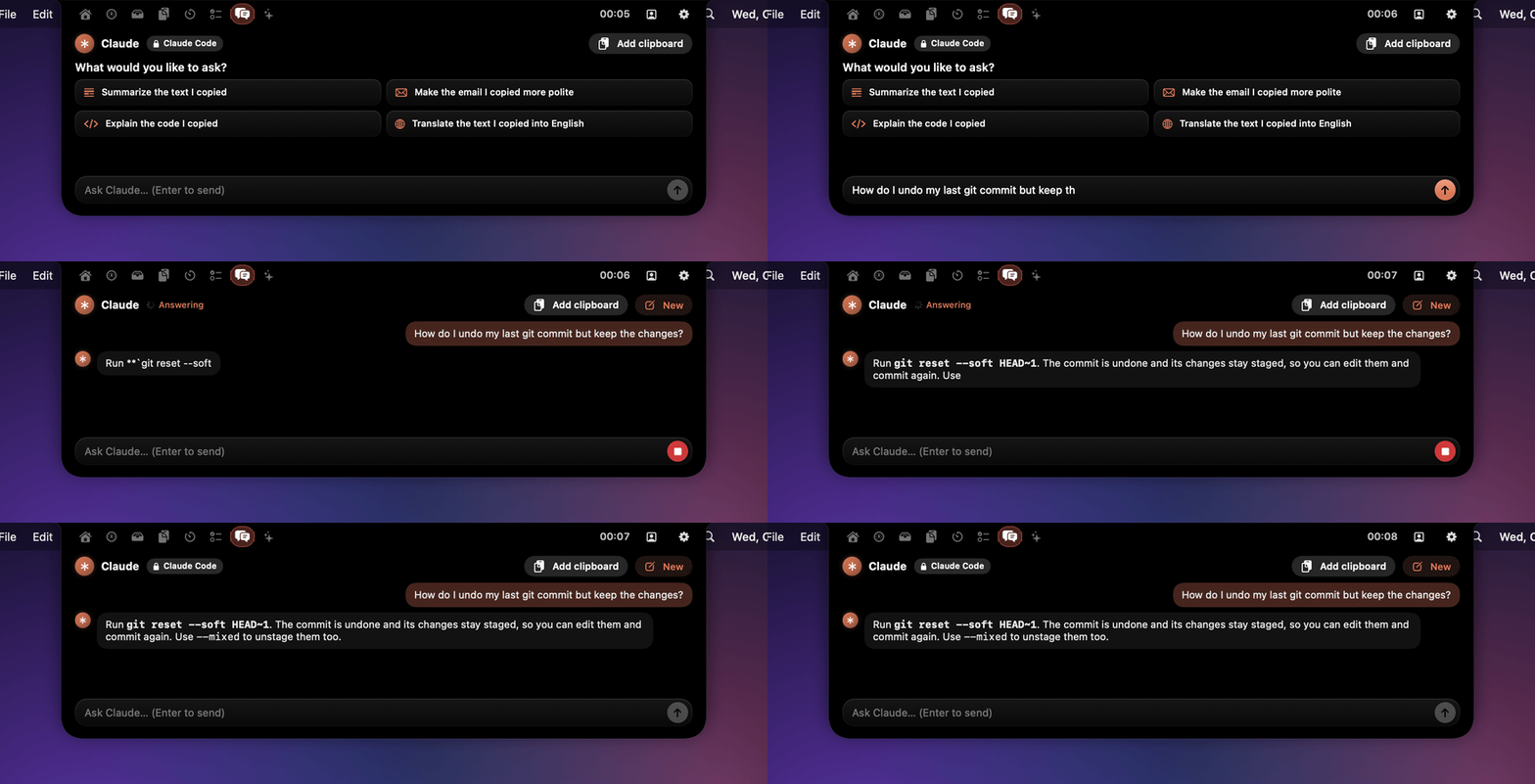
How to install Çentik on a Mac
- Get OpenDMG. It is a free app store for open source Mac apps. Download OpenDMG.
- Search for Çentik and press Get. OpenDMG downloads version 1.1.1 from YusufEmreYazici's own GitHub release.
- Open it. The download is checked against its SHA-256 fingerprint and its signature is checked on your Mac before it lands in Applications.
Updates to Çentik show up in OpenDMG and install with one button. No account is needed.
Prefer to do it by hand? The developer's file is on GitHub: Centik.dmg (3.0 MB).
What is new in Çentik 1.1.1
The System tab now matches Activity Monitor.

### Fixes
- **CPU, per-app CPU and network** are averaged over Activity Monitor's update period (View → Update Frequency, 5 seconds by default), so both apps show the same numbers. The charts still move every second.
- **CPU** is split into user and system, as in Activity Monitor.
- **Memory** shows two decimals in your interface language's number format.
- **Network** reads 64-bit counters and no longer counts VPN traffic twice.
- **Busiest process** works again on Macs set to Turkish, and its figure comes from actual CPU time.
- **Uptime** counts from boot instead of from the last wake, and Turkish no longer abbreviates minutes as "d".

### Install
1. Download **Centik.dmg** below and drag Çentik to Applications. With Homebrew: `brew upgrade --cask centik`.
2. The app isn't notarized yet. Open it once, then choose **System Settings → Privacy & Security → Open Anyway**.

Requires macOS 14 or later, on Apple Silicon or Intel.

---

**Türkçe:** Sistem sekmesi artık Etkinlik Monitörü ile aynı değerleri gösteriyor: CPU, uygulamalar ve ağ aynı süre üzerinden ortalanıyor; VPN trafiği iki kez sayılmıyor; en çok CPU kullanan uygulama Türkçe Mac'lerde yeniden çalışıyor; açık kalma süresi açılıştan itibaren sayılıyor.

SHA-256: `6d83b5386fe0d5bf2b64bccae8688c96b7bed551253e7b0d92f76957df1a4231`
More Menu Bar and Notch apps
-
 StatsmacOS system monitor in your menu bar
-
 IcePowerful menu bar manager for macOS (upstream, temporarily inactive)
-
 Hidden BarAn ultra-light MacOS utility that helps hide menu bar icons
-
 ThawThe open-source menu bar manager: hide, organize, and take control of menu bar icons
-
 Boring NotchTurn your MacBook notch into a music and file control center
-
 FineTunePer-Application Audio Control for macOS