
AI Footprint for Mac
Read-only menu bar app that shows the disk, background processes, MCP servers and login items AI coding tools leave on your Mac, with a receipt for every update.
By stanczykwyatt. Free and open source, MIT licence.
AI Footprint at a glance
- Version
- 0.1.0
- Released
- 3 November 2026
- Download size
- 1.3 MB
- Works on
- Apple silicon and Intel
- Licence
- MIT
- Category
- Menu Bar and Notch
- Developer
- stanczykwyatt
- GitHub stars
- 3
About AI Footprint
See what AI coding tools leave on your Mac: disk, background processes, MCP servers and login items, with a receipt for every update. Free, read-only, no internet access.
Screenshots
How to install AI Footprint on a Mac
- Get OpenDMG. It is a free app store for open source Mac apps. Download OpenDMG.
- Search for AI Footprint and press Get. OpenDMG downloads version 0.1.0 from stanczykwyatt's own GitHub release.
- Open it. The download is checked against its SHA-256 fingerprint and its signature is checked on your Mac before it lands in Applications.
Updates to AI Footprint show up in OpenDMG and install with one button. No account is needed.
Prefer to do it by hand? The developer's file is on GitHub: AI-Footprint.zip (1.3 MB).
What is new in AI Footprint 0.1.0
First release of AI Footprint, a free, open-source menu bar app that shows what AI coding tools leave on your Mac.

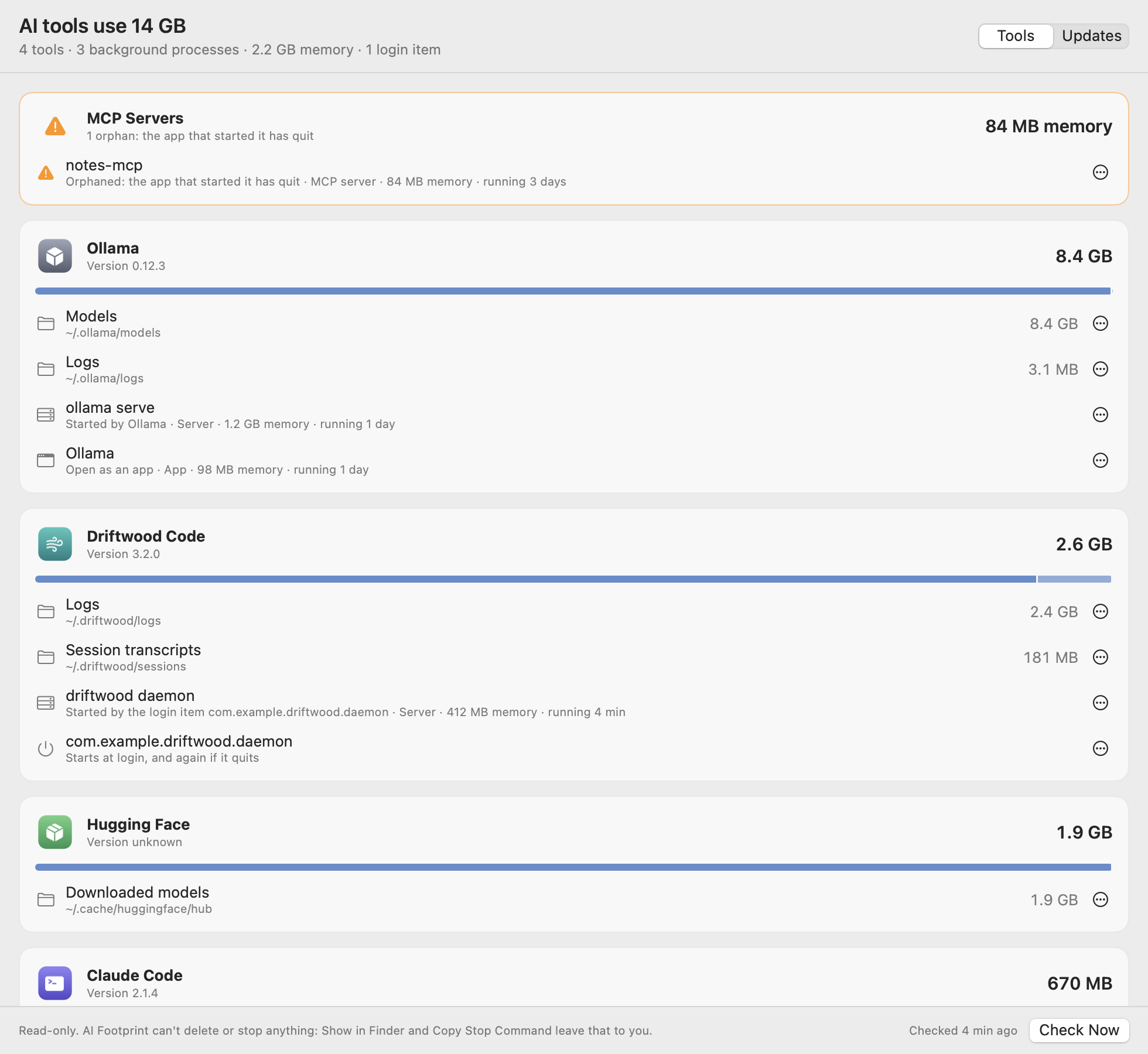
- **Disk use per tool:** Claude Code, the Claude app, Codex, Ollama, LM Studio and Hugging Face, split into models, caches, logs, transcripts and installed versions, with the biggest things in each folder.
- **Processes,** with their memory and what keeps them running: an app, a terminal, a login item, another tool, or nothing.
- **MCP servers,** with the tool that started them. Orphaned servers whose app has quit are flagged.
- **Login items** each tool installed, and when they run.
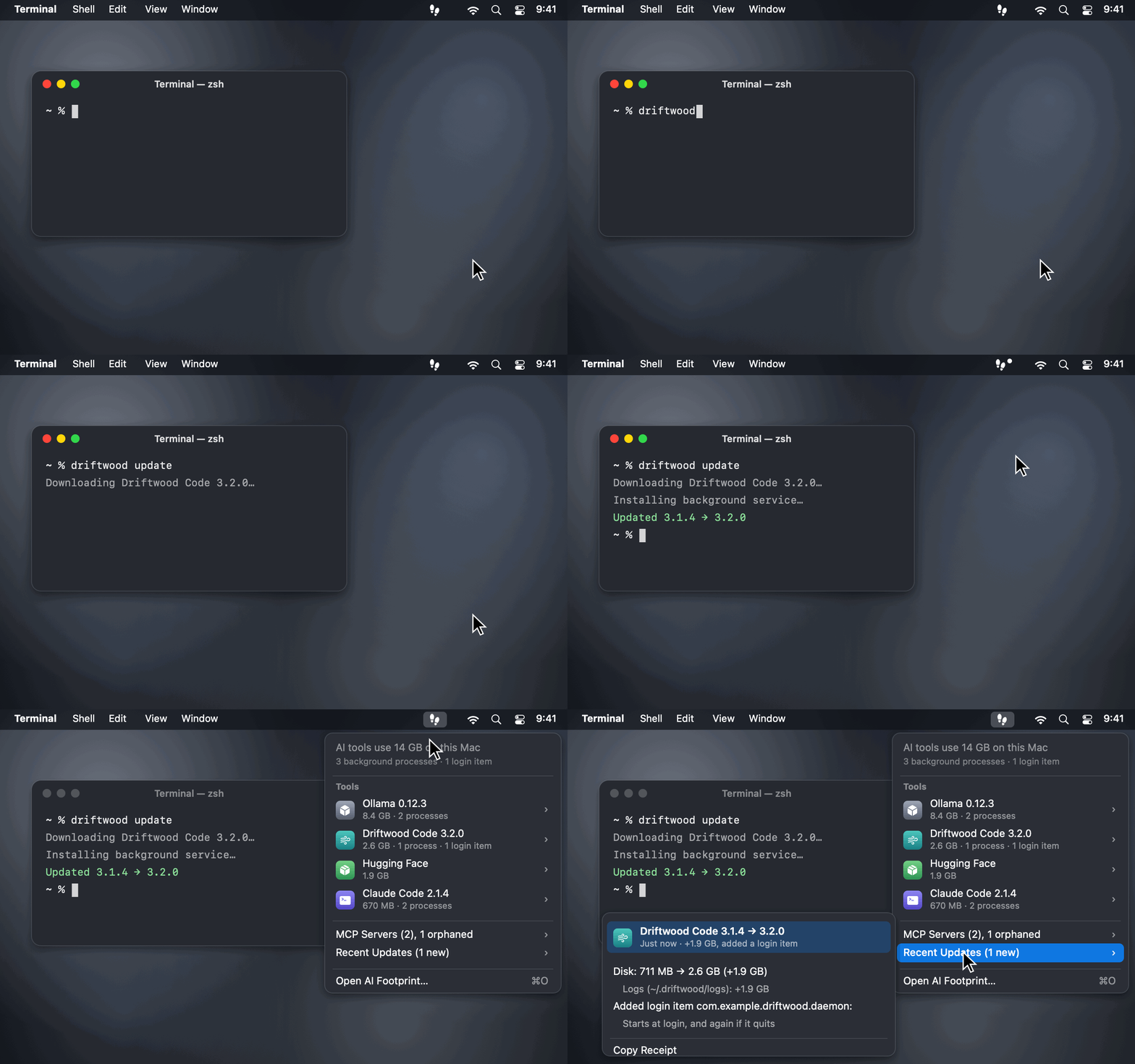
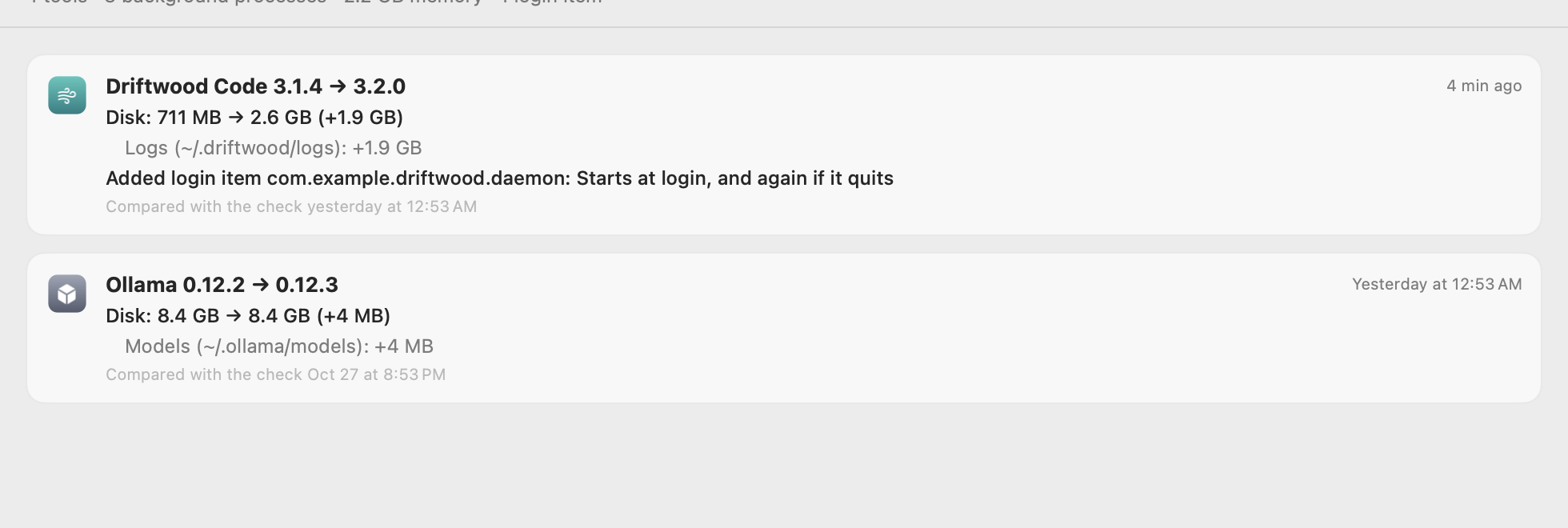
- **Update receipts:** when a tool updates, installs itself, or adds or removes a login item, see the version change, the disk each folder gained or lost, and the login items that came or went.
- **Copy Stop Command** and **Show in Finder** for everything. AI Footprint itself never deletes or stops anything.
- Runs in the App Sandbox with no network access and read-only access to the tools' folders, listed one by one so their tokens, keys and settings stay out of reach. No dependencies.

## Install
…
More Menu Bar and Notch apps
-
 StatsmacOS system monitor in your menu bar
-
 IcePowerful menu bar manager for macOS (upstream, temporarily inactive)
-
 Hidden BarAn ultra-light MacOS utility that helps hide menu bar icons
-
 ThawThe open-source menu bar manager: hide, organize, and take control of menu bar icons
-
 Boring NotchTurn your MacBook notch into a music and file control center
-
 FineTunePer-Application Audio Control for macOS