
WhisperDrop 2 for Mac
Offline transcription and dictation for audio, video, YouTube, and meetings.
By Zer0codestuff. Free and open source, MIT licence.
WhisperDrop 2 at a glance
- Version
- 2.6.0
- Released
- 6 October 2026
- Download size
- 204 MB
- Works on
- Apple silicon
- Licence
- MIT
- Category
- Audio and Music
- Developer
- Zer0codestuff
- GitHub stars
- 5
About WhisperDrop 2
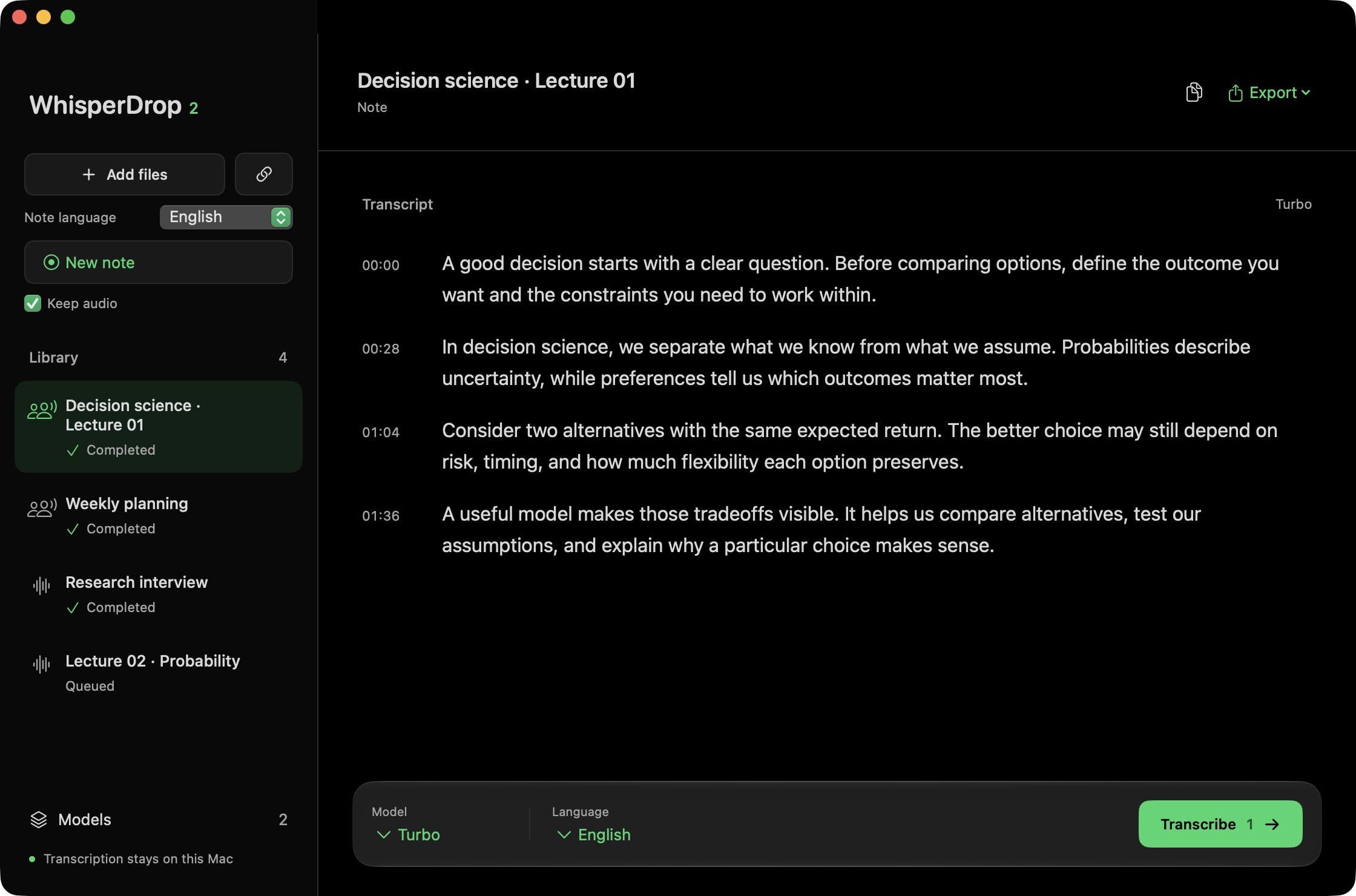
Free, open-source Mac app for local transcription and dictation. Transcribe audio, video, YouTube and meetings with Whisper or Parakeet, fully offline. A MacWhisper and Wispr Flow alternative for Apple Silicon.
Screenshots
How to install WhisperDrop 2 on a Mac
- Get OpenDMG. It is a free app store for open source Mac apps. Download OpenDMG.
- Search for WhisperDrop 2 and press Get. OpenDMG downloads version 2.6.0 from Zer0codestuff's own GitHub release.
- Open it. The download is checked against its SHA-256 fingerprint and its signature is checked on your Mac before it lands in Applications.
Updates to WhisperDrop 2 show up in OpenDMG and install with one button. No account is needed.
Prefer to do it by hand? The developer's file is on GitHub: WhisperDrop-2.6.0-arm64.dmg (204 MB).
What is new in WhisperDrop 2 2.6.0
WhisperDrop 2.6.0 makes Parakeet v3 the default speech model, writes notes while you speak with one sentence per paragraph, lets you pause a note and rename it by clicking its title, and adds local writing tools and in-app updates.

## Install

Apple Silicon, macOS 14 or later. Coming from 2.5.0 or earlier, download the DMG once and replace the app; your notes, models and settings stay. From 2.6.0 on, use **WhisperDrop 2 > Check for Updates…** or **Settings > General > App updates** instead of downloading again.

The app is ad hoc signed and not notarized, so macOS may block the first launch. If you trust this build, open it once, then choose **System Settings > Privacy & Security > Open Anyway**. After replacing the app, macOS may ask again for Accessibility and Input Monitoring.

## Parakeet v3 by default

- Parakeet v3 is the default model and is no longer experimental. It covers 25 European languages, including Italian and English, and is fast enough to write while you speak.
- If your main model was Turbo and Parakeet is already downloaded, the app switches to Parakeet once. Choosing another model afterwards is kept.
- Whisper models are listed as legacy models in **Settings > Models**. When your language is not one of Parakeet's 25, an installed Whisper model is used automatically, Turbo first, and Settings shows which one.

## Notes
…
More Audio and Music apps
-
 MonitorControlAdjust external monitor settings
-
 FluidVoiceVoice-to-text app with AI enhancement
-
 eqMacSystem-wide audio equalizer and volume mixer
-
 VoiceInkReal-time speech-to-text app
-
 LyricsXDisplay lyrics for iTunes/Spotify
-
 FreeFlowPush-to-talk speech-to-text tool that inserts polished transcripts into any app