

WandelBar for Mac
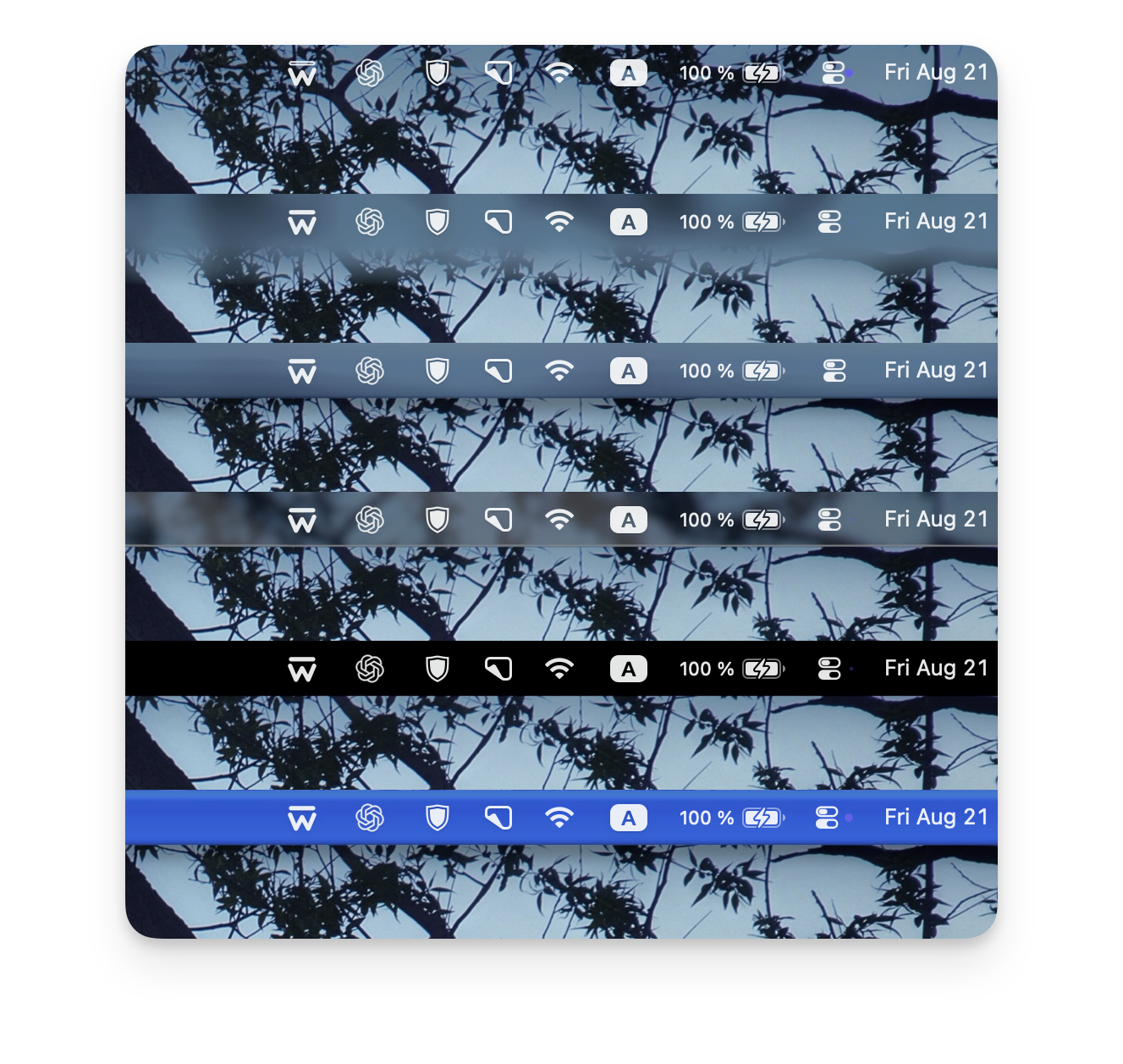
Menu bar background customizer that restores contrast, softens a busy wallpaper, or gives the bar a completely different character.
By alexiosus. Free and open source, GPL-3.0 licence.
WandelBar at a glance
- Version
- 0.2.0
- Released
- 11 September 2026
- Download size
- 12 MB
- Works on
- Apple silicon
- Licence
- GPL-3.0
- Category
- Menu Bar and Notch
- Developer
- alexiosus
- GitHub stars
- 19
About WandelBar
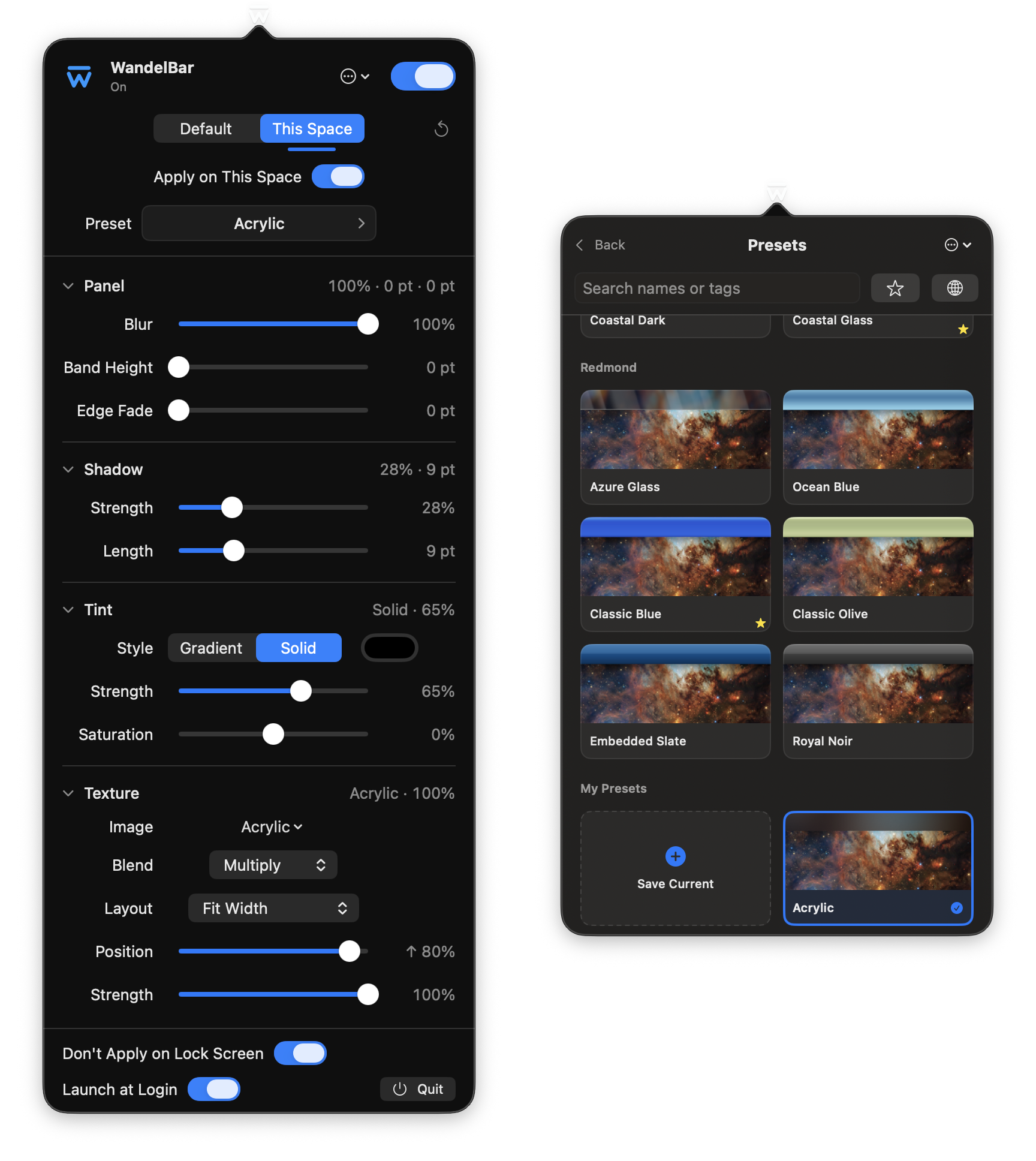
Customize the macOS Tahoe menu bar background with blur, tint, shadows, textures, presets, and per-Space settings!
Screenshots
How to install WandelBar on a Mac
- Get OpenDMG. It is a free app store for open source Mac apps. Download OpenDMG.
- Search for WandelBar and press Get. OpenDMG downloads version 0.2.0 from alexiosus's own GitHub release.
- Open it. The download is checked against its SHA-256 fingerprint and its signature is checked on your Mac before it lands in Applications.
Updates to WandelBar show up in OpenDMG and install with one button. No account is needed.
Prefer to do it by hand? The developer's file is on GitHub: WandelBar-0.2.0-macOS-arm64.dmg (12 MB).
What is new in WandelBar 0.2.0
### New

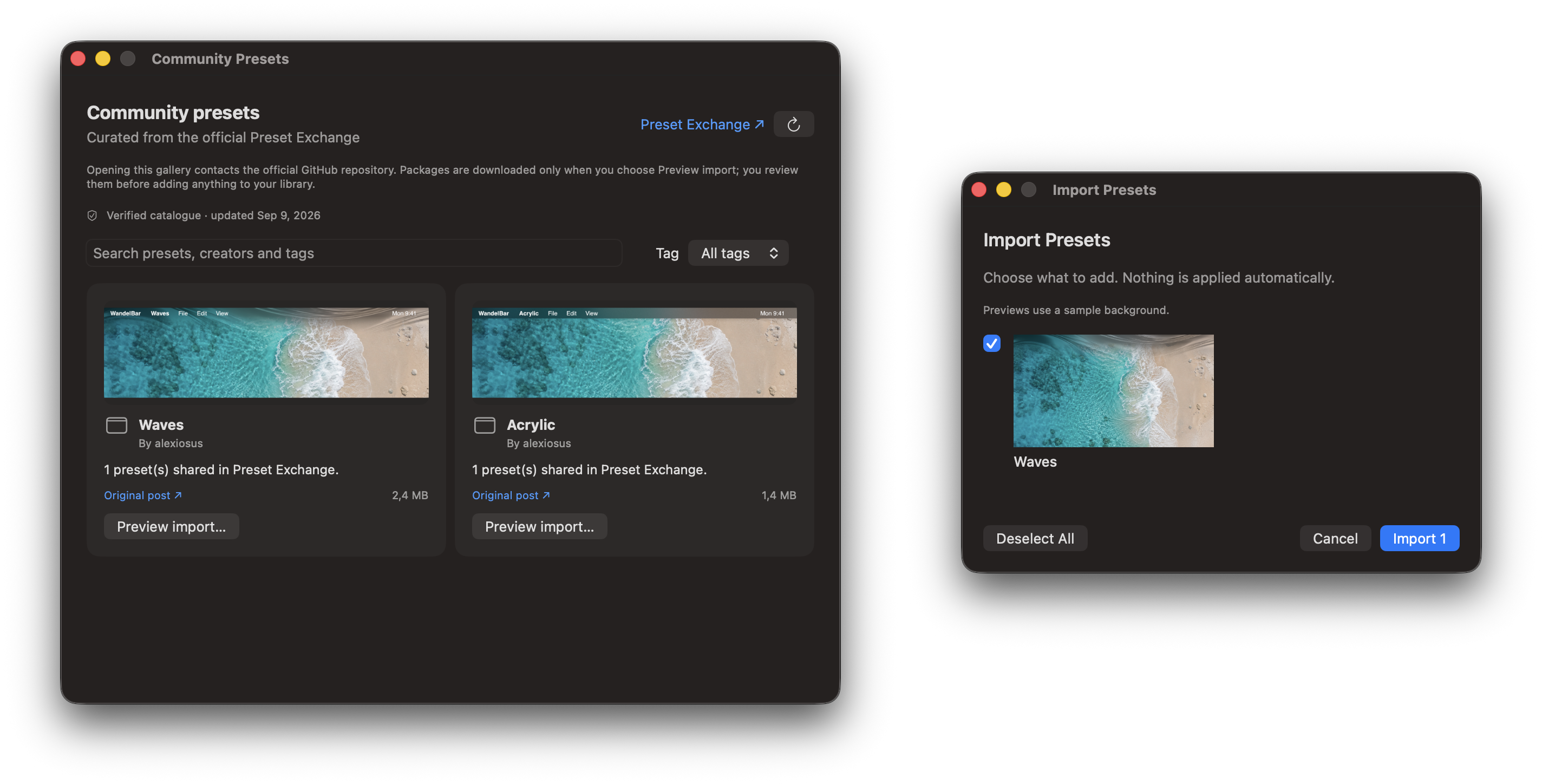
- **Community Gallery:** browse approved preset packages with expandable previews, directly
 from the preset catalog. Previously loaded previews are available offline.
- **Share to Discussions:** prepare a post, a preset package and a sharp preview using the sample
 or current wallpaper. Drag all attachments into GitHub together and publish when ready.
- **Preset organization:** search names and tags, filter favorites, and undo the last preset application.
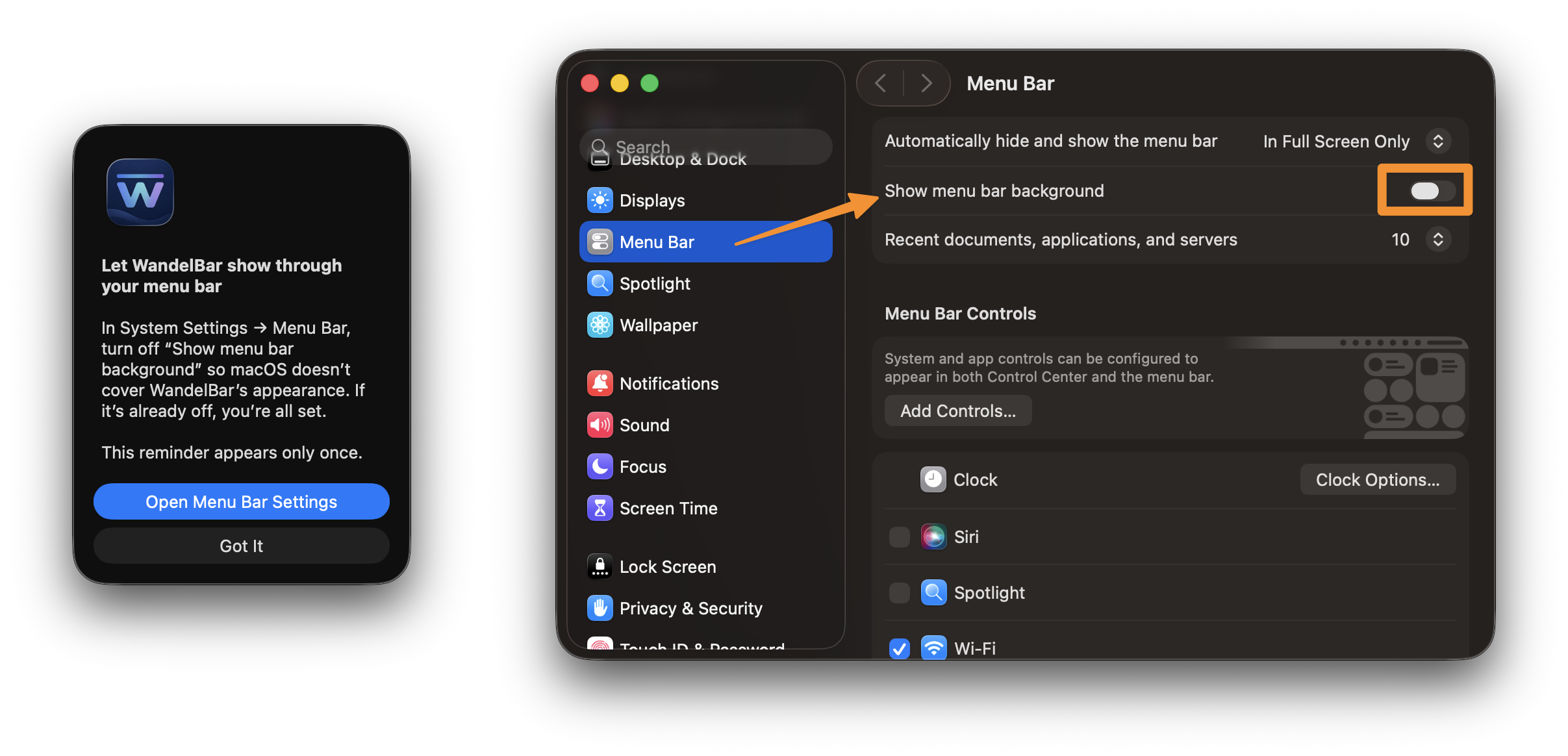
- **First-launch guidance:** a one-time reminder helps you disable the macOS menu bar background.
- **About and maintenance:** official links, copyright, Ko-fi support, third-party notices and
 tools for removing unused textures and optionally cleaning the macOS wallpaper cache.
- **Installation and updates:** signed and notarized releases, Homebrew support, and in-app
 update checks with optional automatic downloads and installation.

### Improvements and fixes

- Preset import and export run in the background and can be cancelled. Import lets you select
 presets, preserves existing names and rejects damaged or unsafe packages.
- Imported presets now show the correct wallpaper in the catalog, with more reliable preview refreshes.
- Fixed texture scaling in preset previews so fade transitions match the desktop treatment.
- Utility windows are easier to find in the Dock and bring back to the foreground.
…
More Menu Bar and Notch apps
-
 StatsmacOS system monitor in your menu bar
-
 IcePowerful menu bar manager for macOS (upstream, temporarily inactive)
-
 Hidden BarAn ultra-light MacOS utility that helps hide menu bar icons
-
 ThawThe open-source menu bar manager: hide, organize, and take control of menu bar icons
-
 Boring NotchTurn your MacBook notch into a music and file control center
-
 eulmacOS status monitoring app written in SwiftUI