

TypeNo for Mac
Local voice input tool that transcribes speech and pastes the result into your current app.
By marswaveai. Free and open source, GPL-3.0 licence.
TypeNo at a glance
- Version
- 1.4.1
- Released
- 28 August 2026
- Download size
- 1.2 MB
- Works on
- Apple silicon and Intel
- Licence
- GPL-3.0
- Category
- Audio and Music
- Developer
- marswaveai
- GitHub stars
- 901
About TypeNo
A free, open source, privacy-first voice input app for macOS.
Screenshots

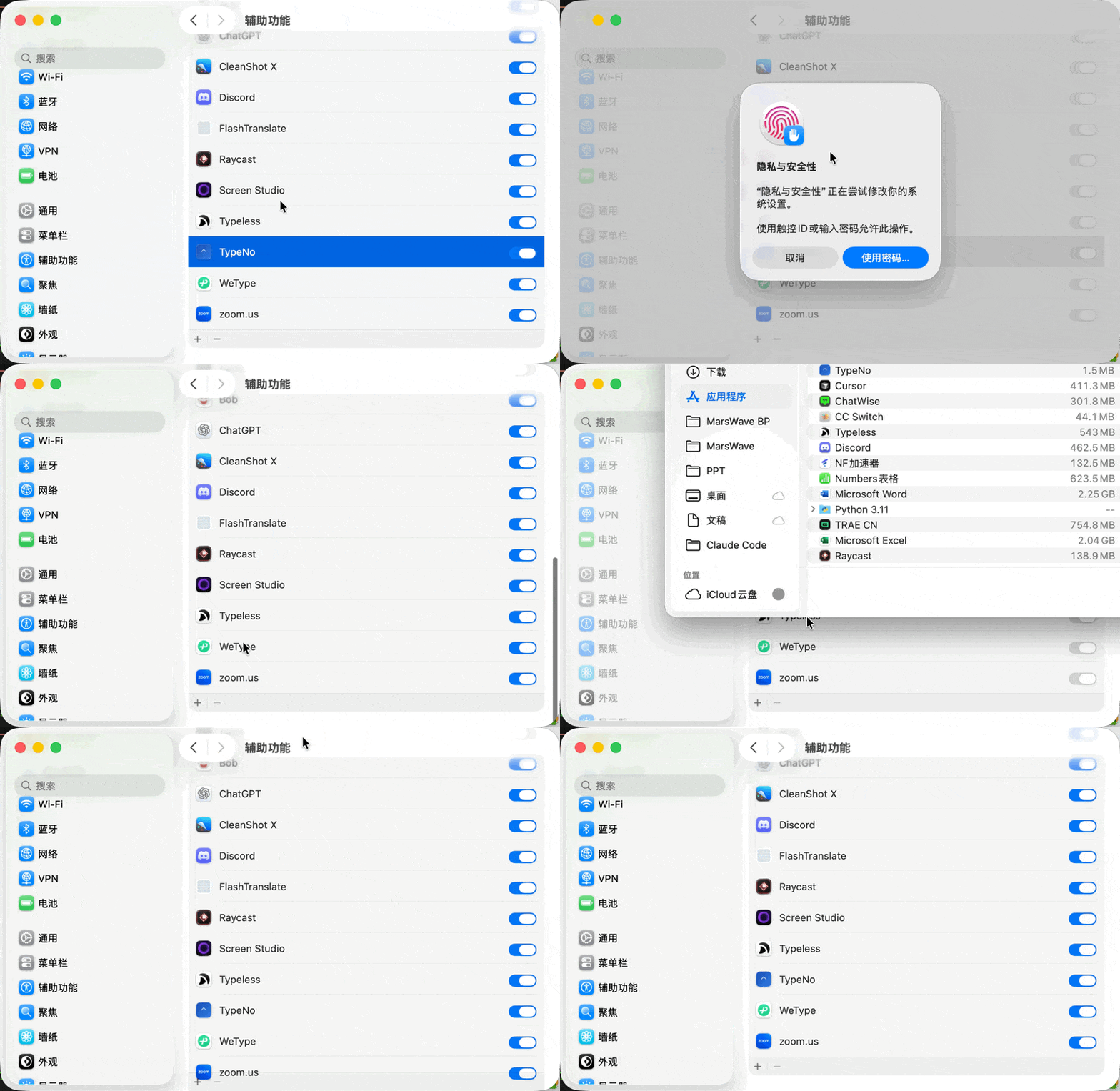
How to install TypeNo on a Mac
- Get OpenDMG. It is a free app store for open source Mac apps. Download OpenDMG.
- Search for TypeNo and press Get. OpenDMG downloads version 1.4.1 from marswaveai's own GitHub release.
- Open it. The download is checked against its SHA-256 fingerprint and its signature is checked on your Mac before it lands in Applications.
Updates to TypeNo show up in OpenDMG and install with one button. No account is needed.
Prefer to do it by hand? The developer's file is on GitHub: TypeNo.app.zip (1.2 MB).
What is new in TypeNo 1.4.1
## Bug Fixes

### Duplicate Overlay Text
Fixed a bug where the compact overlay rendered all text twice — transcription results, live preview, error messages, and update notifications all appeared as duplicated lines (fixes #50, thanks @contributor via #51).

### Reliable ffmpeg / coli Detection
TypeNo now resolves your login shell's full `PATH` and injects it into the `coli` subprocess environment. This fixes the case where the GUI app could not find `ffmpeg` even though it was installed and worked in Terminal (#42).

## Install

1. Download `TypeNo.app.zip`
2. Unzip and move `TypeNo.app` to `/Applications`
3. Open TypeNo

**Prerequisites:** Node.js + ffmpeg + coli speech engine:

```bash
brew install ffmpeg
npm install -g @marswave/coli
```

TypeNo is signed and notarized by Apple.
More Audio and Music apps
-
 MonitorControlAdjust external monitor settings
-
 FluidVoiceVoice-to-text app with AI enhancement
-
 eqMacSystem-wide audio equalizer and volume mixer
-
 VoiceInkReal-time speech-to-text app
-
 LyricsXDisplay lyrics for iTunes/Spotify
-
 FreeFlowPush-to-talk speech-to-text tool that inserts polished transcripts into any app