

Tutti for Mac
Streams the same audio to multiple output devices at once.
By BarryBarrywu. Free and open source.
Tutti at a glance
- Version
- 1.11.0
- Released
- 19 September 2026
- Download size
- 6.8 MB
- Works on
- Apple silicon and Intel
- Category
- Audio and Music
- Developer
- BarryBarrywu
- GitHub stars
- 110
About Tutti
Multi-output audio and display control for Mac — one panel for every output, app, and screen.
Screenshots
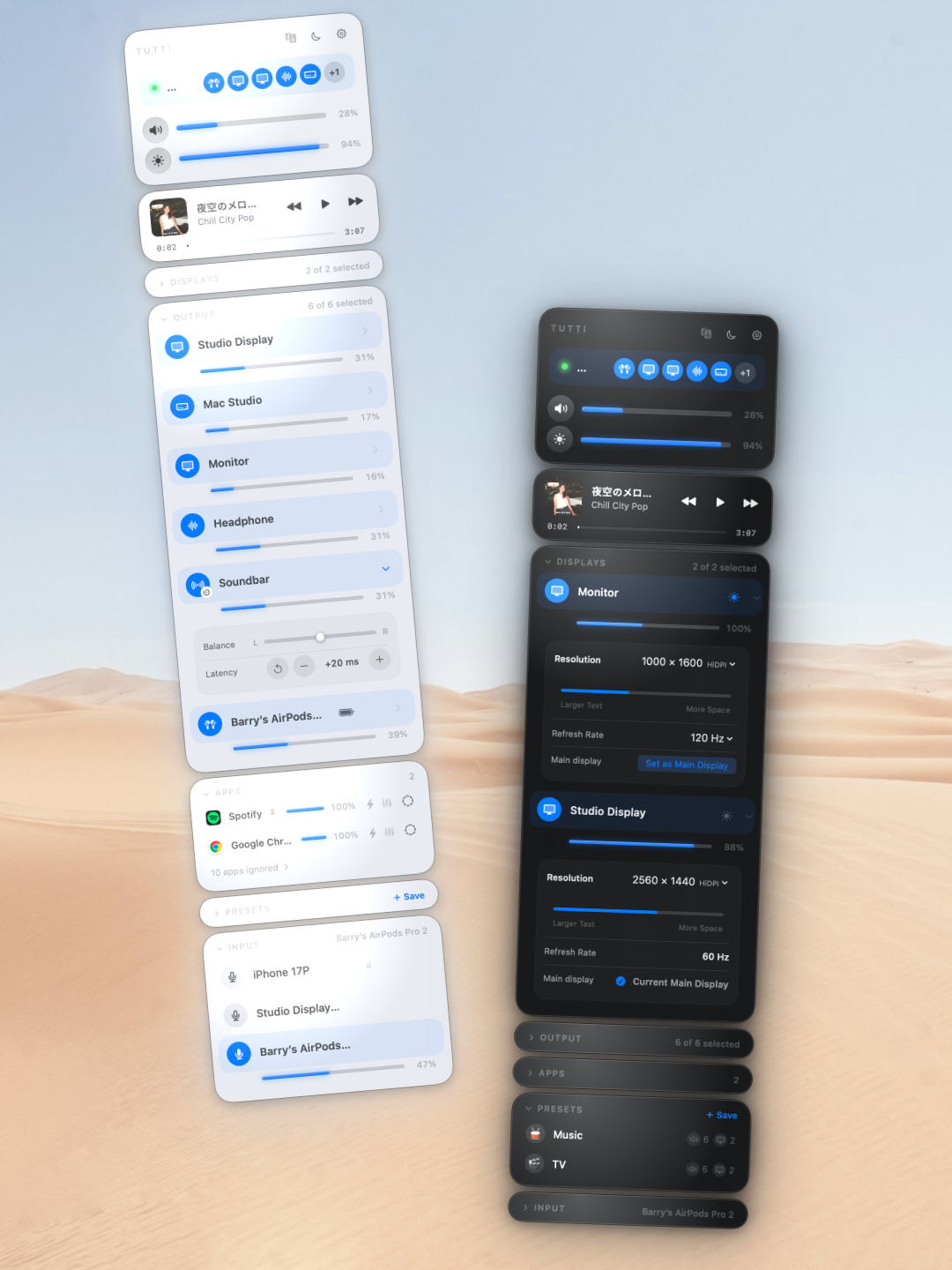
How to install Tutti on a Mac
- Get OpenDMG. It is a free app store for open source Mac apps. Download OpenDMG.
- Search for Tutti and press Get. OpenDMG downloads version 1.11.0 from BarryBarrywu's own GitHub release.
- Open it. The download is checked against its SHA-256 fingerprint and its signature is checked on your Mac before it lands in Applications.
Updates to Tutti show up in OpenDMG and install with one button. No account is needed.
Prefer to do it by hand? The developer's file is on GitHub: Tutti.dmg (6.8 MB).
What is new in Tutti 1.11.0
## Added
- Change resolution, refresh rate, existing HiDPI modes, and the main display from the Displays card on macOS 15 or later. These local controls are free. Display-mode changes include a 15-second Keep / Restore confirmation; changing the main display takes effect immediately.
- Brightness Upscaling now supports eligible built-in displays and external HDR displays beyond the existing XDR compatibility list. Each display uses its own route; available gain depends on the display, EDR headroom, and connection. Requires Tutti Pro.

## Changed
- Settings now shows the real menu panel as a companion preview. Switching to another app keeps Settings open and hides the preview; returning restores your editing context.
- Preview resolution while dragging the slider and apply it on release. Resolution menus group related modes and show HiDPI status, with reference markers to help navigate available choices.
- Refined display controls and latency adjustment. Follow Built-in uses a native switch; Set as Main Display uses a separate button with a read-only current-display status.
- Simplified brightness-upscaling notices and aligned failure actions with other panel notices.

## Fixed
- Keep Settings beside its preview when space permits, preserve manual placement, and make menu-bar clicks, shortcuts, and window dismissal behave consistently.
…
More Audio and Music apps
-
 MonitorControlAdjust external monitor settings
-
 FluidVoiceVoice-to-text app with AI enhancement
-
 eqMacSystem-wide audio equalizer and volume mixer
-
 VoiceInkReal-time speech-to-text app
-
 LyricsXDisplay lyrics for iTunes/Spotify
-
 FreeFlowPush-to-talk speech-to-text tool that inserts polished transcripts into any app