
Termstead for Mac
macOS SSH client with tree-based sessions, jump hosts, and SFTP, storing passwords in the Keychain.
By pkhorenyan. Free and open source, GPL-3.0 licence.
Termstead at a glance
- Version
- 0.8.2
- Released
- 10 November 2026
- Download size
- 14 MB
- Works on
- Apple silicon and Intel
- Licence
- GPL-3.0
- Category
- Developer Tools
- Developer
- pkhorenyan
- GitHub stars
- 24
About Termstead
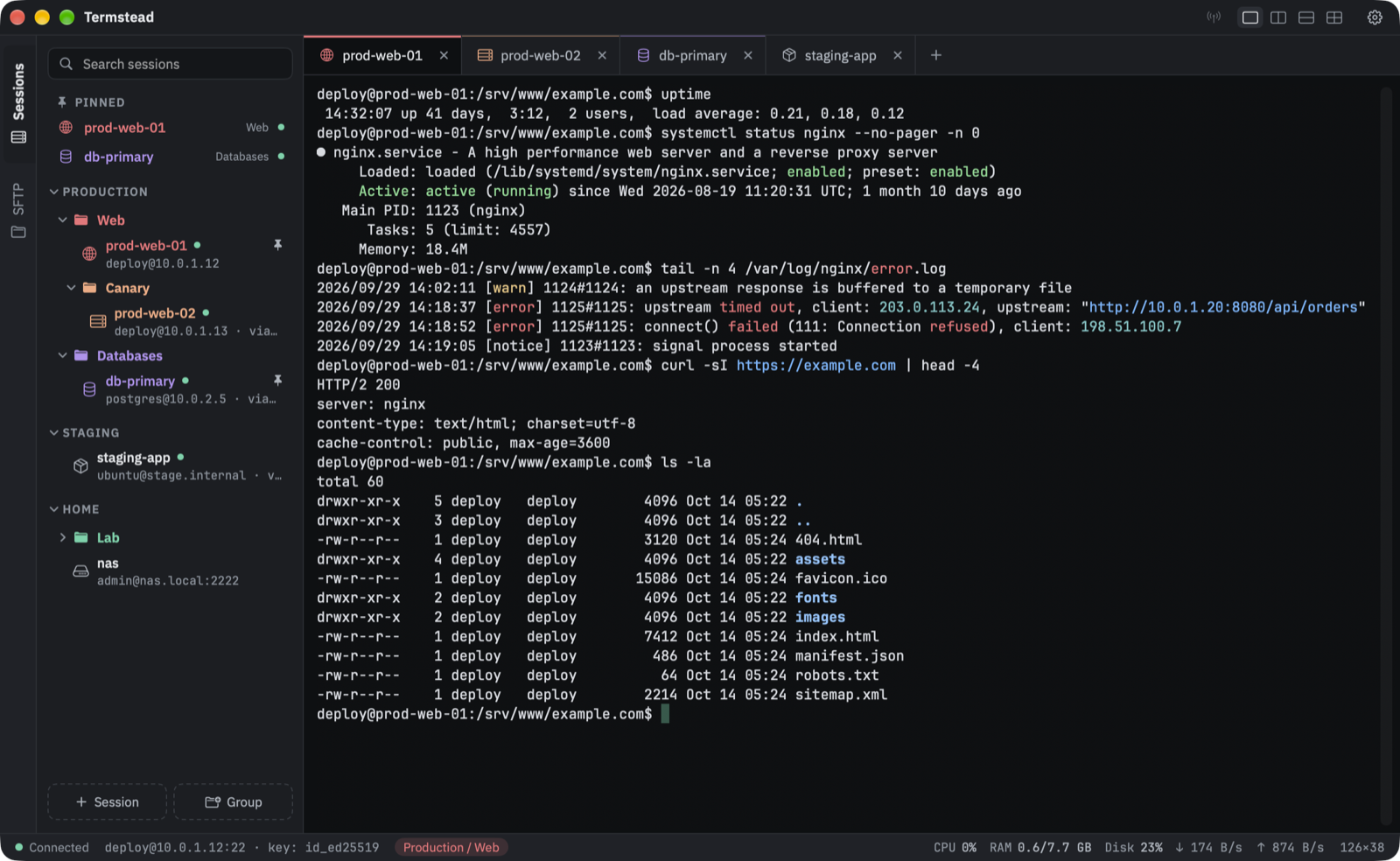
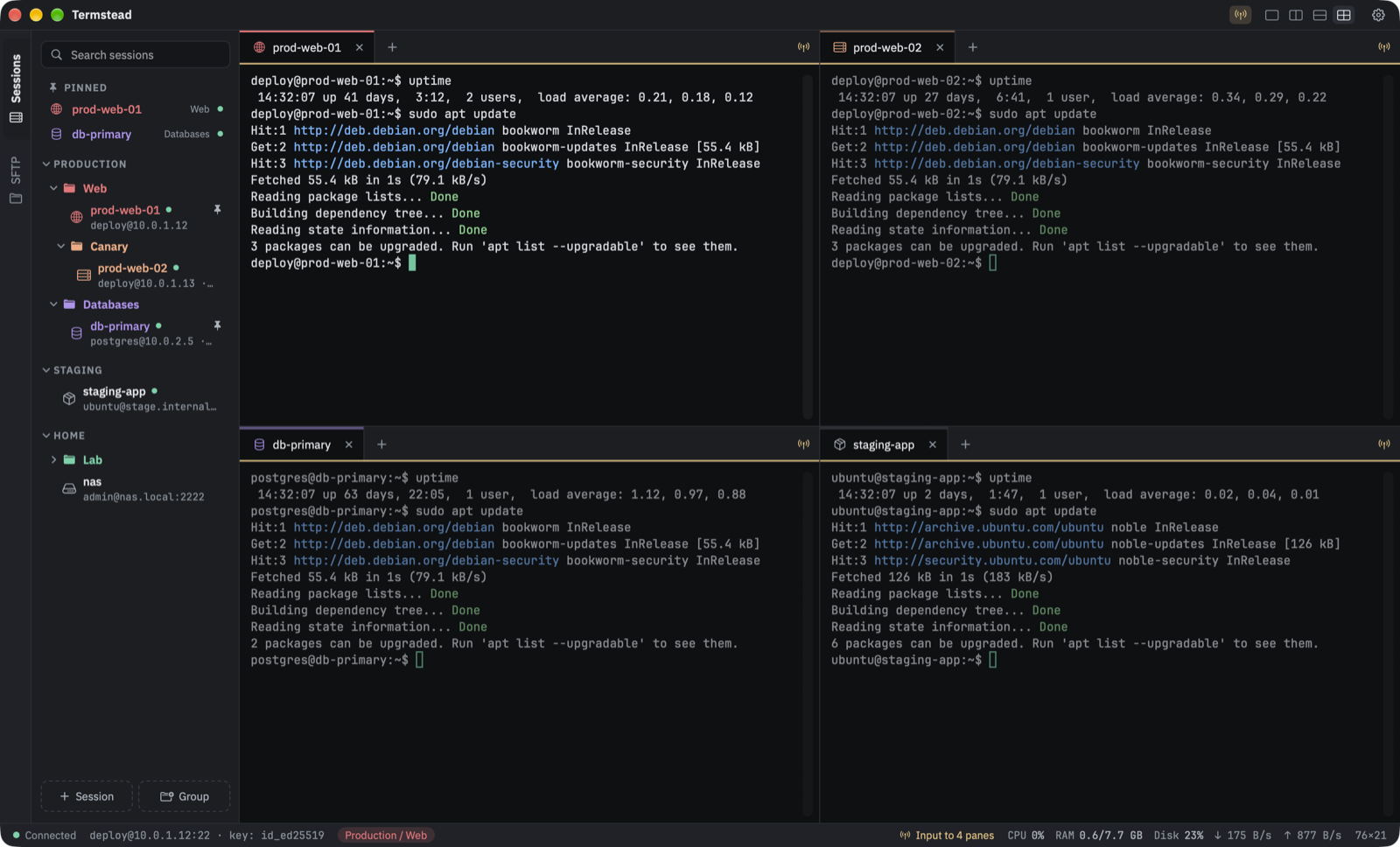
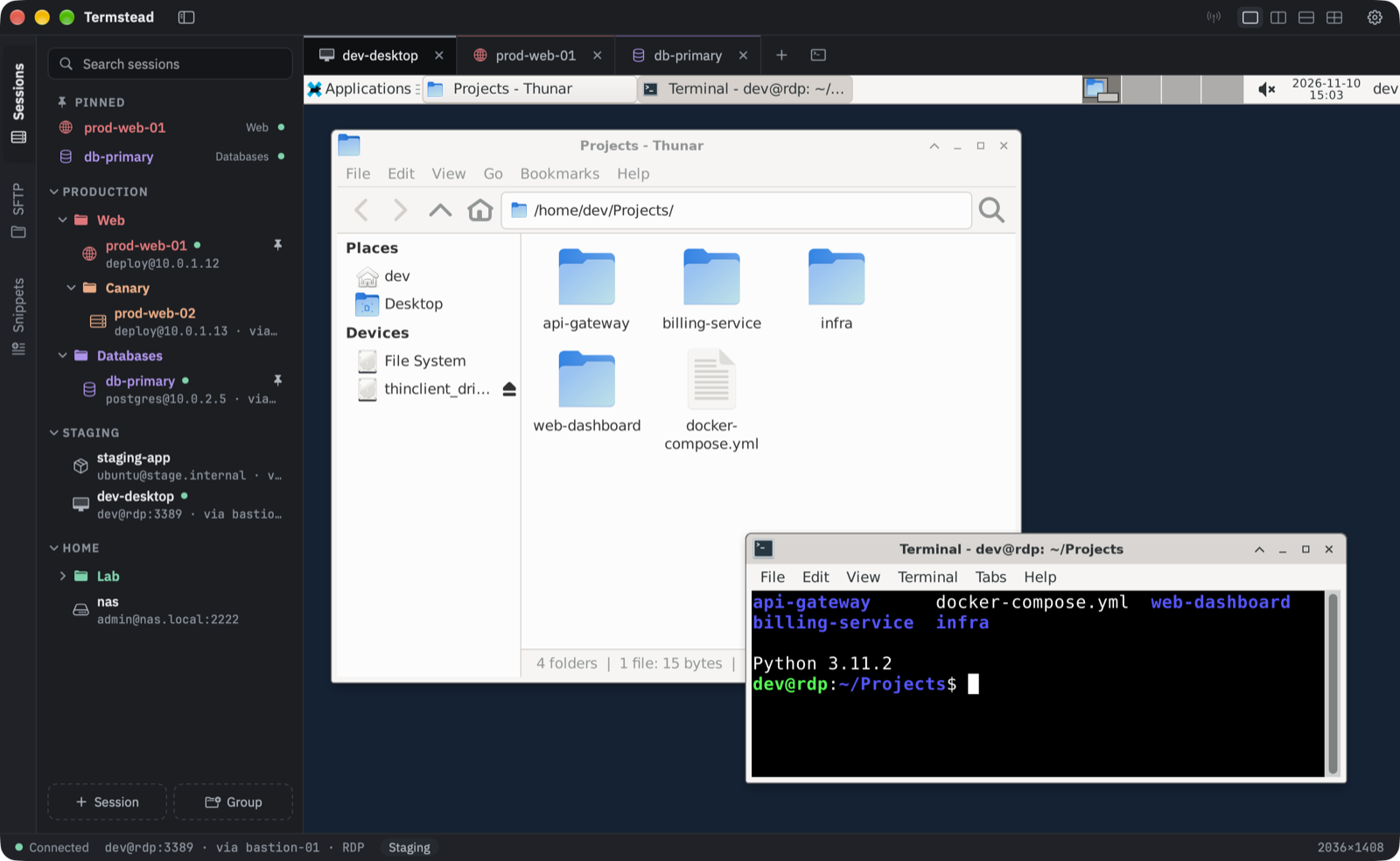
Native SSH client for macOS: a MobaXterm alternative with a session tree, jump hosts, SFTP and Keychain passwords.
Screenshots
How to install Termstead on a Mac
- Get OpenDMG. It is a free app store for open source Mac apps. Download OpenDMG.
- Search for Termstead and press Get. OpenDMG downloads version 0.8.2 from pkhorenyan's own GitHub release.
- Open it. The download is checked against its SHA-256 fingerprint and its signature is checked on your Mac before it lands in Applications.
Updates to Termstead show up in OpenDMG and install with one button. No account is needed.
Prefer to do it by hand? The developer's file is on GitHub: Termstead.dmg (14 MB).
What is new in Termstead 0.8.2
### Added

- Import and export all sessions or a selected folder, including jump hosts, colors, tunnels and pinned sessions.
- Optional password-protected exports include saved passwords and SSH key passphrases. Imported credentials are stored in the macOS Keychain; private-key files are not included.
- Import into an existing group, keep folders or add sessions directly, and preview conflicts before choosing to skip or rename imported sessions.

### Improved

- Selecting text beyond the terminal’s top or bottom edge now scrolls automatically.
- Better text-selection contrast in Daylight and Sepia. Selection highlighting no longer overlaps the scrollbar.
- Press Return to confirm closing one or several live tabs.

### Fixed

- Dependent connections and tunnels keep working after a saved jump host is renamed, including reconnects with saved passwords.
- Repeated imports can add new sessions through an already imported jump host, including one renamed locally.
- Slow SFTP responses no longer switch the file browser back to an older folder.
- Remote-file saves from external editors upload in order.
- Better recovery of unreadable snippets and visible save errors for sessions and snippets, with a Retry action.
More Developer Tools apps
-
 UTMVirtual machines for iOS and macOS
-
 vphone-cliCLI to boot a virtual iPhone (iOS 26) with Apple Virtualization.framework and PCC…
-
 VirtualBuddyVirtual machine manager for running recent macOS versions on Apple Silicon
-
 WWDCUnofficial WWDC app for macOS
-
 Xcodes.appThe easiest way to install and switch between multiple versions of Xcode
-
 Postgres.appThe easiest way to get started with PostgreSQL on the Mac