

teebe for Mac
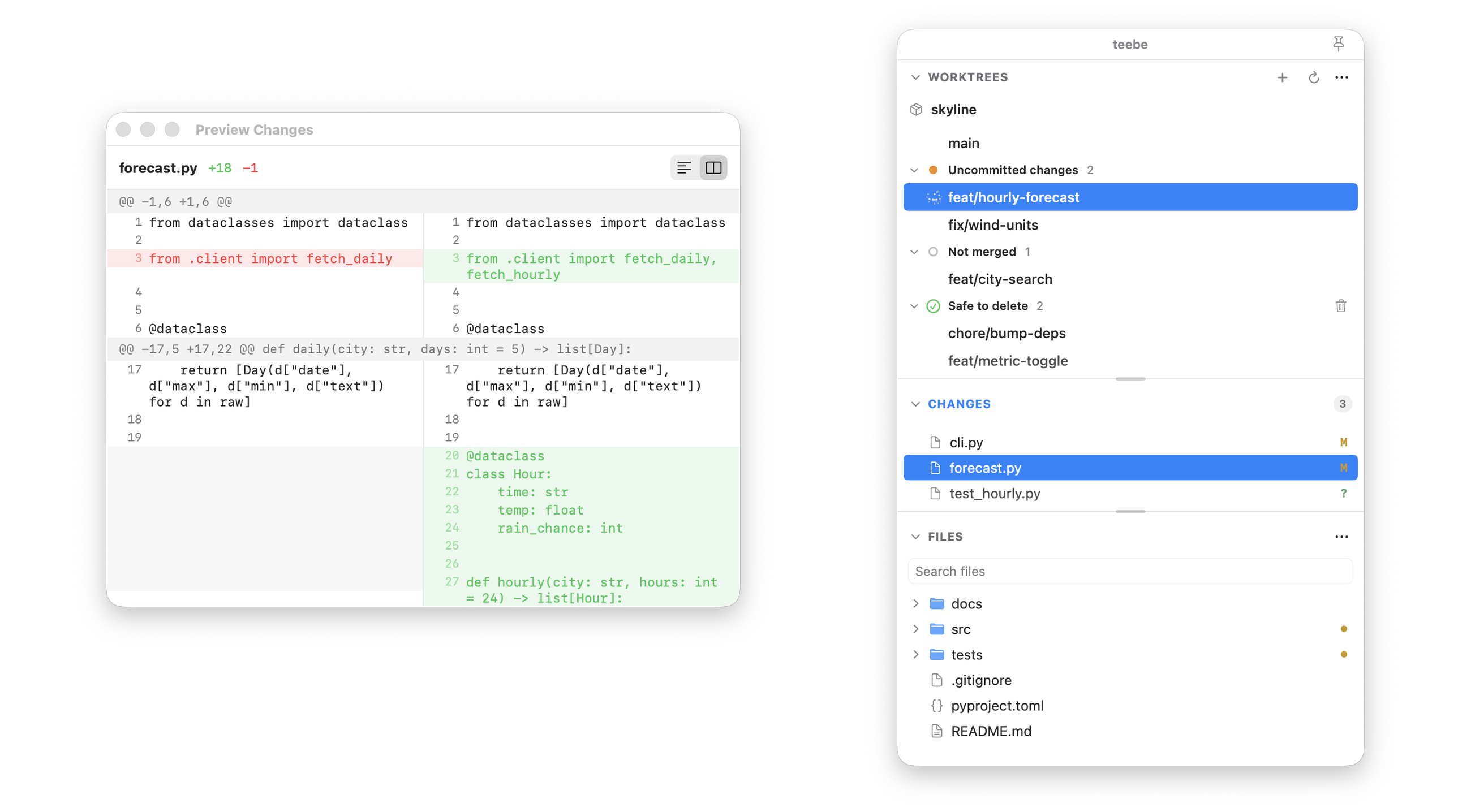
Git worktree manager showing all worktrees in one window with live file changes and inline diffs.
By klein-t. Free and open source, GPL-3.0 licence.
teebe at a glance
- Version
- 0.9.0
- Released
- 24 November 2026
- Download size
- 4.3 MB
- Works on
- Apple silicon and Intel
- Licence
- GPL-3.0
- Category
- Developer Tools
- Developer
- klein-t
- GitHub stars
- 36
About teebe
Native macOS git worktree manager and GUI. See every worktree in one window and watch files change live while Claude Code, Codex and Cursor agents work in parallel.
Screenshots
How to install teebe on a Mac
- Get OpenDMG. It is a free app store for open source Mac apps. Download OpenDMG.
- Search for teebe and press Get. OpenDMG downloads version 0.9.0 from klein-t's own GitHub release.
- Open it. The download is checked against its SHA-256 fingerprint and its signature is checked on your Mac before it lands in Applications.
Updates to teebe show up in OpenDMG and install with one button. No account is needed.
Prefer to do it by hand? The developer's file is on GitHub: teebe-macos.dmg (4.3 MB).
What is new in teebe 0.9.0
### Added
- **What each agent is doing.** A worktree with an agent shows the task it was
 given under the branch name and, while it waits for you, what it is asking.
 Hover a line that does not fit and it slides. The text comes from Claude Code
 and Codex logs on your Mac and is shown only in teebe.
- **Agents in the menu bar.** A menu bar item counts the agents waiting for you
 and the agents working, across all your repositories, and its menu lists them
 with their question or task. With it on, you can hide the Dock icon and use
 teebe from the menu bar.
- **Jump to the agent's terminal.** Choose an agent in the menu and teebe brings
 its cmux terminal to the front when it can verify the session. Otherwise it
 opens teebe on that worktree. A setting picks which of the two a click does.
- **Diffs that are easier to read.** The diff preview colors code by language,
 marks the words that changed inside edited lines, and can hide changes that
 only touch whitespace (press W). Each has a toggle in the preview header.
- **Agent options in one place.** Settings, under Integrations, holds what the
 rows show, whether the task is the first or the latest prompt, and everything
 about the menu bar item.

### Changed
- An agent started in one repository but working in another is shown on the
 worktree where it works.
…
More Developer Tools apps
-
 UTMVirtual machines for iOS and macOS
-
 vphone-cliCLI to boot a virtual iPhone (iOS 26) with Apple Virtualization.framework and PCC…
-
 VirtualBuddyVirtual machine manager for running recent macOS versions on Apple Silicon
-
 WWDCUnofficial WWDC app for macOS
-
 Xcodes.appThe easiest way to install and switch between multiple versions of Xcode
-
 Postgres.appThe easiest way to get started with PostgreSQL on the Mac