

Switzy for Mac
Git identity manager for switching profiles, emails, and SSH keys.
By yefga. Free and open source, MIT licence.
Switzy at a glance
- Version
- 1.4.0
- Released
- 26 September 2026
- Download size
- 2.3 MB
- Works on
- Apple silicon and Intel
- Licence
- MIT
- Category
- Developer Tools
- Developer
- yefga
- GitHub stars
- 221
About Switzy
Minimalism SSH, Git Profile Identity Management for macOS
Screenshots
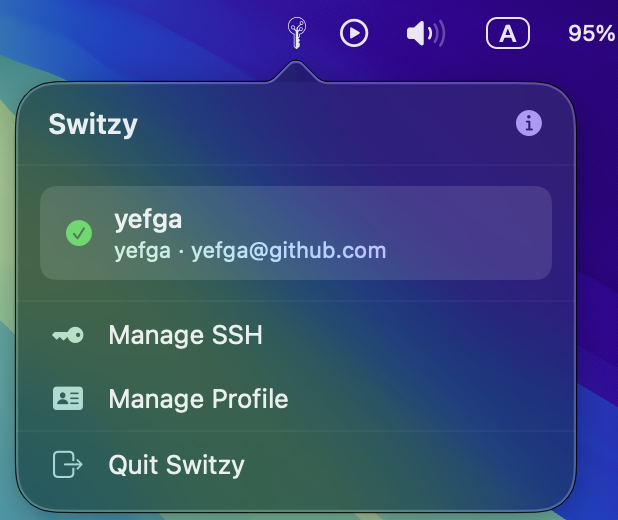
How to install Switzy on a Mac
- Get OpenDMG. It is a free app store for open source Mac apps. Download OpenDMG.
- Search for Switzy and press Get. OpenDMG downloads version 1.4.0 from yefga's own GitHub release.
- Open it. The download is checked against its SHA-256 fingerprint and its signature is checked on your Mac before it lands in Applications.
Updates to Switzy show up in OpenDMG and install with one button. No account is needed.
Prefer to do it by hand? The developer's file is on GitHub: Switzy-v1.4.0.dmg (2.3 MB).
What is new in Switzy 1.4.0
Per-folder Git identity, plus fixes to switching, signing and SSH keys.

**New**
- Folder rules: assign directories to a profile and every repository beneath them uses that identity, in Terminal, Sourcetree, IDEs, and even when Switzy is not running. Rules use Git's own `includeIf`, and the menu bar profile stays the fallback for repositories no rule covers.

**Fixes**
- Pushes now use the profile's own SSH key. `core.sshCommand` passes `IdentitiesOnly=yes`, so a key loaded in ssh-agent for another profile can no longer be used by mistake. Key paths with spaces are quoted.
- Folder rules match case-insensitively, so `~/work` matches a rule for `~/Work`.
- A failed switch now shows an error in the popover instead of looking like success.
- Commit signing turns on when a signing key is set.
- Switching profiles removes the previous SSH key from the agent.
- Two profiles with the same name and email are told apart by their SSH or signing key.

Existing configuration is updated to the new format on first launch.

Signed and notarized. SHA256: `c348d0ec9257c95b6bbfcc5a808cb2f44ba806961c8475ab58f328ab0855b620`
More Developer Tools apps
-
 UTMVirtual machines for iOS and macOS
-
 vphone-cliCLI to boot a virtual iPhone (iOS 26) with Apple Virtualization.framework and PCC…
-
 VirtualBuddyVirtual machine manager for running recent macOS versions on Apple Silicon
-
 WWDCUnofficial WWDC app for macOS
-
 Xcodes.appThe easiest way to install and switch between multiple versions of Xcode
-
 Postgres.appThe easiest way to get started with PostgreSQL on the Mac