

Stop Stutter for Mac
Automatic boost that makes game streaming smoother and lower latency in Moonlight, GeForce NOW, Parsec, and Steam Link.
By burakgon. Free and open source, MIT licence.
Stop Stutter at a glance
- Version
- 0.1.0
- Released
- 4 September 2026
- Download size
- 2.8 MB
- Works on
- Apple silicon and Intel
- Licence
- MIT
- Category
- Games
- Developer
- burakgon
- GitHub stars
- 469
About Stop Stutter
Smoother game streaming on Mac. Automatic AWDL boost for Moonlight, GeForce NOW, Punktfunk, Parsec & Steam Link. Native SwiftUI + Liquid Glass. MIT.
Screenshots
How to install Stop Stutter on a Mac
- Get OpenDMG. It is a free app store for open source Mac apps. Download OpenDMG.
- Search for Stop Stutter and press Get. OpenDMG downloads version 0.1.0 from burakgon's own GitHub release.
- Open it. The download is checked against its SHA-256 fingerprint and its signature is checked on your Mac before it lands in Applications.
Updates to Stop Stutter show up in OpenDMG and install with one button. No account is needed.
Prefer to do it by hand? The developer's file is on GitHub: StopStutter-0.1.0-universal.zip (2.8 MB).
What is new in Stop Stutter 0.1.0
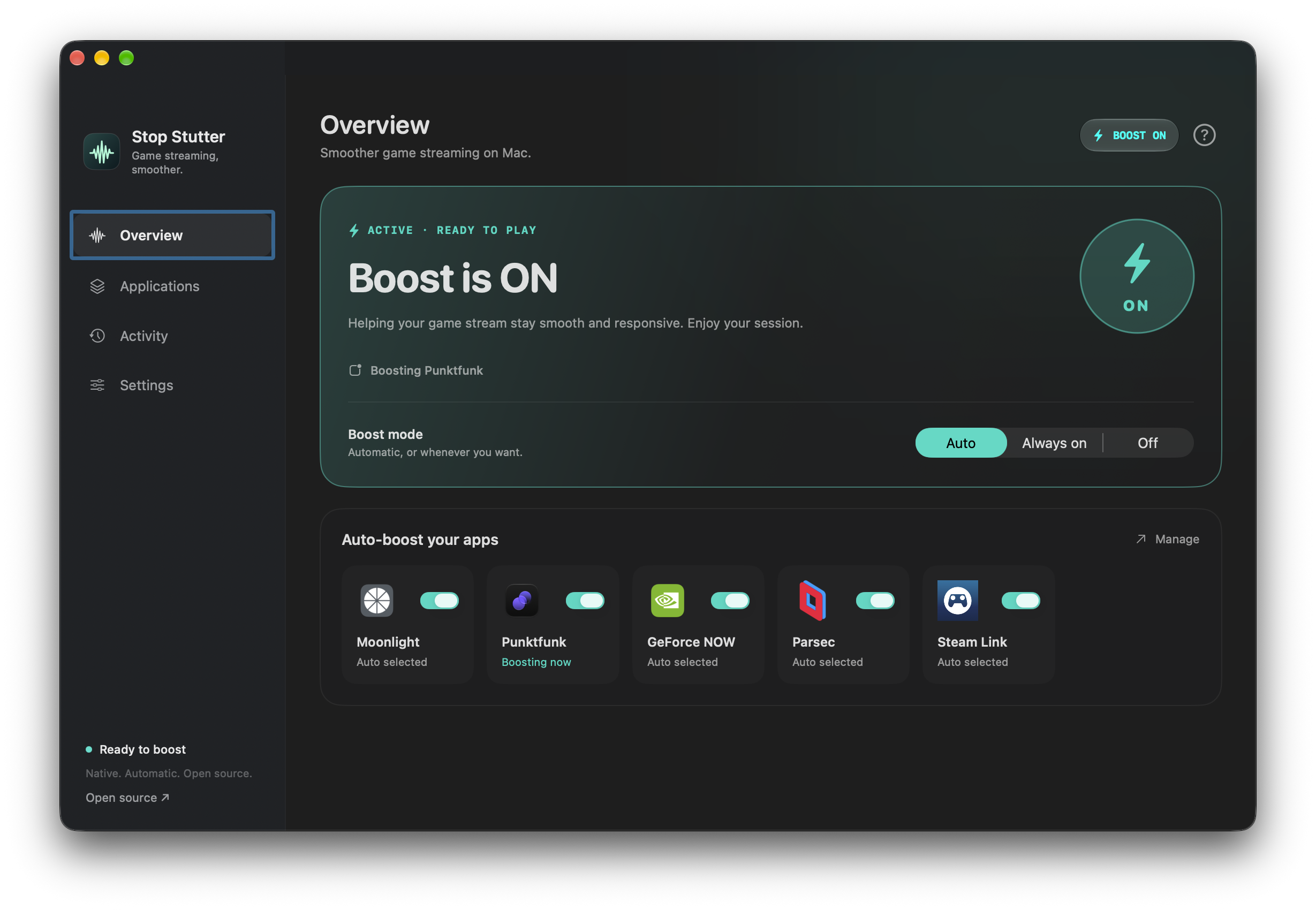
Smoother game streaming on Mac. Stop Stutter brings an automatic Boost to Moonlight, GeForce NOW, Punktfunk, Parsec, and Steam Link.

### Download and start

1. Download **StopStutter-0.1.0-universal.zip** below.
2. Move **Stop Stutter.app** into **Applications** and open it.
3. Click **Enable Helper** and approve it in macOS System Settings when requested.
4. Leave **Auto** selected, choose your apps, and play.

The app is signed with Developer ID, notarized by Apple, and includes both Apple Silicon and Intel binaries. Requires **macOS 14+**; native Liquid Glass controls require **macOS 26+**.

### In this release

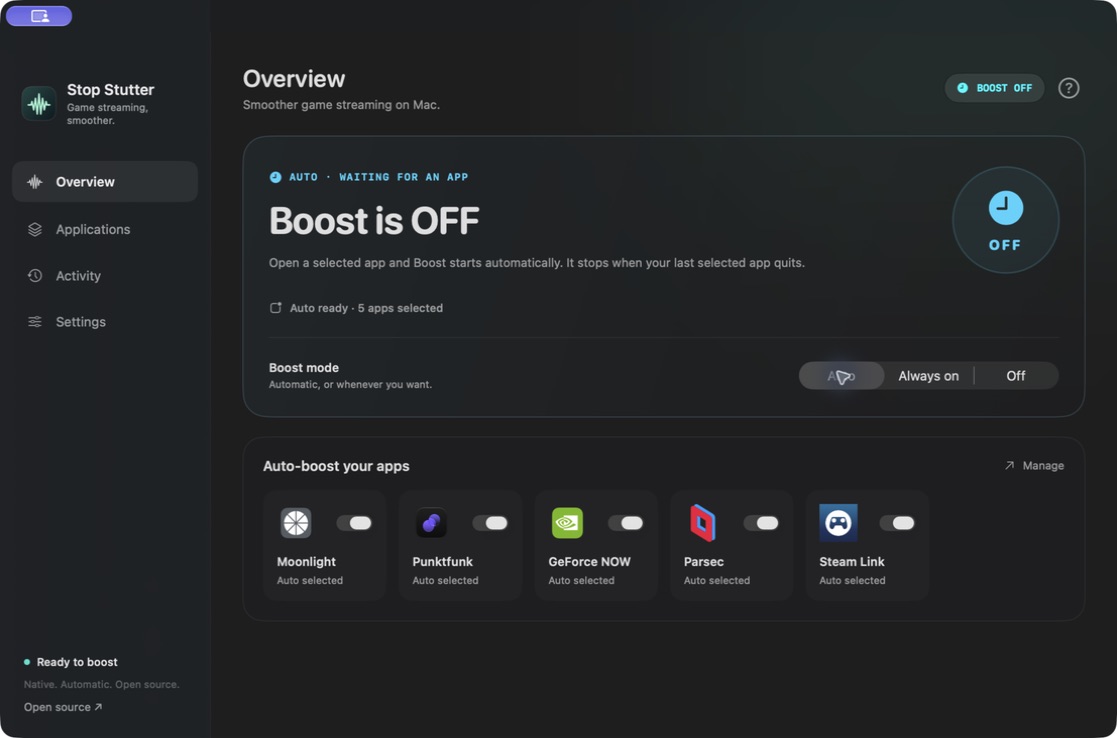
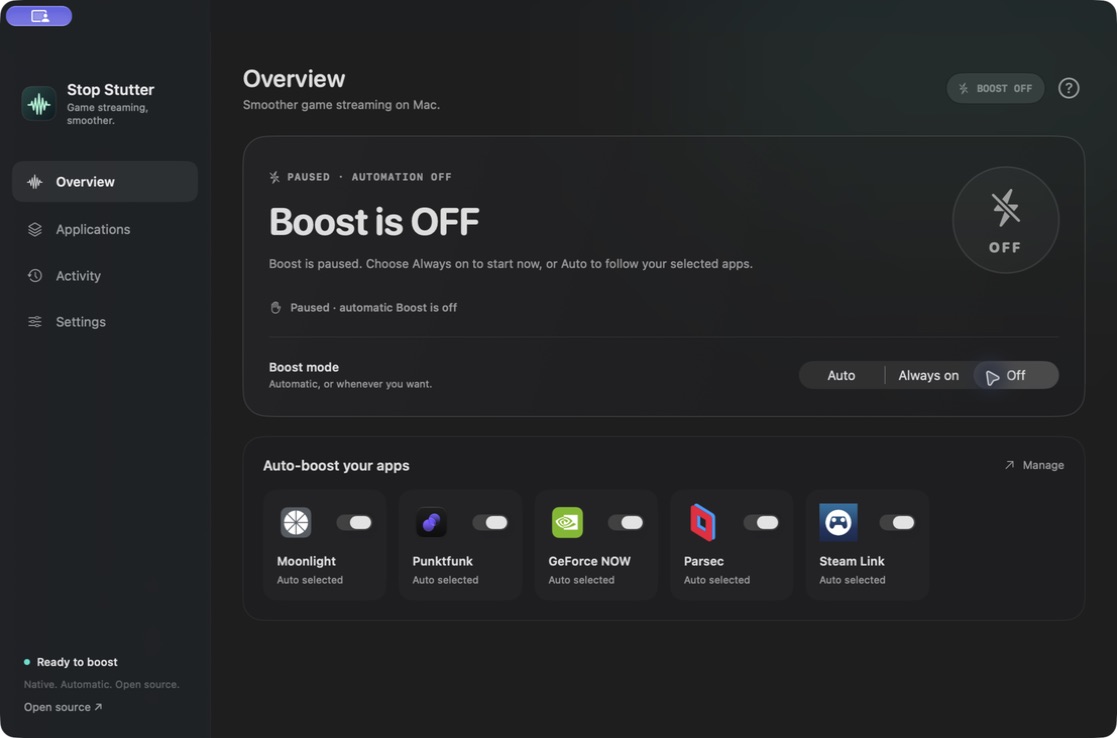
- Clear **Boost ON / OFF** states, with distinct automatic waiting and paused states.
- Five streaming client presets with official icons, all visible on the overview. Add any other native app with the application picker.
- Automatic Boost when a selected app launches; recovery when the last selected app quits.
- Manual control, quiet session notifications, optional launch at login, and a menu bar companion.
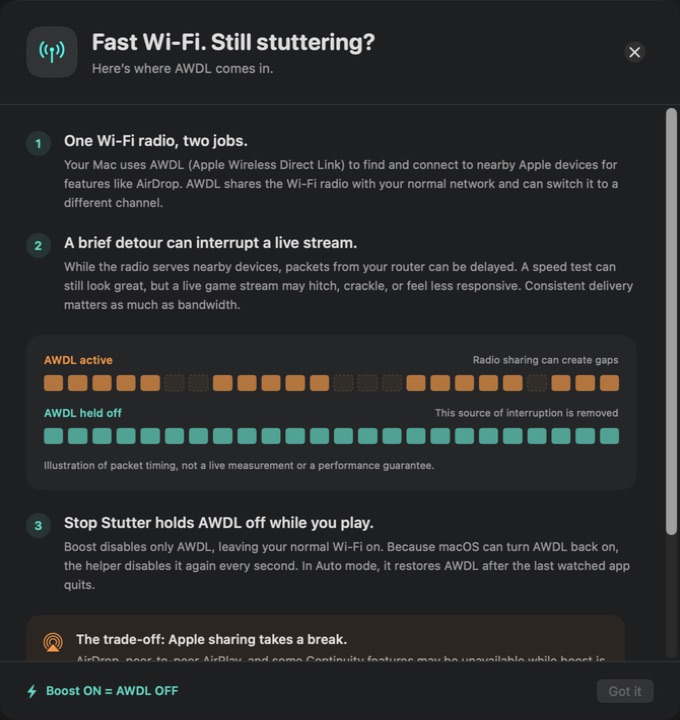
- A **?** panel explaining why AWDL can interrupt game streams and how the workaround helps.
- One-second AWDL enforcement, authenticated helper connections, expiring leases, and crash recovery.
- English documentation and MIT-licensed original code. Third-party icon notices are included.
…
More Games apps
-
 OpenEmuRetro video game emulation for macOS
-
 PlayCoverTool for running iOS apps and games on Apple Silicon with desktop controls
-
 HighballWindows game launcher and compatibility manager that configures Wine, DXMT, D3DMetal, and…
-
 Dynamic Dark ModeDark mode automation tool
-
 AdaEngineA cross-platform 2D and 3D game engine written in Swift
-
 SevofluraneNative app that runs the Windows Steam client in a hidden Wine bottle to play Steam games…