
OpenEmu for Mac
Retro video game emulation for macOS.
By OpenEmu. Free and open source.
OpenEmu at a glance
- Version
- 2.4.1
- Released
- 30 December 2023
- Download size
- 38 MB
- Works on
- Apple silicon and Intel
- Category
- Games
- Developer
- OpenEmu
- GitHub stars
- 18K
About OpenEmu
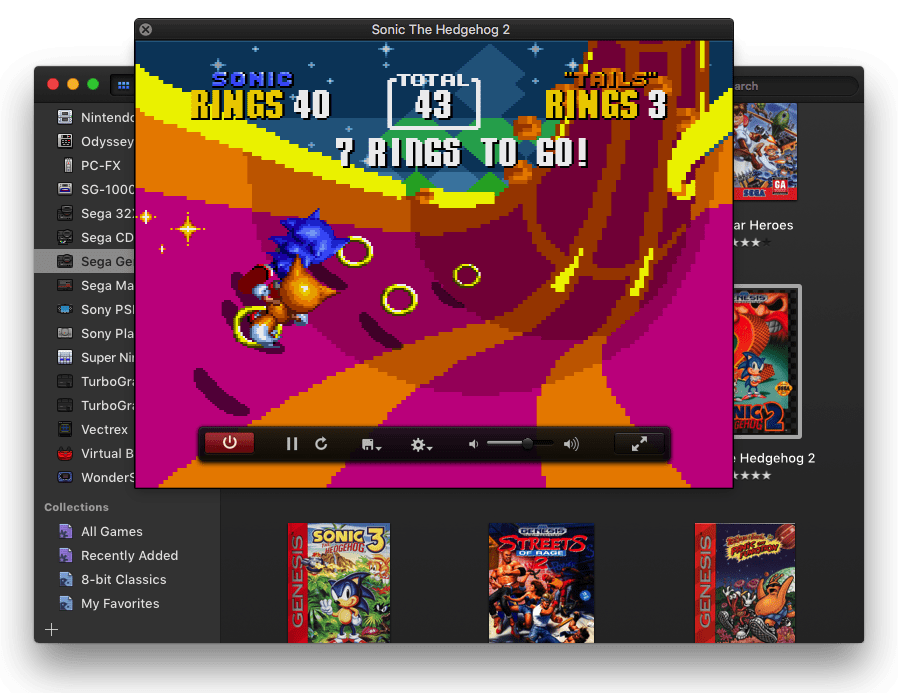
🕹 Retro video game emulation for macOS
Screenshots
How to install OpenEmu on a Mac
- Get OpenDMG. It is a free app store for open source Mac apps. Download OpenDMG.
- Search for OpenEmu and press Get. OpenDMG downloads version 2.4.1 from OpenEmu's own GitHub release.
- Open it. The download is checked against its SHA-256 fingerprint and its signature is checked on your Mac before it lands in Applications.
Updates to OpenEmu show up in OpenDMG and install with one button. No account is needed.
Prefer to do it by hand? The developer's file is on GitHub: OpenEmu_2.4.1.zip (38 MB).
What is new in OpenEmu 2.4.1
Binaries are Intel-only.
More Games apps
-
 PlayCoverTool for running iOS apps and games on Apple Silicon with desktop controls
-
 HighballWindows game launcher and compatibility manager that configures Wine, DXMT, D3DMetal, and…
-
 Dynamic Dark ModeDark mode automation tool
-
 Stop StutterAutomatic boost that makes game streaming smoother and lower latency in Moonlight…
-
 AdaEngineA cross-platform 2D and 3D game engine written in Swift
-
 SevofluraneNative app that runs the Windows Steam client in a hidden Wine bottle to play Steam games…