
Steno for Mac
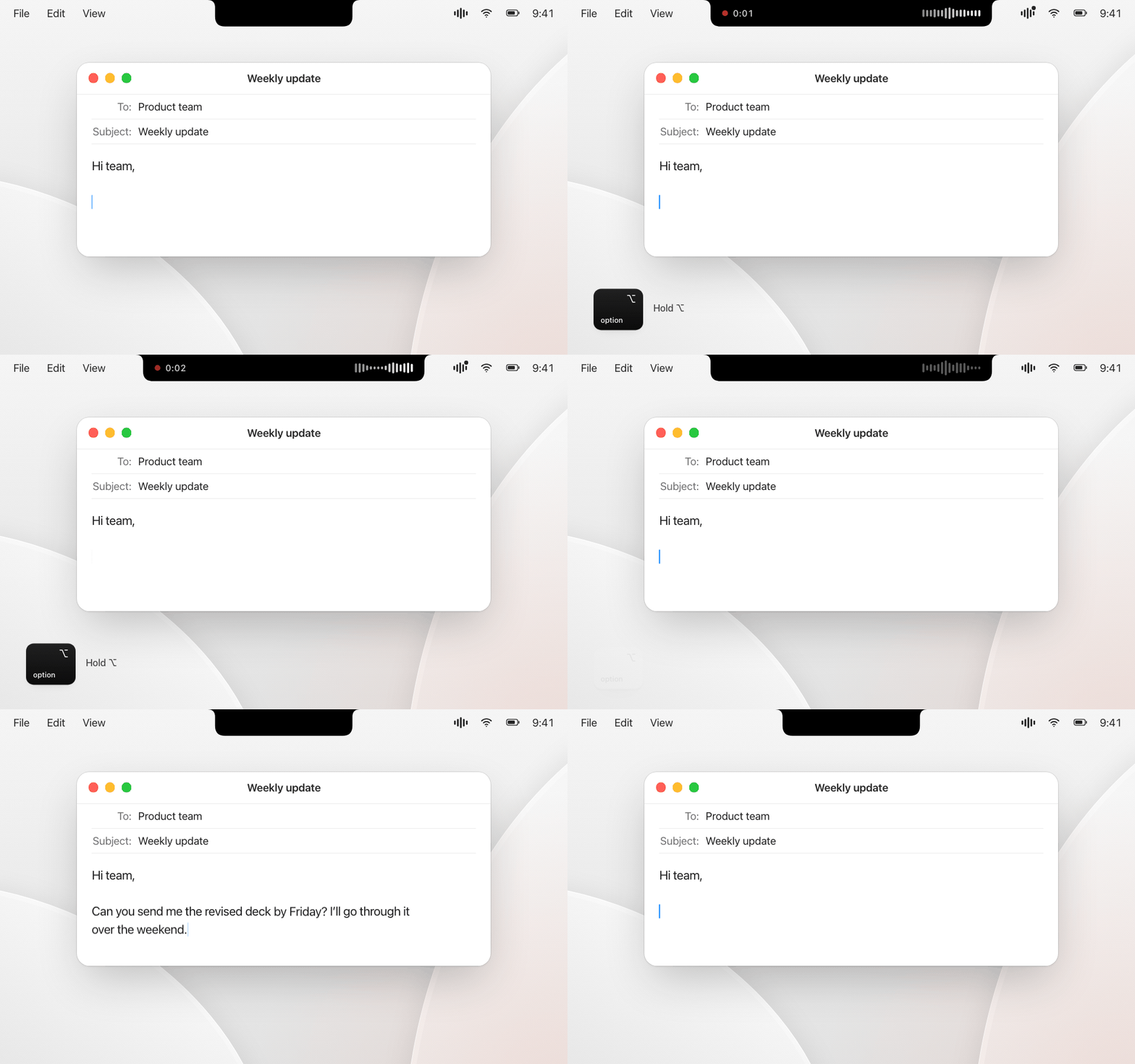
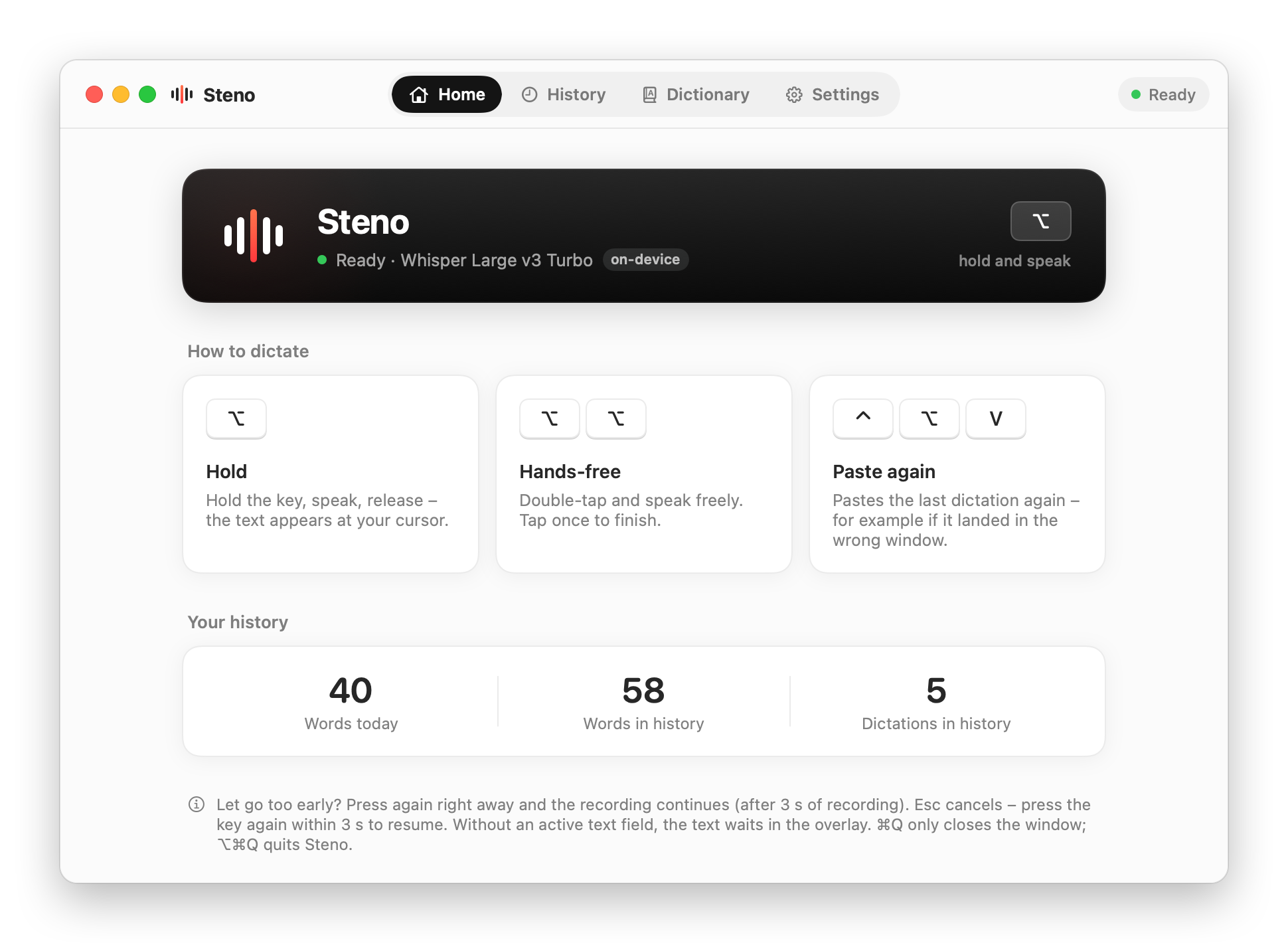
Hold a key, speak, and the text is pasted at the cursor, transcribed on device with Whisper. Also writes timestamped meeting notes from the microphone and the Mac's sound.
By Thesimpleex. Free and open source, MIT licence.
Steno at a glance
- Version
- 1.1
- Released
- 29 September 2026
- Download size
- 3.4 MB
- Works on
- Apple silicon and Intel
- Licence
- MIT
- Category
- Audio and Music
- Developer
- Thesimpleex
- GitHub stars
- 13
About Steno
Free, open-source dictation and meeting notes for macOS. Hold a key, speak, and your words appear at the cursor – transcribed locally with OpenAI Whisper.
Screenshots
How to install Steno on a Mac
- Get OpenDMG. It is a free app store for open source Mac apps. Download OpenDMG.
- Search for Steno and press Get. OpenDMG downloads version 1.1 from Thesimpleex's own GitHub release.
- Open it. The download is checked against its SHA-256 fingerprint and its signature is checked on your Mac before it lands in Applications.
Updates to Steno show up in OpenDMG and install with one button. No account is needed.
Prefer to do it by hand? The developer's file is on GitHub: Steno.dmg (3.4 MB).
What is new in Steno 1.1
<p align="center"><img src="https://raw.githubusercontent.com/Thesimpleex/steno/main/docs/demo.gif" alt="Hold the key, speak, release: the text appears at the cursor" width="640"></p>

**Steno 1.1** – meetings, sending with Return, and a notch that shows up where you are.

### New: meetings
- Transcribe a conversation with timestamps: your microphone is "You", the sound of your Mac – Teams, Zoom, the browser – is "Others", renamable per meeting. Either source can be switched off. Spotify and Apple Music are left out, so music doesn't end up in the transcript.
- ⌃⌥N adds a note while the meeting runs. An empty note sets a marker, a leading "!" makes it a task. A screenshot taken with ⌘⌃⇧4 lands in the timeline at that moment.
- Or click the meeting display at the notch: the note field opens right below it, hovering shows buttons for a note and a screenshot.
- Dictating during a meeting – say, a quick reply in another chat – stays out of the transcript.
- Every meeting is a folder on your Mac: `Protokoll.md`, `meeting.json` and the images. By default in Steno's own folder, or in any place you choose in the settings. Audio is never saved.
- Only record when everyone involved agrees.

### New in dictation
- Press Return while you are still recording: Steno pastes the text and sends it – handy for chat apps and AI assistants.
…
More Audio and Music apps
-
 MonitorControlAdjust external monitor settings
-
 FluidVoiceVoice-to-text app with AI enhancement
-
 eqMacSystem-wide audio equalizer and volume mixer
-
 VoiceInkReal-time speech-to-text app
-
 LyricsXDisplay lyrics for iTunes/Spotify
-
 FreeFlowPush-to-talk speech-to-text tool that inserts polished transcripts into any app