
Stargazer Bar for Mac
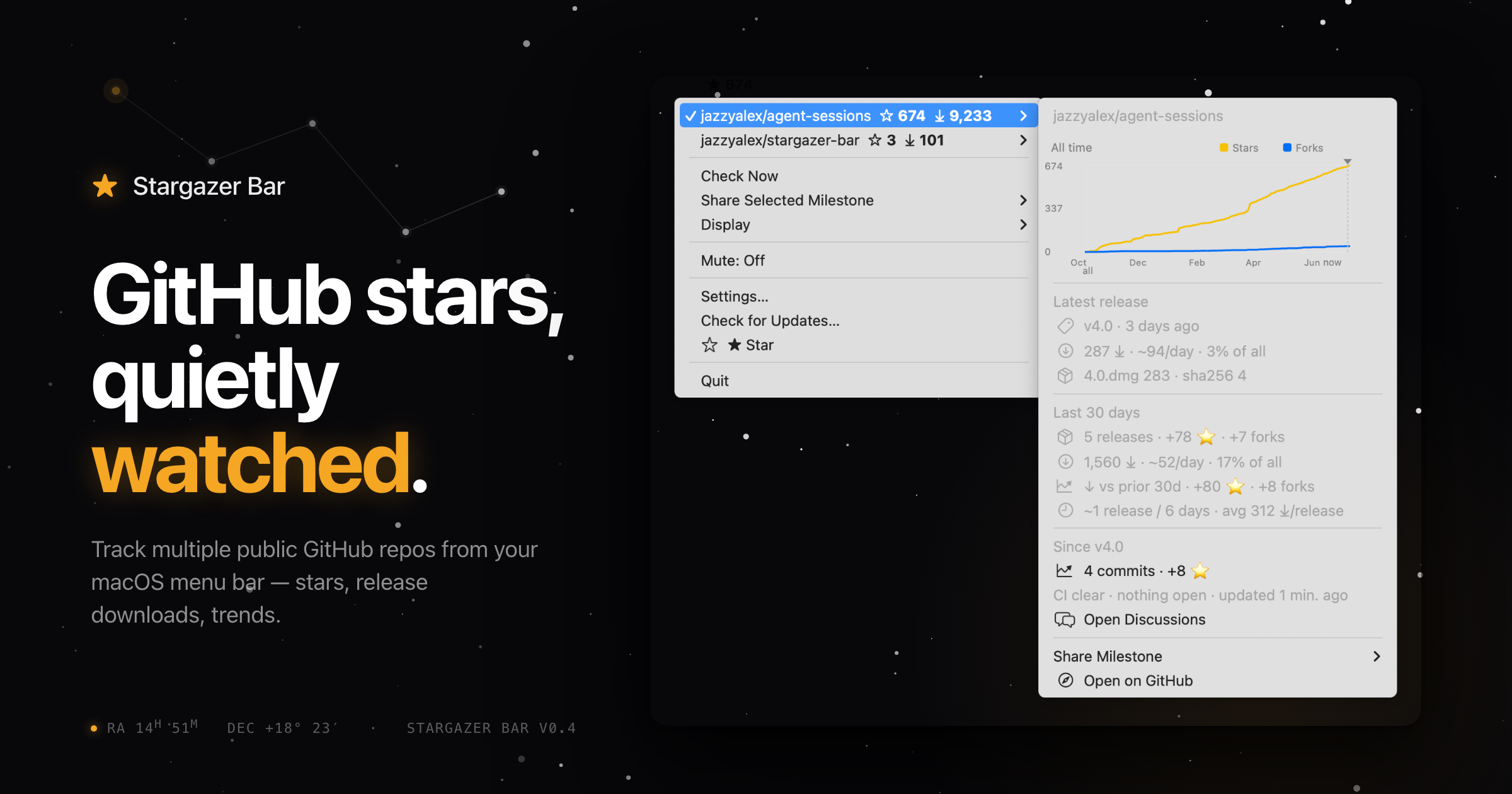
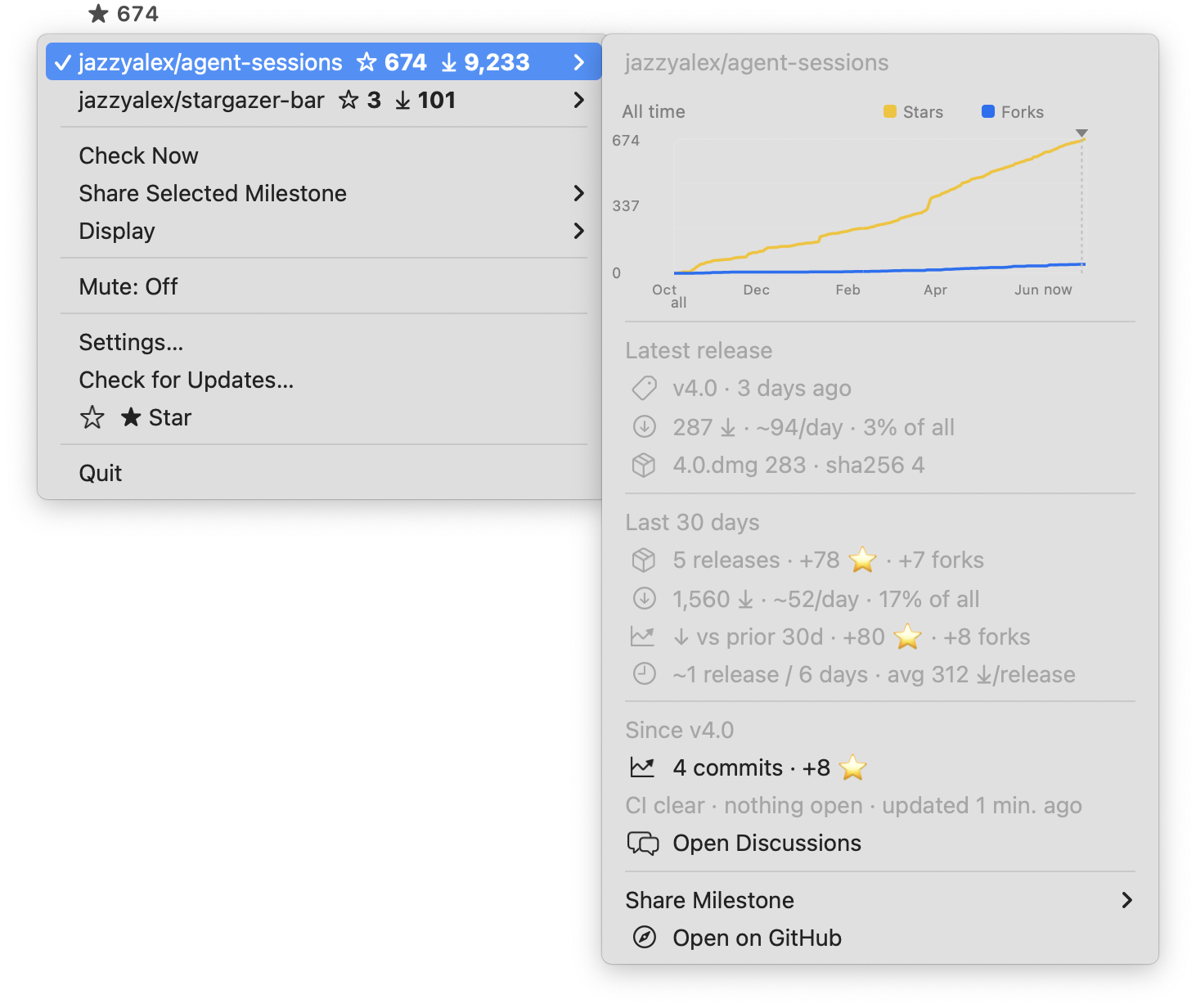
Tiny menu bar app to monitor stars and release downloads across multiple public GitHub repositories.
By jazzyalex. Free and open source.
Stargazer Bar at a glance
- Version
- 0.7.1
- Released
- 21 July 2026
- Download size
- 3.8 MB
- Works on
- Apple silicon and Intel
- Category
- Menu Bar and Notch
- Developer
- jazzyalex
- GitHub stars
- 7
About Stargazer Bar
Open-source macOS menu bar app for tracking stars, release downloads, and per-repo sound alerts across public GitHub repos.
Screenshots
How to install Stargazer Bar on a Mac
- Get OpenDMG. It is a free app store for open source Mac apps. Download OpenDMG.
- Search for Stargazer Bar and press Get. OpenDMG downloads version 0.7.1 from jazzyalex's own GitHub release.
- Open it. The download is checked against its SHA-256 fingerprint and its signature is checked on your Mac before it lands in Applications.
Updates to Stargazer Bar show up in OpenDMG and install with one button. No account is needed.
Prefer to do it by hand? The developer's file is on GitHub: Stargazer-Bar-0.7.1.dmg (3.8 MB).
What is new in Stargazer Bar 0.7.1
What's New in 0.7.1

Fixes:
- **The menu bar no longer celebrates downloads.** Milestone sounds and the menu bar animation now fire for stars only. A repo with active releases used to pulse on every single new download and chime its star sound at each download milestone, which made the celebration meaningless for the thing it was named after. The sound milestone options are now simply 1+, 10+, or 100+ stars.
- **Your saved GitHub tokens can no longer be lost while being upgraded.** When Stargazer Bar moved your tokens into their new single Keychain item, it removed the old entries even if writing the new one had failed — which could leave you with no stored token at all. The old entries are now removed only after the new item is confirmed written, and only for tokens that actually made it across.
- **Fewer Keychain password prompts.** Startup and background refreshes now read your credentials through a path that cannot show a password dialog under any circumstance, and the token upgrade above no longer runs during launch — it waits for a deliberate action like Refresh or Reconnect. If you have seen a Keychain prompt on startup after an update, this release also records what it found at launch so the cause can be pinned down; please report it if it recurs.

Star Stargazer Bar on GitHub: https://github.com/jazzyalex/stargazer-bar
…
More Menu Bar and Notch apps
-
 StatsmacOS system monitor in your menu bar
-
 IcePowerful menu bar manager for macOS (upstream, temporarily inactive)
-
 Hidden BarAn ultra-light MacOS utility that helps hide menu bar icons
-
 ThawThe open-source menu bar manager: hide, organize, and take control of menu bar icons
-
 Boring NotchTurn your MacBook notch into a music and file control center
-
 eulmacOS status monitoring app written in SwiftUI