

Speech Wingman for Mac
Fully offline speech companion that nudges you when your words match rules you set.
By AmethystineAlpaca. Free and open source, MIT licence.
Speech Wingman at a glance
- Version
- 0.5.0 (pre-release)
- Released
- 5 November 2026
- Download size
- 387 KB
- Works on
- Apple silicon and Intel
- Licence
- MIT
- Category
- Audio and Music
- Developer
- AmethystineAlpaca
- GitHub stars
- 2
About Speech Wingman
Private, offline AI speech companion for macOS. Multilingual: English, Chinese, Japanese, Korean, and Cantonese, including language switching. Write your own reminder rules. Runs locally on Apple Silicon.
Screenshots
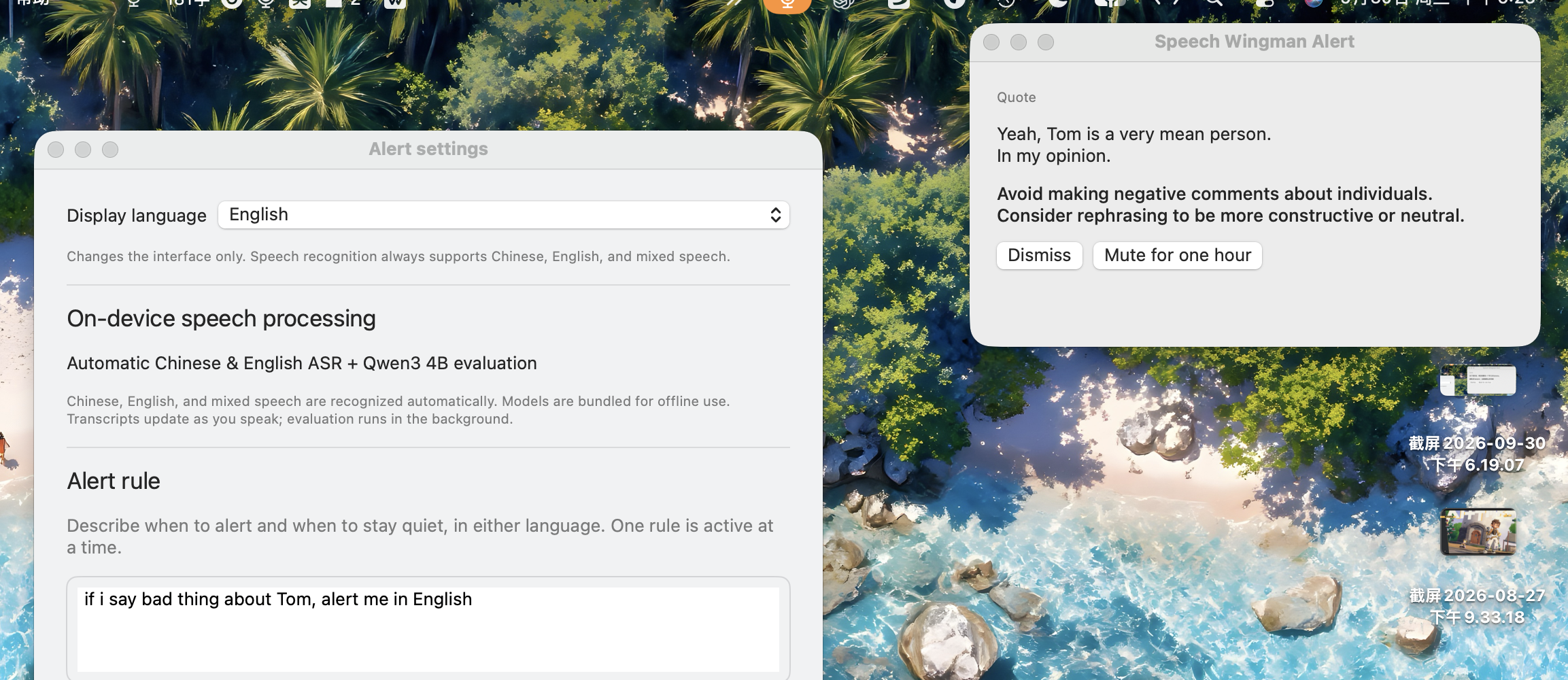
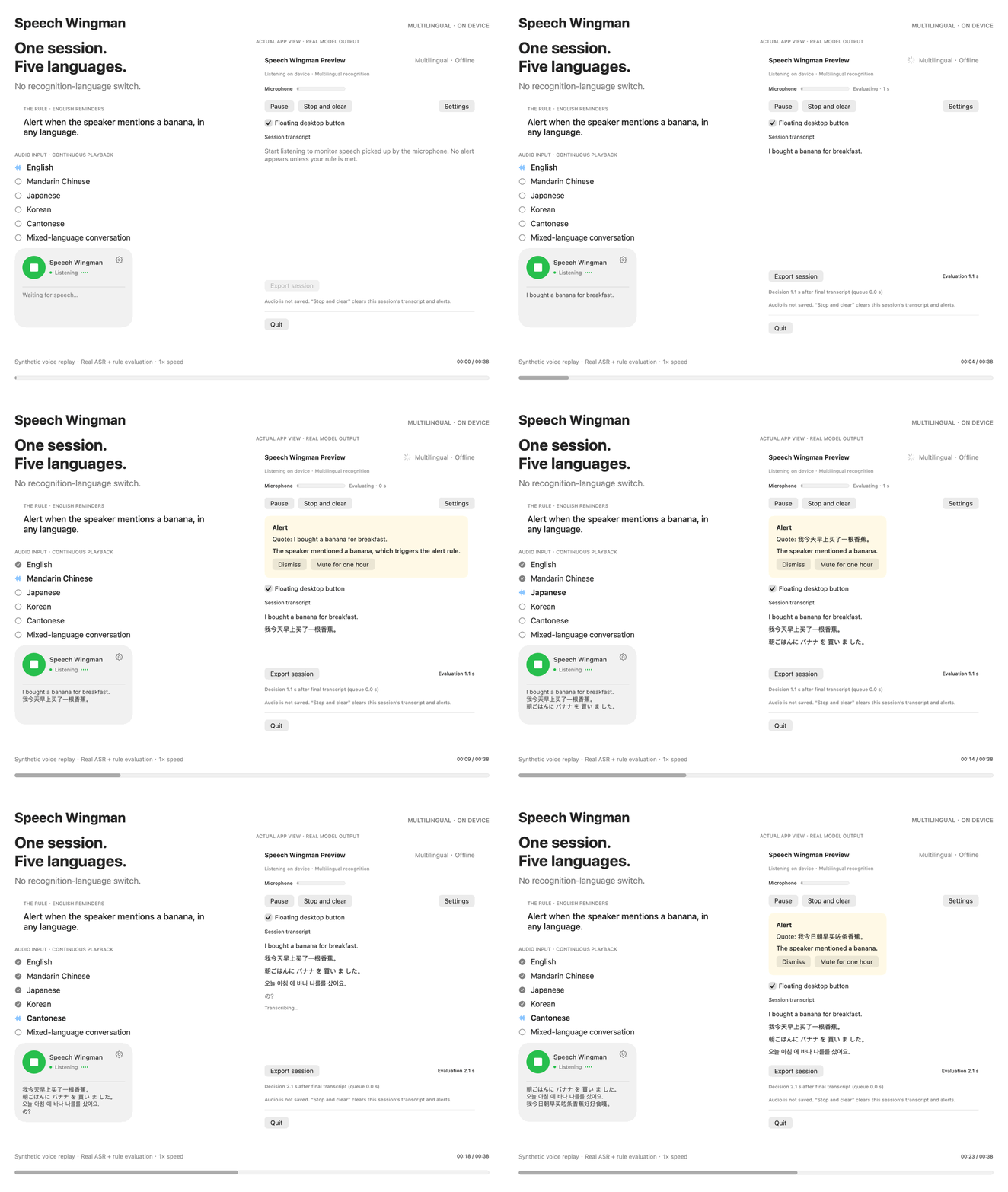
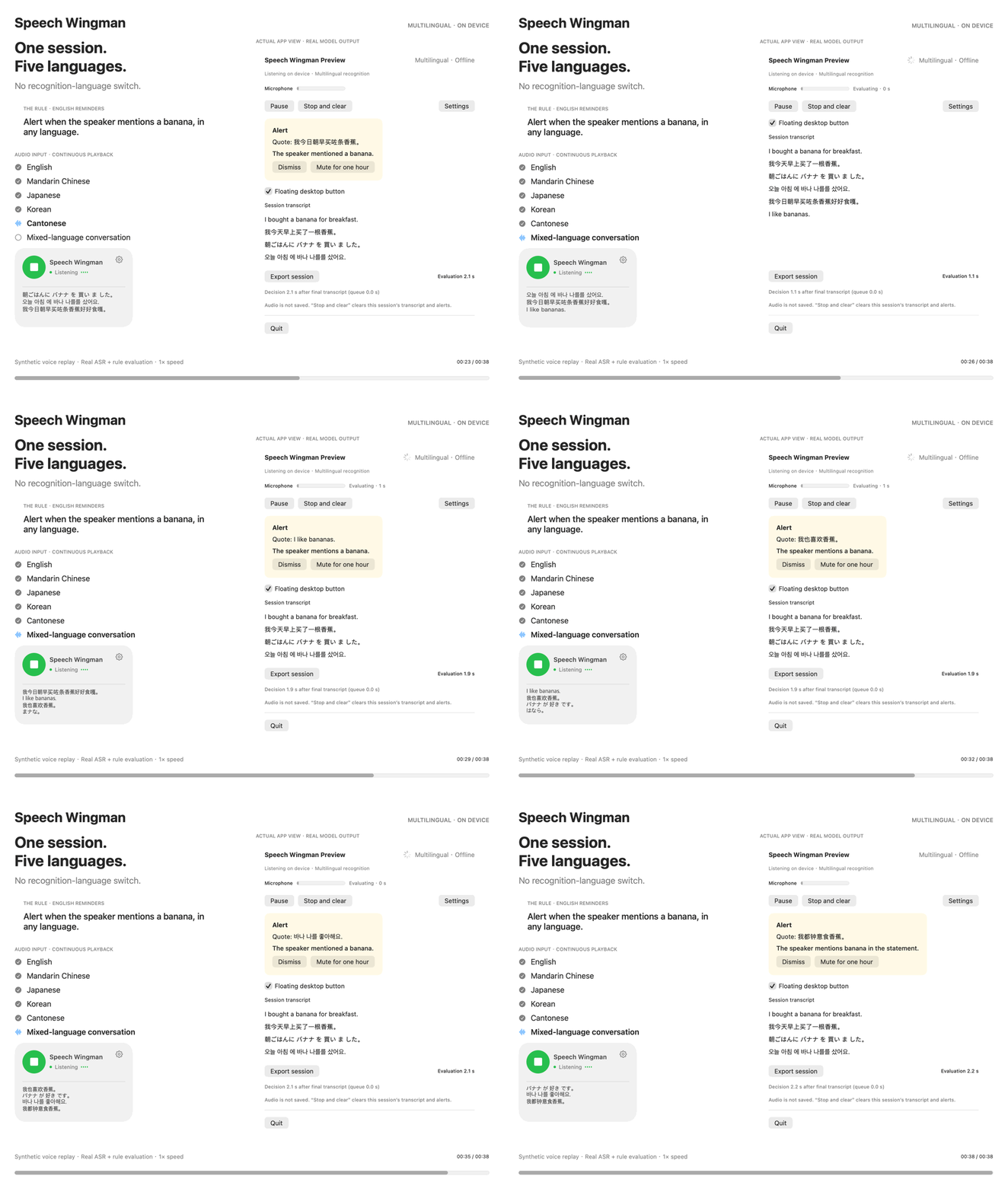
How to install Speech Wingman on a Mac
- Get OpenDMG. It is a free app store for open source Mac apps. Download OpenDMG.
- Search for Speech Wingman and press Get. OpenDMG downloads version 0.5.0 from AmethystineAlpaca's own GitHub release.
- Open it. The download is checked against its SHA-256 fingerprint and its signature is checked on your Mac before it lands in Applications.
Updates to Speech Wingman show up in OpenDMG and install with one button. No account is needed.
Prefer to do it by hand? The developer's file is on GitHub: Speech-Wingman-Summary-Checks-v0.5.0.zip (387 KB).
What is new in Speech Wingman 0.5.0
# 0.5.0 — Live conversation summaries

Released 2026-11-05. [README](https://github.com/AmethystineAlpaca/speech-wingman/blob/v0.5.0/README.md) · [Changelog](https://github.com/AmethystineAlpaca/speech-wingman/blob/v0.5.0/CHANGELOG.md) · [Downloads](https://github.com/AmethystineAlpaca/speech-wingman/releases/tag/v0.5.0)

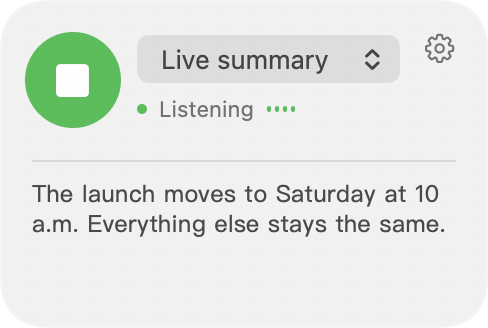
Choose **Check mode** or **Live summary** directly on the floating microphone control. Check mode keeps the existing custom-rule reminders. Live summary keeps the transcript visible and opens a second floating panel above it for important facts, decisions, and action items. Points append at the bottom, scroll into view automatically, and remain available to scroll back and copy.

Settings includes an editable **Summary prompt**, a default prompt, and a restore action. There is no summary frequency slider or fixed timer: the local model decides whether the new conversation contains something worth recording. Requests carry roughly 400 estimated tokens of conversation across previous/new speech, plus recent recorded points to reduce repetition. The previous context and new speech are separate inputs.
…
More Audio and Music apps
-
 MonitorControlAdjust external monitor settings
-
 FluidVoiceVoice-to-text app with AI enhancement
-
 VoiceInkReal-time speech-to-text app
-
 eqMacSystem-wide audio equalizer and volume mixer
-
 LyricsXDisplay lyrics for iTunes/Spotify
-
 FreeFlowPush-to-talk speech-to-text tool that inserts polished transcripts into any app