

Speech to Text (ciro-maciel) for Mac
Local dictation from the menu bar: press a key, speak, and the text is typed at the cursor, with whisper.cpp and nothing uploaded.
By ciro-maciel. Free and open source, MIT licence.
Speech to Text (ciro-maciel) at a glance
- Version
- 2.0.8
- Released
- 3 November 2026
- Download size
- 9.2 MB
- Works on
- Apple silicon and Intel
- Licence
- MIT
- Category
- Audio and Music
- Developer
- ciro-maciel
- GitHub stars
- 2
About Speech to Text (ciro-maciel)
Speech to Text by Ciro Cesar Maciel: local dictation for the Mac. Press a key, speak, the text is typed where your cursor is. whisper.cpp, nothing uploaded.
Screenshots
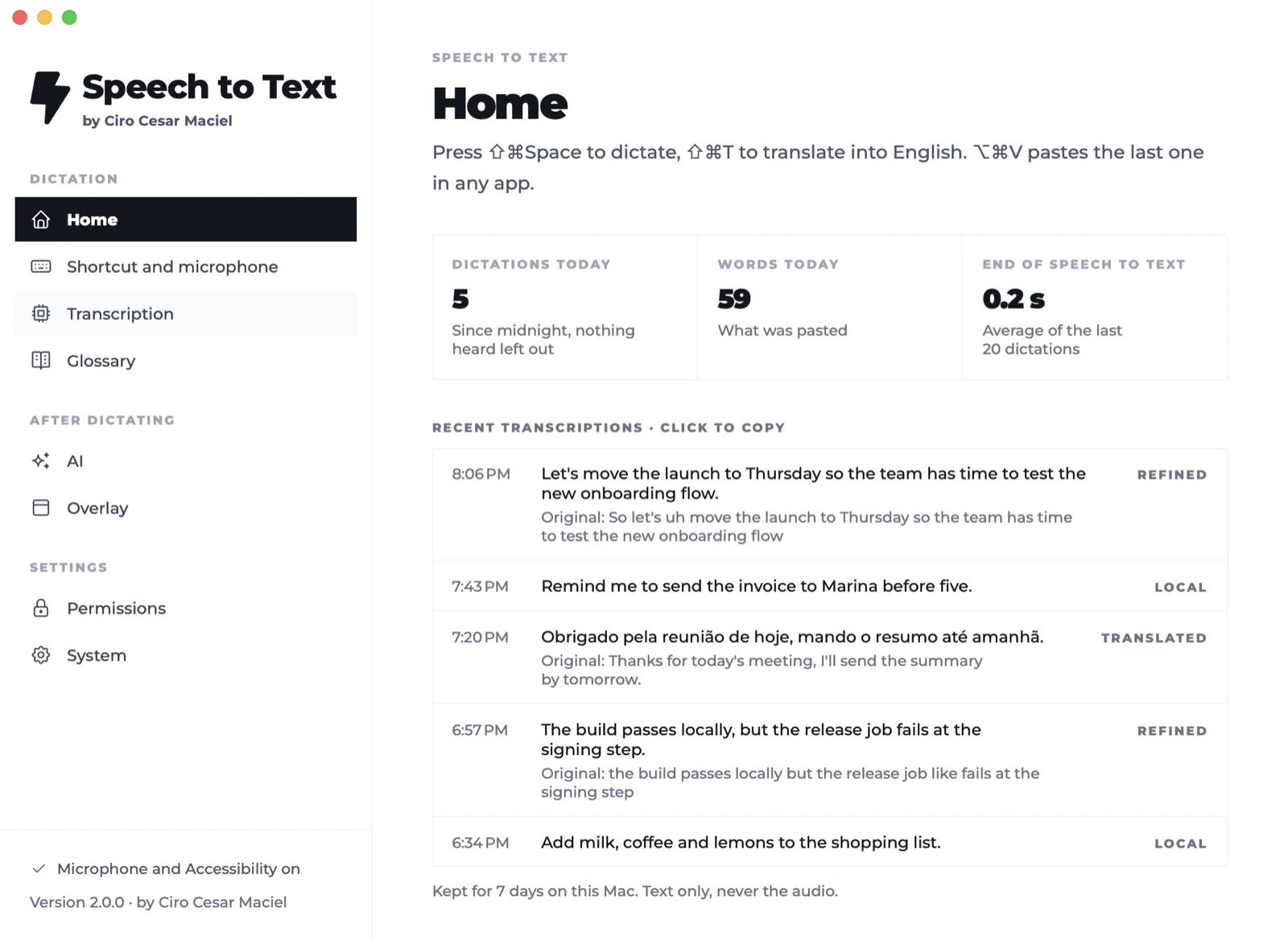
How to install Speech to Text (ciro-maciel) on a Mac
- Get OpenDMG. It is a free app store for open source Mac apps. Download OpenDMG.
- Search for Speech to Text (ciro-maciel) and press Get. OpenDMG downloads version 2.0.8 from ciro-maciel's own GitHub release.
- Open it. The download is checked against its SHA-256 fingerprint and its signature is checked on your Mac before it lands in Applications.
Updates to Speech to Text (ciro-maciel) show up in OpenDMG and install with one button. No account is needed.
Prefer to do it by hand? The developer's file is on GitHub: Speech-to-Text-2.0.8-macos.dmg (9.2 MB).
What is new in Speech to Text (ciro-maciel) 2.0.8
Install with one line: `curl -fsSL https://blob.ciromaciel.click/tools/speech-to-text/install.sh | bash`.

Or download the .dmg and drag Speech to Text to Applications: signed with Developer ID and notarized by Apple. Apple Silicon, macOS 14+.

Made by [Ciro Cesar Maciel](https://ciromaciel.click/?ref=oss-speech-to-text-release). [Follow @ciro-maciel](https://github.com/ciro-maciel) for the next open-source tools.
More Audio and Music apps
-
 MonitorControlAdjust external monitor settings
-
 FluidVoiceVoice-to-text app with AI enhancement
-
 VoiceInkReal-time speech-to-text app
-
 eqMacSystem-wide audio equalizer and volume mixer
-
 LyricsXDisplay lyrics for iTunes/Spotify
-
 FreeFlowPush-to-talk speech-to-text tool that inserts polished transcripts into any app