
Snappy for Mac
Ubuntu-style screenshot tool with flexible capture, annotation, blur, and OCR.
By beqaabu. Free and open source, MIT licence.
Snappy at a glance
- Version
- 1.4.0
- Released
- 13 October 2026
- Download size
- 1.4 MB
- Works on
- Apple silicon and Intel
- Licence
- MIT
- Category
- Video and Screen Capture
- Developer
- beqaabu
- GitHub stars
- 6
About Snappy
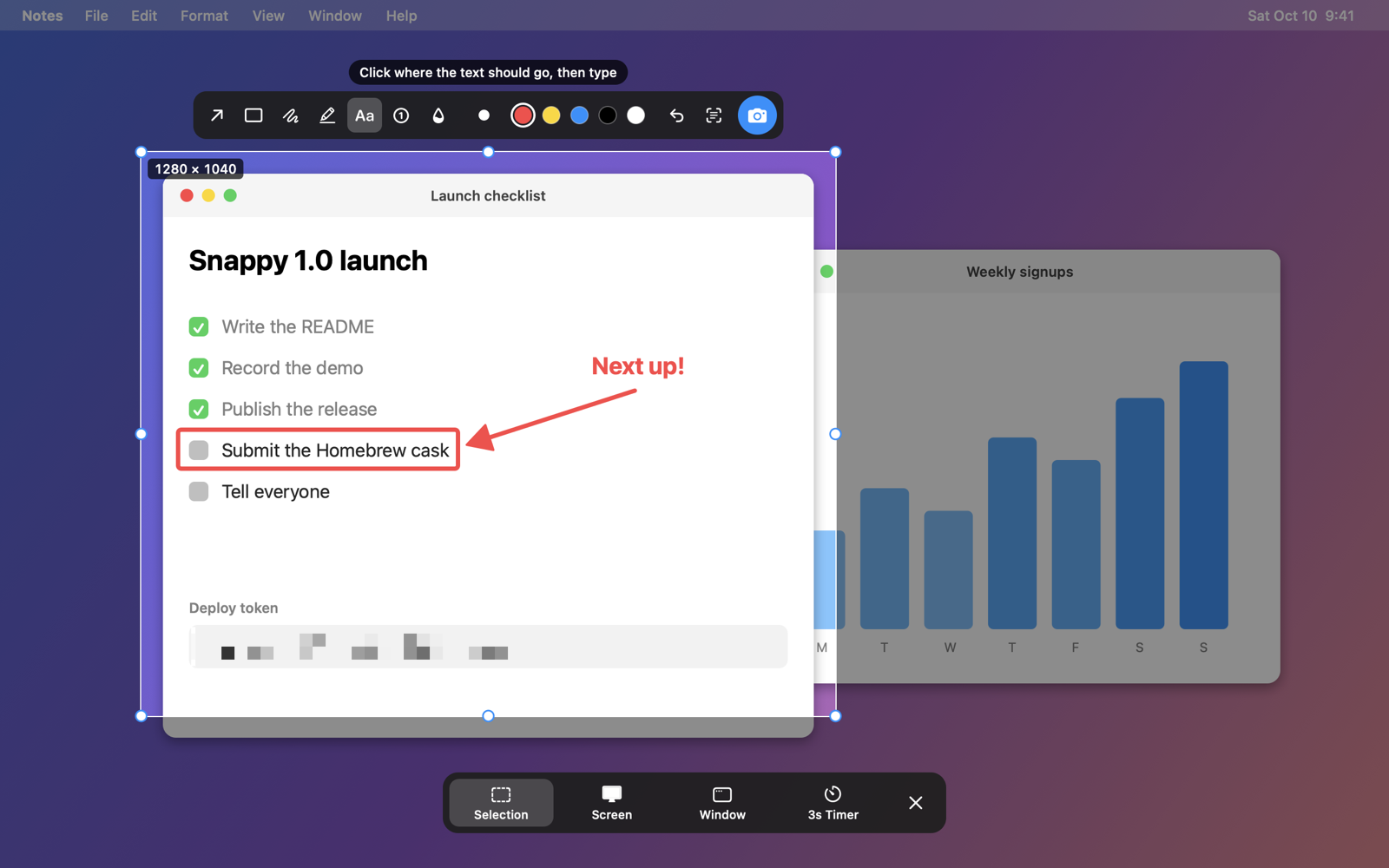
Free Ubuntu-style screenshot app for macOS: drag a selection, mark it up, blur, copy text, or grab a window or the whole screen.
Screenshots
How to install Snappy on a Mac
- Get OpenDMG. It is a free app store for open source Mac apps. Download OpenDMG.
- Search for Snappy and press Get. OpenDMG downloads version 1.4.0 from beqaabu's own GitHub release.
- Open it. The download is checked against its SHA-256 fingerprint and its signature is checked on your Mac before it lands in Applications.
Updates to Snappy show up in OpenDMG and install with one button. No account is needed.
Prefer to do it by hand? The developer's file is on GitHub: Snappy.zip (1.4 MB).
What is new in Snappy 1.4.0
Markup you can edit: click any mark to move, recolour, resize or delete it, plus new pen, highlighter and numbered-step tools and hover labels on every button. Also a 3-second timer, QR codes in Copy Text, and file names that include the app.

**Changes**

- Overlay: hover labels on every button and a hint for the active tool
- Timer: capture automatically when the countdown ends
- Add a 3s timer, QR codes in Copy Text, app names in file names, and tests
- Markup: edit marks, plus pen, highlighter and numbered steps
- Website: Google Search Console verification tag
- Website: SEO basics
- Website: copy buttons for the Homebrew commands
- Bump the actions group with 4 updates
- Add Dependabot for GitHub Actions

**Install:** `brew trust --tap beqaabu/tap && brew install --cask beqaabu/tap/snappy-app`, or unzip, move `Snappy.app` to Applications and open it. It isn't signed with an Apple Developer ID, so the first time macOS will block it: click **Open Anyway** in System Settings → Privacy & Security. Then grant Screen Recording access when asked.
More Video and Screen Capture apps
-
 IINAThe modern video player for macOS
-
 Palmier ProOpen source video editor where you and AI agents generate and edit videos together in the…
-
 Quick RecorderA lightweight and high-performance screen recorder for macOS
-
 macshotScreenshot and screen recording tool with annotation, OCR, and scroll capture
-
 SnapzyOpen-source tool for screenshots, screen recording, annotation, and editing
-
 ScreendropBeautiful screenshot and screen recording tool — a native, self-hostable, and free Loom…