
macshot for Mac
Screenshot and screen recording tool with annotation, OCR, and scroll capture.
By sw33tLie. Free and open source, GPL-3.0 licence.
macshot at a glance
- Version
- 4.3.0
- Released
- 23 September 2026
- Download size
- 7.3 MB
- Works on
- Apple silicon and Intel
- Licence
- GPL-3.0
- Category
- Video and Screen Capture
- Developer
- sw33tLie
- GitHub stars
- 3.7K
About macshot
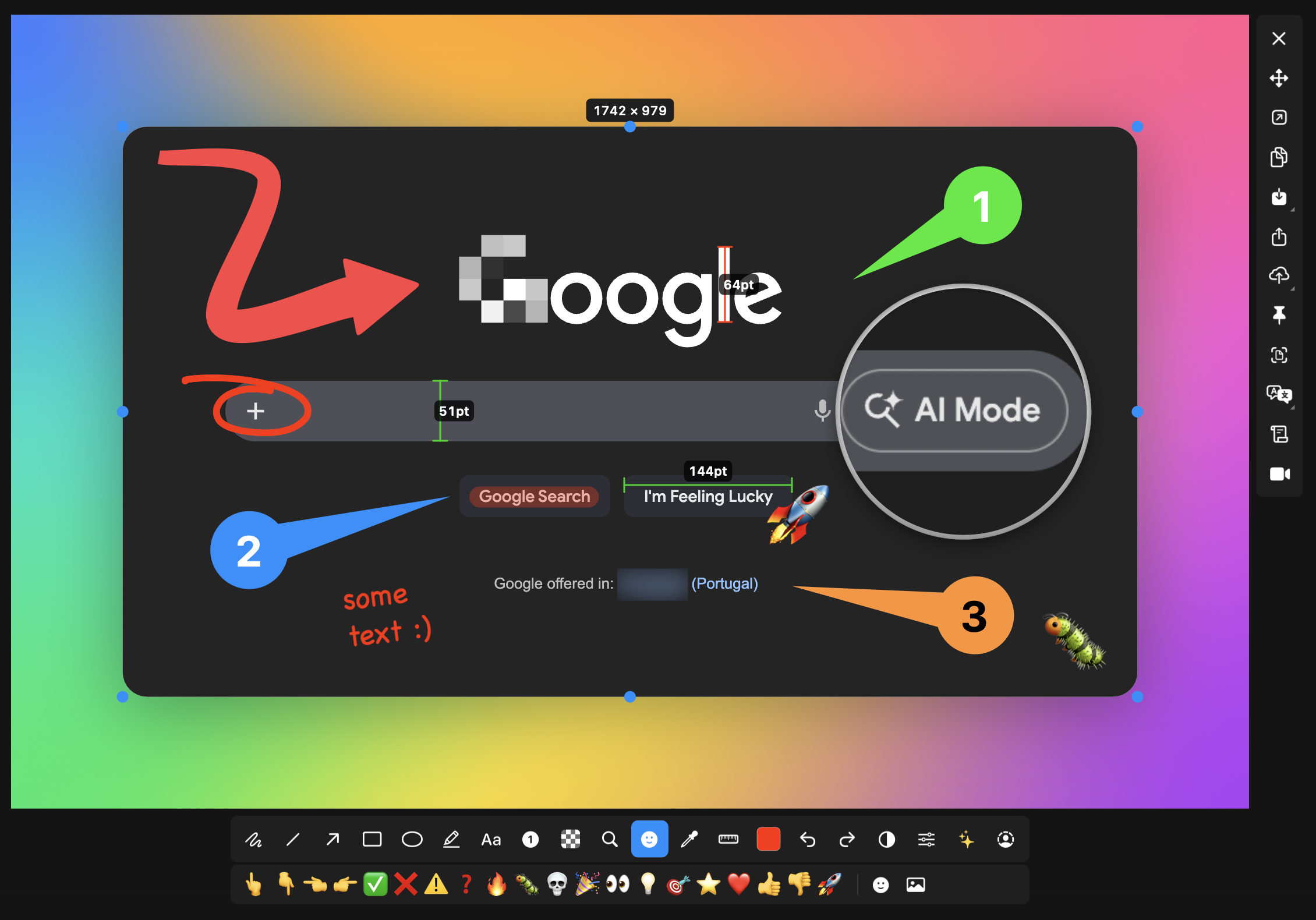
Feature-packed native macOS screenshot & recording tool: annotate, auto-redact PII, record GIFs, OCR + translate, scroll capture, beautify, and more. No Electron, no subscription.
Screenshots
How to install macshot on a Mac
- Get OpenDMG. It is a free app store for open source Mac apps. Download OpenDMG.
- Search for macshot and press Get. OpenDMG downloads version 4.3.0 from sw33tLie's own GitHub release.
- Open it. The download is checked against its SHA-256 fingerprint and its signature is checked on your Mac before it lands in Applications.
Updates to macshot show up in OpenDMG and install with one button. No account is needed.
Prefer to do it by hand? The developer's file is on GitHub: MacShot.dmg (7.3 MB).
What is new in macshot 4.3.0
### Added

- **Element snapping** — press Tab to select buttons, fields, and panels, including in browsers and Electron apps. Requires Accessibility access. (#360)
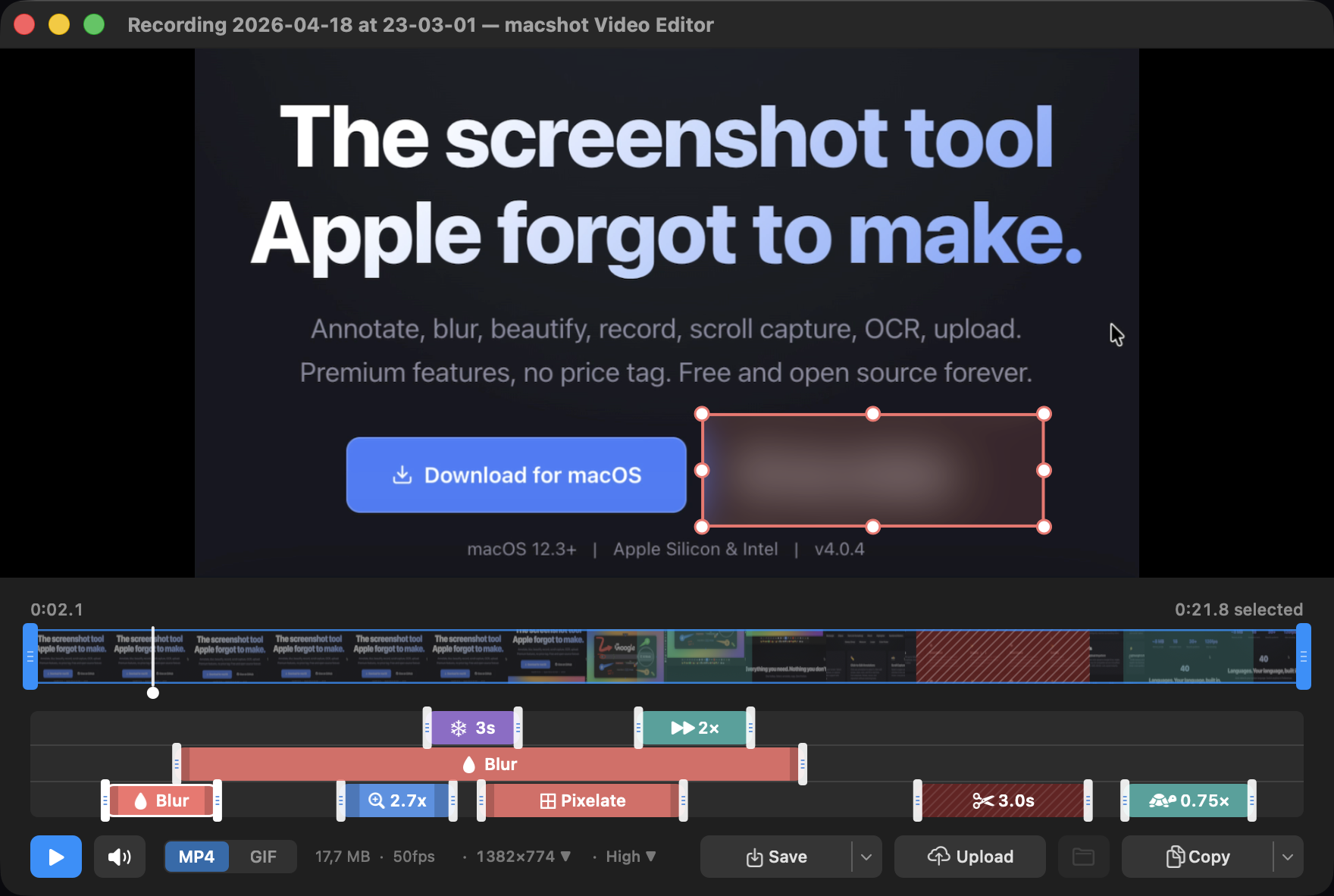
- **Video editing** — style text overlays, add effects at the playhead, and preview zooms as they will export. GIFs have a 5–30 fps picker. (#296, #301, #307)
- **Screenshot paths** — Enter can save and copy the final full path; an optional Output setting does the same after any screenshot save. (#399)
- **Capture and editor shortcuts** — auto-adjust selections to visual edges; Cmd+D duplicates annotations. Optional settings fit wide captures in the thumbnail and close the editor after copying. (#317, #366, #394)
- **Uploads** — choose a Google Drive folder or enable public-read links on S3 services that support them. (#372, #352)

### Improved and fixed

- **Screenshot saves and history** — atomic writes prevent overwrites; failures are shown; older captures reopen with annotations and effects intact. See [downgrade and recovery notes](https://github.com/sw33tLie/macshot/blob/main/docs/history-recovery.md) before returning to an older version. (#344)
- **Recording and export** — fixes early stops, idle resumes, fractional cuts, Bluetooth mic audio, and GIF timing. Exports show progress, support cancellation, and preserve originals after failure. (#323, #326, #340)
…
More Video and Screen Capture apps
-
 IINAThe modern video player for macOS
-
 Palmier ProOpen source video editor where you and AI agents generate and edit videos together in the…
-
 SnapzyOpen-source tool for screenshots, screen recording, annotation, and editing
-
 ScreendropBeautiful screenshot and screen recording tool — a native, self-hostable, and free Loom…
-
 BetterCaptureFree and open source screen recorder with professional encoding support
-
 CapsoScreenshot and screen recording tool with annotation, OCR, and pin-to-screen support