
SlimHUD - Cyanocitta for Mac
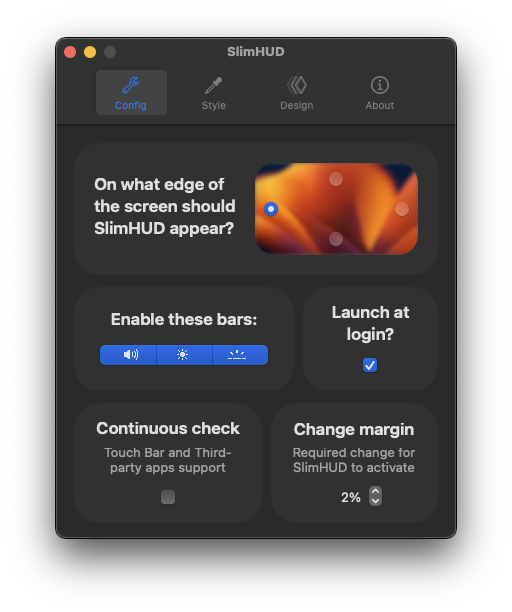
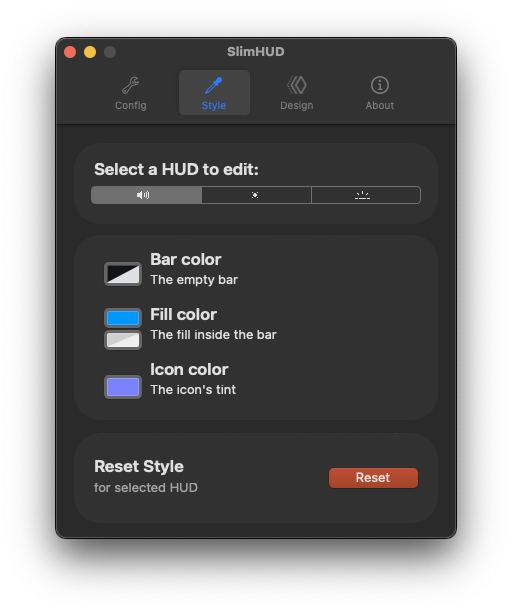
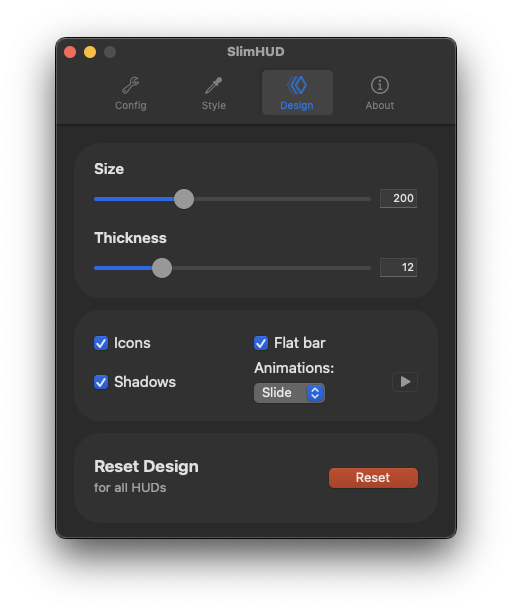
Replacement for MacOS' volume, brightness and keyboard backlight HUDs.
By AlexPerathoner. Free and open source, GPL-3.0 licence.
SlimHUD - Cyanocitta at a glance
- Version
- 1.5.3
- Released
- 27 July 2025
- Download size
- 5.5 MB
- Works on
- Apple silicon and Intel
- Licence
- GPL-3.0
- Category
- Menu Bar and Notch
- Developer
- AlexPerathoner
- GitHub stars
- 468
Screenshots

How to install SlimHUD - Cyanocitta on a Mac
- Get OpenDMG. It is a free app store for open source Mac apps. Download OpenDMG.
- Search for SlimHUD - Cyanocitta and press Get. OpenDMG downloads version 1.5.3 from AlexPerathoner's own GitHub release.
- Open it. The download is checked against its SHA-256 fingerprint and its signature is checked on your Mac before it lands in Applications.
Updates to SlimHUD - Cyanocitta show up in OpenDMG and install with one button. No account is needed.
Prefer to do it by hand? The developer's file is on GitHub: SlimHUD.zip (5.5 MB).
What is new in SlimHUD - Cyanocitta 1.5.3
* Added blurred background effect;
* Fixed an issue that could cause the hud to be displayed below the menu bar or Dock in some circumstances;
* Changed the behavior of the hud to be displayed in a stationary position when Mission Control is activated;
* Thanks to @zorth64 for implementing all these new fixes and features!
More Menu Bar and Notch apps
-
 StatsmacOS system monitor in your menu bar
-
 IcePowerful menu bar manager for macOS (upstream, temporarily inactive)
-
 Hidden BarAn ultra-light MacOS utility that helps hide menu bar icons
-
 ThawThe open-source menu bar manager: hide, organize, and take control of menu bar icons
-
 Boring NotchTurn your MacBook notch into a music and file control center
-
 eulmacOS status monitoring app written in SwiftUI