
Shutterbar for Mac
Screenshot app with annotation, scrolling capture, and clipboard support.
By mucahitimre. Free and open source, MIT licence.
Shutterbar at a glance
- Version
- 0.4.0
- Released
- 1 November 2026
- Download size
- 1.8 MB
- Works on
- Apple silicon and Intel
- Licence
- MIT
- Category
- Video and Screen Capture
- Developer
- mucahitimre
- GitHub stars
- 1
About Shutterbar
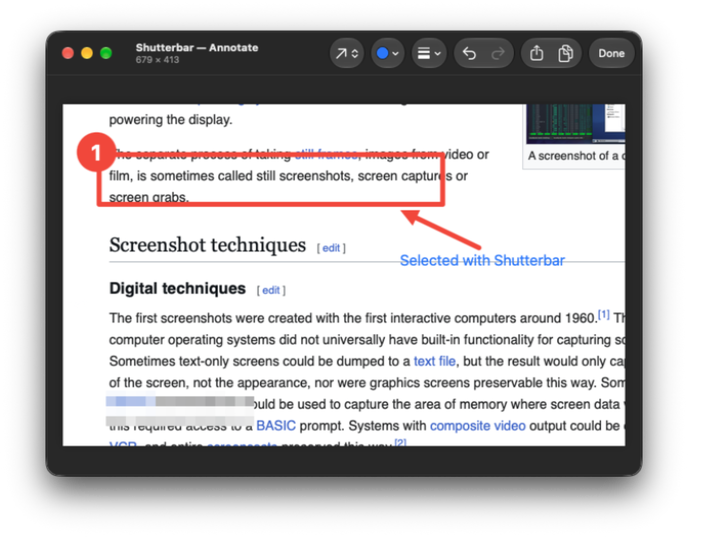
ShareX-style screenshots for macOS (formerly MacShot): ⌘C straight to the clipboard, after-capture tasks you set once, last-region memory, frozen-screen selection, window & scrolling capture, annotation editor.
Screenshots
How to install Shutterbar on a Mac
- Get OpenDMG. It is a free app store for open source Mac apps. Download OpenDMG.
- Search for Shutterbar and press Get. OpenDMG downloads version 0.4.0 from mucahitimre's own GitHub release.
- Open it. The download is checked against its SHA-256 fingerprint and its signature is checked on your Mac before it lands in Applications.
Updates to Shutterbar show up in OpenDMG and install with one button. No account is needed.
Prefer to do it by hand? The developer's file is on GitHub: Shutterbar-0.4.0.dmg (1.8 MB).
What is new in Shutterbar 0.4.0
### Changed
- **MacShot is now Shutterbar.** The name was already used by another open-source macOS screenshot app, and its Homebrew cask (`macshot`) made `brew upgrade` replace this app with that one. New bundle id `com.mucahitimre.shutterbar`, repository `mucahitimre/Shutterbar` (the old URL redirects), cask `mucahitimre/tap/shutterbar`.
- Preferences (shortcuts, after-capture tasks, save folder, last region) are copied once from MacShot. macOS treats Shutterbar as a new app, so the Screen Recording and Accessibility permissions have to be granted again; remove the old MacShot entries from System Settings first. The default save folder is now `~/Pictures/Shutterbar`.
More Video and Screen Capture apps
-
 IINAThe modern video player for macOS
-
 Palmier ProOpen source video editor where you and AI agents generate and edit videos together in the…
-
 Quick RecorderA lightweight and high-performance screen recorder for macOS
-
 macshotScreenshot and screen recording tool with annotation, OCR, and scroll capture
-
 SnapzyOpen-source tool for screenshots, screen recording, annotation, and editing
-
 ScreendropBeautiful screenshot and screen recording tool — a native, self-hostable, and free Loom…