
ShengJi for Mac
Local transcription and subtitle editor for microphone, media files, and system audio.
By maddylaneeee. Free and open source, MIT licence.
ShengJi at a glance
- Version
- 1.7.0
- Released
- 4 October 2026
- Download size
- 34 MB
- Works on
- Apple silicon
- Licence
- MIT
- Category
- Audio and Music
- Developer
- maddylaneeee
- GitHub stars
- 23
About ShengJi
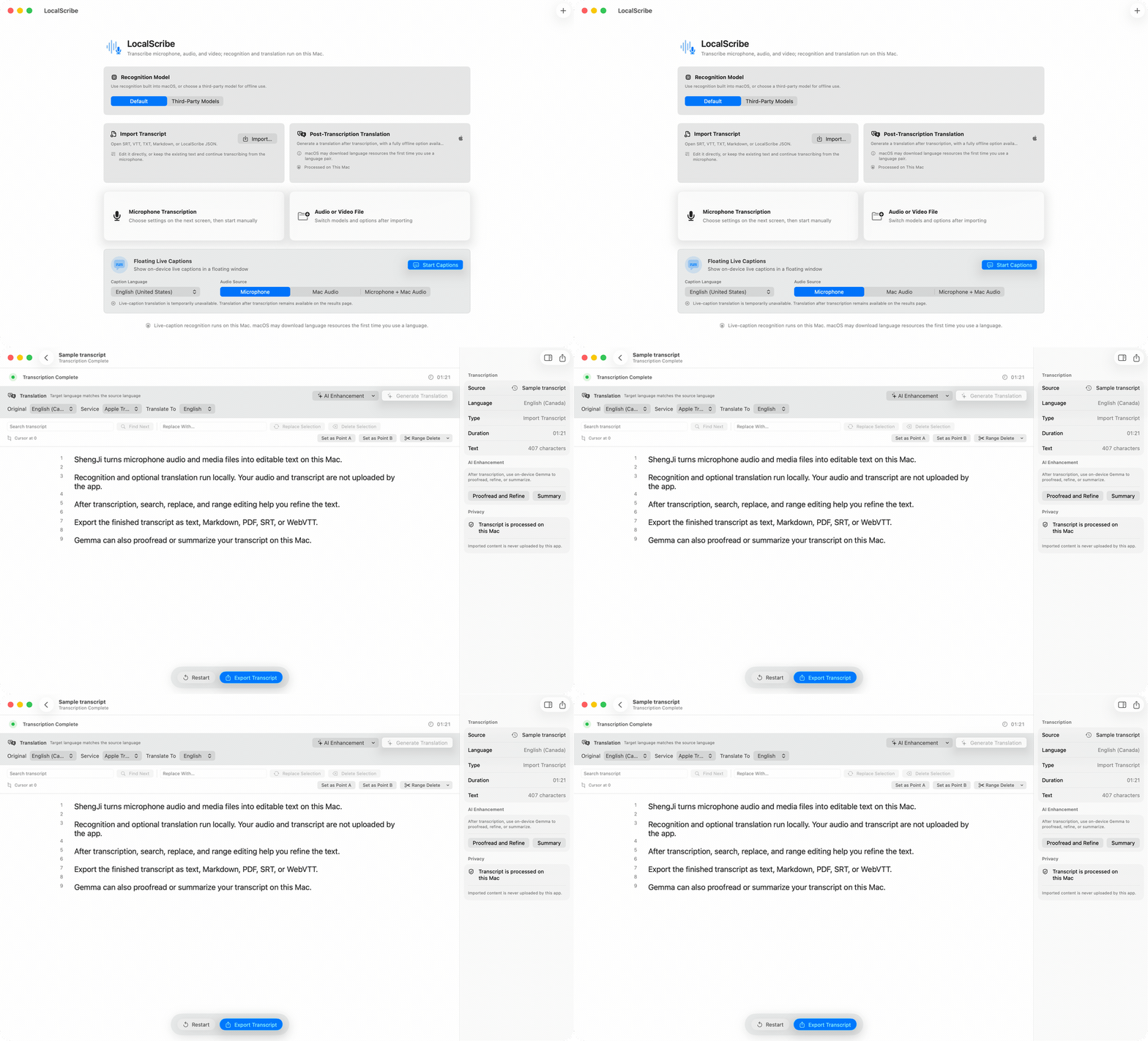
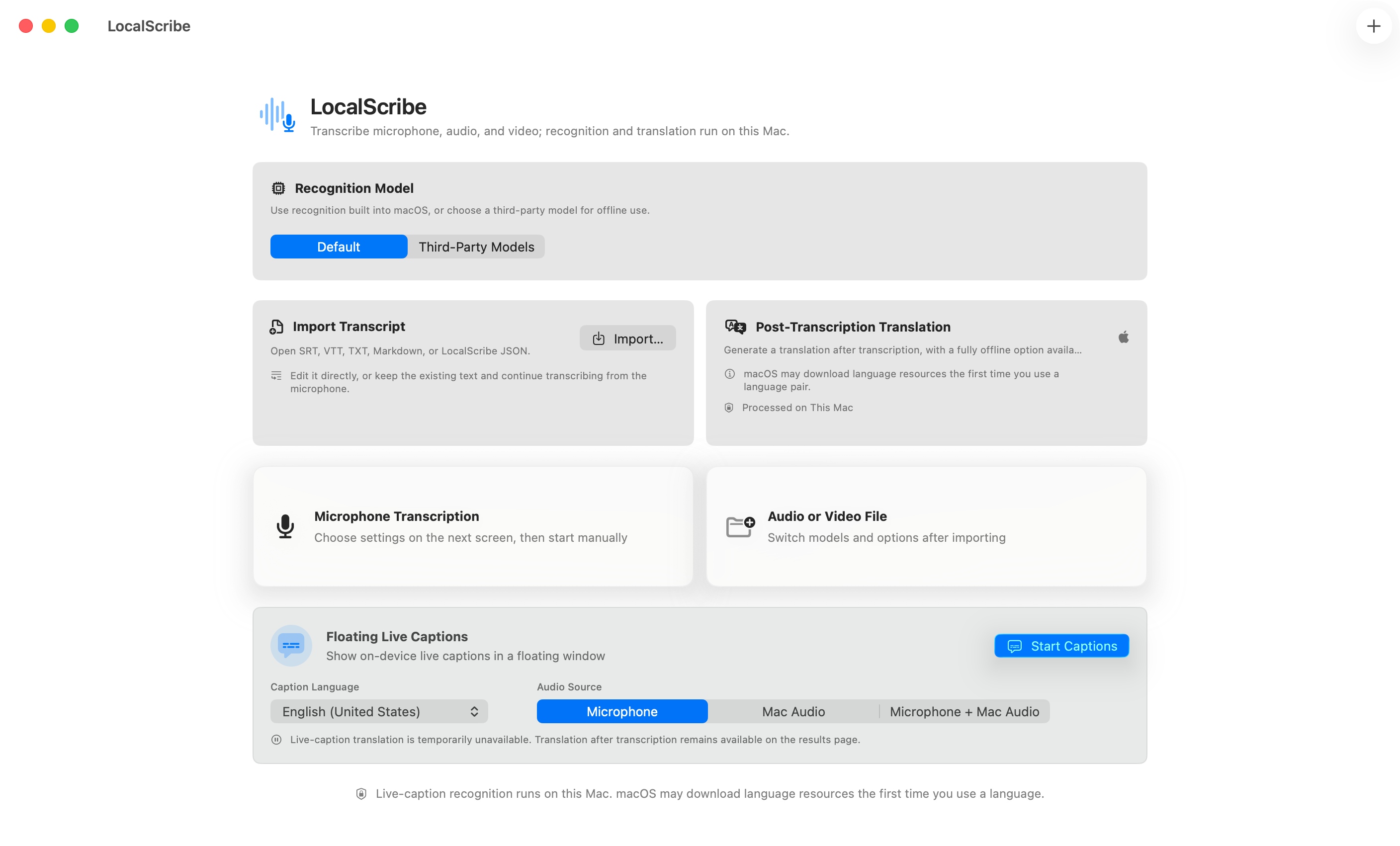
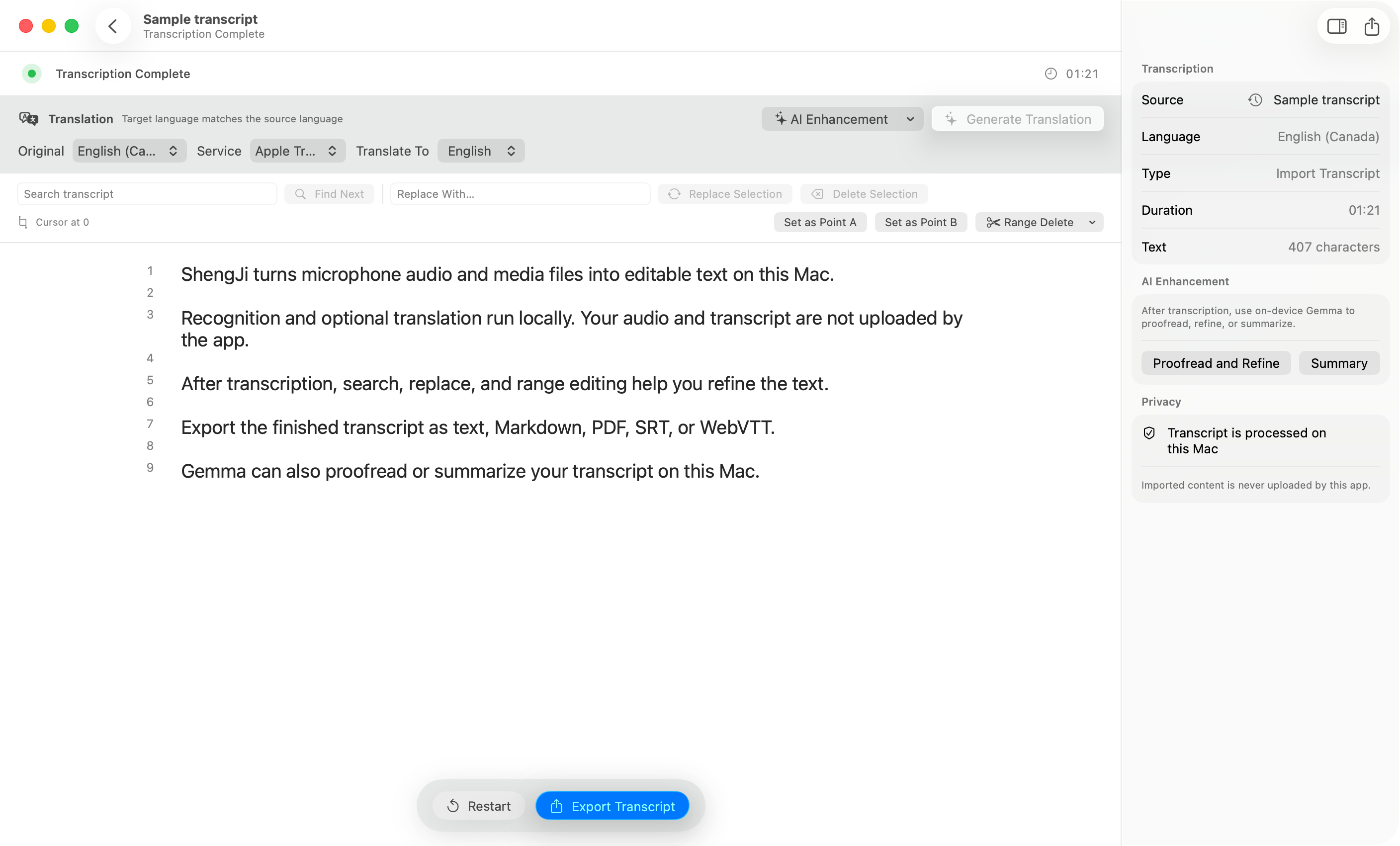
Native local-first macOS speech-to-text, live captions, subtitle editing, offline translation, and on-device Gemma 4 transcript enhancement.
Screenshots
How to install ShengJi on a Mac
- Get OpenDMG. It is a free app store for open source Mac apps. Download OpenDMG.
- Search for ShengJi and press Get. OpenDMG downloads version 1.7.0 from maddylaneeee's own GitHub release.
- Open it. The download is checked against its SHA-256 fingerprint and its signature is checked on your Mac before it lands in Applications.
Updates to ShengJi show up in OpenDMG and install with one button. No account is needed.
Prefer to do it by hand? The developer's file is on GitHub: LocalScribe-macOS-arm64.dmg (34 MB).
What is new in ShengJi 1.7.0
## About LocalScribe

LocalScribe 1.7.0 build 40 adds optional original-audio recording for new microphone transcriptions and fixes language switching in the menu bar, AI prompt editor, and transcript export dialog.

- **Save original microphone audio.** Enable Save Original Audio before starting a new microphone task. Choose Storage Priority, Quality Priority, or Highest Quality. Recordings are saved locally as M4A; silence is retained and pause gaps are omitted.
- **Play and export recordings.** Play, pause, seek, and listen at 0.5×, 1×, or 2×. Export the original M4A alongside TXT, Markdown, JSON, PDF, SRT, or WebVTT using the same base filename. Editing or translating the transcript does not change the recording.
- **Recover audio with the transcript.** The latest recoverable task keeps its original recording. Audio-saving failures do not stop recognition, and recoverable partial recordings are clearly labeled.
- **Switch languages without restarting.** Menu titles follow the selected app language. The AI prompt editor and transcript export dialog also use that language for their titles, explanations, controls, and buttons.
…
More Audio and Music apps
-
 MonitorControlAdjust external monitor settings
-
 FluidVoiceVoice-to-text app with AI enhancement
-
 eqMacSystem-wide audio equalizer and volume mixer
-
 VoiceInkReal-time speech-to-text app
-
 LyricsXDisplay lyrics for iTunes/Spotify
-
 FreeFlowPush-to-talk speech-to-text tool that inserts polished transcripts into any app