
Roughcut for Mac
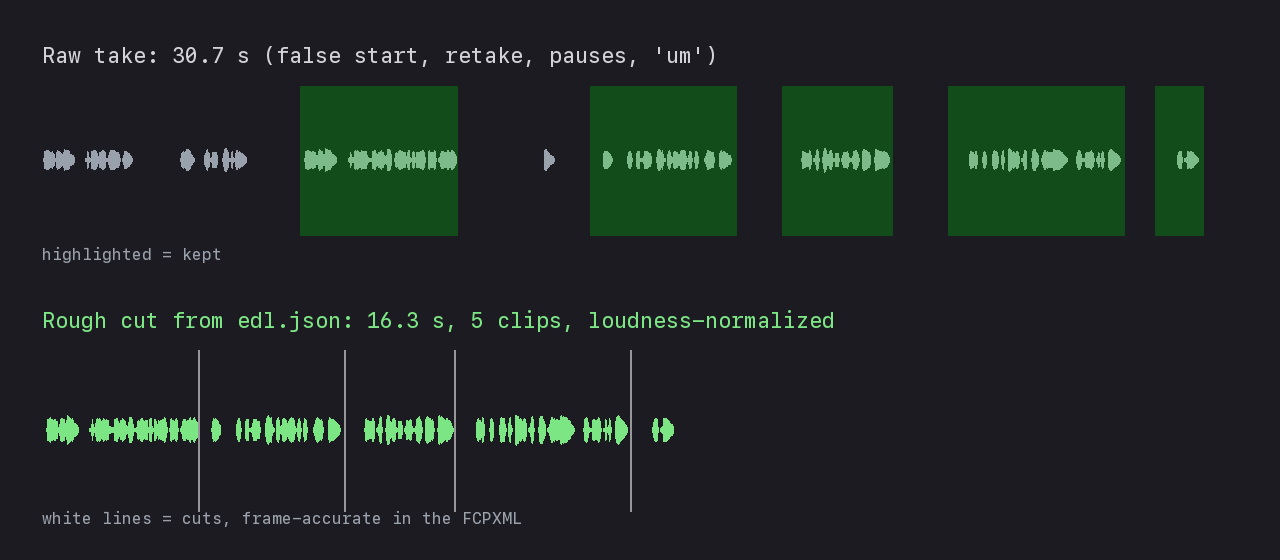
Turns talking-head footage into a rough cut for Final Cut Pro, with on-device Whisper transcription and cuts chosen by a local or cloud model of your choice.
By Bouliw. Free and open source, MIT licence.
Roughcut at a glance
- Version
- 0.3.1
- Released
- 28 September 2026
- Download size
- 1.8 MB
- Works on
- Apple silicon and Intel
- Licence
- MIT
- Category
- Video and Screen Capture
- Developer
- Bouliw
- GitHub stars
- 0
About Roughcut
Roughcut: a Mac app that turns your footage into a rough cut in Final Cut Pro (Whisper, FCPXML)
Screenshots
How to install Roughcut on a Mac
- Get OpenDMG. It is a free app store for open source Mac apps. Download OpenDMG.
- Search for Roughcut and press Get. OpenDMG downloads version 0.3.1 from Bouliw's own GitHub release.
- Open it. The download is checked against its SHA-256 fingerprint and its signature is checked on your Mac before it lands in Applications.
Updates to Roughcut show up in OpenDMG and install with one button. No account is needed.
Prefer to do it by hand? The developer's file is on GitHub: Roughcut-0.3.1.dmg (1.8 MB).
What is new in Roughcut 0.3.1
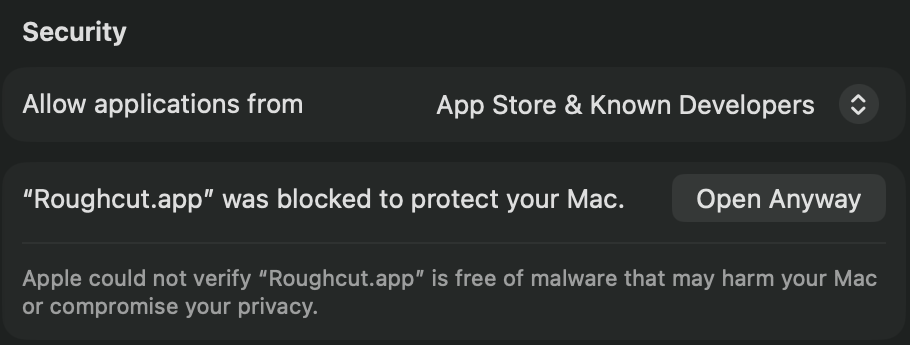
**Install or update**: download `Roughcut-0.3.1.dmg`, open it and drag Roughcut into Applications (replacing the old one). Settings, projects, tools and model are kept: nothing is downloaded again. The first time, macOS stops the app: System Settings › Privacy & Security › **Open Anyway** (pictures in the README, under Install).

Everything below is new since 0.2.1. Coming from the 0.3.0 preview, only the French wording changes.

**Dressing and subtitles**
- **Dressing**: None, Light (default: a title and a dissolve for each chapter) or Full (also the time of day, a lower third for each person interviewed, and animated captions on the main edit). Made with Final Cut Pro's own titles and transitions, so everything stays editable.
- **Subtitles for YouTube**: an SRT in French and one in English for every video, Shorts included. Doubtful words (names above all) are listed and marked in Final Cut Pro: correct a word in `captions.txt`, then **Regenerate the captions**.
- **Caption styles**: Classic, Yellow pop, Minimal, Big impact, Karaoke, or your own, saved under a name; the main edit and the Shorts each have their own.
…
More Video and Screen Capture apps
-
 IINAThe modern video player for macOS
-
 Palmier ProOpen source video editor where you and AI agents generate and edit videos together in the…
-
 Quick RecorderA lightweight and high-performance screen recorder for macOS
-
 macshotScreenshot and screen recording tool with annotation, OCR, and scroll capture
-
 SnapzyOpen-source tool for screenshots, screen recording, annotation, and editing
-
 ScreendropBeautiful screenshot and screen recording tool — a native, self-hostable, and free Loom…