
RetroMac for Mac
Transform your desktop with classic OS themes and authentic CRT shaders.
By klotzbrocken. Free and open source, GPL-3.0 licence.
RetroMac at a glance
- Version
- 2.8.8
- Released
- 3 October 2026
- Download size
- 97 MB
- Works on
- Apple silicon and Intel
- Licence
- GPL-3.0
- Category
- System Tools
- Developer
- klotzbrocken
- GitHub stars
- 119
About RetroMac
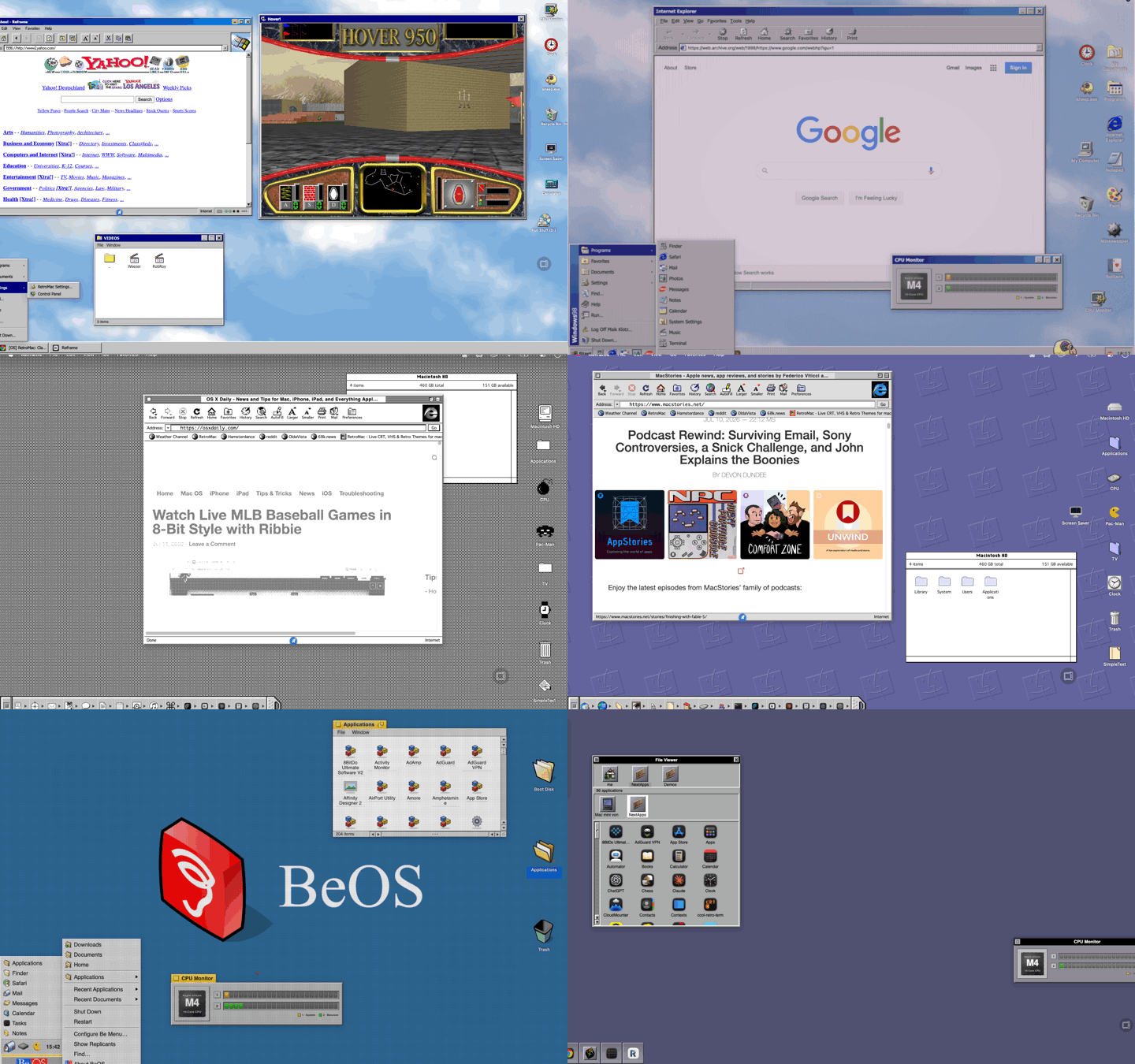
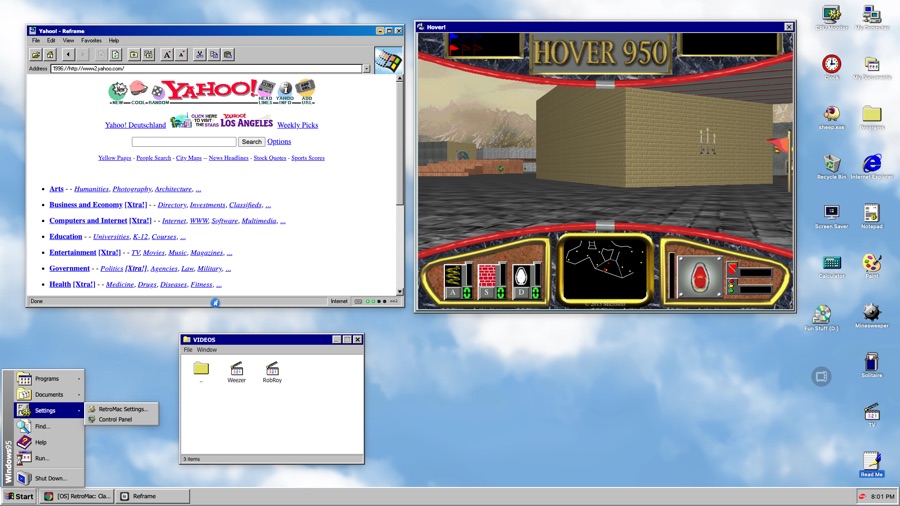
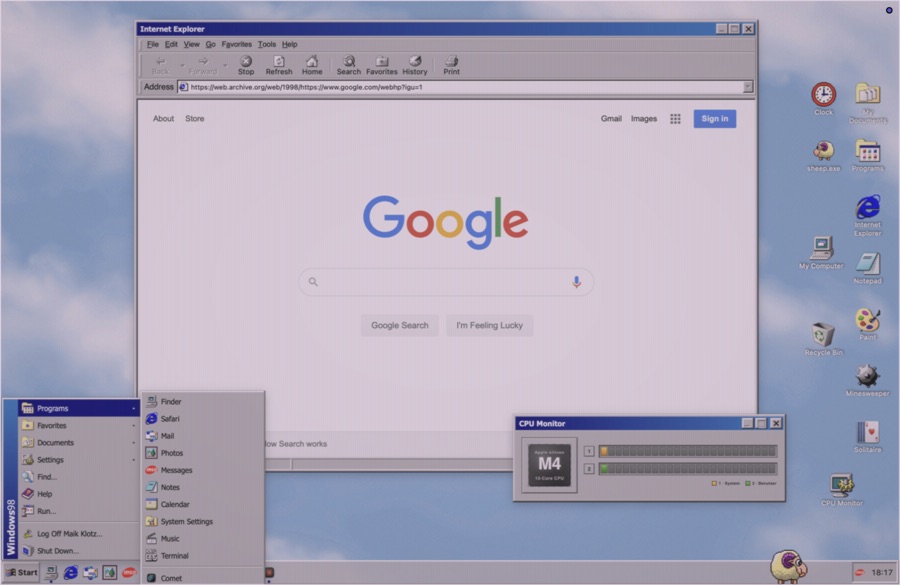
Turn your Mac into a retro computer: real-time CRT/retro shaders and classic desktop themes (Mac OS 9, Windows XP, BeOS and more), as a macOS menu-bar app.
Screenshots
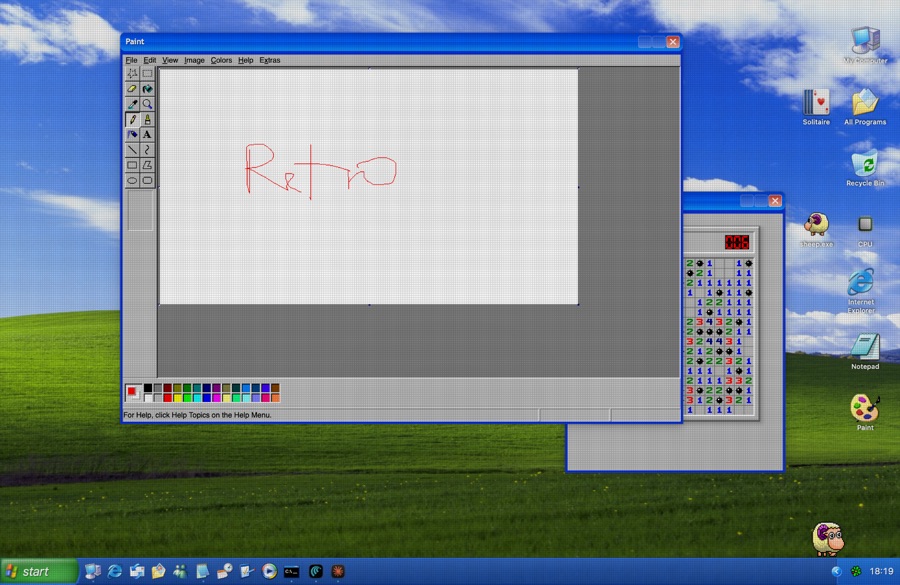
How to install RetroMac on a Mac
- Get OpenDMG. It is a free app store for open source Mac apps. Download OpenDMG.
- Search for RetroMac and press Get. OpenDMG downloads version 2.8.8 from klotzbrocken's own GitHub release.
- Open it. The download is checked against its SHA-256 fingerprint and its signature is checked on your Mac before it lands in Applications.
Updates to RetroMac show up in OpenDMG and install with one button. No account is needed.
Prefer to do it by hand? The developer's file is on GitHub: RetroMac.dmg (97 MB).
What is new in RetroMac 2.8.8
- **Mac OS X, closer to 10.0.** Measured pixel for pixel from Mac OS X 10.0.4 screenshots:
 - **The title bar is Aqua's own now:** white pinstripes with a grey edge, rounded top
 corners, a grey line under the bar, and the title centred in Lucida Grande. It replaces
 the traffic lights that were drawn over the real ones. Widget windows, the Applications
 window and the Read Me wear the same bar.
 - **The traffic lights are the glossy 10.0 gems:** a black rim on top, a white gloss, the
 colour glowing up from the bottom, and a soft shadow under each. Inactive windows show
 them grey.
 - **The pill on the right rolls a window up into its title bar, like a garage door, and
 back down.** The rolled-up bar can be dragged; the window unrolls wherever the bar is
 then. A double-click on the bar minimises, as 10.0's did.
 - **The dock's divider is a single solid line**, as 10.0 drew it, not dashes.
 - **The Dock is 10.0's:** one divider only — running apps that are not kept in the Dock
 line up after the others, as they did before Mojave — a flat black triangle under each
 running app, close under its icon, and bigger icons with less room round them.
 - **The Dock sits on the bottom edge of the screen**, as 10.0's did: rounded on top only,
 a translucent white with a bright top edge instead of the darker blue.
…
More System Tools apps
-
 PearcleanerApp Cleaner and Uninstaller Tool
-
 OpenInTerminalFinder toolbar tool for opening the current folder in a terminal
-
 PureMacFree open-source system cleaner with privacy protection
-
 DockDoorWindow peeking for macOS
-
 LatestApp update checker that notifies you of available updates for installed applications
-
 DorsoPosture reminder that progressively blurs your screen when you slouch