

Quill for Mac
Fast, system-wide voice typing that places polished text wherever you are writing.
By skundu42. Free and open source, Apache-2.0 licence.
Quill at a glance
- Version
- 1.1.0
- Released
- 21 October 2026
- Download size
- 2.5 MB
- Works on
- Apple silicon and Intel
- Licence
- Apache-2.0
- Category
- Audio and Music
- Developer
- skundu42
- GitHub stars
- 7
About Quill
Fast, system-wide voice typing for macOS powered by Gemini 3.5 Transcribe. A powerful, open-source alternative to Wispr Flow.
Screenshots
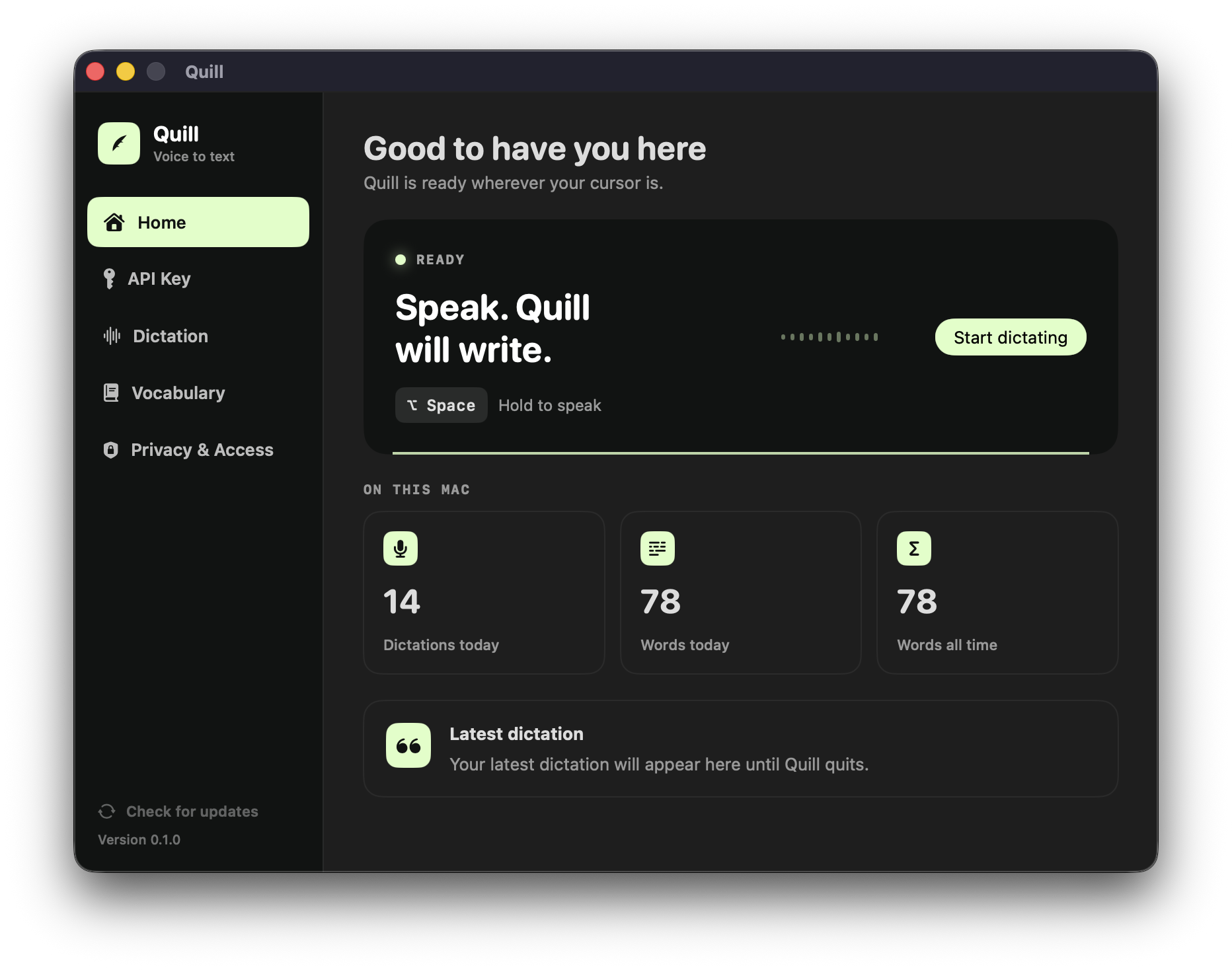
How to install Quill on a Mac
- Get OpenDMG. It is a free app store for open source Mac apps. Download OpenDMG.
- Search for Quill and press Get. OpenDMG downloads version 1.1.0 from skundu42's own GitHub release.
- Open it. The download is checked against its SHA-256 fingerprint and its signature is checked on your Mac before it lands in Applications.
Updates to Quill show up in OpenDMG and install with one button. No account is needed.
Prefer to do it by hand? The developer's file is on GitHub: Quill-macOS.dmg (2.5 MB).
What is new in Quill 1.1.0
Quill 1.1.0 adds local Underdog Bark 3.0 transcription and fixes Gemini finalization and connection diagnostics.

## New

- Transcribe English on-device with Underdog Bark 3.0, without an API key. Bark is the default for new installations; existing installations retain their Gemini configuration.
- Choose Bark or Gemini in Models and during onboarding. Gemini's model ID is configurable, with support for bare IDs and full `models/` resource names.
- Download and verify Bark's model files in the app. Audio stays in memory and is processed locally after recording stops.

## Fixed

- Gemini uses explicit start/stop signals with both automatic language detection and selected languages, avoiding finalization timeouts after pauses.
- Final transcripts arriving just before recording ends are preserved.
- Gemini reports the server's actual connection rejection reason, including depleted-credit errors. Full error messages remain readable in Home and Models.
- Empty Gemini model IDs are rejected before connecting, and API keys are redacted from connection errors.

## Compatibility

- Gemini: macOS 14 or later, Apple silicon or Intel, and a compatible Gemini Live transcription model with an active API key.
- Local Bark: Apple silicon and macOS 15 or later. One-time model download is approximately 202 MB. First setup and cold initialization can take several minutes.
…
More Audio and Music apps
-
 MonitorControlAdjust external monitor settings
-
 FluidVoiceVoice-to-text app with AI enhancement
-
 VoiceInkReal-time speech-to-text app
-
 eqMacSystem-wide audio equalizer and volume mixer
-
 LyricsXDisplay lyrics for iTunes/Spotify
-
 FreeFlowPush-to-talk speech-to-text tool that inserts polished transcripts into any app