

QdrantBar for Mac
Read-only menu bar monitor for Qdrant vector databases: health, collections, points, snapshots.
By fr3on. Free and open source, MIT licence.
QdrantBar at a glance
- Version
- 0.1.0
- Released
- 26 September 2026
- Download size
- 2.9 MB
- Works on
- Apple silicon and Intel
- Licence
- MIT
- Category
- Developer Tools
- Developer
- fr3on
- GitHub stars
- 2
About QdrantBar
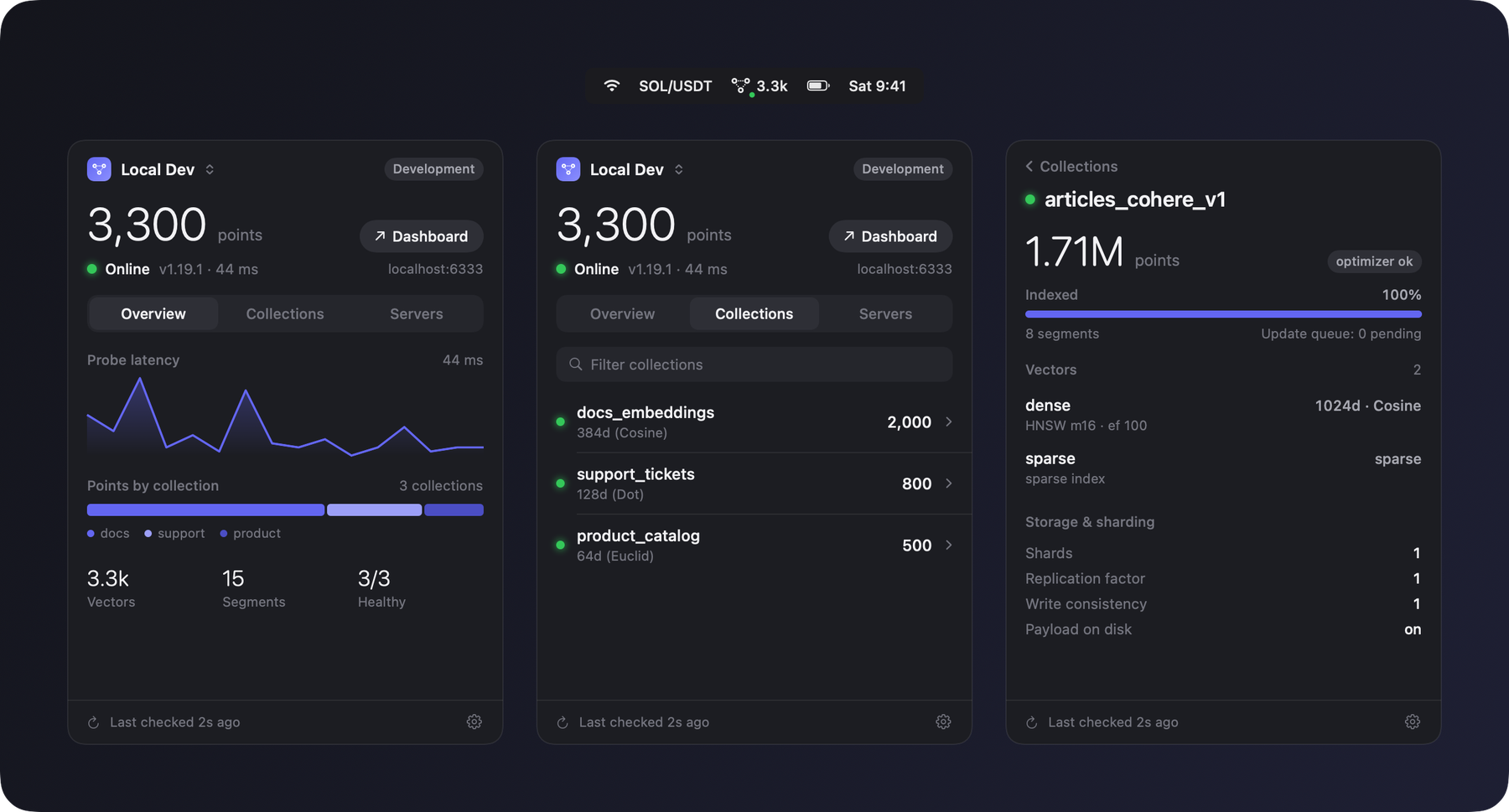
Native macOS menu bar app that shows your Qdrant vector database at a glance: health, points, collections, indexing and snapshots. Read-only, no dependencies.
Screenshots
How to install QdrantBar on a Mac
- Get OpenDMG. It is a free app store for open source Mac apps. Download OpenDMG.
- Search for QdrantBar and press Get. OpenDMG downloads version 0.1.0 from fr3on's own GitHub release.
- Open it. The download is checked against its SHA-256 fingerprint and its signature is checked on your Mac before it lands in Applications.
Updates to QdrantBar show up in OpenDMG and install with one button. No account is needed.
Prefer to do it by hand? The developer's file is on GitHub: QdrantBar-0.1.0.dmg (2.9 MB).
What is new in QdrantBar 0.1.0
First release of QdrantBar: a small, native, read-only macOS menu bar app for watching a Qdrant server. It is an unofficial community tool and is not affiliated with Qdrant.

## Highlights

- Menu bar item with a status dot and one stat of your choice: points (default), latency, collections, or just the icon. It follows the light and dark menu bar.
- Popover with the point count, server state, version and latency, and Overview, Collections and Servers tabs.
- Collection detail screen: status, optimizer state, indexing progress, vectors, shards and replication, payload indexes, aliases and snapshots. A collection that is not green explains why.
- Multiple servers with a quick switcher. API keys are stored in the macOS Keychain, and Test connection checks the key against `/collections`, so a rejected key is reported instead of looking healthy.
- Remote `http://` servers are refused unless you allow insecure HTTP for that one server. Prefer https or an SSH tunnel.
- Settings for the menu bar stat, refresh intervals, Launch at login and appearance.
- Read-only: only `GET` requests, no analytics, no third-party dependencies.

## Install

1. Download `QdrantBar-0.1.0.dmg`, open it and drag QdrantBar to Applications.
…
More Developer Tools apps
-
 UTMVirtual machines for iOS and macOS
-
 vphone-cliCLI to boot a virtual iPhone (iOS 26) with Apple Virtualization.framework and PCC…
-
 VirtualBuddyVirtual machine manager for running recent macOS versions on Apple Silicon
-
 WWDCUnofficial WWDC app for macOS
-
 Xcodes.appThe easiest way to install and switch between multiple versions of Xcode
-
 Postgres.appThe easiest way to get started with PostgreSQL on the Mac