

Pelmet for Mac
Hide the menu bar icons you don't need and slide them back in on hover, click, or a keyboard shortcut.
By fif7y. Free and open source, GPL-3.0 licence.
Pelmet at a glance
- Version
- 0.3.1
- Released
- 5 October 2026
- Download size
- 4.3 MB
- Works on
- Apple silicon and Intel
- Licence
- GPL-3.0
- Category
- Menu Bar and Notch
- Developer
- fif7y
- GitHub stars
- 815
About Pelmet
A calm menu bar, done the native way. Hides the icons you don't need until you do.
Screenshots
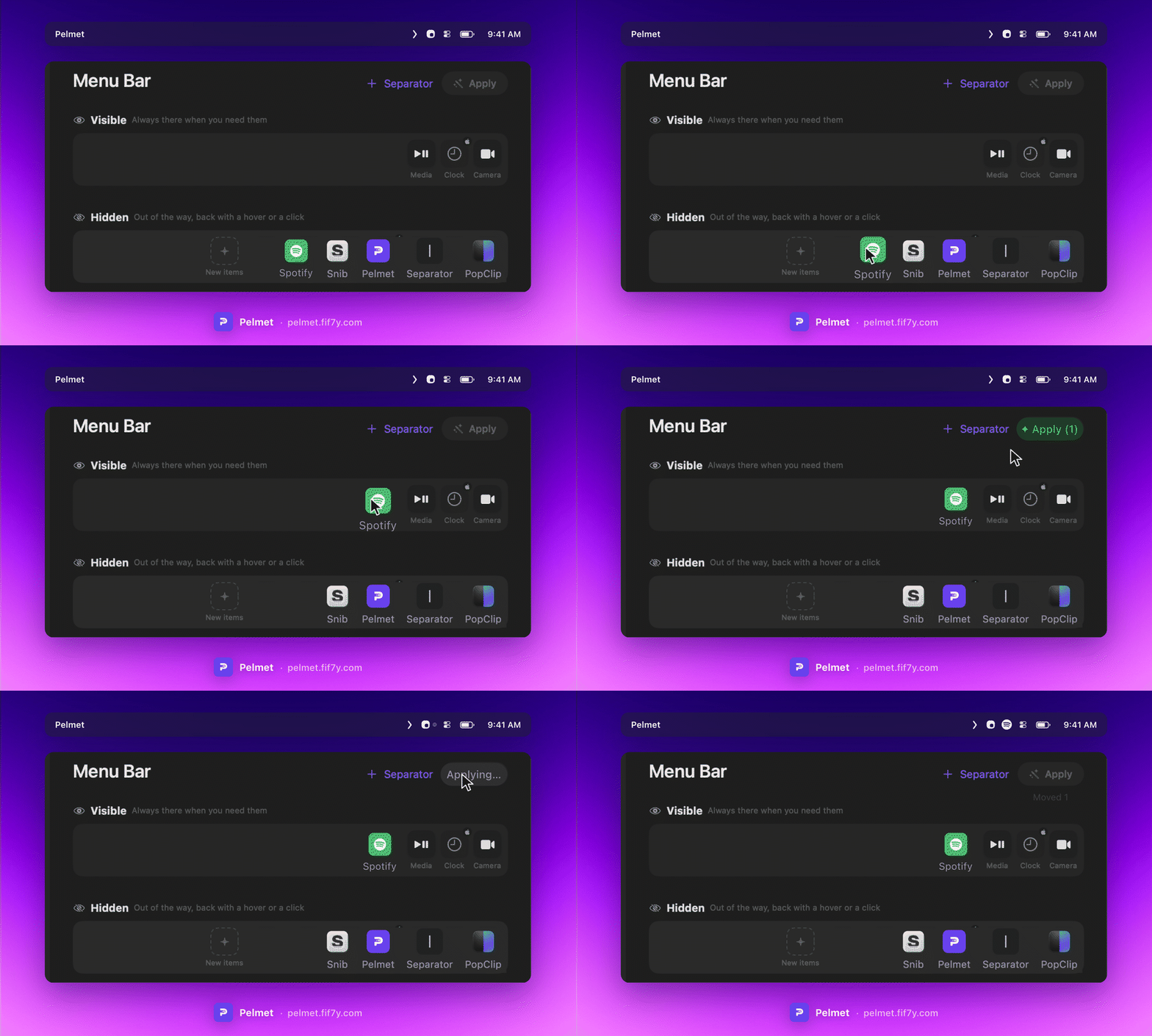
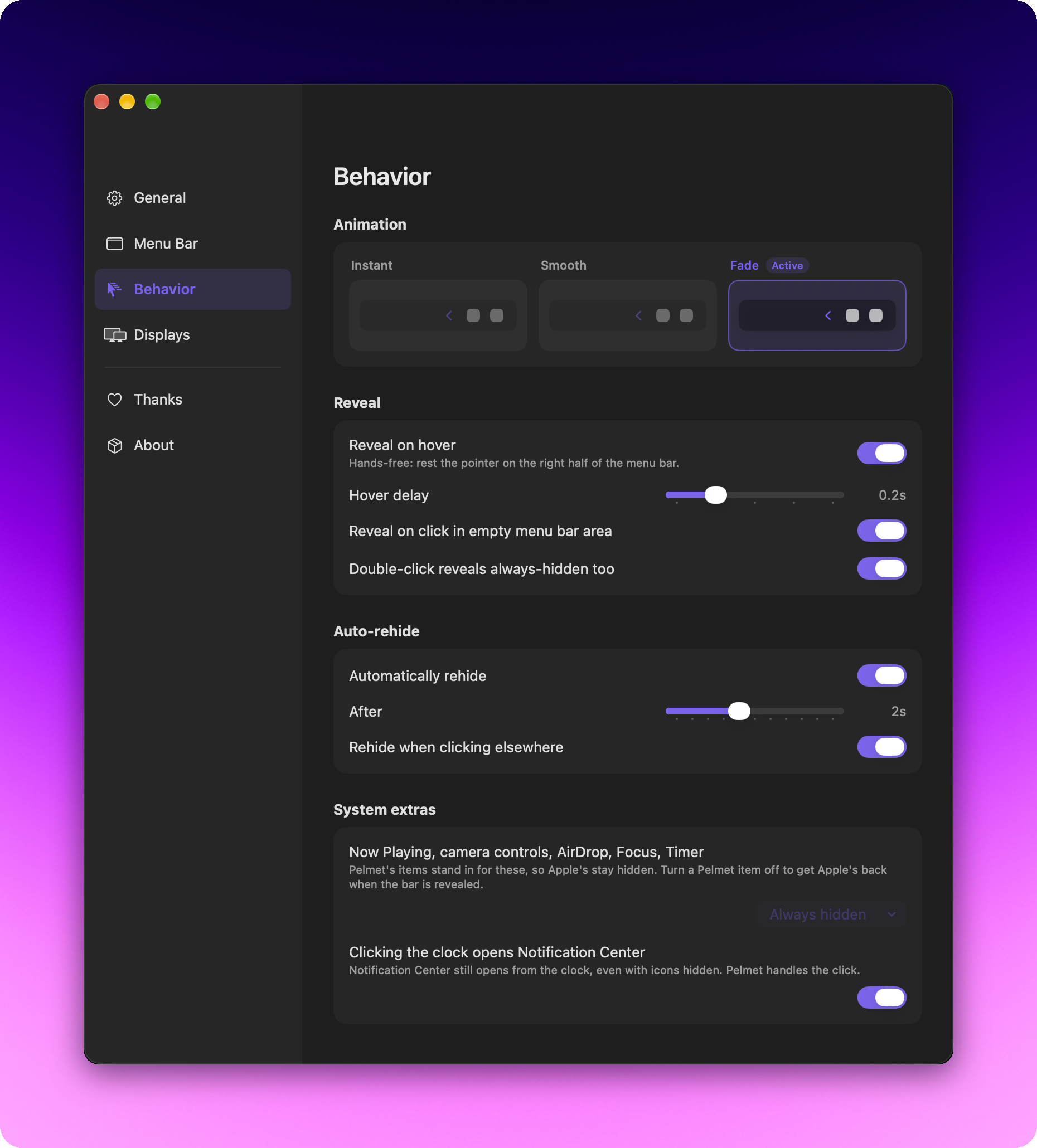

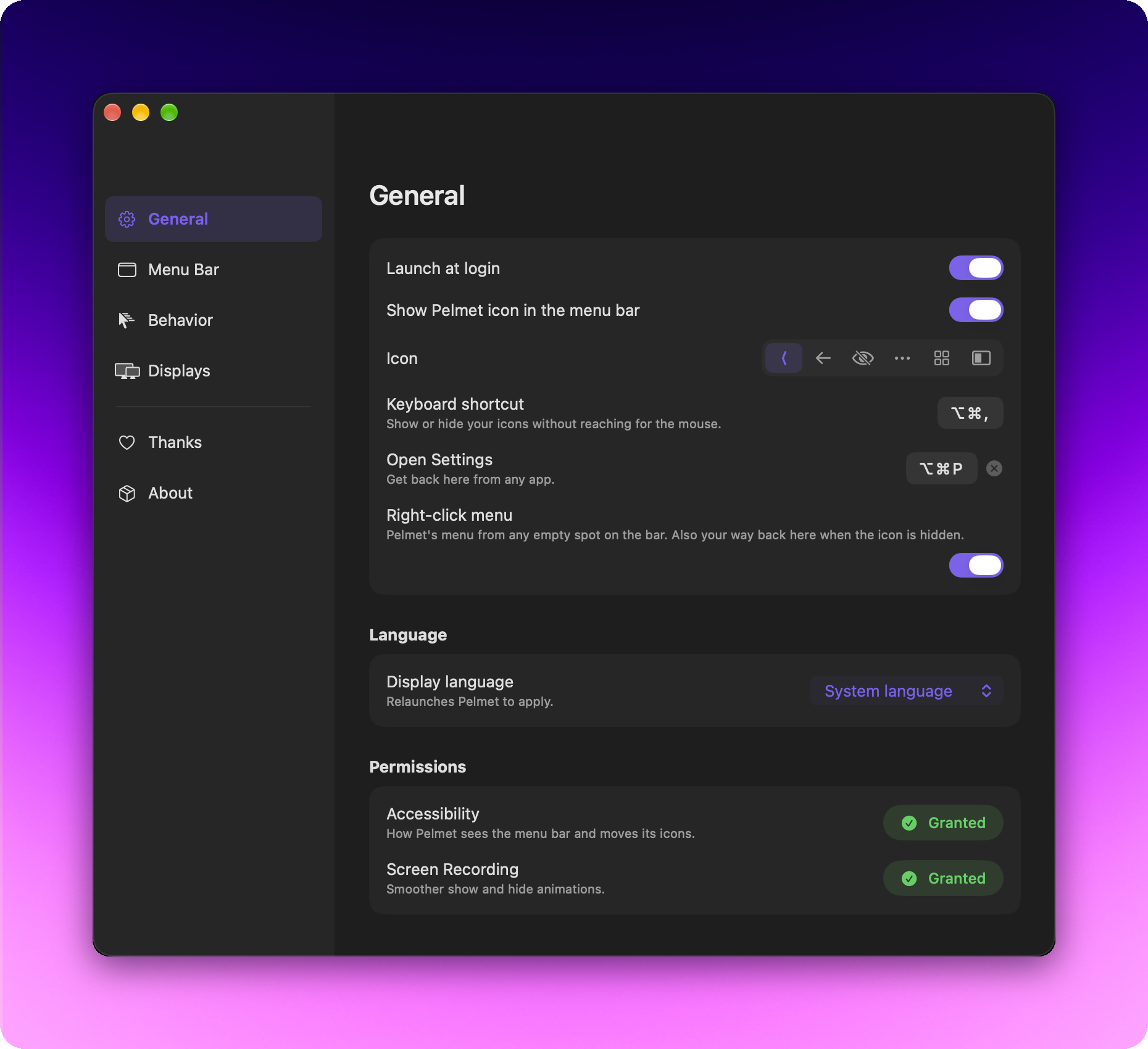
How to install Pelmet on a Mac
- Get OpenDMG. It is a free app store for open source Mac apps. Download OpenDMG.
- Search for Pelmet and press Get. OpenDMG downloads version 0.3.1 from fif7y's own GitHub release.
- Open it. The download is checked against its SHA-256 fingerprint and its signature is checked on your Mac before it lands in Applications.
Updates to Pelmet show up in OpenDMG and install with one button. No account is needed.
Prefer to do it by hand? The developer's file is on GitHub: Pelmet-0.3.1.dmg (4.3 MB).
What is new in Pelmet 0.3.1
# Pelmet 0.3.1

Pelmet Search, Apple's camera controls back when you need them, a Shortcuts
item, and every fix from five betas.

There's a brand new website too, [pelmet.fif7y.com](https://pelmet.fif7y.com).
It's in the same ten languages as the app, with a page for the features and
one for support.

## Pelmet Search

Press ⌥⌘K, type a few letters, press Return. That icon's menu opens right
from its real icon in the menu bar, and the arrow keys work like they
normally do. It works for hidden icons too, there's nothing to reveal first
(#73, thanks @fgsconsulting).

- It knows the short names people type, like bt or wifi.
- It learns. The icons you open most come first, and a few letters you've
 picked twice for the same icon go straight to it. All of it stays on your
 Mac, with a reset in Settings › General.
- ⌘K on a result shows what you can do with it, like moving it to another
 section or giving it its own keyboard shortcut.
- The settings are in there too. Type "hover" and Return opens the settings
 on that row.
- ⌘↩ shows the icon in the bar without clicking it.

Change the shortcut in Settings › General, or pick "Search…" from Pelmet's
right-click menu.

New:

- A click on Pelmet's Camera & mic item opens Apple's own camera and screen
 sharing controls (#68, thanks @rd-david-wahlandt, and #72, thanks
 @dartiss). macOS takes that pill off the bar as soon as any icon is
…
More Menu Bar and Notch apps
-
 StatsmacOS system monitor in your menu bar
-
 IcePowerful menu bar manager for macOS (upstream, temporarily inactive)
-
 Hidden BarAn ultra-light MacOS utility that helps hide menu bar icons
-
 ThawThe open-source menu bar manager: hide, organize, and take control of menu bar icons
-
 Boring NotchTurn your MacBook notch into a music and file control center
-
 eulmacOS status monitoring app written in SwiftUI