

OpenUsage for Mac
Track AI coding subscription usage — session and weekly limits, credits, and spend — from the menu bar.
By robinebers. Free and open source, MIT licence.
OpenUsage at a glance
- Version
- 0.7.14
- Released
- 6 October 2026
- Download size
- 21 MB
- Works on
- Apple silicon and Intel
- Licence
- MIT
- Category
- Menu Bar and Notch
- Developer
- robinebers
- GitHub stars
- 4.3K
About OpenUsage
Burning through your subscriptions too fast? Paying for stuff you never use? Stop guessing. OpenUsage is free and open source.
Screenshots
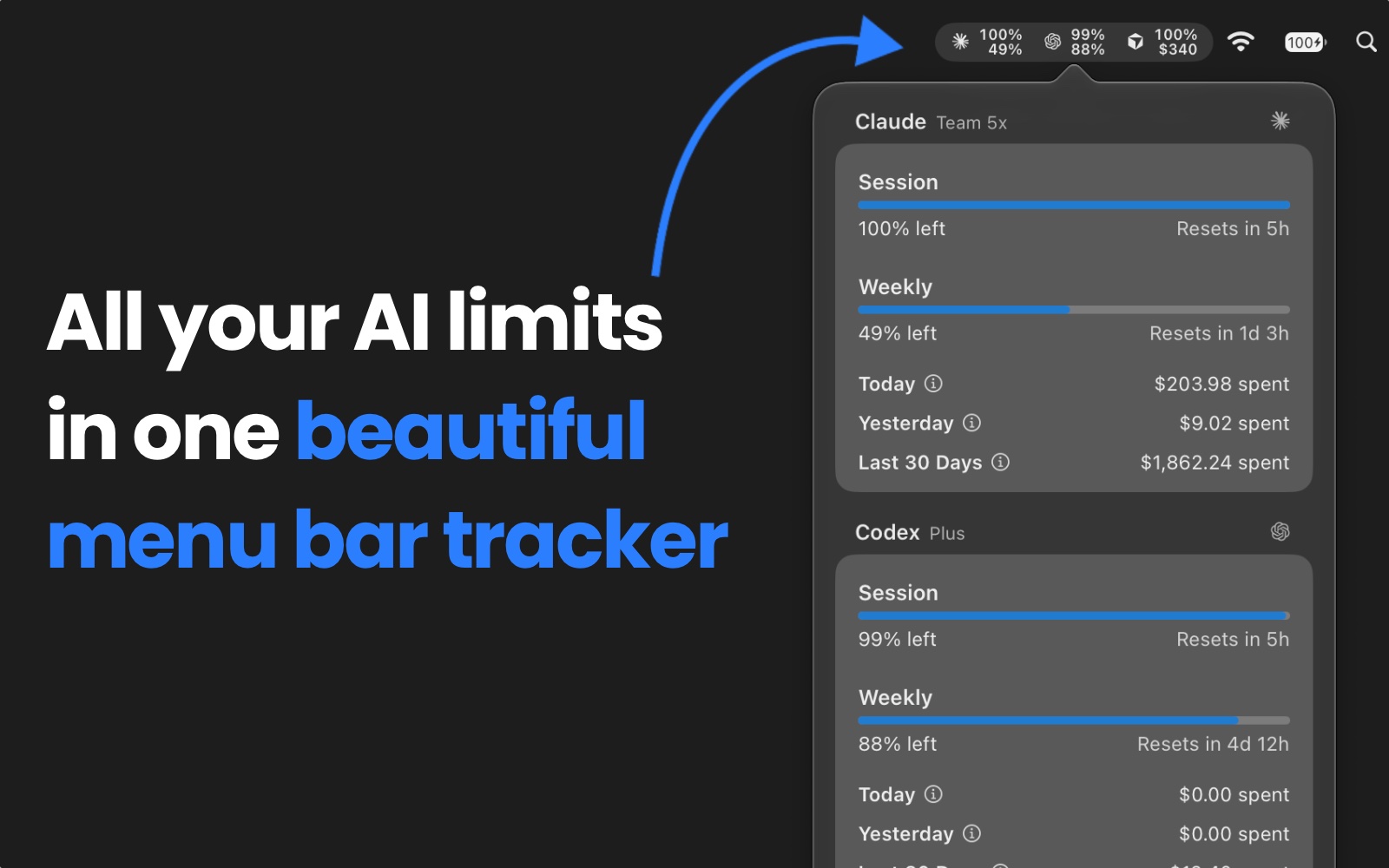
How to install OpenUsage on a Mac
- Get OpenDMG. It is a free app store for open source Mac apps. Download OpenDMG.
- Search for OpenUsage and press Get. OpenDMG downloads version 0.7.14 from robinebers's own GitHub release.
- Open it. The download is checked against its SHA-256 fingerprint and its signature is checked on your Mac before it lands in Applications.
Updates to OpenUsage show up in OpenDMG and install with one button. No account is needed.
Prefer to do it by hand? The developer's file is on GitHub: OpenUsage-0.7.14.dmg (21 MB).
What is new in OpenUsage 0.7.14
## v0.7.14

### New Features
- Refresh and save tokens for independent Codex homes (#1322) by @robinebers.
- Add Report an Issue to the Options menu (#1343) by @robinebers.

### Bug Fixes
- Keep the panel’s top edge steady during height animations (#1345) by @kennnyq.
- Preserve each screen’s header and footer during navigation (#1346) by @kennnyq.
- Restore Codex local spending for multiple accounts (#1349) by @robinebers.
- Show OpenCode session reset countdowns below 1% usage by @hasan007-sudo.
- Prefer structured Cursor team usage pools (#1337) by @robinebers.
- Keep slow Codex history scans from blocking live quota (#1338) by @robinebers.
- Update Codex plan names and preserve header labels (#1332) by @validatedev.

### Chores
- Update PostHog to 3.85.3 (#1347) by @app/dependabot.
- Record the beta changelog by @robinebers.

**Full Changelog**:
https://github.com/robinebers/openusage/compare/v0.7.13...v0.7.14
More Menu Bar and Notch apps
-
 StatsmacOS system monitor in your menu bar
-
 IcePowerful menu bar manager for macOS (upstream, temporarily inactive)
-
 Hidden BarAn ultra-light MacOS utility that helps hide menu bar icons
-
 ThawThe open-source menu bar manager: hide, organize, and take control of menu bar icons
-
 Boring NotchTurn your MacBook notch into a music and file control center
-
 eulmacOS status monitoring app written in SwiftUI