
OpenSpatial for Mac
7.1 spatial audio, head tracking, and AI stereo upmix for any headphones, in every app.
By dortanes. Free and open source, GPL-3.0 licence.
OpenSpatial at a glance
- Version
- 1.2.0
- Released
- 20 October 2026
- Download size
- 22 MB
- Works on
- Apple silicon
- Licence
- GPL-3.0
- Category
- Audio and Music
- Developer
- dortanes
- GitHub stars
- 35
About OpenSpatial
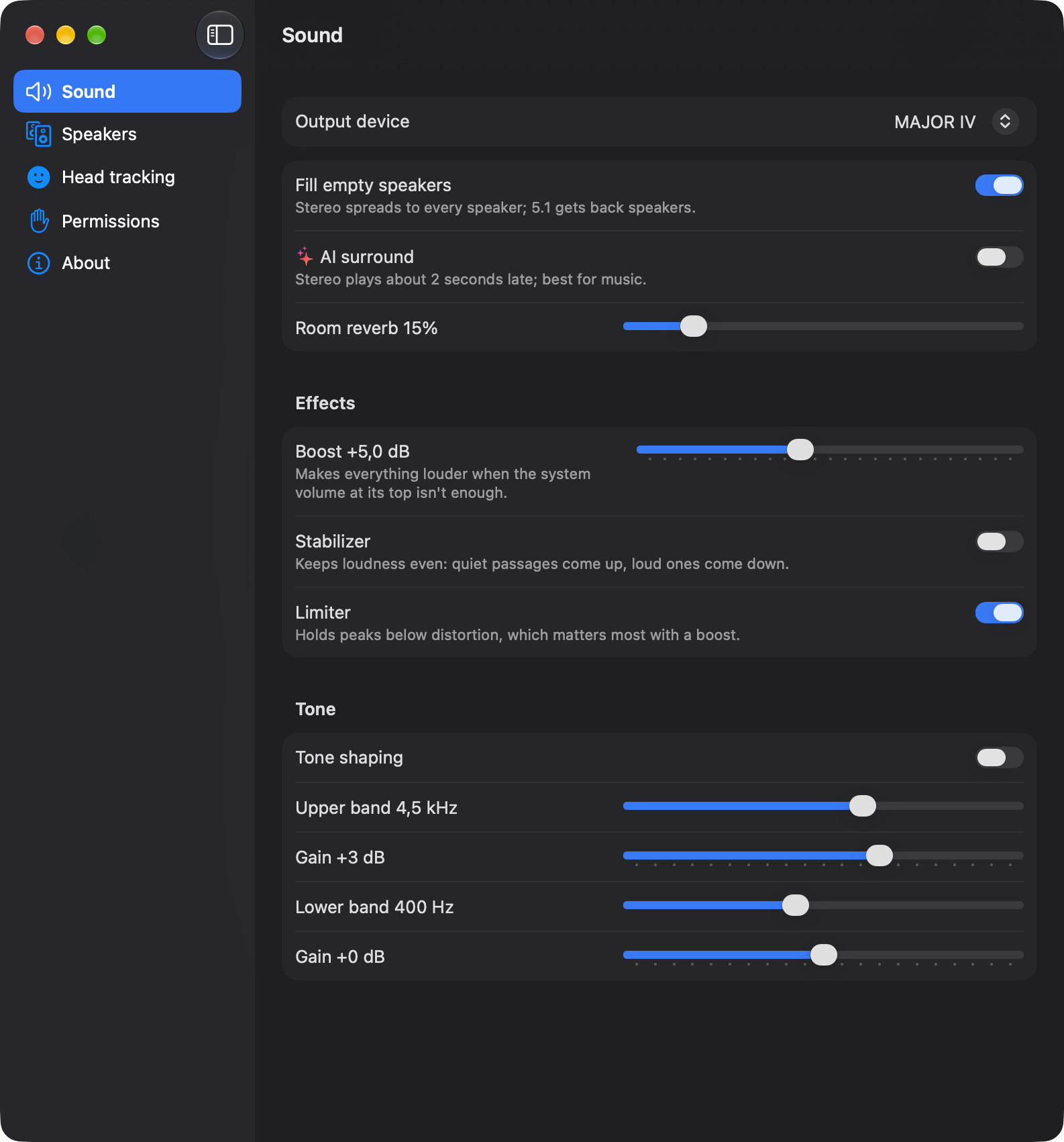
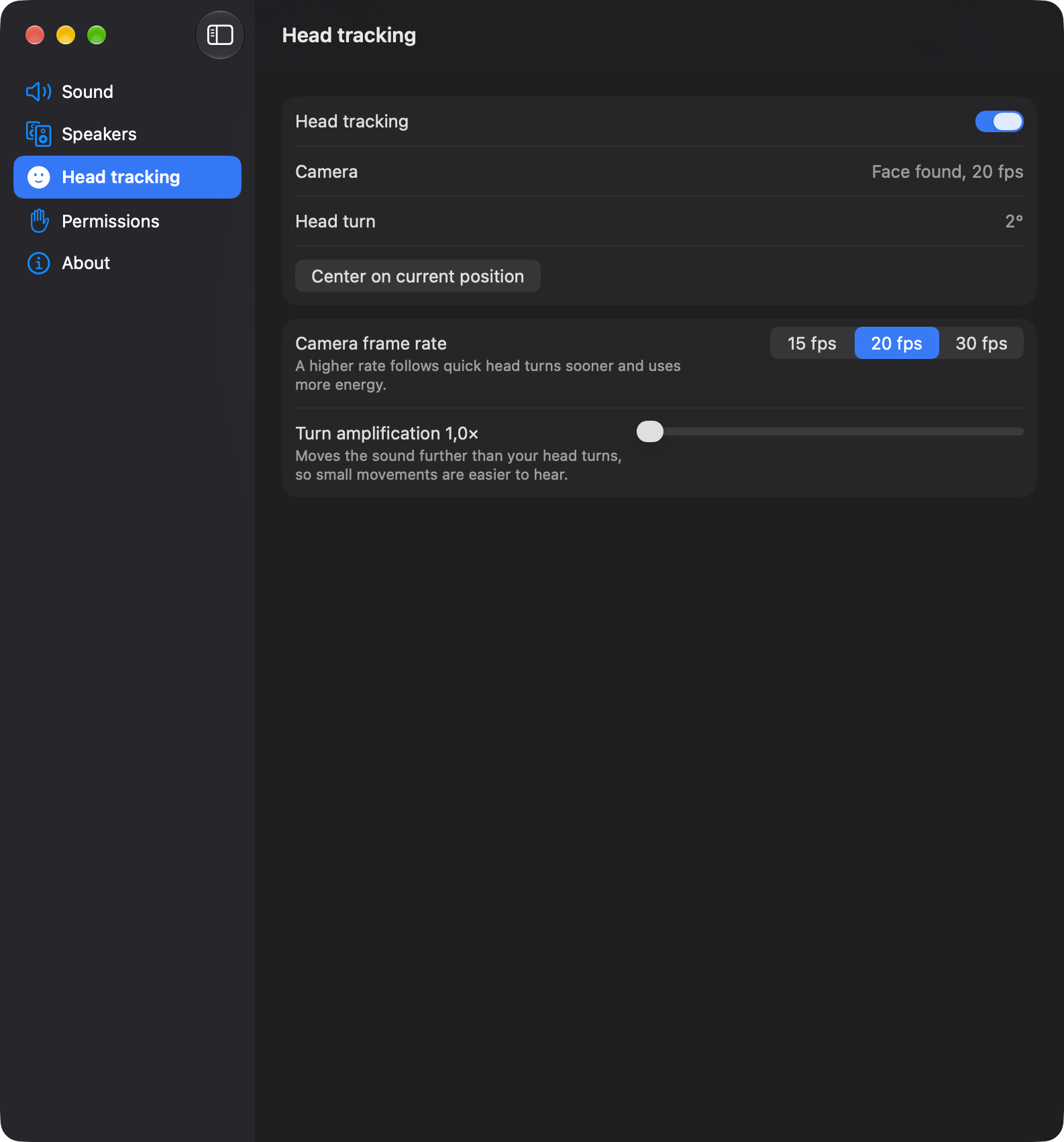
Spatial audio for any headphones on Mac: 7.1 surround with head tracking for every app, Netflix in 5.1 in Safari, AI upmix for stereo, and a live 3D view of the sound.
Screenshots
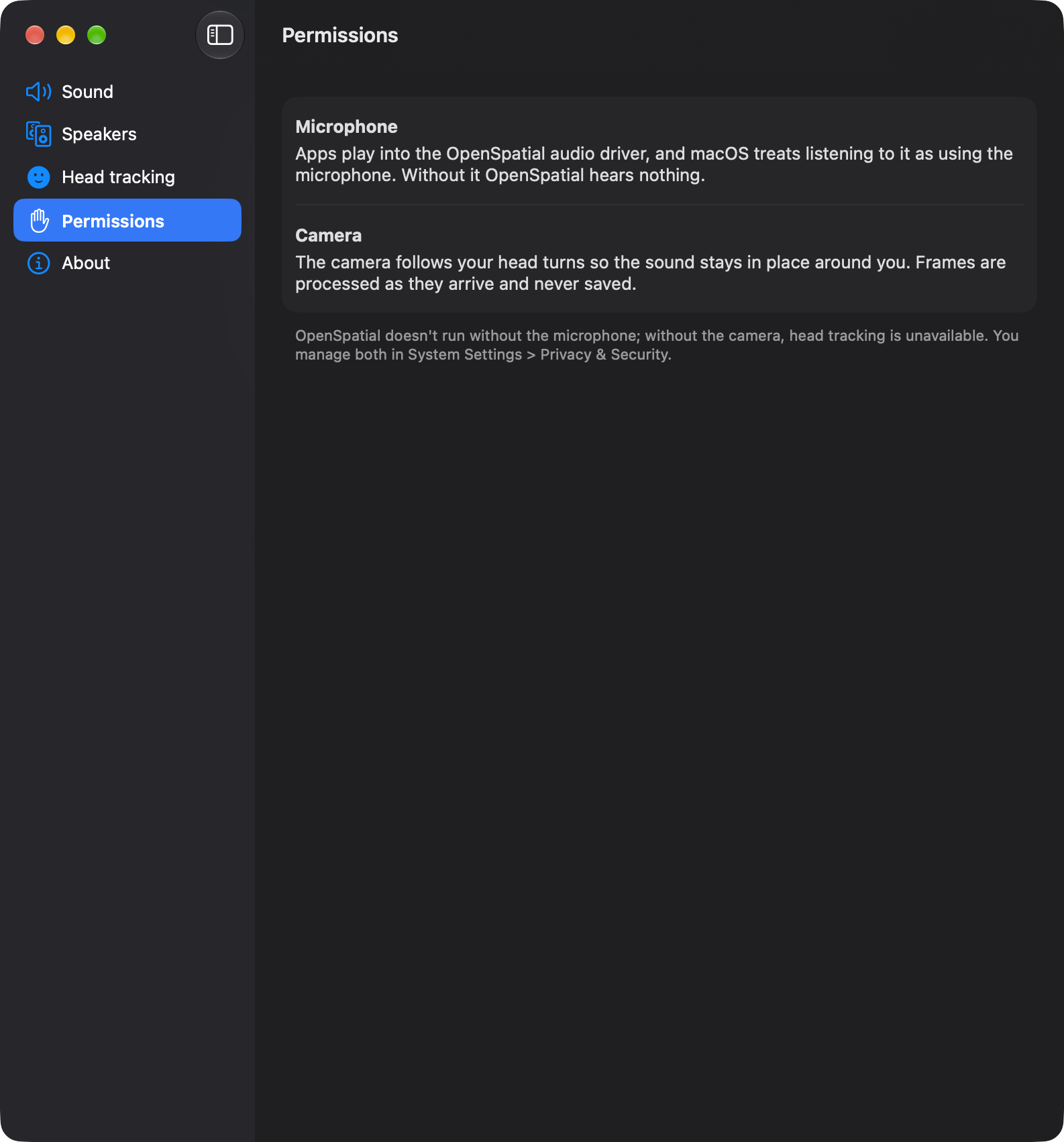
How to install OpenSpatial on a Mac
- Get OpenDMG. It is a free app store for open source Mac apps. Download OpenDMG.
- Search for OpenSpatial and press Get. OpenDMG downloads version 1.2.0 from dortanes's own GitHub release.
- Open it. The download is checked against its SHA-256 fingerprint and its signature is checked on your Mac before it lands in Applications.
Updates to OpenSpatial show up in OpenDMG and install with one button. No account is needed.
Prefer to do it by hand? The developer's file is on GitHub: OpenSpatial-1.2.0-macos-arm64.dmg (22 MB).
What is new in OpenSpatial 1.2.0
OpenSpatial 1.2.0 gets Netflix in Safari to play in 5.1 instead of stereo, plays the back speakers of Mac apps in 7.1, and can start when you log in.

## What's new

- **Netflix in 5.1 in Safari.** Netflix sends Safari only stereo. OpenSpatial now comes with a Safari extension that asks Netflix for the 5.1 track, so movies and shows play around you, titles in Atmos too. Click **Open in Safari** in **Settings → Sound**, turn on OpenSpatial, allow it on netflix.com and reload the page. The extension runs only on netflix.com and changes nothing but the sound format Netflix is asked for.
- **Opens at login.** Turn on **Open at login** in the new **Settings → General**, and OpenSpatial is in the menu bar after every restart.
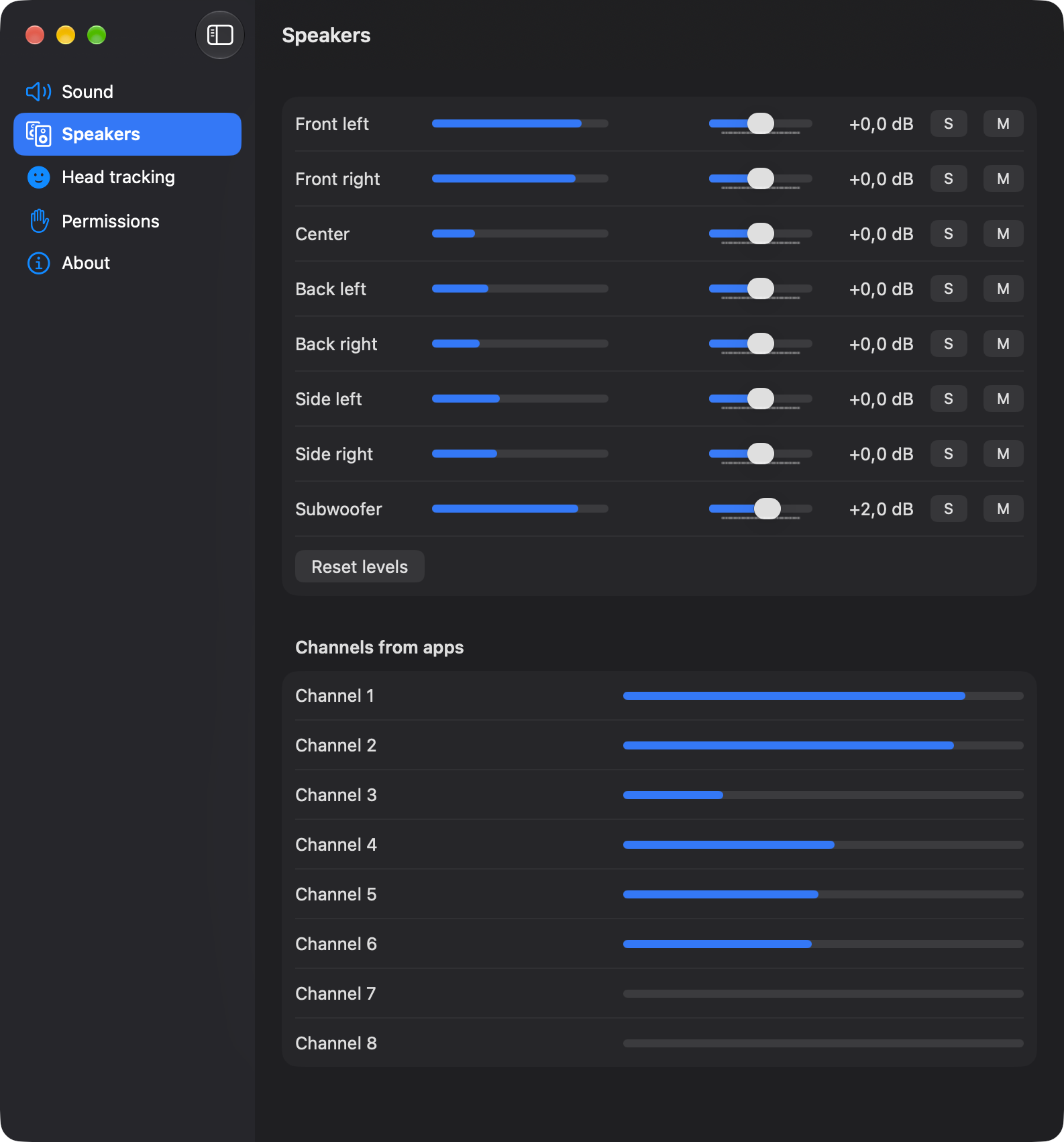
- **Back speakers for Mac apps.** Mac apps that play 7.1 now reach the back speakers. Before, their back pair mixed into the sides.
- **Windows games in 7.1.** Mac apps and Windows games in Wine lay out 7.1 differently, so **Settings → Speakers** has a **Channel layout** switch: set it to **Windows** for games in Wine. The [README](https://github.com/dortanes/openspatial#get-started) explains how to set a Wine bottle to 7.1. It needs Wine 11.7 or later and has been tested only with CrossOver Preview.

## Download

| Platform | File | Requirements |
| --- | --- | --- |
…
More Audio and Music apps
-
 MonitorControlAdjust external monitor settings
-
 FluidVoiceVoice-to-text app with AI enhancement
-
 VoiceInkReal-time speech-to-text app
-
 eqMacSystem-wide audio equalizer and volume mixer
-
 LyricsXDisplay lyrics for iTunes/Spotify
-
 FreeFlowPush-to-talk speech-to-text tool that inserts polished transcripts into any app