
NotchOTP for Mac
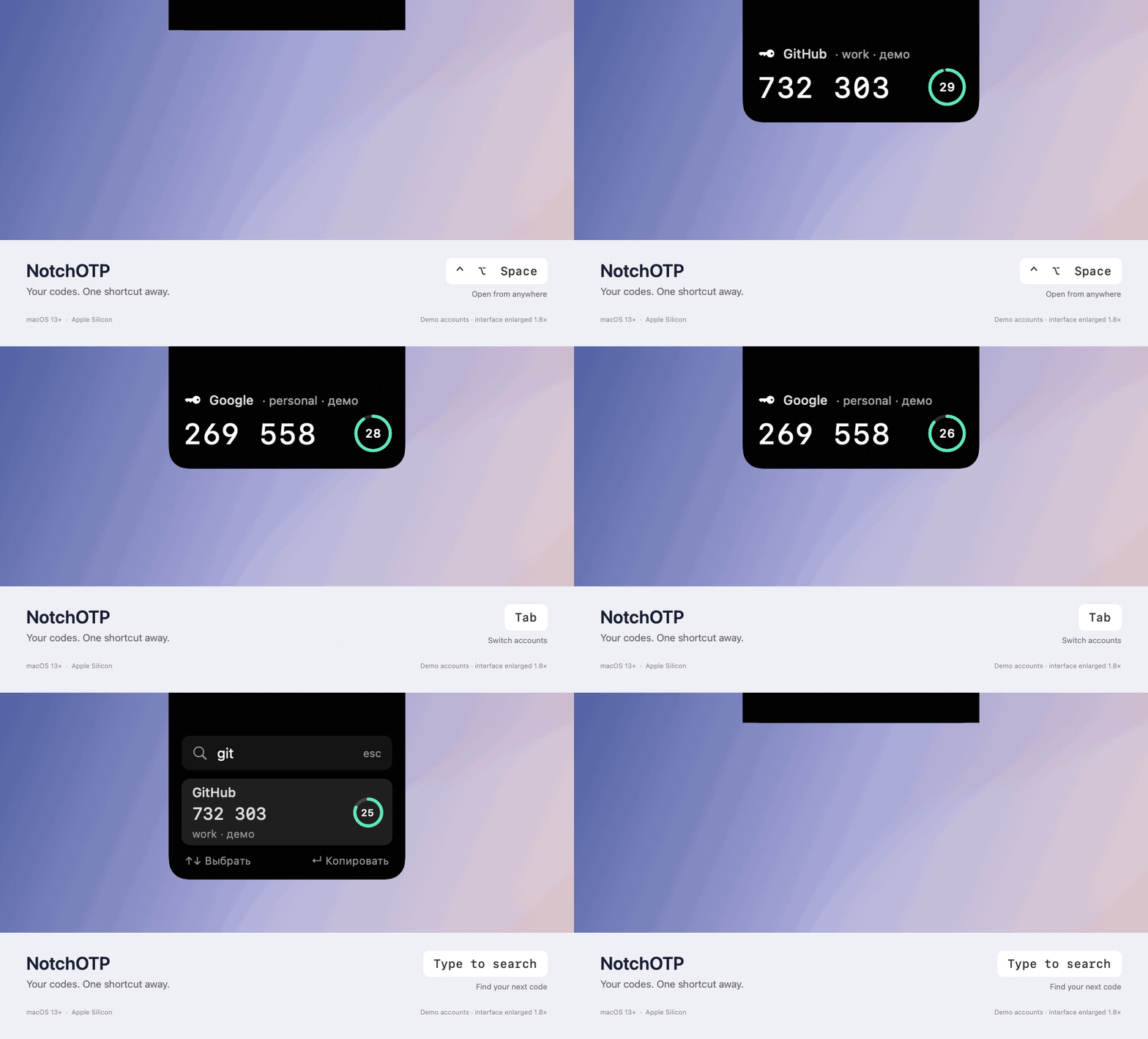
TOTP authenticator that drops the current two-factor code down from the notch on a global shortcut, with secrets kept locally.
By Photon94. Free and open source, MIT licence.
NotchOTP at a glance
- Version
- 0.3.1
- Released
- 12 September 2026
- Download size
- 698 KB
- Works on
- Apple silicon
- Licence
- MIT
- Category
- Security and Privacy
- Developer
- Photon94
- GitHub stars
- 12
About NotchOTP
Native macOS TOTP authenticator: your two-factor codes in a panel below the notch, one shortcut away. Developer ID signed and notarized.
Screenshots
How to install NotchOTP on a Mac
- Get OpenDMG. It is a free app store for open source Mac apps. Download OpenDMG.
- Search for NotchOTP and press Get. OpenDMG downloads version 0.3.1 from Photon94's own GitHub release.
- Open it. The download is checked against its SHA-256 fingerprint and its signature is checked on your Mac before it lands in Applications.
Updates to NotchOTP show up in OpenDMG and install with one button. No account is needed.
Prefer to do it by hand? The developer's file is on GitHub: NotchOTP-v0.3.1-macOS-arm64.dmg (698 KB).
What is new in NotchOTP 0.3.1
# NotchOTP 0.3.1 — Six interface languages

The interface now supports **English, Russian, Simplified Chinese, German, French, and Hindi**. This includes the notch panel, settings, native menus, setup forms, tooltips, and app error messages.

Open **Accounts and Settings → Language** to switch instantly. By default, NotchOTP uses the first supported language in your macOS preferences, falling back to English. Account names, keys, and OTP digits stay unchanged.

The app and DMG are Developer ID signed and notarized by Apple, with stapled tickets. Requires an Apple Silicon Mac running macOS 13 or later. Quit your existing version, open the DMG, and drag NotchOTP into Applications to replace it.

## Русский

Теперь доступны шесть языков: **русский, английский, упрощённый китайский, немецкий, французский и хинди**. Переключение — в **«Аккаунты и настройки…» → «Язык»**, без перезапуска. Выбор сохраняется. Аккаунты, ключи и цифры одноразовых кодов не меняются.

DMG подписан сертификатом разработчика и прошёл нотарификацию Apple.
More Security and Privacy apps
-
 GlanceUnlock your Mac at a glance through on-device face recognition in a dynamic island-style…
-
 FaceGateLock sensitive apps behind Face ID, Touch ID, or a password — all processed on-device
-
 SentrySecurity monitor that alerts on activity while you're away
-
 TouchBridgeBiometric authentication tool using phone, watch, or browser for sudo and unlock
-
 MergenCIS benchmark security audit tool that checks 85 controls and auto-fixes most failures
-
 TracexySession-based network intelligence — capture live traffic or open saved captures, then…