

TouchBridge for Mac
Biometric authentication tool using phone, watch, or browser for sudo and unlock.
By HMAKT99. Free and open source, MIT licence.
TouchBridge at a glance
- Version
- 1.1.2
- Released
- 17 July 2026
- Download size
- 43 MB
- Works on
- Apple silicon and Intel
- Licence
- MIT
- Category
- Security and Privacy
- Developer
- HMAKT99
- GitHub stars
- 319
About TouchBridge
Use your phone's Face ID or fingerprint to approve sudo and unlock your Mac. QR pairing, encrypted BLE, Secure Enclave signing — keys never leave your phone. Works with iPhone, Android, Apple Watch, Wear OS, or any browser. No $199 Magic Keyboard needed.
Screenshots
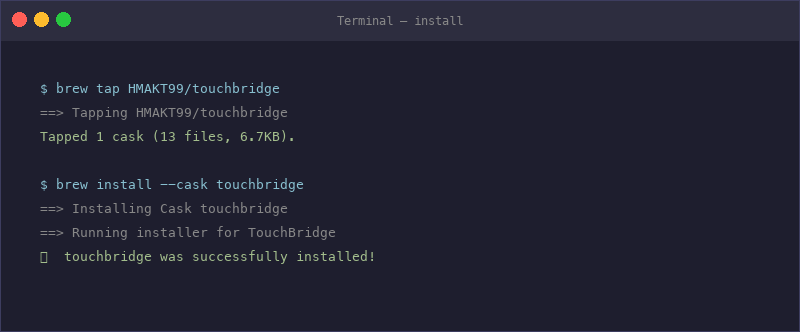
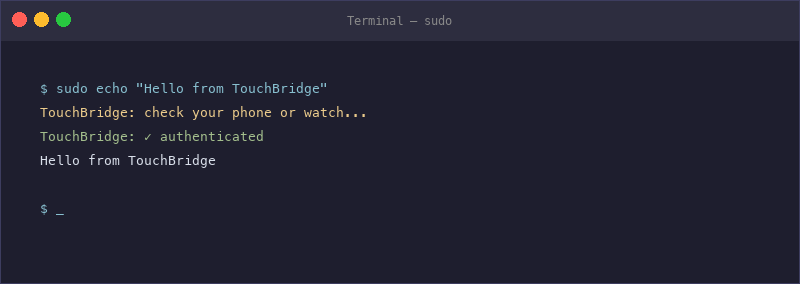
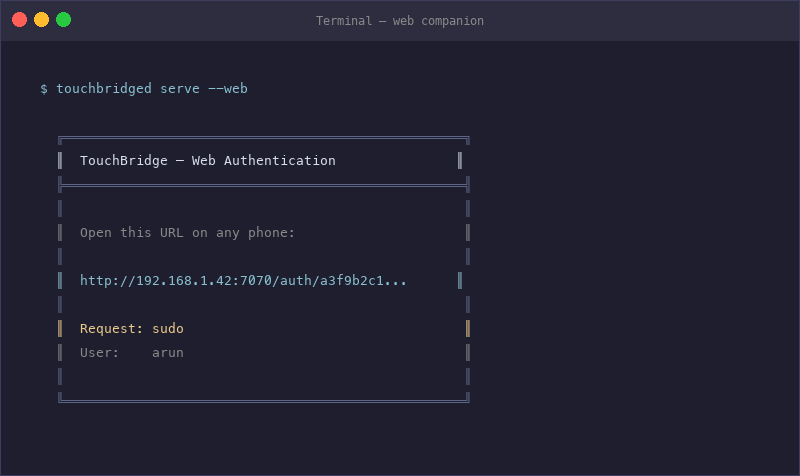
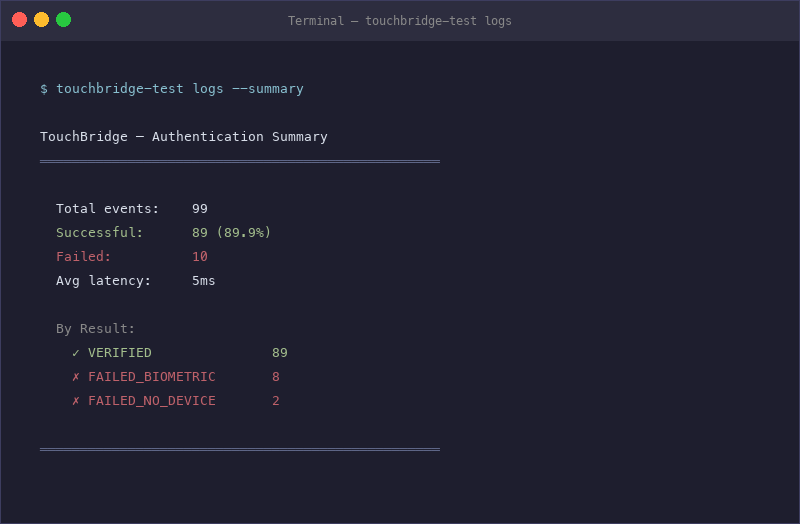
How to install TouchBridge on a Mac
- Get OpenDMG. It is a free app store for open source Mac apps. Download OpenDMG.
- Search for TouchBridge and press Get. OpenDMG downloads version 1.1.2 from HMAKT99's own GitHub release.
- Open it. The download is checked against its SHA-256 fingerprint and its signature is checked on your Mac before it lands in Applications.
Updates to TouchBridge show up in OpenDMG and install with one button. No account is needed.
Prefer to do it by hand? The developer's file is on GitHub: TouchBridge-1.1.2.dmg (43 MB).
What is new in TouchBridge 1.1.2
## What changed

TouchBridge now installs its sudo hook into **`/etc/pam.d/sudo_local`** on macOS Sonoma+ — Apple's sanctioned, unprotected include — instead of editing the SIP-protected `/etc/pam.d/sudo`.

Why it matters (from #23):
- **No more "Operation not permitted"** when activating on protected systems
- **No lockout that needs Recovery Mode** — the hook is always removable
- **Survives macOS updates** that reset `/etc/pam.d/sudo`

Older macOS without the `sudo_local` include falls back to the previous direct-edit behavior. Uninstall (script and Homebrew cask) removes the hook before the module in every path.

## Recovery, if you're on an older build and stuck

`sudo: unable to initialize PAM` → recover without sudo:
```bash
osascript -e 'do shell script "rm -f /etc/pam.d/sudo_local" with administrator privileges'
```
(If the hook was written to the protected `/etc/pam.d/sudo` by an older version, restore the module instead — see SECURITY.md.)

## Install / upgrade
```bash
brew update && brew upgrade --cask touchbridge
sudo bash /usr/local/share/touchbridge/patch-pam.sh
```

Full changelog: [CHANGELOG.md](https://github.com/HMAKT99/UnTouchID/blob/main/CHANGELOG.md)
More Security and Privacy apps
-
 GlanceUnlock your Mac at a glance through on-device face recognition in a dynamic island-style…
-
 FaceGateLock sensitive apps behind Face ID, Touch ID, or a password — all processed on-device
-
 SentrySecurity monitor that alerts on activity while you're away
-
 MergenCIS benchmark security audit tool that checks 85 controls and auto-fixes most failures
-
 TracexySession-based network intelligence — capture live traffic or open saved captures, then…
-
 PureSnitchOpen-source application firewall with map-based traffic view, rule management, DNS over…