
Nightwatch for Mac
Menu bar companion for telescope imaging: tells you when tonight is clear and what to point at.
By rsutcliffe. Free and open source, MIT licence.
Nightwatch at a glance
- Version
- 1.6.4
- Released
- 8 October 2026
- Download size
- 22 MB
- Works on
- Apple silicon and Intel
- Licence
- MIT
- Category
- Menu Bar and Notch
- Developer
- rsutcliffe
- GitHub stars
- 88
About Nightwatch
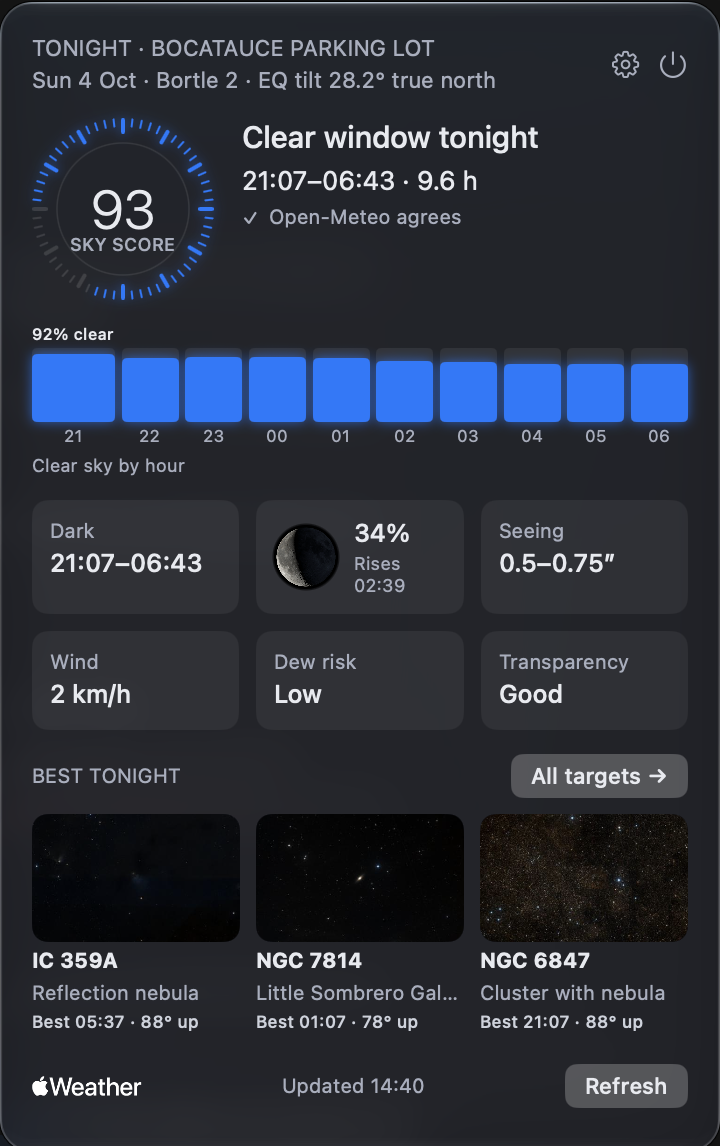
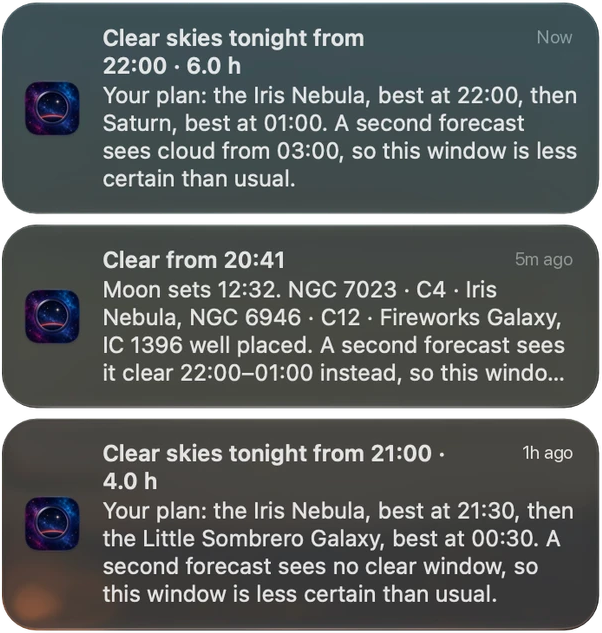
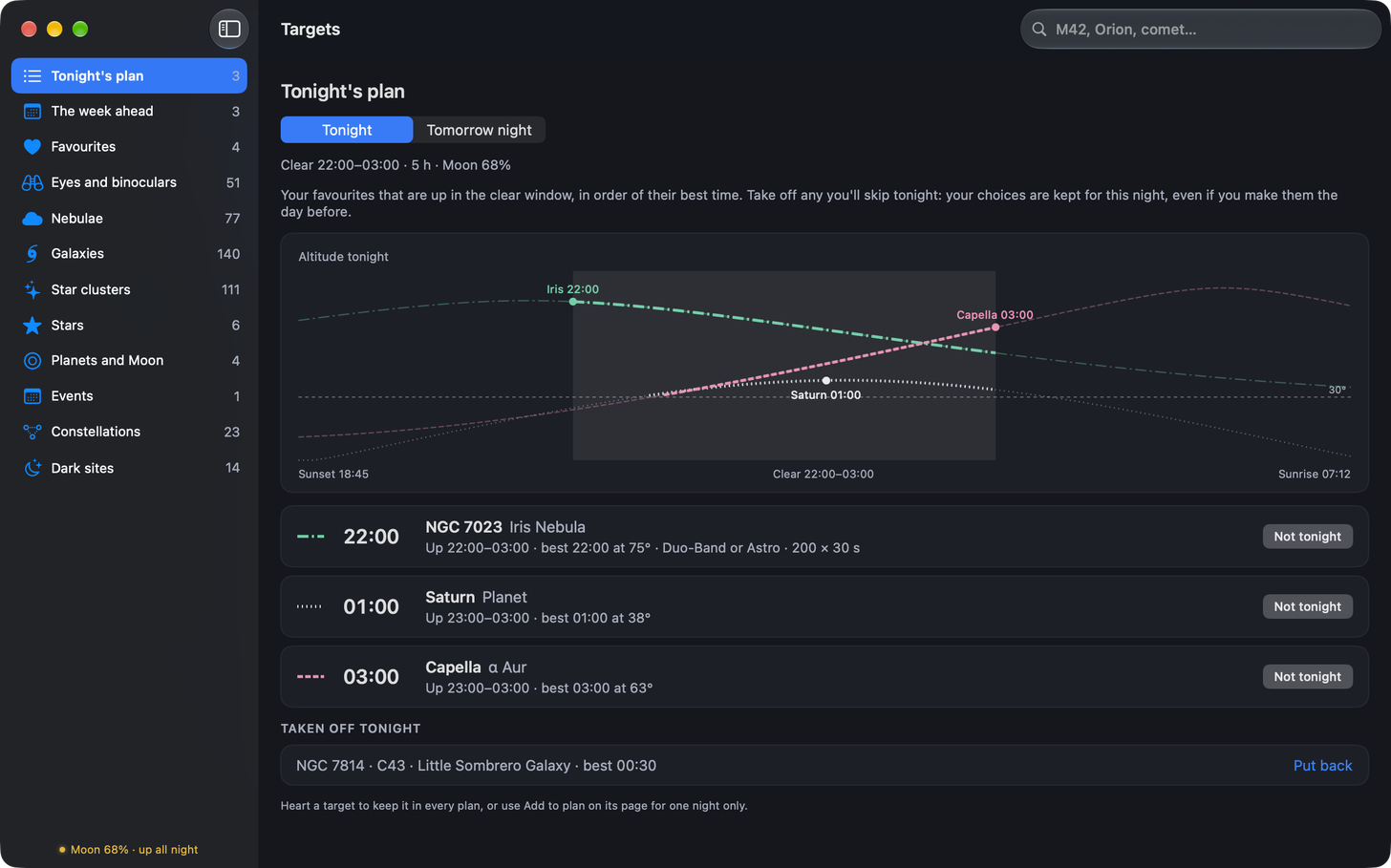
Free macOS menu-bar app for astrophotography: finds tonight's clear window, ranks your targets, tells you when it's worth setting up.
Screenshots
How to install Nightwatch on a Mac
- Get OpenDMG. It is a free app store for open source Mac apps. Download OpenDMG.
- Search for Nightwatch and press Get. OpenDMG downloads version 1.6.4 from rsutcliffe's own GitHub release.
- Open it. The download is checked against its SHA-256 fingerprint and its signature is checked on your Mac before it lands in Applications.
Updates to Nightwatch show up in OpenDMG and install with one button. No account is needed.
Prefer to do it by hand? The developer's file is on GitHub: Nightwatch.dmg (22 MB).
What is new in Nightwatch 1.6.4
## What's new in 1.6.4 "Hex, patch 4"

- On a night when the Moon stays below the horizon, the popover's Moon tile reads "Down" with "tonight" under it, where "Down tonight" on one line was broken in the middle of the word

## Install

Download `Nightwatch-1.6.4.dmg` below, open it and drag Nightwatch to Applications. It is signed with a Developer ID and notarised by Apple. The first time you open it, macOS asks whether to open an app downloaded from the internet: choose Open. Its SHA-256 checksum is in `Nightwatch-1.6.4.dmg.sha256`.

If the desktop widget shows only grey bars after you replace an older copy, macOS is still holding the old version on record: the [Desktop widget section of the README](https://github.com/rsutcliffe/nightwatch#desktop-widget-optional) has the two Terminal commands that clear it.

From 0.6.7 on, Nightwatch checks once a day for a newer version and says so in its popover. Questions and ideas: [Discussions](https://github.com/rsutcliffe/nightwatch/discussions). Problems: [Issues](https://github.com/rsutcliffe/nightwatch/issues).
More Menu Bar and Notch apps
-
 StatsmacOS system monitor in your menu bar
-
 IcePowerful menu bar manager for macOS (upstream, temporarily inactive)
-
 Hidden BarAn ultra-light MacOS utility that helps hide menu bar icons
-
 ThawThe open-source menu bar manager: hide, organize, and take control of menu bar icons
-
 Boring NotchTurn your MacBook notch into a music and file control center
-
 eulmacOS status monitoring app written in SwiftUI