
Mouthy for Mac
Offline voice dictation that types wherever your cursor is, with no account or cloud.
By LayerMakerLab. Free and open source, GPL-3.0 licence.
Mouthy at a glance
- Version
- 0.1.7
- Released
- 18 November 2026
- Download size
- 53 MB
- Works on
- Apple silicon and Intel
- Licence
- GPL-3.0
- Category
- Audio and Music
- Developer
- LayerMakerLab
- GitHub stars
- 0
About Mouthy
Talk, and it types. Free, open-source dictation that runs on your computer. Mac, Windows and Linux. No account, no cloud.
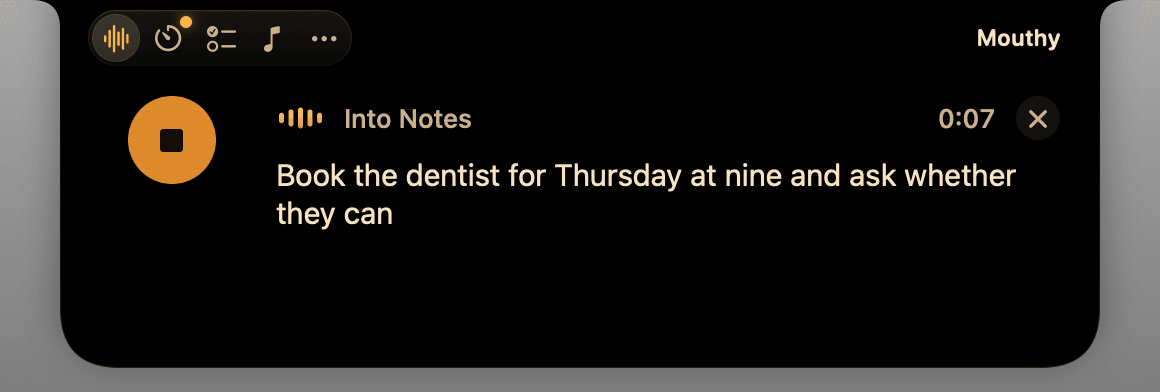
Screenshots
How to install Mouthy on a Mac
- Get OpenDMG. It is a free app store for open source Mac apps. Download OpenDMG.
- Search for Mouthy and press Get. OpenDMG downloads version 0.1.7 from LayerMakerLab's own GitHub release.
- Open it. The download is checked against its SHA-256 fingerprint and its signature is checked on your Mac before it lands in Applications.
Updates to Mouthy show up in OpenDMG and install with one button. No account is needed.
Prefer to do it by hand? The developer's file is on GitHub: Mouthy-0.1.7-mac.zip (53 MB).
What is new in Mouthy 0.1.7
**Mouthy 0.1.7.** Years come out as numbers, and your custom words come out the way you spell them.

- Spoken years are written as numbers: "twenty nineteen" becomes 2019, "nineteen ninety-eight" 1998, "nineteen oh five" 1905 and "two thousand nine" 2009. Counting ("eighteen, nineteen, twenty") and amounts ("eighteen hundred and fifty dollars") stay in words.
- Mac: custom words are written the way you spell them. When the speech model hears one of your words as something that isn't a real word ("Alama" for Ollama, "Makerworld" for MakerWorld), Mouthy writes your word. Real words and common names are never swapped.
- Mac: a replacement that only changes capitals no longer lowercases a word you said as a name or at the start of a sentence.
- Mac: the spelling check behind custom words uses your dictation language only, not every language installed on the Mac.

Mac copies update themselves. Windows and Linux 0.1.7 follow shortly; until then they stay on 0.1.6.

## Download

| | File | Needs |
| --- | --- | --- |
| **Mac** | [`Mouthy-0.1.7-mac.zip`](https://github.com/LayerMakerLab/mouthy/releases/download/v0.1.7/Mouthy-0.1.7-mac.zip) | macOS 26 or later, Apple silicon or Intel. Notarized by Apple. |
| **Windows** | [`Mouthy-0.1.6-windows-x64.zip`](https://github.com/LayerMakerLab/mouthy/releases/download/v0.1.6/Mouthy-0.1.6-windows-x64.zip) | 64-bit |
…
More Audio and Music apps
-
 MonitorControlAdjust external monitor settings
-
 FluidVoiceVoice-to-text app with AI enhancement
-
 VoiceInkReal-time speech-to-text app
-
 eqMacSystem-wide audio equalizer and volume mixer
-
 LyricsXDisplay lyrics for iTunes/Spotify
-
 FreeFlowPush-to-talk speech-to-text tool that inserts polished transcripts into any app