

Mocolamma for Mac
A cross-platform app for managing Ollama servers and models.
By taikun114. Free and open source, MIT licence.
Mocolamma at a glance
- Version
- 1.4.0
- Released
- 11 September 2026
- Download size
- 14 MB
- Works on
- Apple silicon and Intel
- Licence
- MIT
- Category
- Social and Communication
- Developer
- taikun114
- GitHub stars
- 29
About Mocolamma
Unofficial Ollama manager app for macOS, iOS, iPadOS, and visionOS, featuring server management, model management, chat, and image generation feature
Screenshots


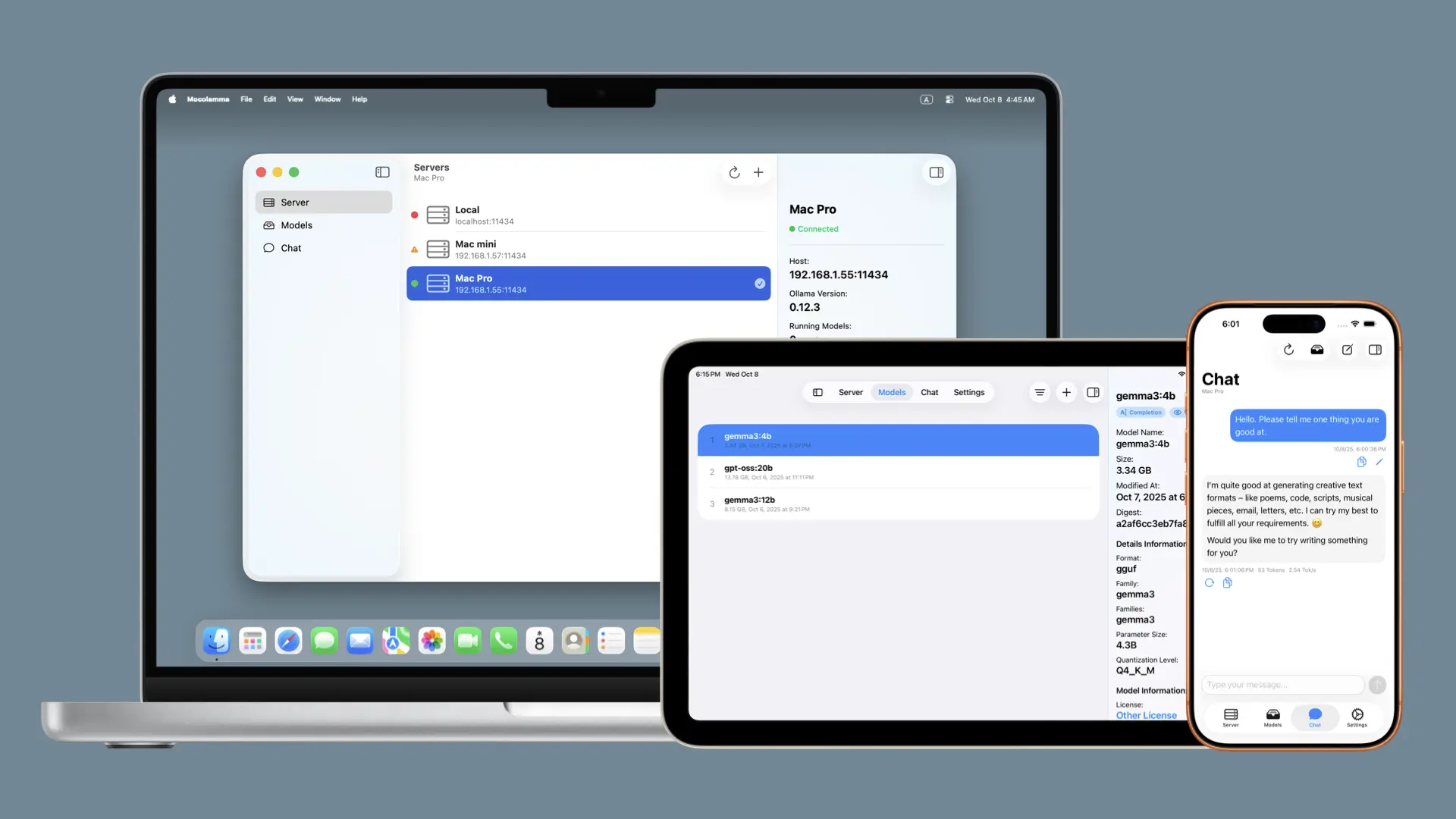
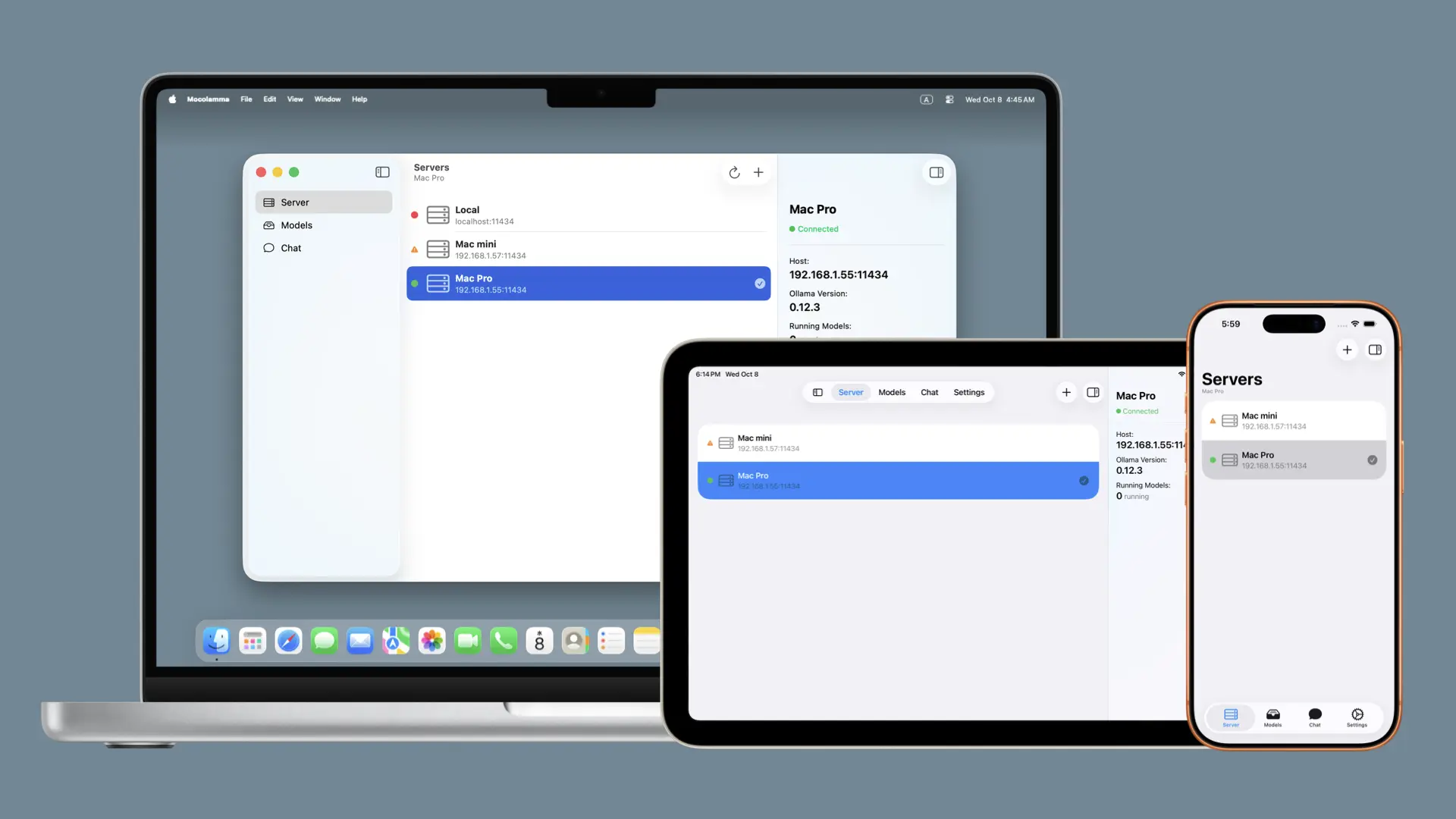
How to install Mocolamma on a Mac
- Get OpenDMG. It is a free app store for open source Mac apps. Download OpenDMG.
- Search for Mocolamma and press Get. OpenDMG downloads version 1.4.0 from taikun114's own GitHub release.
- Open it. The download is checked against its SHA-256 fingerprint and its signature is checked on your Mac before it lands in Applications.
Updates to Mocolamma show up in OpenDMG and install with one button. No account is needed.
Prefer to do it by hand? The developer's file is on GitHub: Mocolamma-v1.4.0.dmg (14 MB).
What is new in Mocolamma 1.4.0
## English

### New Features
#### General
- **Support resizing the iPhone app**
 - Full support for iPhone Duo is planned for a future update.
- **Add action buttons to the toolbar on the Server and Model screens**
 - You can now access context menus without having to right-click or long-press list items.

#### Chat
- **Support attaching text files**
 - You can now attach various text files, including `.txt` and `.md`, to all models that support chat.
- **Support attaching PDF files**
 - You can now attach PDF files to all models that support chat. In addition, for models that support vision, each page is also sent as an image, allowing them to recognize images, diagrams, and layouts in addition to text.
- **Support selecting thinking levels**
 - You can now select thinking levels from "Off", "Low", "Medium", "High", and "Max" for thinking-capable models. In addition, "None" has been renamed to "Default".

### Bug Fixes and Improvements
#### General
- **Refresh the app icon**
 - Redesigned the app icon and the design displayed on the iOS launch screen.
- **Fix issue where the window position and size could be reset on macOS**
- **Improve the appearance of the license screens**
- **Improve the host input on the server add/edit screen and the model name input on the add model screen so spelling is not autocorrected**
- **Change default API timeout to 5 minutes**
…
More Social and Communication apps
-
 CopilotForXcodeXcode extension for GitHub Copilot
-
 RedditOSA SwiftUI Reddit client for macOS
-
 HuggingChatNative chat interface for open-source language models
-
 LlamaChatChat with your favourite LLaMA models
-
 RsyncUIGraphical interface for rsync file synchronization and backup operations
-
 WeChatBridgeForwards WeChat chat history into AI agents and local knowledge bases, fully local