

WeChatBridge for Mac
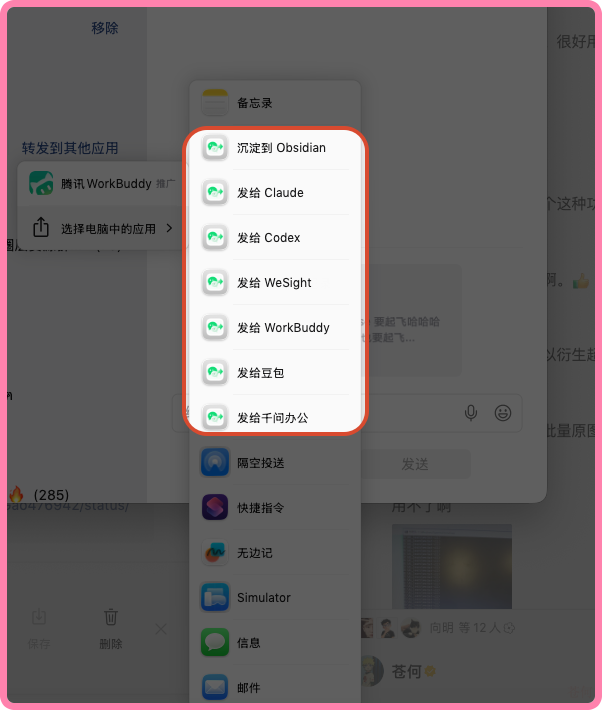
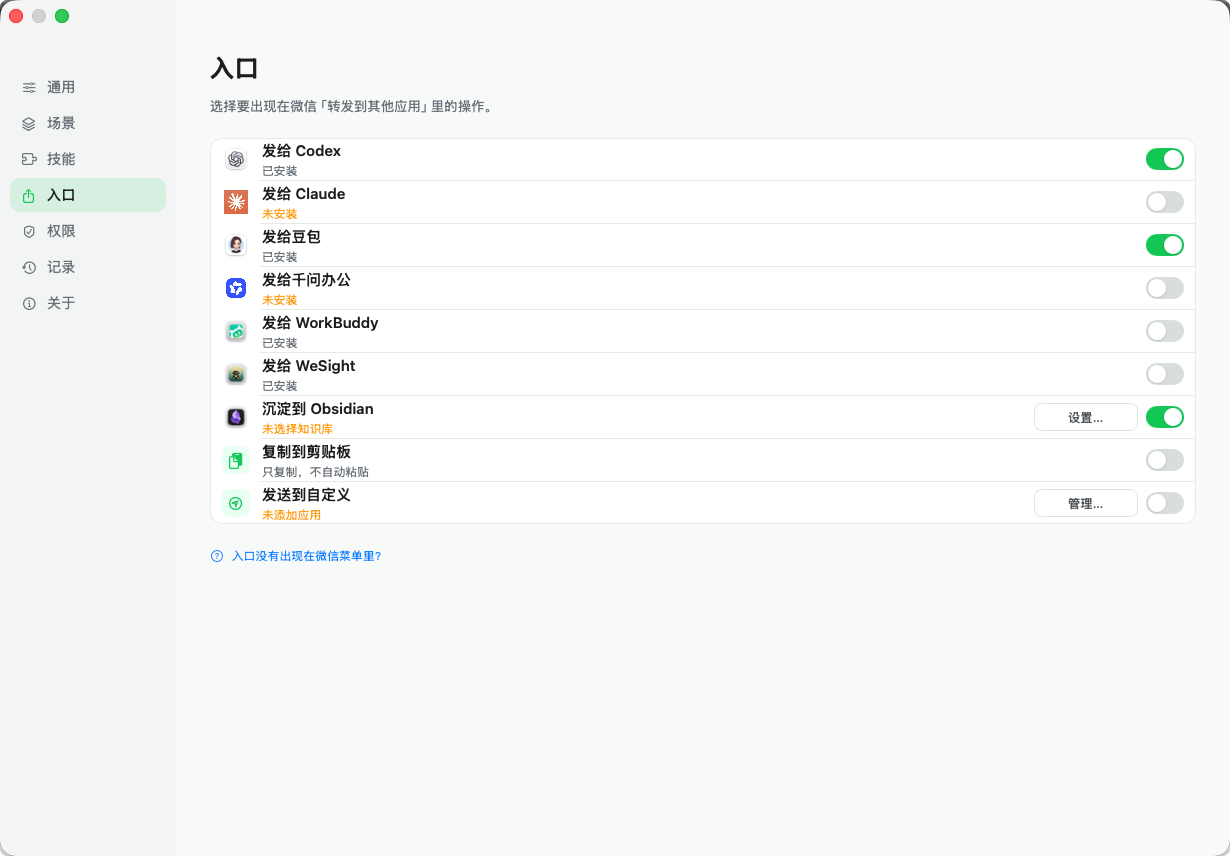
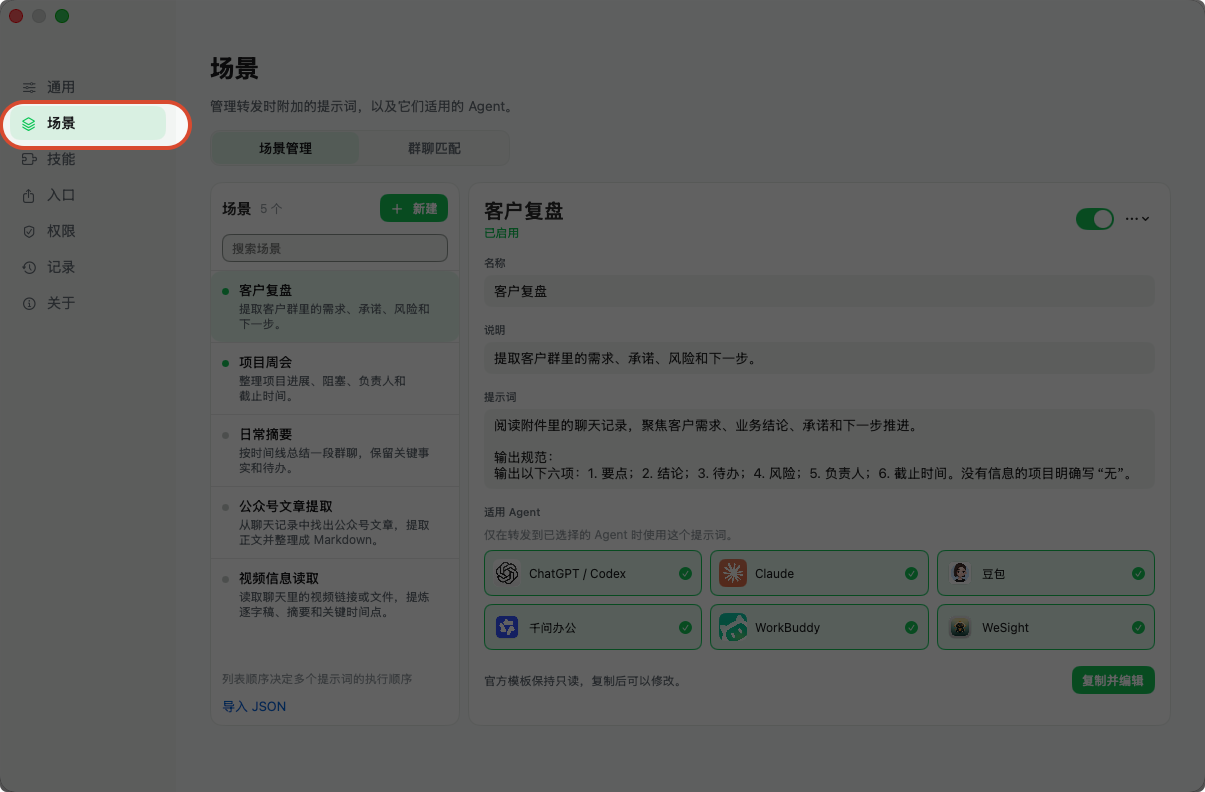
Forwards WeChat chat history into AI agents and local knowledge bases, fully local.
By freestylefly. Free and open source, MIT licence.
WeChatBridge at a glance
- Version
- 0.1.15
- Released
- 30 September 2026
- Download size
- 21 MB
- Works on
- Apple silicon and Intel
- Licence
- MIT
- Category
- Social and Communication
- Developer
- freestylefly
- GitHub stars
- 1.2K
About WeChatBridge
微信聊天记录一键转发到 AI Agent 与 Obsidian 的原生 macOS 工具
Screenshots

How to install WeChatBridge on a Mac
- Get OpenDMG. It is a free app store for open source Mac apps. Download OpenDMG.
- Search for WeChatBridge and press Get. OpenDMG downloads version 0.1.15 from freestylefly's own GitHub release.
- Open it. The download is checked against its SHA-256 fingerprint and its signature is checked on your Mac before it lands in Applications.
Updates to WeChatBridge show up in OpenDMG and install with one button. No account is needed.
Prefer to do it by hand? The developer's file is on GitHub: WeChatBridge-0.1.15.dmg (21 MB).
What is new in WeChatBridge 0.1.15
# WeChatBridge 0.1.15

## 更新内容

- 新增 DeepSeek Harness 内置转发目标和 macOS 分享菜单入口,现共有十个分享入口。
- 修复 Obsidian 多级子文件夹路径被截断的问题,支持按“参考/微信流”等层级归档。
- 同步技能库、场景与 Obsidian 沉淀能力改进。
- 修复 macOS 15 首次引导按钮裁切及 Finder 面板打开时机问题。
- 修复英文翻译资源引号错误,完善本地化与发布配置检查。

## 安装说明

- 支持 Apple Silicon 和 Intel Mac,系统要求 macOS 14 或更高版本。
- 安装包经过 Developer ID 签名和 Apple 公证。
- 打开 DMG,将“微信流”拖入“应用程序”。
More Social and Communication apps
-
 CopilotForXcodeXcode extension for GitHub Copilot
-
 RedditOSA SwiftUI Reddit client for macOS
-
 HuggingChatNative chat interface for open-source language models
-
 LlamaChatChat with your favourite LLaMA models
-
 RsyncUIGraphical interface for rsync file synchronization and backup operations
-
 OnitAn AI chat sidebar that can dock to any app on your Mac