
MicKeeper for Mac
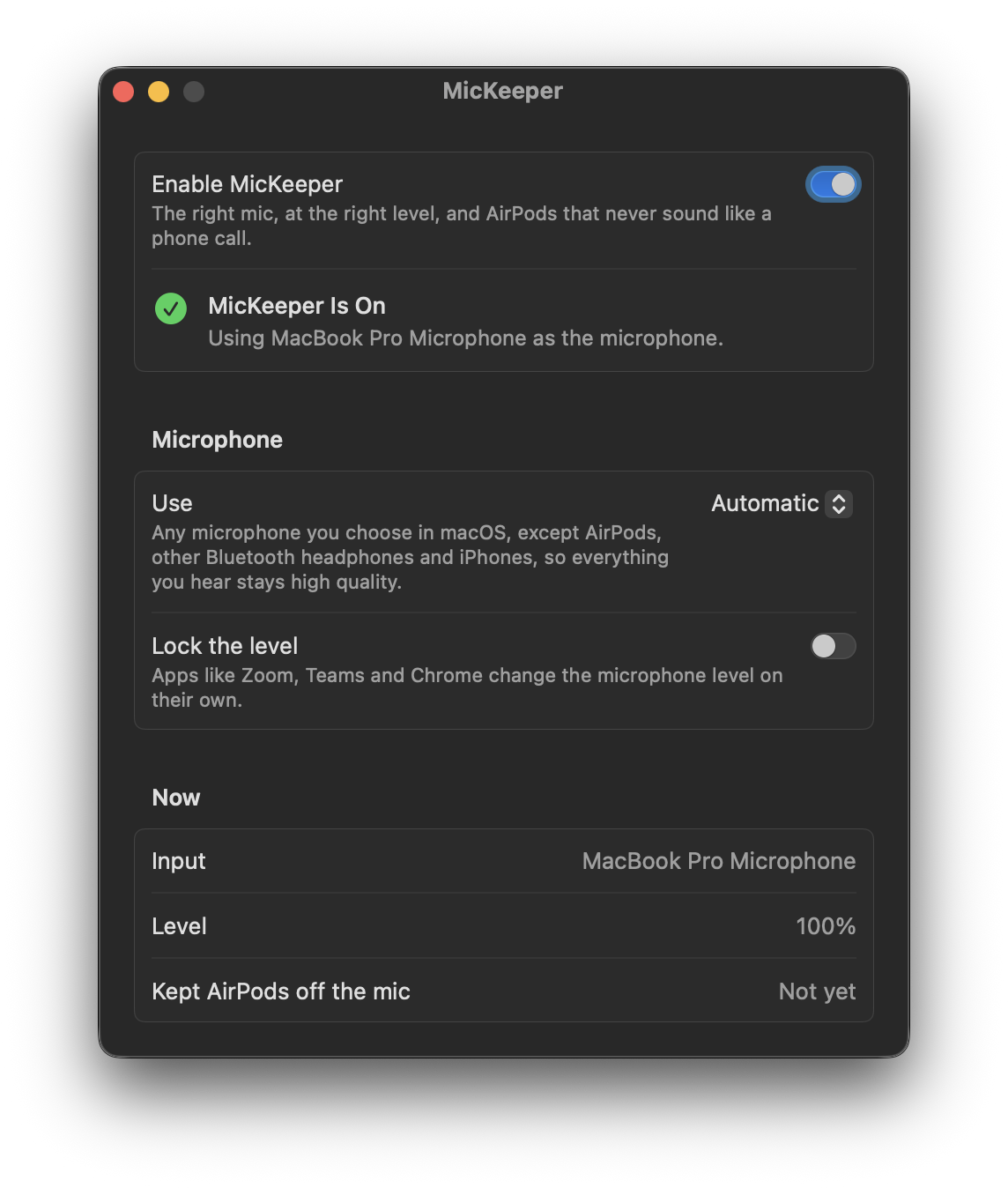
Prevents AirPods and iPhones from taking over your Mac's microphone and can lock its input level.
By fratayaydn. Free and open source, MIT licence.
MicKeeper at a glance
- Version
- 1.0.1
- Released
- 19 October 2026
- Download size
- 2.2 MB
- Works on
- Apple silicon and Intel
- Licence
- MIT
- Category
- Audio and Music
- Developer
- fratayaydn
- GitHub stars
- 0
About MicKeeper
Keeps AirPods and iPhones from taking over your Mac's microphone, so AirPods don't drop to call quality. Can also lock the mic level.
Screenshots
How to install MicKeeper on a Mac
- Get OpenDMG. It is a free app store for open source Mac apps. Download OpenDMG.
- Search for MicKeeper and press Get. OpenDMG downloads version 1.0.1 from fratayaydn's own GitHub release.
- Open it. The download is checked against its SHA-256 fingerprint and its signature is checked on your Mac before it lands in Applications.
Updates to MicKeeper show up in OpenDMG and install with one button. No account is needed.
Prefer to do it by hand? The developer's file is on GitHub: MicKeeper-1.0.1.dmg (2.2 MB).
What is new in MicKeeper 1.0.1
- MicKeeper now updates itself from GitHub releases. It checks once a day and after a restart, and only installs updates that are signed with the same Developer ID and notarized by Apple. You can turn automatic installs off in the window
- Homebrew installs update themselves too
- Shorter description in the settings window

This is the last update you need to install by hand. Download `MicKeeper-1.0.1.dmg` below, or run `brew upgrade --cask mickeeper`.

sha256: `ebbfba124f25ad34aa9ab39bcebae2894be0b58ea1c5de4629cdc5a1b19f0c17`
More Audio and Music apps
-
 MonitorControlAdjust external monitor settings
-
 FluidVoiceVoice-to-text app with AI enhancement
-
 VoiceInkReal-time speech-to-text app
-
 eqMacSystem-wide audio equalizer and volume mixer
-
 LyricsXDisplay lyrics for iTunes/Spotify
-
 FreeFlowPush-to-talk speech-to-text tool that inserts polished transcripts into any app