
MenubarHide for Mac
Hides menu bar icons and shows them in a panel below the bar so the notch never swallows them again.
By junior-rj. Free and open source, MIT licence.
MenubarHide at a glance
- Version
- 1.6.1
- Released
- 15 September 2026
- Download size
- 794 KB
- Works on
- Apple silicon and Intel
- Licence
- MIT
- Category
- Menu Bar and Notch
- Developer
- junior-rj
- GitHub stars
- 52
About MenubarHide
Hide menu bar icons on macOS and show them in a panel below the menu bar - notch-friendly, macOS 26 Tahoe ready
Screenshots


How to install MenubarHide on a Mac
- Get OpenDMG. It is a free app store for open source Mac apps. Download OpenDMG.
- Search for MenubarHide and press Get. OpenDMG downloads version 1.6.1 from junior-rj's own GitHub release.
- Open it. The download is checked against its SHA-256 fingerprint and its signature is checked on your Mac before it lands in Applications.
Updates to MenubarHide show up in OpenDMG and install with one button. No account is needed.
Prefer to do it by hand? The developer's file is on GitHub: MenubarHide-1.6.1.dmg (794 KB).
What is new in MenubarHide 1.6.1
MenubarHide 1.6.1 brings hiding back on macOS 27, which rewrote the menu bar and broke the old trick.

- macOS 27 composites every icon into one system window and discards an oversized status item instead of clamping it, so the separator no longer pushed anything off-screen. The separator is now sized just under the per-display cutoff and inflates with a few hidden spacers, and the icons it displaces move into macOS's own overflow menu, where they stay clickable.
- After updating on macOS 27, drag the icons you want to hide to the left of the # once: the app re-registers its items and macOS places them at the left end of the bar.
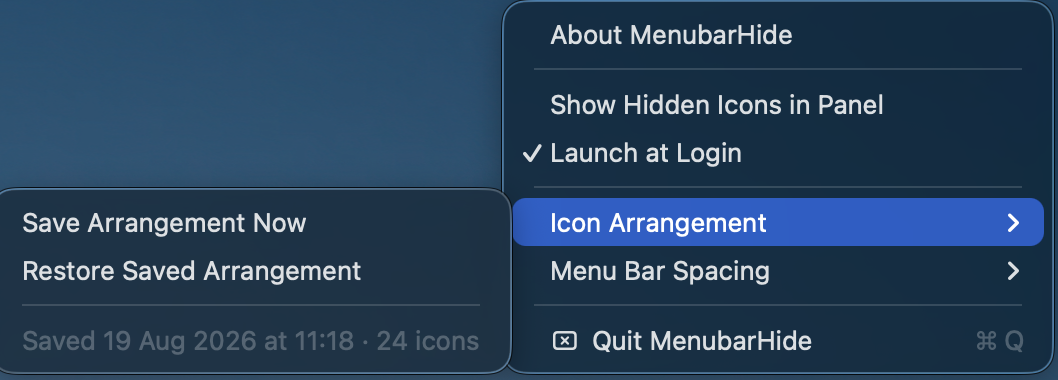
- Panel mode and Icon Arrangement are disabled on macOS 27, where the system no longer exposes the per-icon windows and per-app positions they relied on. Both are unchanged on macOS 26 and earlier.
- Wide and multi-display setups are covered; everything on macOS 26 Tahoe and earlier keeps its existing behavior.

Signed with Developer ID and notarized by Apple. Requires macOS 14+.
More Menu Bar and Notch apps
-
 StatsmacOS system monitor in your menu bar
-
 IcePowerful menu bar manager for macOS (upstream, temporarily inactive)
-
 Hidden BarAn ultra-light MacOS utility that helps hide menu bar icons
-
 ThawThe open-source menu bar manager: hide, organize, and take control of menu bar icons
-
 Boring NotchTurn your MacBook notch into a music and file control center
-
 eulmacOS status monitoring app written in SwiftUI