

MemStats for Mac
Lightweight menu bar app for monitoring memory usage across multiple users.
By sown-oss. Free and open source, MIT licence.
MemStats at a glance
- Version
- 1.0.0
- Released
- 6 October 2026
- Download size
- 674 KB
- Works on
- Apple silicon and Intel
- Licence
- MIT
- Category
- System Tools
- Developer
- sown-oss
- GitHub stars
- 7
About MemStats
A lightweight macOS menu bar app focused on memory monitoring for multiple users
Screenshots
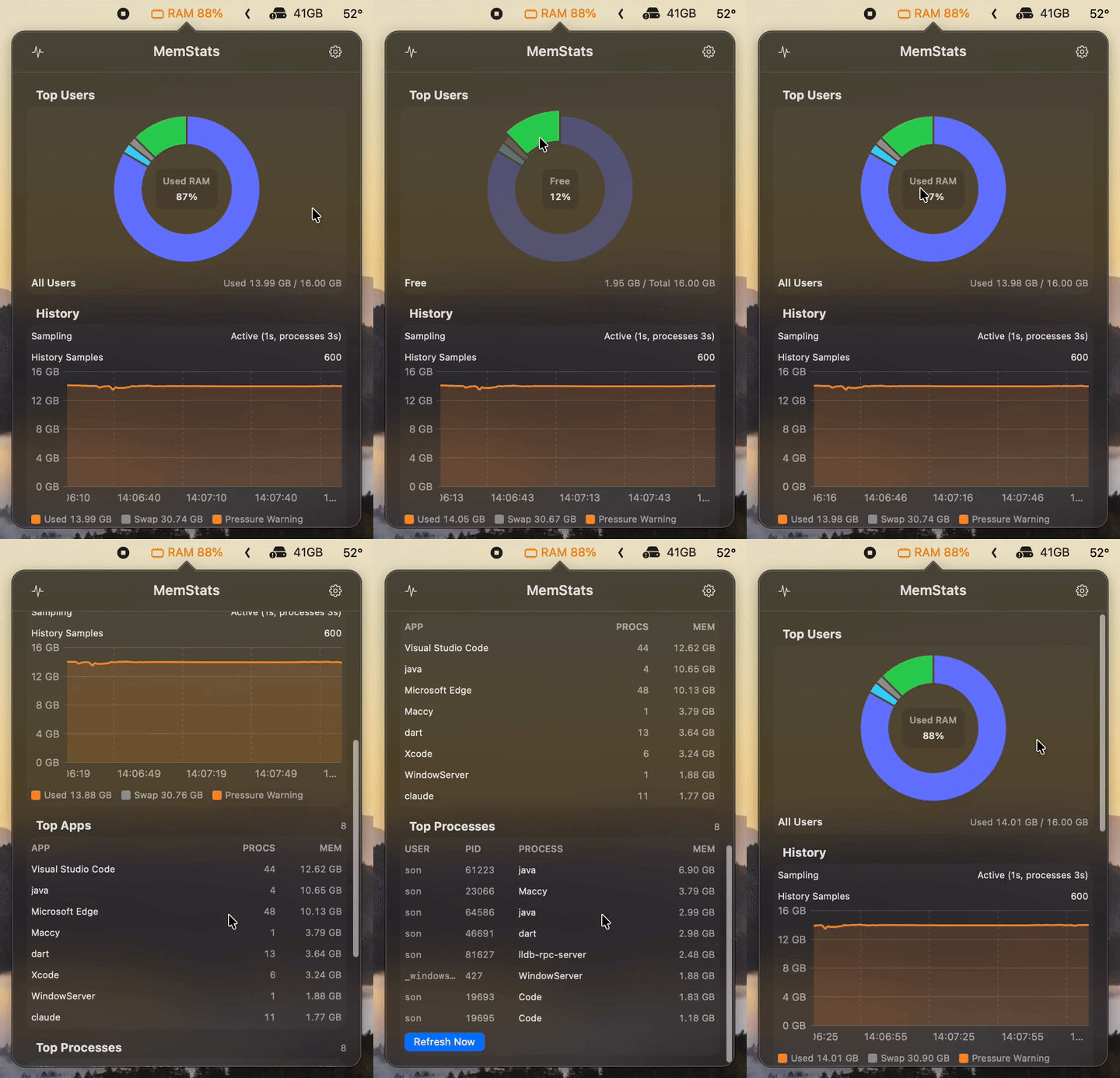
How to install MemStats on a Mac
- Get OpenDMG. It is a free app store for open source Mac apps. Download OpenDMG.
- Search for MemStats and press Get. OpenDMG downloads version 1.0.0 from sown-oss's own GitHub release.
- Open it. The download is checked against its SHA-256 fingerprint and its signature is checked on your Mac before it lands in Applications.
Updates to MemStats show up in OpenDMG and install with one button. No account is needed.
Prefer to do it by hand? The developer's file is on GitHub: MemStats-1.0.0.zip (674 KB).
What is new in MemStats 1.0.0
## [1.0.0] - 06/10/2026

Initial public release of the macOS menu bar memory monitor.

### Added

- RAM usage by user with a donut chart, including free and unattributed memory.
- Memory pressure, swap usage and a bounded history chart.
- Top applications and top processes from `top`, with process growth hints.
- Configurable update intervals and row counts in Settings.
- Open at Login and optional system-user visibility.
- Check for Updates and Report a Bug links in Settings.
- English, German, Spanish, French, Japanese, Korean, Simplified Chinese and Vietnamese localization.
- Demo GIF in the public README.

### Distribution

- Supports macOS 14.0 or later on Apple Silicon and Intel.
- Distributed outside the Mac App Store as an ad hoc signed, not notarized zip.
- First launch may require Open Anyway in System Settings > Privacy & Security.

### SHA-256

83c97b6359771e4e299886bcd959dd69d47dcd17ff7c85d62909aa00f228e3dc MemStats-1.0.0.zip
More System Tools apps
-
 PearcleanerApp Cleaner and Uninstaller Tool
-
 OpenInTerminalFinder toolbar tool for opening the current folder in a terminal
-
 PureMacFree open-source system cleaner with privacy protection
-
 DockDoorWindow peeking for macOS
-
 LatestApp update checker that notifies you of available updates for installed applications
-
 DorsoPosture reminder that progressively blurs your screen when you slouch