

MacState for Mac
Lightweight menu bar system monitor that combines key metrics into a single status item.
By snail007. Free and open source, MIT licence.
MacState at a glance
- Version
- 1.8.2
- Released
- 10 April 2026
- Download size
- 4.8 MB
- Works on
- Apple silicon and Intel
- Licence
- MIT
- Category
- System Tools
- Developer
- snail007
- GitHub stars
- 47
About MacState
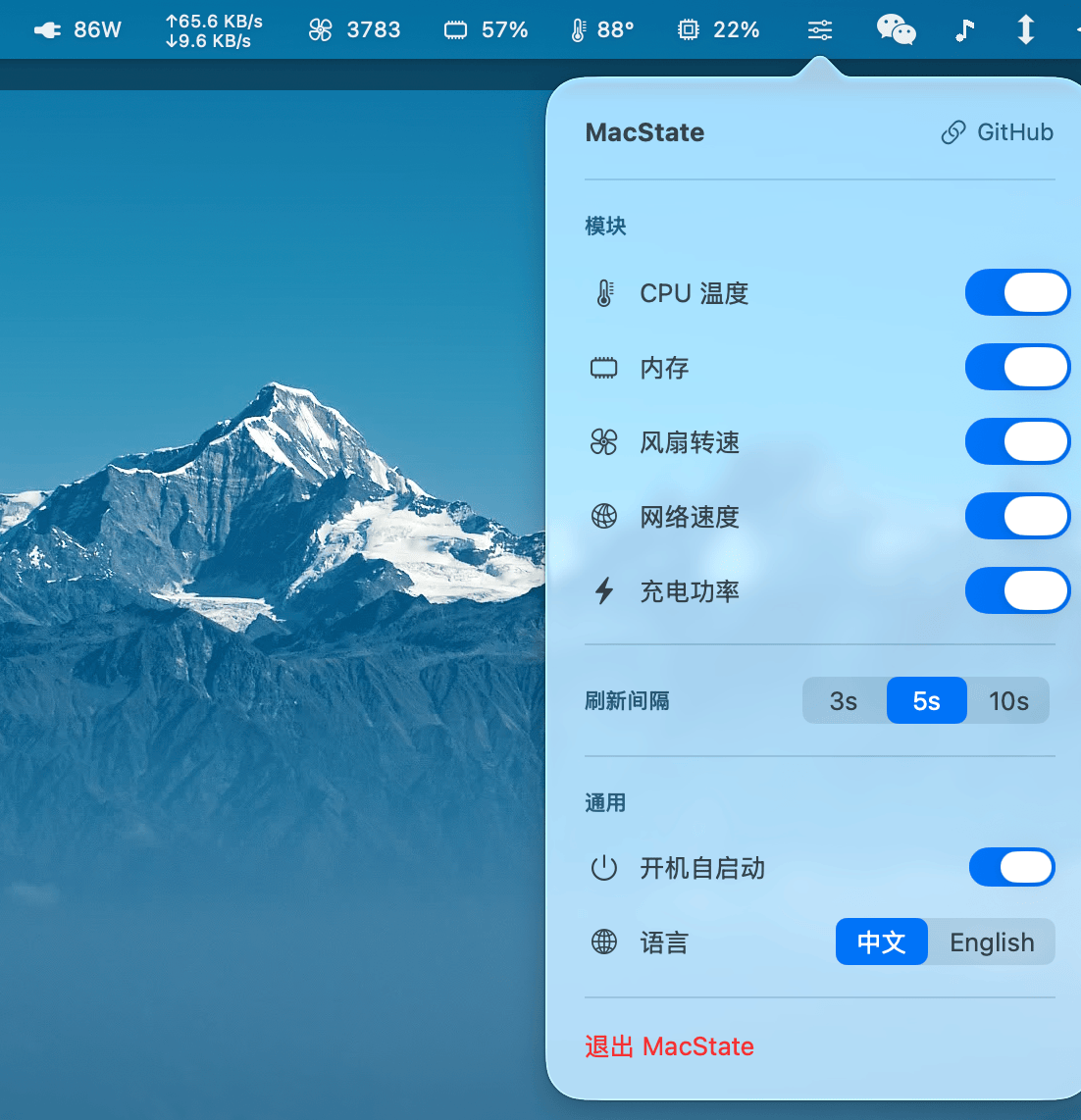
Lightweight macOS menu bar system monitor — CPU usage, CPU temperature, memory, fan speed, network speed. 轻量级 macOS 菜单栏系统监控 — CPU使用率、CPU温度、内存占用、风扇转速、网络速度。
Screenshots

How to install MacState on a Mac
- Get OpenDMG. It is a free app store for open source Mac apps. Download OpenDMG.
- Search for MacState and press Get. OpenDMG downloads version 1.8.2 from snail007's own GitHub release.
- Open it. The download is checked against its SHA-256 fingerprint and its signature is checked on your Mac before it lands in Applications.
Updates to MacState show up in OpenDMG and install with one button. No account is needed.
Prefer to do it by hand? The developer's file is on GitHub: MacState-1.8.2.dmg (4.8 MB).
What is new in MacState 1.8.2
## MacState v1.8.2

轻量级 macOS 菜单栏系统监控工具。

### 下载 / Download

- **MacState-1.8.2.dmg** — 拖拽安装 (Drag to Applications)
- **MacState-1.8.2.zip** — 解压即用

### 功能 / Features

- CPU 使用率 / CPU Usage
- CPU 温度 / CPU Temperature
- 内存占用 / Memory Usage
- 风扇转速 / Fan Speed
- 网络速度 / Network Speed
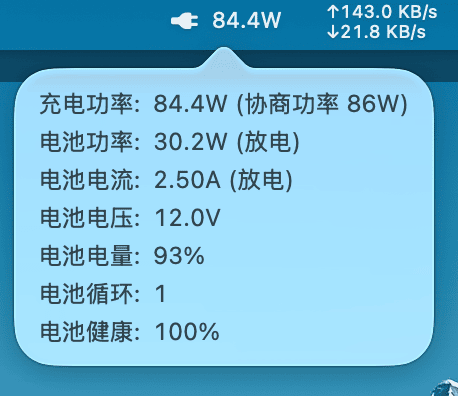
- 充电功率 / Charging Power
- 进程排行 / Process Panel (Top 10)
- IP 归属地 / IP Geolocation (offline)
- Finder 右键菜单 / Finder Context Menu
 - 在此打开终端 / Open Terminal Here
 - 复制路径 / Copy Path
- 中文/English 双语支持

### 系统要求 / Requirements

- macOS 13.0+
- Intel (x86_64) 或 Apple Silicon (arm64)
More System Tools apps
-
 PearcleanerApp Cleaner and Uninstaller Tool
-
 OpenInTerminalFinder toolbar tool for opening the current folder in a terminal
-
 PureMacFree open-source system cleaner with privacy protection
-
 DockDoorWindow peeking for macOS
-
 LatestApp update checker that notifies you of available updates for installed applications
-
 DorsoPosture reminder that progressively blurs your screen when you slouch