

MacFanPro for Mac
免费开源的风扇控制工具,提供菜单栏界面与命令行两种方式,适配 Apple Silicon,无订阅、无遥测。.
By macfanpro. Free and open source, MIT licence.
MacFanPro at a glance
- Version
- 0.2.3.63
- Released
- 8 October 2026
- Download size
- 2.9 MB
- Works on
- Apple silicon
- Licence
- MIT
- Category
- System Tools
- Developer
- macfanpro
- GitHub stars
- 13
About MacFanPro
Free, open-source fan control for Apple Silicon Macs. Native macOS menu bar app, temperature monitoring, smart fan curves and CLI. App and website in 18 languages. macOS 14+ · MIT.
Screenshots
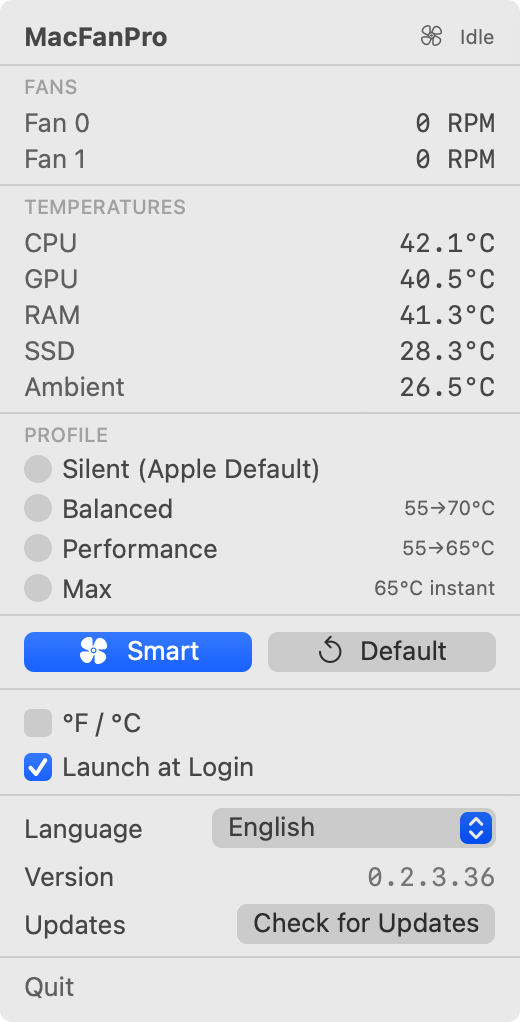
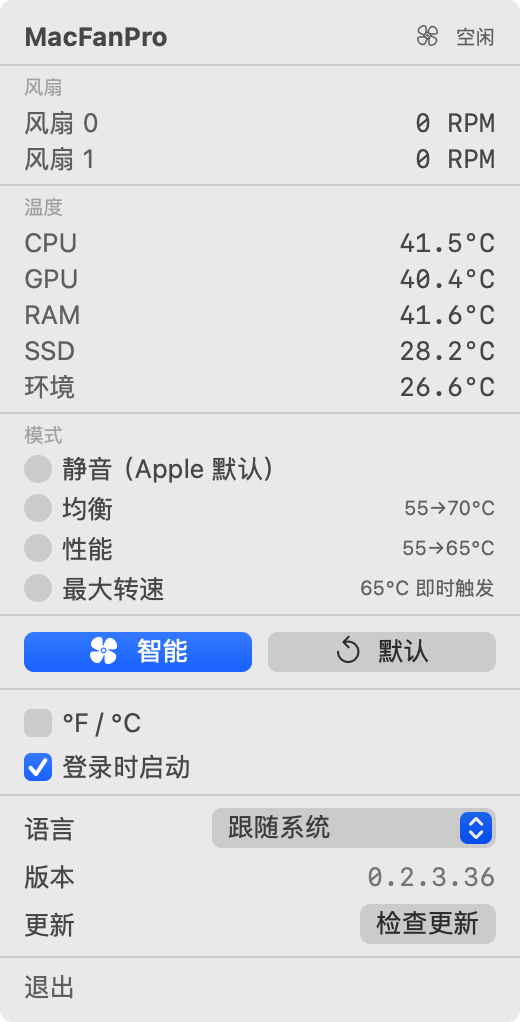
How to install MacFanPro on a Mac
- Get OpenDMG. It is a free app store for open source Mac apps. Download OpenDMG.
- Search for MacFanPro and press Get. OpenDMG downloads version 0.2.3.63 from macfanpro's own GitHub release.
- Open it. The download is checked against its SHA-256 fingerprint and its signature is checked on your Mac before it lands in Applications.
Updates to MacFanPro show up in OpenDMG and install with one button. No account is needed.
Prefer to do it by hand? The developer's file is on GitHub: MacFanPro-0.2.3.63-macos-arm64.dmg (2.9 MB).
What is new in MacFanPro 0.2.3.63
[English](#english) · [简体中文](#chinese) · **[直接下载 MacFanPro(DMG)](https://github.com/macfanpro/macfanpro/releases/download/v0.2.3.63/MacFanPro-0.2.3.63-macos-arm64.dmg)**

<a name="english"></a>

This release merges the update window into Settings, so MacFanPro has a single window. Based on ThermalForge 0.2.3.

## What's changed

- Update details now live in the **Updates** section of the settings window, which moves to the bottom: General, Background service, Updates. When a release is available, the section shows the new version, a **What's new** link and the update action (**Update in Terminal** for Homebrew, **Open download page** otherwise); installer and source commands and network help stay collapsed under **Other update methods** and **Download help**. The panel's "{version} available" row now opens Settings. The separate update window is gone.
- Settings taller than the screen, for example with **Other update methods** expanded, scroll inside the window instead of growing past the screen.
- The Homebrew update text now says administrator authorization **is** required rather than **may be**, since the update always restarts the background service.

Fan control, curves and protection thresholds are unchanged.

## Download and update

Requires **an Apple Silicon Mac with physical fans and macOS 14 or later**.

| File | Purpose |
| --- | --- |
…
More System Tools apps
-
 PearcleanerApp Cleaner and Uninstaller Tool
-
 OpenInTerminalFinder toolbar tool for opening the current folder in a terminal
-
 PureMacFree open-source system cleaner with privacy protection
-
 DockDoorWindow peeking for macOS
-
 LatestApp update checker that notifies you of available updates for installed applications
-
 DorsoPosture reminder that progressively blurs your screen when you slouch