

Lyrimuse for Mac
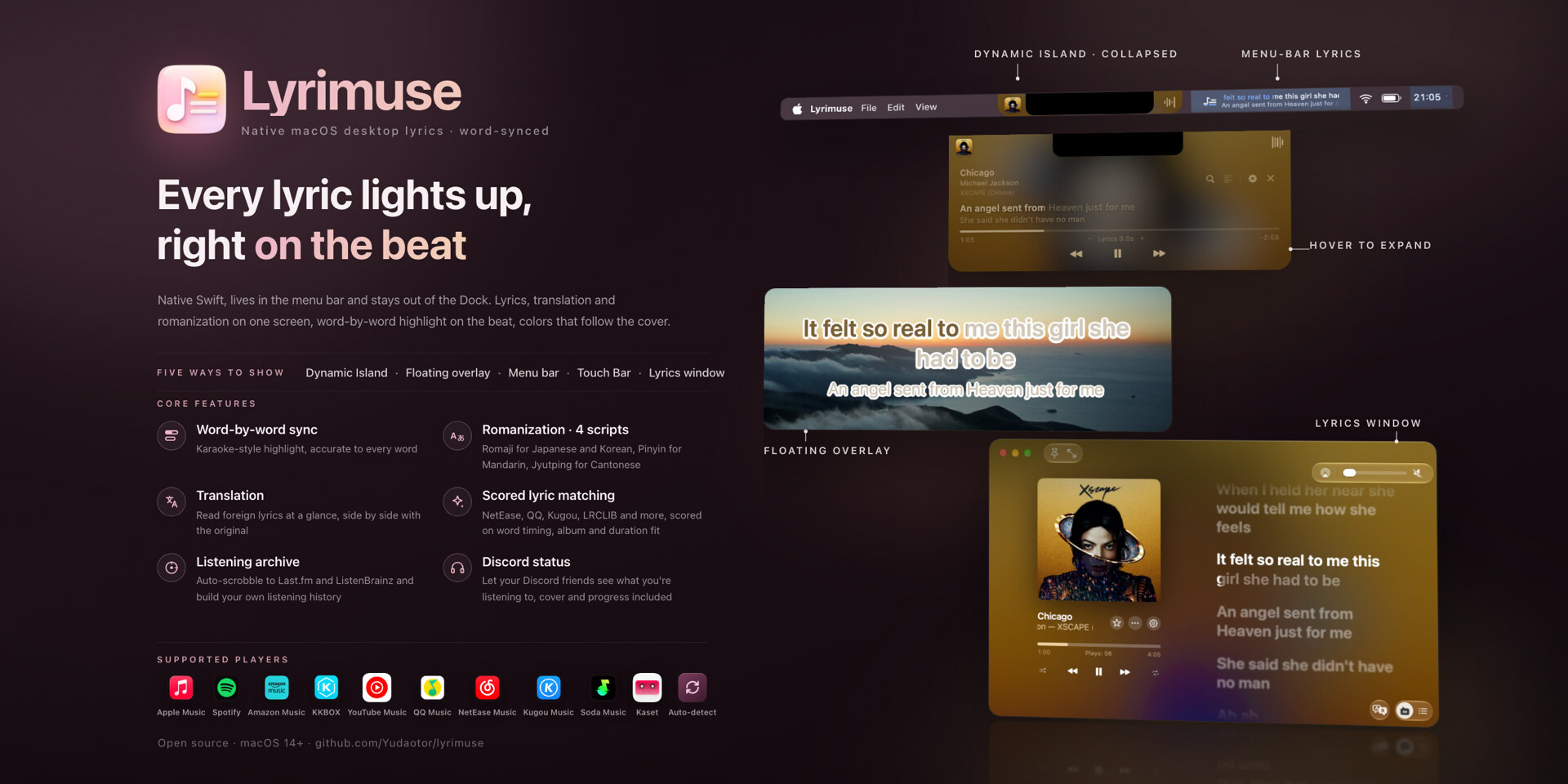
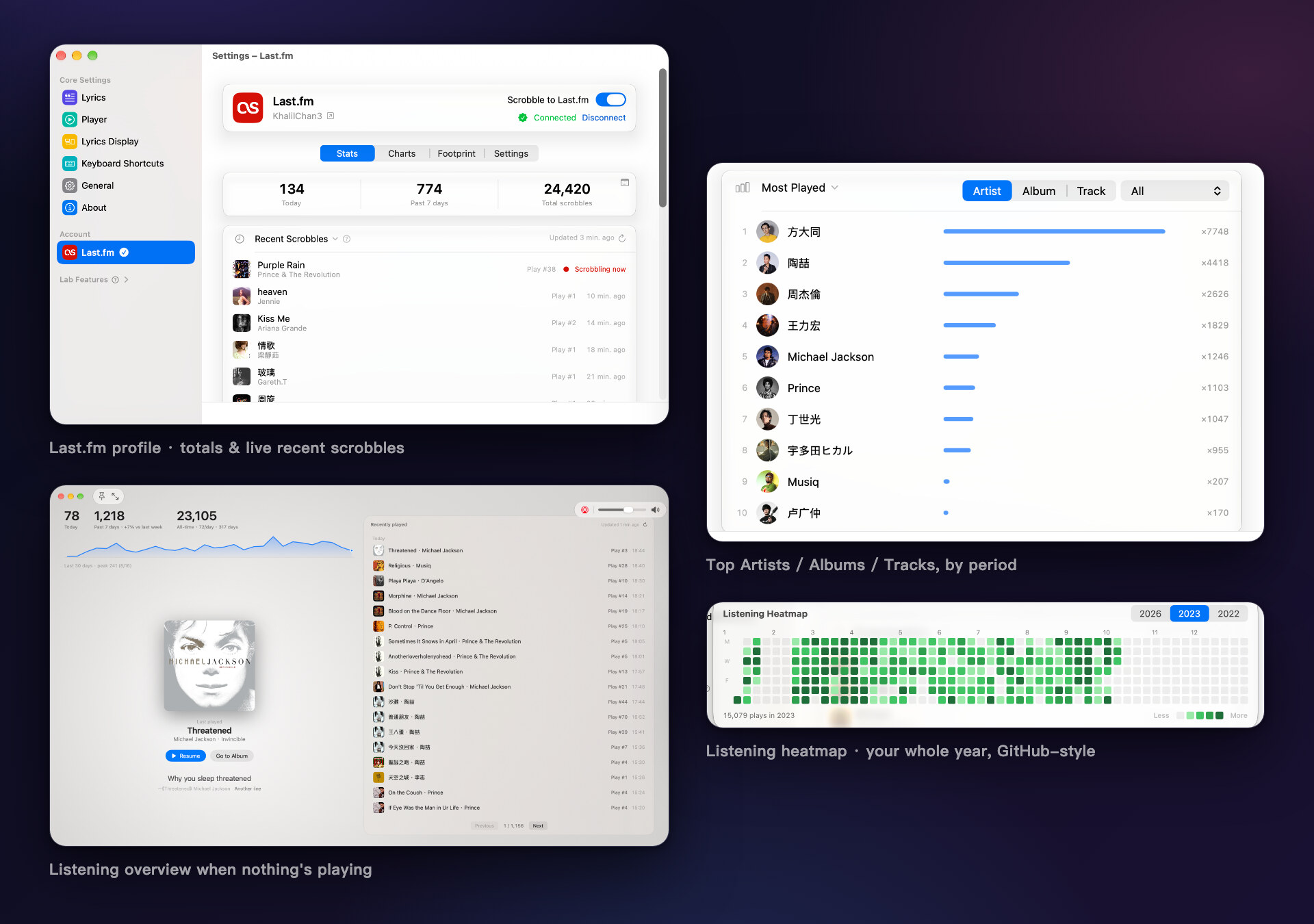
Floating lyrics overlay that shows word-synced lyrics for whatever is playing in Apple Music, QQ Music, NetEase Cloud Music, Kugou, or Spotify, with Last.fm scrobbling and translation.
By Yudaotor. Free and open source, GPL-3.0 licence.
Lyrimuse at a glance
- Version
- 1.10.0
- Released
- 8 October 2026
- Download size
- 33 MB
- Works on
- Apple silicon and Intel
- Licence
- GPL-3.0
- Category
- Audio and Music
- Developer
- Yudaotor
- GitHub stars
- 211
About Lyrimuse
Mac lyrics app: word-by-word synced lyrics for Apple Music, Spotify, YouTube Music, QQ Music, NetEase Cloud Music, Kugou and more. Floating desktop lyrics, notch / Dynamic Island, menu bar and Touch Bar; translation, romanization, Last.fm scrobbling, Discord. Open-source LyricsX alternative. | Mac 桌面歌词:QQ音乐、网易云、酷狗、汽水音乐逐字歌词,灵动岛、翻译、粤拼,LyricsX 替代
Screenshots
How to install Lyrimuse on a Mac
- Get OpenDMG. It is a free app store for open source Mac apps. Download OpenDMG.
- Search for Lyrimuse and press Get. OpenDMG downloads version 1.10.0 from Yudaotor's own GitHub release.
- Open it. The download is checked against its SHA-256 fingerprint and its signature is checked on your Mac before it lands in Applications.
Updates to Lyrimuse show up in OpenDMG and install with one button. No account is needed.
Prefer to do it by hand? The developer's files are on GitHub: Lyrimuse-v1.10.0-macos-intel.dmg (62 MB), Lyrimuse-v1.10.0-macos.dmg (33 MB).
What is new in Lyrimuse 1.10.0
v1.10.0

New / 新功能
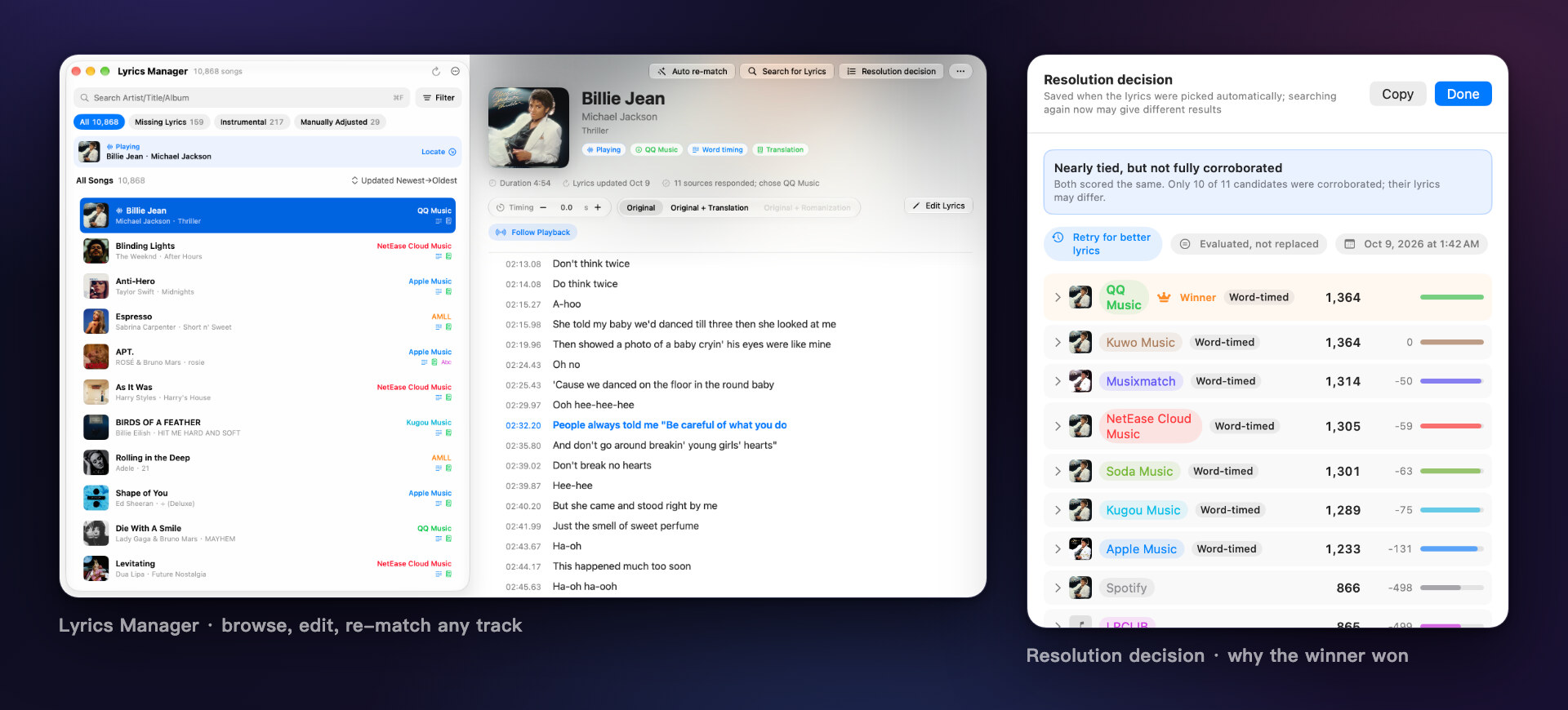
- You can now edit and re-match lyrics from the lyrics window, and edit
 word-timed lyrics without losing timing
 现在可以在歌词窗口中编辑与重新匹配歌词,修改逐字歌词时每个字的时间保持不变
- Added Discord Rich Presence to show the current song on your Discord
 profile
 新增 Discord 状态显示,在 Discord 中展示正在播放的歌曲
- Added Kaset, a third-party YouTube Music client for Mac, as a built-in
 player
 新增内置播放器 Kaset(第三方 YouTube Music Mac 客户端)
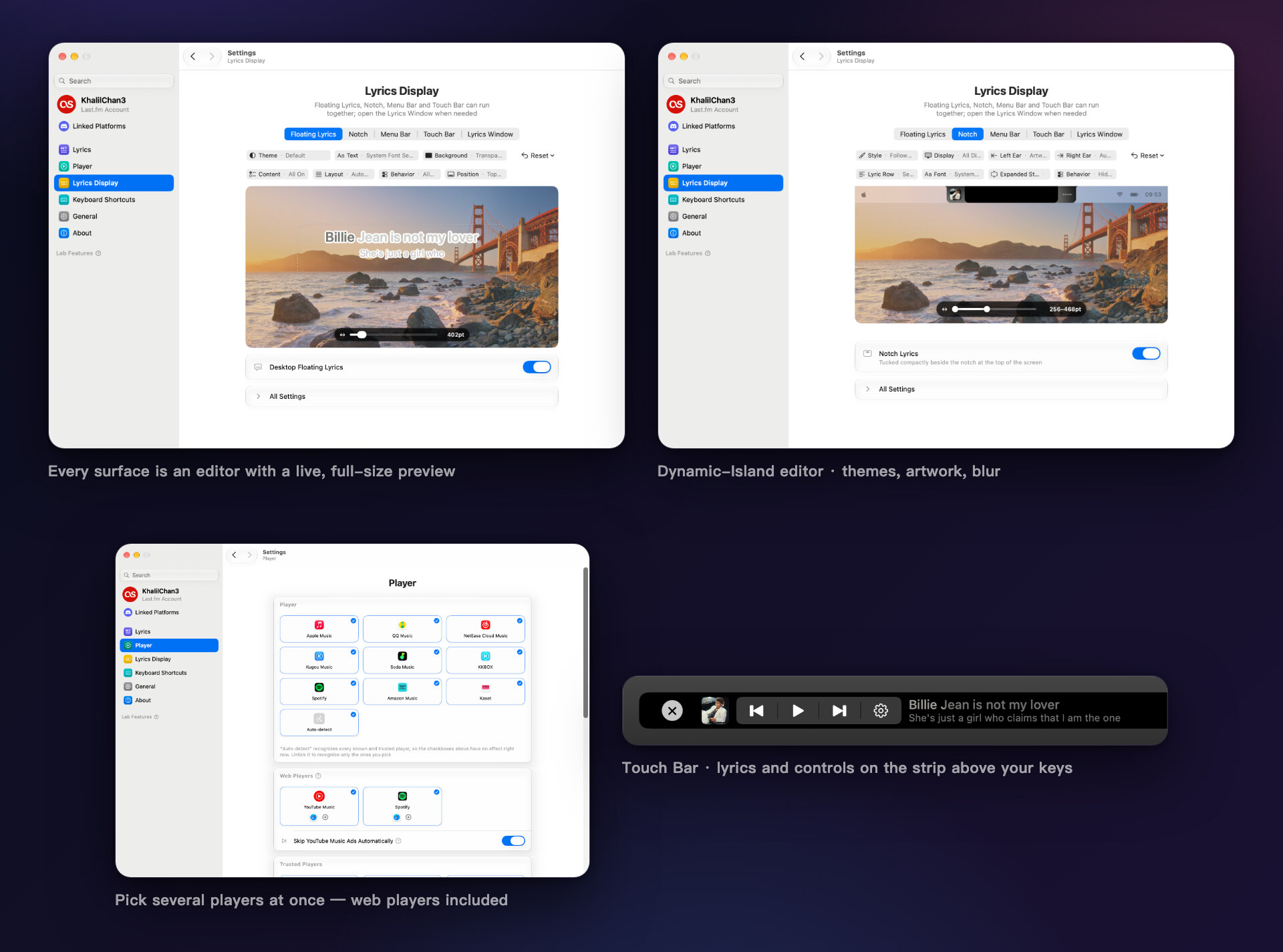
- Added Touch Bar lyrics for MacBook Pro models equipped with a Touch Bar
 新增触控栏歌词,适用于配备触控栏的 MacBook Pro
- Added more playback controls for QQ Music, Amazon Music, Spotify and
 YouTube Music on the web
 QQ 音乐、Amazon Music、Spotify 与 YouTube Music 网页版新增更多播放控制(随机、循环、喜欢、音量)
- Added song notes, and more sources for album and artist notes
 新增歌曲简介,专辑与歌手简介新增更多来源
- Added an optional line transition and adjustable line spacing to the
 floating lyrics
 悬浮歌词新增可选的换句过渡动画,读音、译文与下一句的间距可调
- The floating lyrics and the lyrics window now each have their own
 romanization and translation settings
 悬浮歌词与歌词窗口可分别设置读音与译文
- Added a single-line layout, header size, font weight, sung color and hover
 fade to the mini lyrics window
 迷你歌词窗口新增单行布局,并可调整顶部信息区尺寸、字重、已唱颜色与悬停淡化
- Added a hotkey to switch between full and mini sizes, and the lyrics
 window now reopens at launch
 新增切换完整与迷你尺寸的全局快捷键,启动时会恢复歌词窗口上次的状态
- Added songwriter credits and Space and arrow key playback controls to the
 lyrics window
…
More Audio and Music apps
-
 MonitorControlAdjust external monitor settings
-
 FluidVoiceVoice-to-text app with AI enhancement
-
 eqMacSystem-wide audio equalizer and volume mixer
-
 VoiceInkReal-time speech-to-text app
-
 LyricsXDisplay lyrics for iTunes/Spotify
-
 FreeFlowPush-to-talk speech-to-text tool that inserts polished transcripts into any app