
Lavdeck for Mac
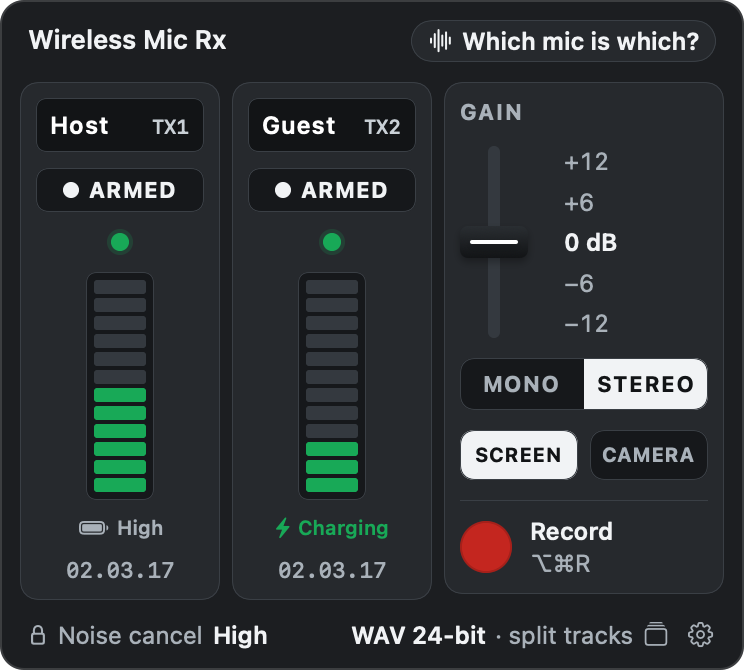
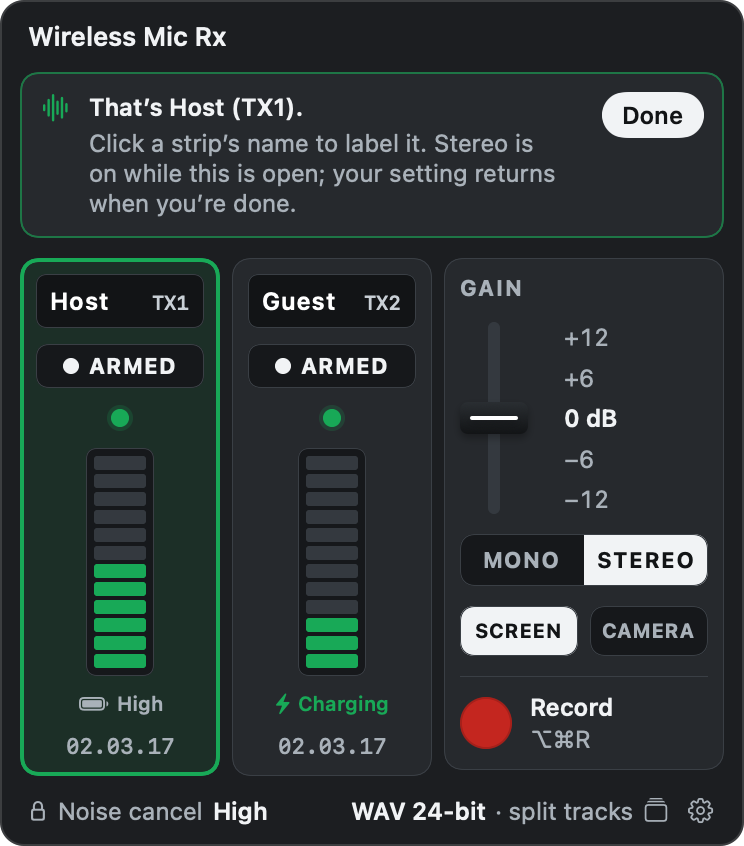
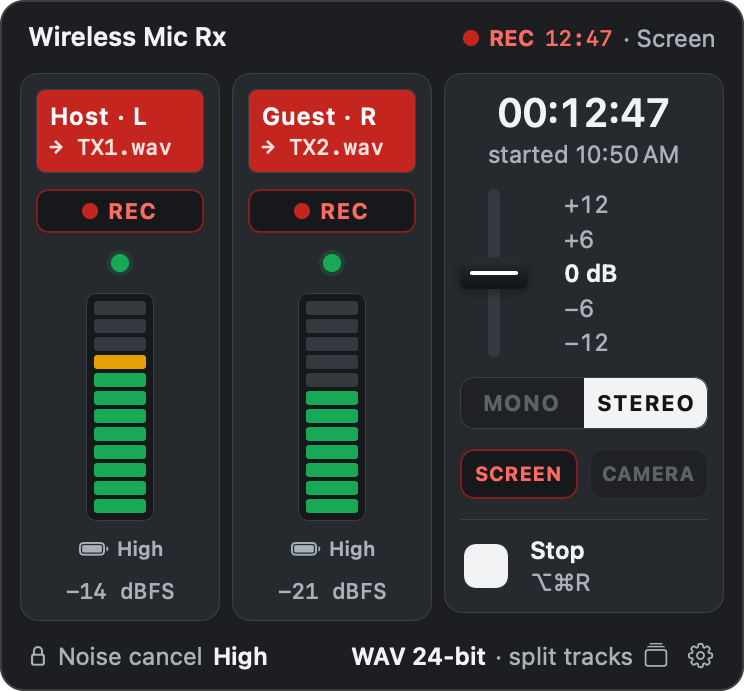
Menu bar control for DJI Mic Series Mobile RX status, mode, gain, and recording.
By piedol. Free and open source, GPL-3.0 licence.
Lavdeck at a glance
- Version
- 0.1.1
- Released
- 28 October 2026
- Download size
- 3.2 MB
- Works on
- Apple silicon
- Licence
- GPL-3.0
- Category
- Audio and Music
- Developer
- piedol
- GitHub stars
- 2
About Lavdeck
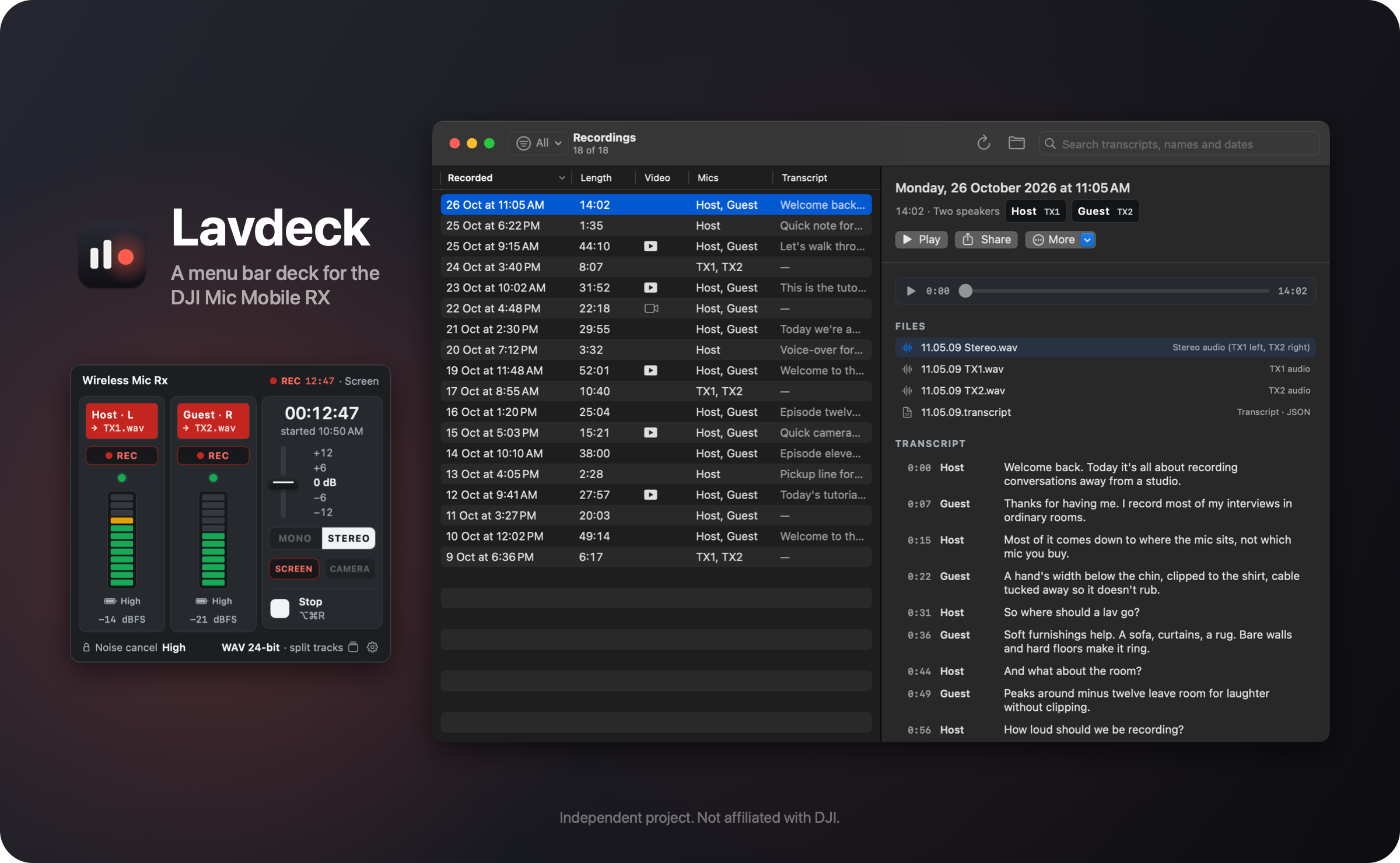
Mac menu bar app for the DJI Mic Series Mobile RX, in Rust. Shows mic status, switches mono or stereo, sets gain and records over USB in about 12 MB of memory. Not affiliated with DJI.
Screenshots
How to install Lavdeck on a Mac
- Get OpenDMG. It is a free app store for open source Mac apps. Download OpenDMG.
- Search for Lavdeck and press Get. OpenDMG downloads version 0.1.1 from piedol's own GitHub release.
- Open it. The download is checked against its SHA-256 fingerprint and its signature is checked on your Mac before it lands in Applications.
Updates to Lavdeck show up in OpenDMG and install with one button. No account is needed.
Prefer to do it by hand? The developer's file is on GitHub: Lavdeck-macOS-arm64.dmg (3.2 MB).
What is new in Lavdeck 0.1.1
Lavdeck 0.1.1 brings the update window to the front.

## What's new

- **Update window:** after **Check for Updates…**, the update window opens in front of other apps' windows. Before, it could open behind them, and the check looked broken.

## Updating

Right-click the menu bar icon and choose **Check for Updates…**, or wait for the daily check. In 0.1.0 the update window may open behind your other windows. For a new install, open `Lavdeck-macOS-arm64.dmg` and drag **Lavdeck** onto the Applications folder in its window.
More Audio and Music apps
-
 MonitorControlAdjust external monitor settings
-
 FluidVoiceVoice-to-text app with AI enhancement
-
 VoiceInkReal-time speech-to-text app
-
 eqMacSystem-wide audio equalizer and volume mixer
-
 LyricsXDisplay lyrics for iTunes/Spotify
-
 FreeFlowPush-to-talk speech-to-text tool that inserts polished transcripts into any app