
Kooky for Mac
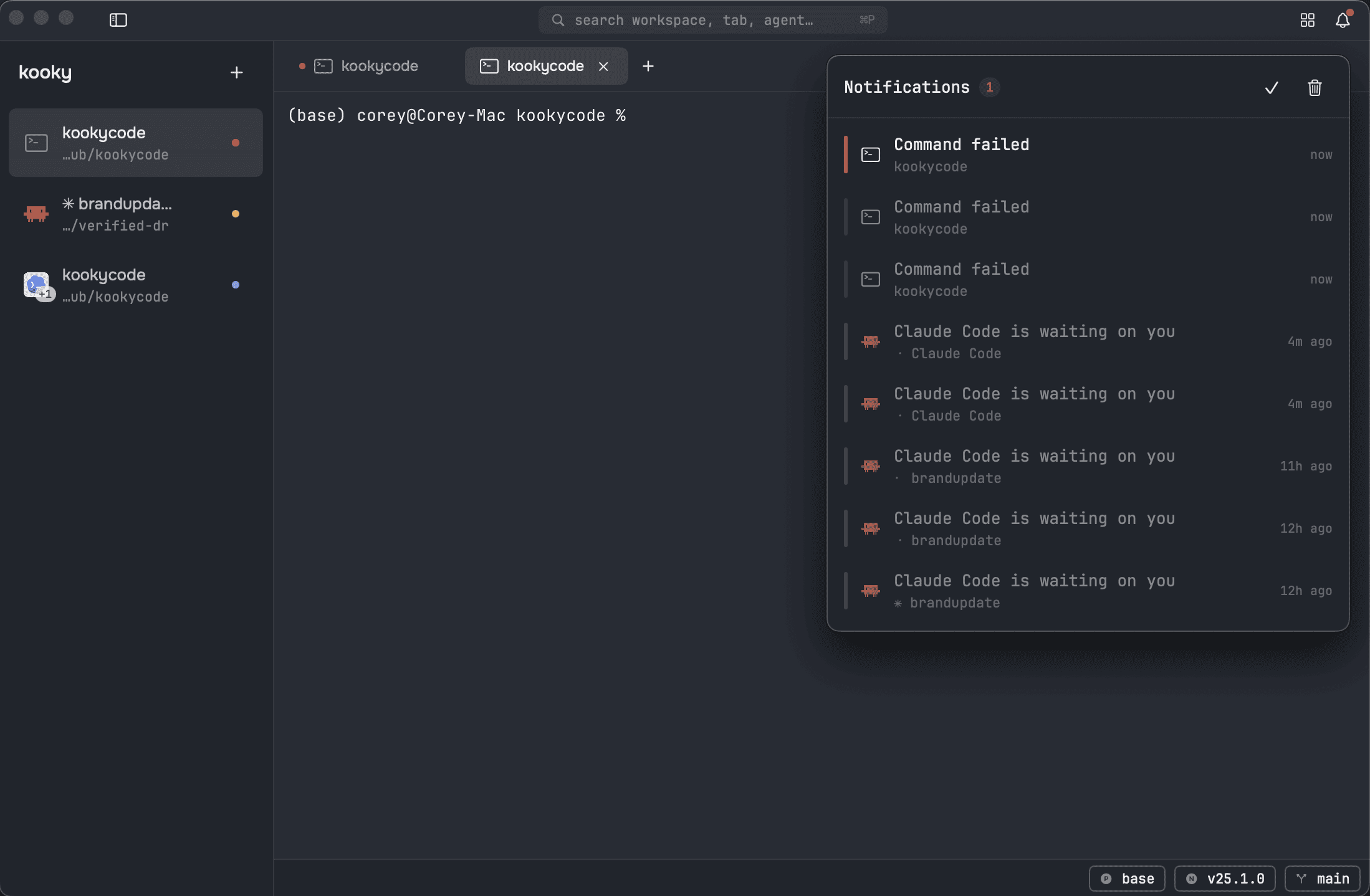
Minimal terminal optimized for AI coding, with workspace sidebar, split panes, and one-click agent launch.
By iAmCorey. Free and open source, MIT licence.
Kooky at a glance
- Version
- 0.51.12
- Released
- 12 October 2026
- Download size
- 9.6 MB
- Works on
- Apple silicon and Intel
- Licence
- MIT
- Category
- Developer Tools
- Developer
- iAmCorey
- GitHub stars
- 656
About Kooky
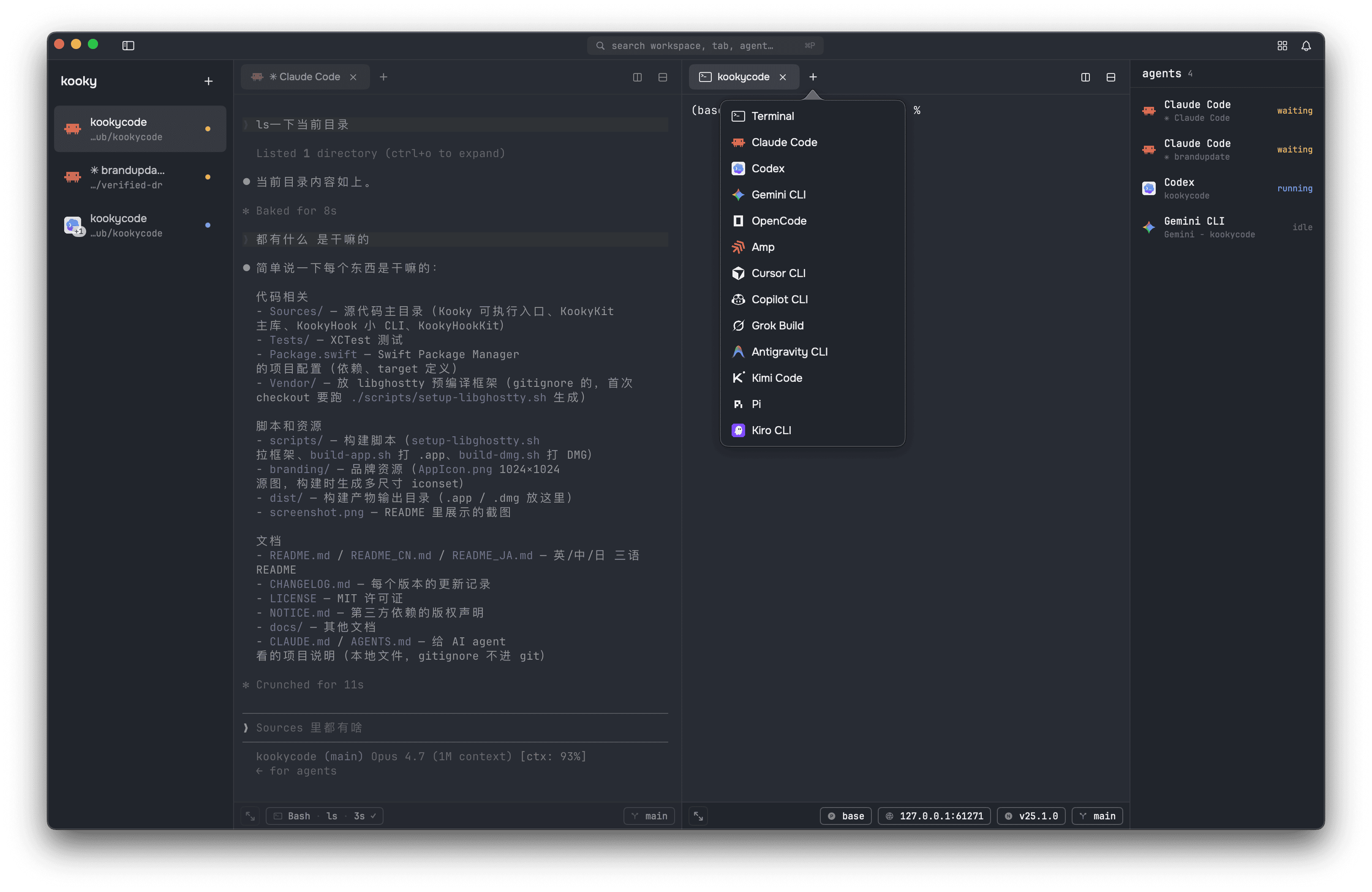
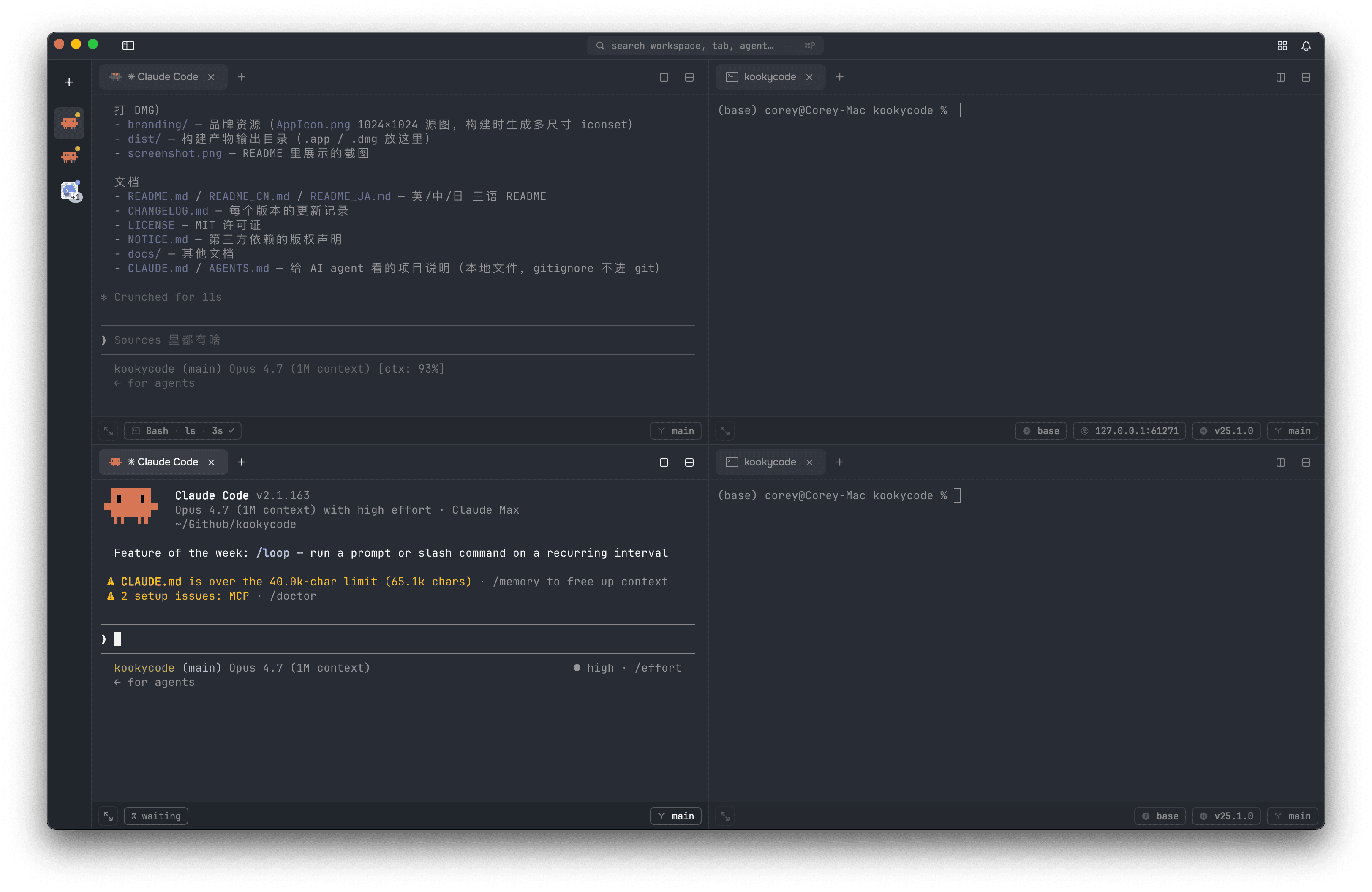
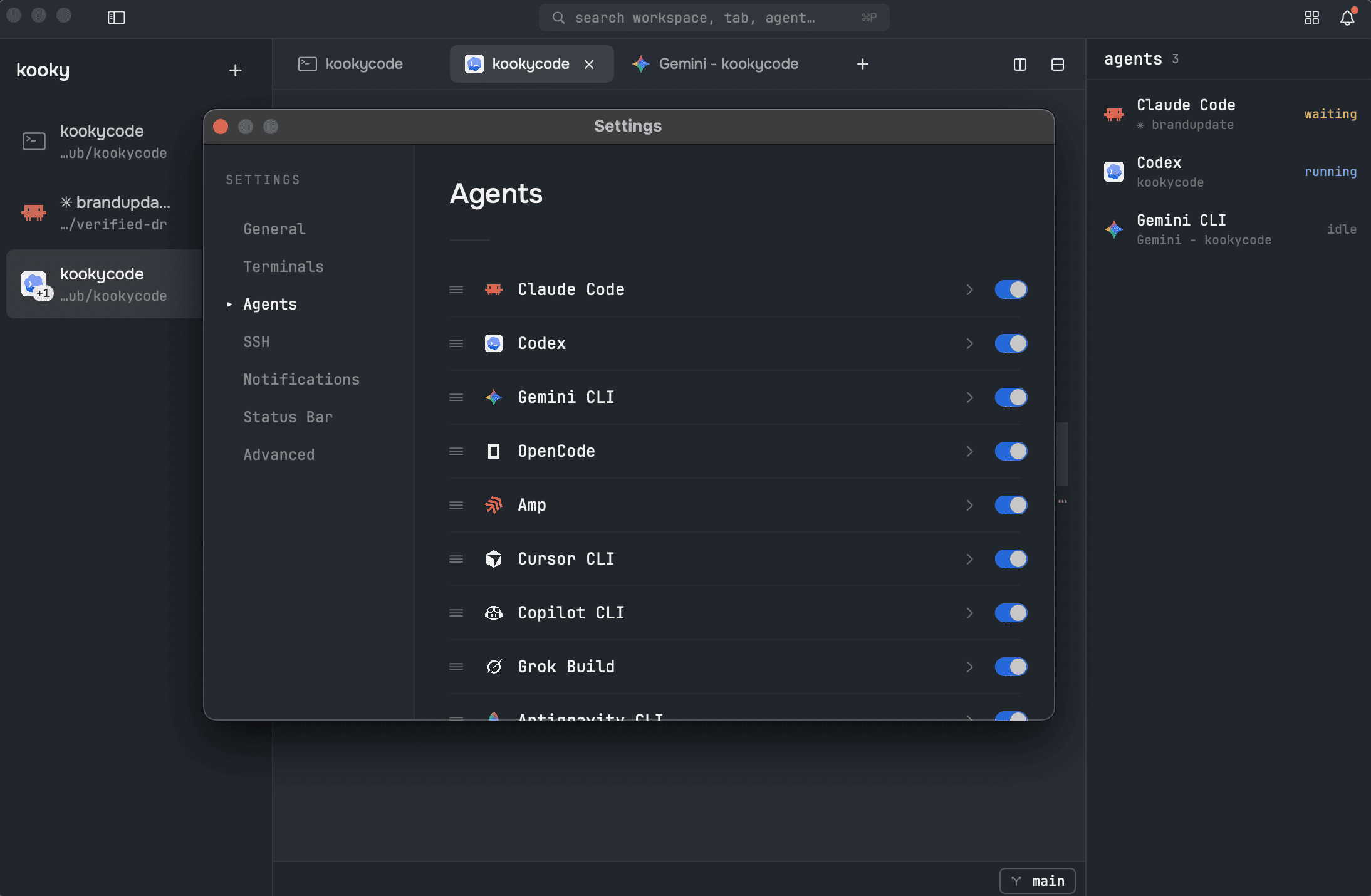
A minimal modern terminal for AI coding experience — Sidebar workspaces; horizontal / vertical split panes; one-click agent launch; per-agent activity readout; live workspace state with one-click Node and branch switching.
Screenshots
How to install Kooky on a Mac
- Get OpenDMG. It is a free app store for open source Mac apps. Download OpenDMG.
- Search for Kooky and press Get. OpenDMG downloads version 0.51.12 from iAmCorey's own GitHub release.
- Open it. The download is checked against its SHA-256 fingerprint and its signature is checked on your Mac before it lands in Applications.
Updates to Kooky show up in OpenDMG and install with one button. No account is needed.
Prefer to do it by hand? The developer's file is on GitHub: Kooky-v0.51.12.dmg (9.6 MB).
What is new in Kooky 0.51.12
- New: keyboard shortcuts that match Ghostty, Warp and cmux. ⌥⌘ + arrow moves focus to the split in that direction, ⌃⌘ + arrow moves the nearest divider, and ⌘Home / ⌘End / ⌘Page Up / ⌘Page Down scroll the terminal to the top, to the bottom, or by a page — following your Ghostty config if you've rebound them.
- New: ⌃⌘[ / ⌃⌘] step to the previous / next workspace, wrapping at the ends. The sidebar scrolls to the workspace you land on and unfolds its group if it was collapsed. Thanks @kaijianding for the idea and a draft implementation. (#84)
- Changed: ⌘9 now jumps to the last tab, as in Ghostty, Warp and browsers.
- New: hide sessions from the History panel. Hover a row and click the eye to hide it; "show hidden" brings them back so you can restore them. kooky only remembers what you hid — the agents' own conversation data is never touched. Thanks @kaijianding for the idea and a draft implementation. (#83)
- Fixed: running `omp update` inside kooky now updates omp itself. omp used to mistake kooky's launcher for its own program and overwrite it, so the update didn't stick and the agent's status dot went dark until kooky restarted. Thanks @kaijianding for the diagnosis and a draft fix. (#82)
More Developer Tools apps
-
 UTMVirtual machines for iOS and macOS
-
 vphone-cliCLI to boot a virtual iPhone (iOS 26) with Apple Virtualization.framework and PCC…
-
 VirtualBuddyVirtual machine manager for running recent macOS versions on Apple Silicon
-
 WWDCUnofficial WWDC app for macOS
-
 Xcodes.appThe easiest way to install and switch between multiple versions of Xcode
-
 Postgres.appThe easiest way to get started with PostgreSQL on the Mac