
Keyholdr for Mac
Lightweight and secure key storage manager.
By OlixIgnacious. Free and open source.
Keyholdr at a glance
- Version
- 1.7.1
- Released
- 21 September 2026
- Download size
- 1.5 MB
- Works on
- Apple silicon and Intel
- Category
- Security and Privacy
- Developer
- OlixIgnacious
- GitHub stars
- 8
About Keyholdr
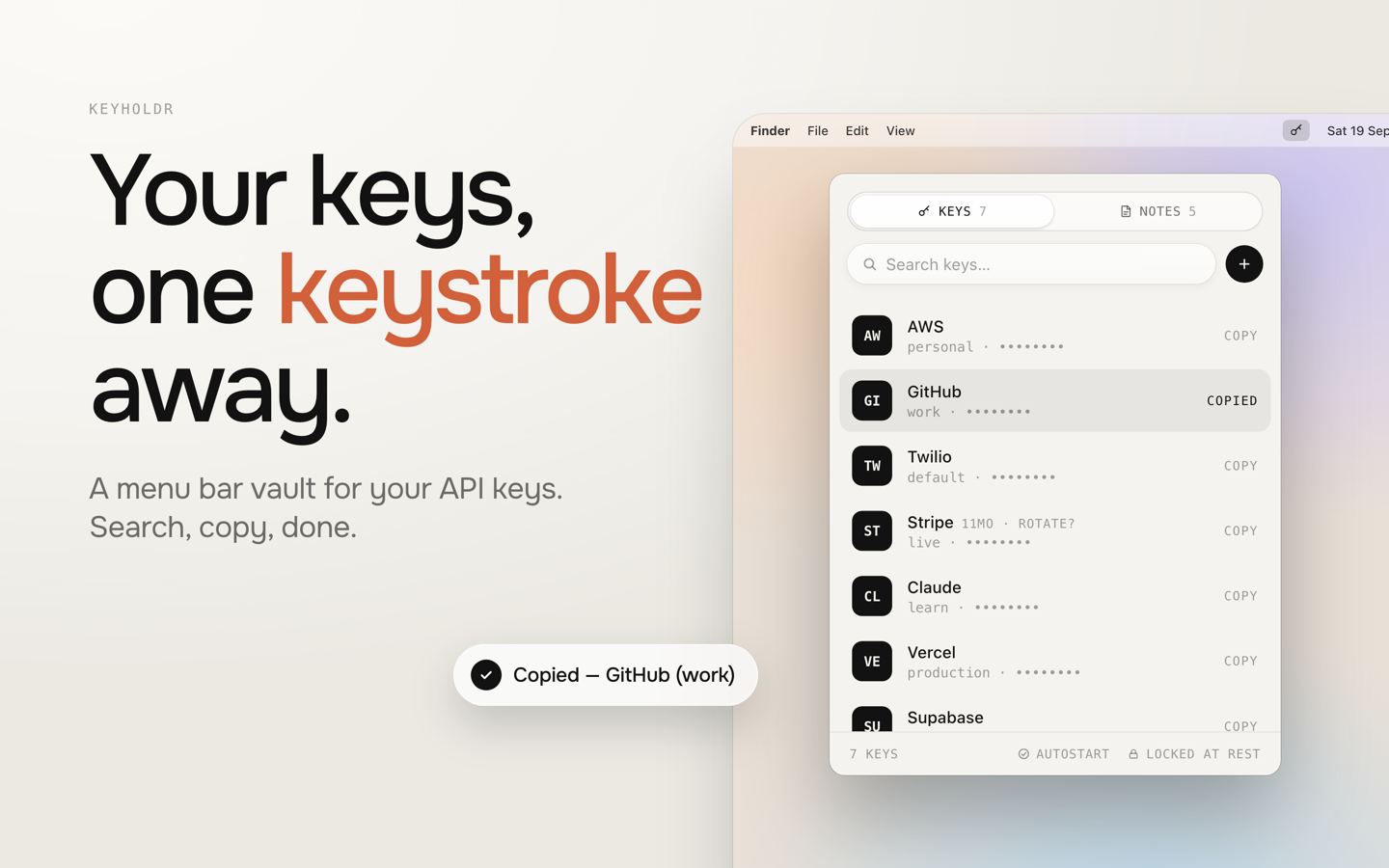
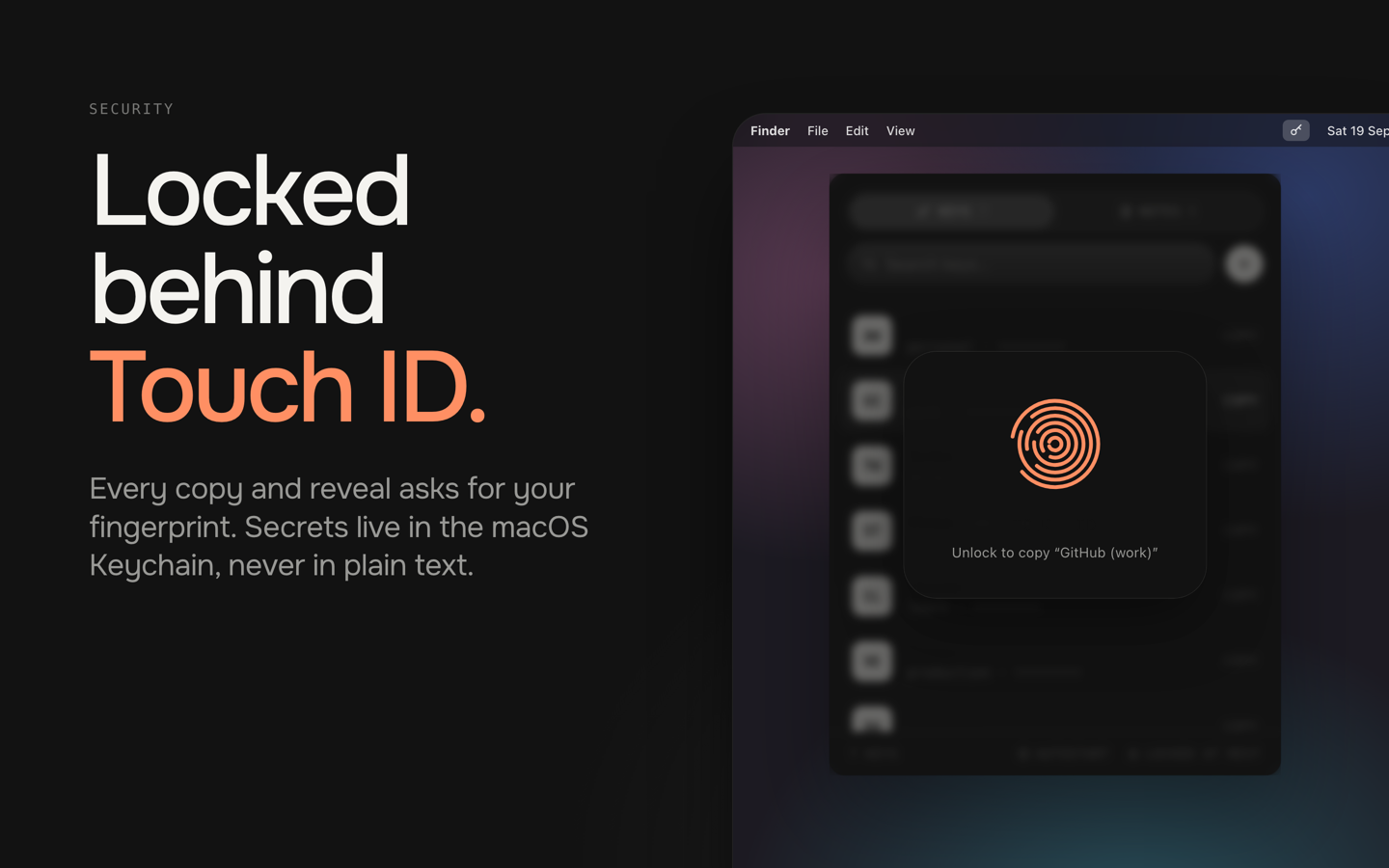
A native, ultra-lightweight, and highly secure macOS/Windows status bar utility for managing API keys and credentials.
Screenshots
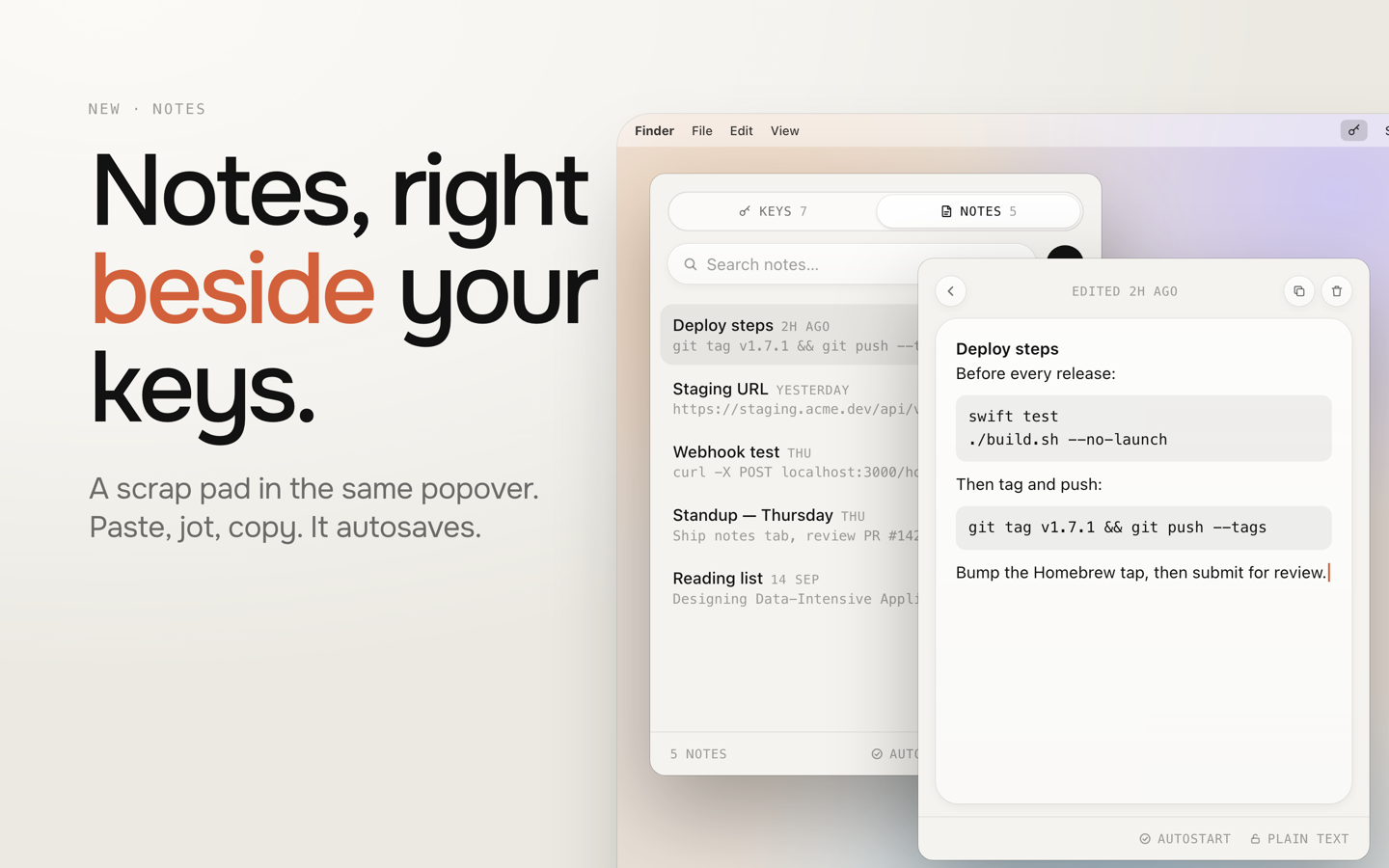
How to install Keyholdr on a Mac
- Get OpenDMG. It is a free app store for open source Mac apps. Download OpenDMG.
- Search for Keyholdr and press Get. OpenDMG downloads version 1.7.1 from OlixIgnacious's own GitHub release.
- Open it. The download is checked against its SHA-256 fingerprint and its signature is checked on your Mac before it lands in Applications.
Updates to Keyholdr show up in OpenDMG and install with one button. No account is needed.
Prefer to do it by hand? The developer's file is on GitHub: Keyholdr-macOS-v1.7.1.zip (1.5 MB).
What is new in Keyholdr 1.7.1
Available on the [Mac App Store](https://apps.apple.com/in/app/keyholdr/id6789253781?mt=12).

### Added
- **New app icon** — the website's key-and-balloon logo on a paper tile. Brand
 assets (icon, one-colour key mark, menu bar glyph) are generated by
 `branding/generate.py`; the menu bar still uses the `key.fill` symbol.
- `branding/appstore/render.sh` renders the App Store screenshots at every
 required Mac size.
- `CLAUDE.md` with build, test and architecture notes for contributors.

### Fixed
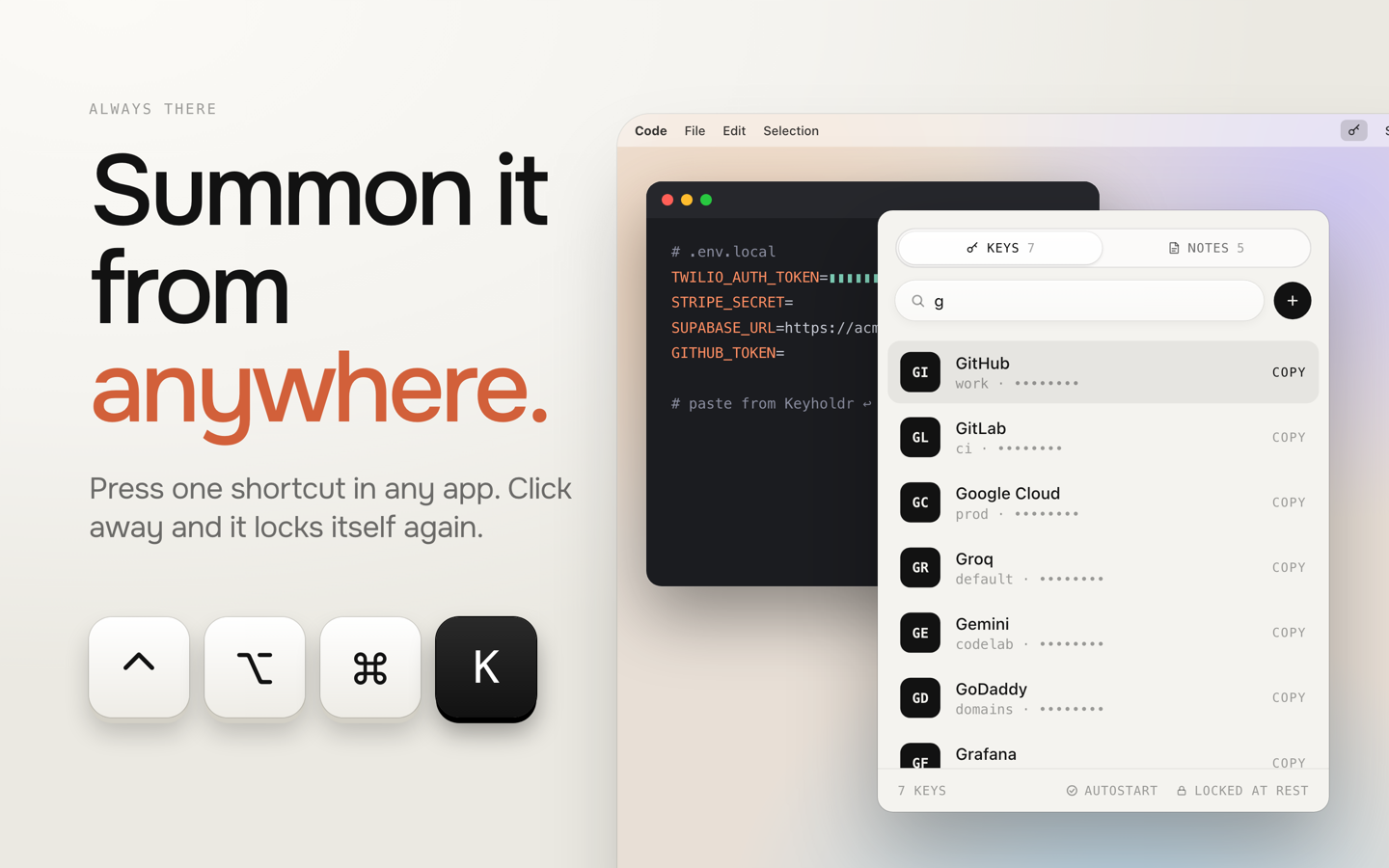
- **⌃⌥⌘K did nothing on macOS 27** — the popover library (MenuBarExtraAccess)
 couldn't open the menu bar popover from code there. Updated to 1.3.1. The
 same fix restores the popover reopening after a Touch ID prompt.
- **The first ⌃⌥⌘K after launch was wasted** — the popover was marked open
 before it ever was, so the first press only "closed" it.
- **⌘N always did the same thing** — it opened a new key or a new note depending
 on which tab was saved when the app launched, ignoring the tab you were on.
 It now follows the current tab, and does nothing while the export/import form
 or "How Keyholdr Works…" is showing.
- **Terminal UI:** a note saved with ⌃S and then emptied is now deleted when you
 leave the editor, instead of keeping its old text.

### Changed
- New App Store screenshots, with a neutral example (Twilio) in place of OpenAI.
…
More Security and Privacy apps
-
 GlanceUnlock your Mac at a glance through on-device face recognition in a dynamic island-style…
-
 FaceGateLock sensitive apps behind Face ID, Touch ID, or a password — all processed on-device
-
 SentrySecurity monitor that alerts on activity while you're away
-
 TouchBridgeBiometric authentication tool using phone, watch, or browser for sudo and unlock
-
 MergenCIS benchmark security audit tool that checks 85 controls and auto-fixes most failures
-
 TracexySession-based network intelligence — capture live traffic or open saved captures, then…