

iContainer for Mac
GUI application for Apple Containers.
By nico81. Free and open source, MIT licence.
iContainer at a glance
- Version
- 2.4.0
- Released
- 18 September 2026
- Download size
- 26 MB
- Works on
- Apple silicon and Intel
- Licence
- MIT
- Category
- Developer Tools
- Developer
- nico81
- GitHub stars
- 232
About iContainer
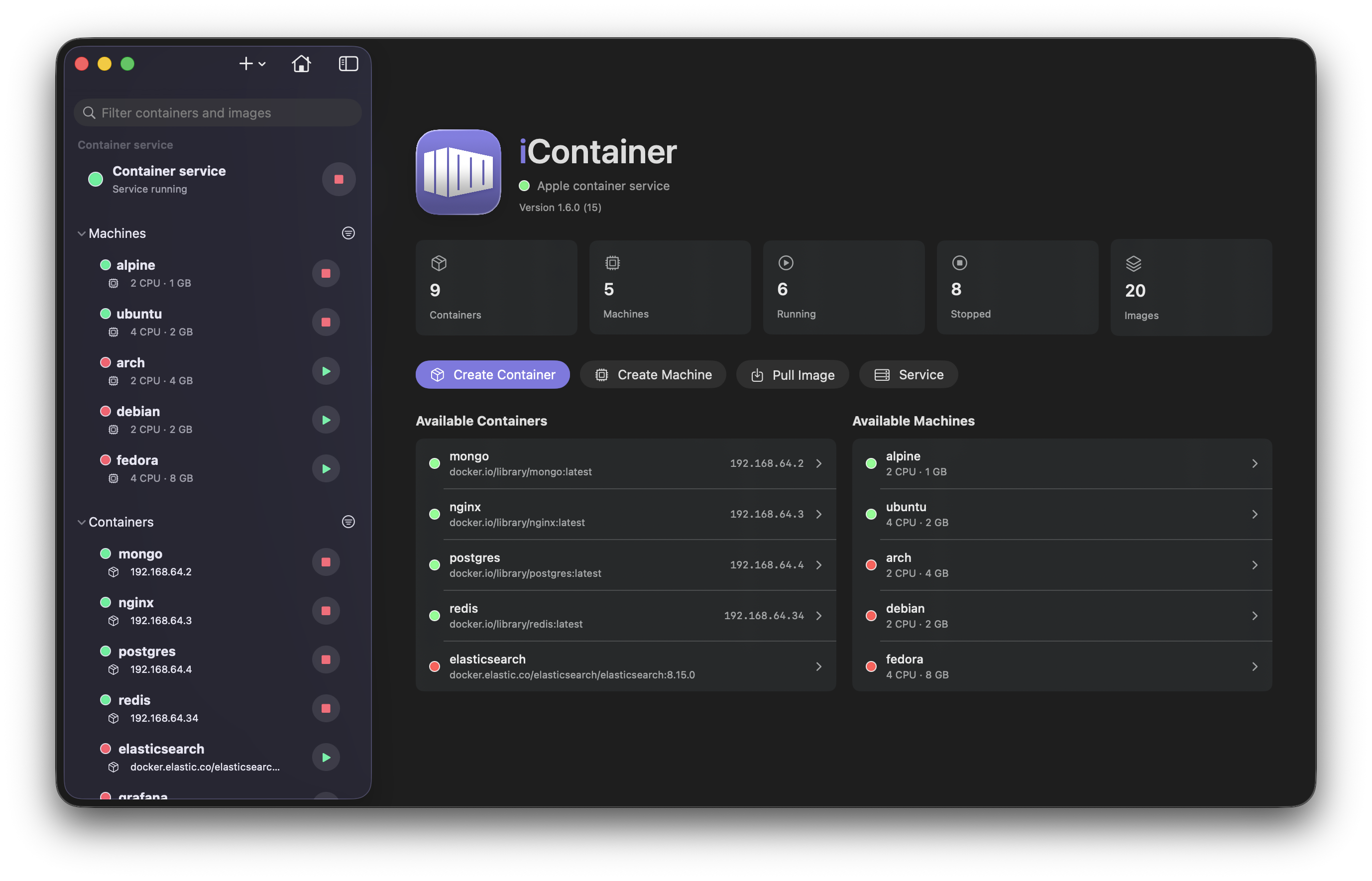
A native macOS app to manage Apple Container workloads, built with SwiftUI.
Screenshots
How to install iContainer on a Mac
- Get OpenDMG. It is a free app store for open source Mac apps. Download OpenDMG.
- Search for iContainer and press Get. OpenDMG downloads version 2.4.0 from nico81's own GitHub release.
- Open it. The download is checked against its SHA-256 fingerprint and its signature is checked on your Mac before it lands in Applications.
Updates to iContainer show up in OpenDMG and install with one button. No account is needed.
Prefer to do it by hand? The developer's file is on GitHub: iContainer-v2.4.0.dmg (26 MB).
What is new in iContainer 2.4.0
## 🗂️ Networks & Volumes, and a Service page that speaks container CLI 1.4

### Networks and Volumes in the sidebar
Two new reorderable sections list the container service's **networks** (subnet, attached containers, `builtin` badge on `default`) and **volumes** (real disk usage read from the sparse backing image — "68 MB used of 512 GB" — mounting containers, `anonymous` badge for image `VOLUME` leftovers). Each has a detail page, a context menu (*Create Container on This Network… / with This Volume…*, copy subnet/gateway/name, reveal the backing file, delete) and *Prune Unused…* from the section header. Delete is disabled while the resource is in use, with the reason shown — the CLI locks a volume while **any** container references it, even a stopped one, so volumes report **mounted / attached / unused**.

### Look inside a volume
The volume page has **Info** and **Contents** tabs. Contents is a read-only browser (folders first, sizes, dates, symlinks, hidden-files toggle) that reads the live filesystem through a running container that mounts the volume, or — when nothing mounts it — through a temporary read-only helper container, the only way to look inside an ext4 image from macOS. Containers that mount named volumes get a **Volumes** tab with the same browser, and *Browse* in their Mounts block jumps there.

### Create sheet: pick a network
…
More Developer Tools apps
-
 UTMVirtual machines for iOS and macOS
-
 vphone-cliCLI to boot a virtual iPhone (iOS 26) with Apple Virtualization.framework and PCC…
-
 VirtualBuddyVirtual machine manager for running recent macOS versions on Apple Silicon
-
 WWDCUnofficial WWDC app for macOS
-
 Xcodes.appThe easiest way to install and switch between multiple versions of Xcode
-
 Postgres.appThe easiest way to get started with PostgreSQL on the Mac