
HealthTick for Mac
Work-break reminder tool with timed cycles and habit tracking for health.
By lifedever. Free and open source, GPL-3.0 licence.
HealthTick at a glance
- Version
- 1.6.32
- Released
- 14 September 2026
- Download size
- 2.6 MB
- Works on
- Apple silicon and Intel
- Licence
- GPL-3.0
- Category
- System Tools
- Developer
- lifedever
- GitHub stars
- 455
About HealthTick
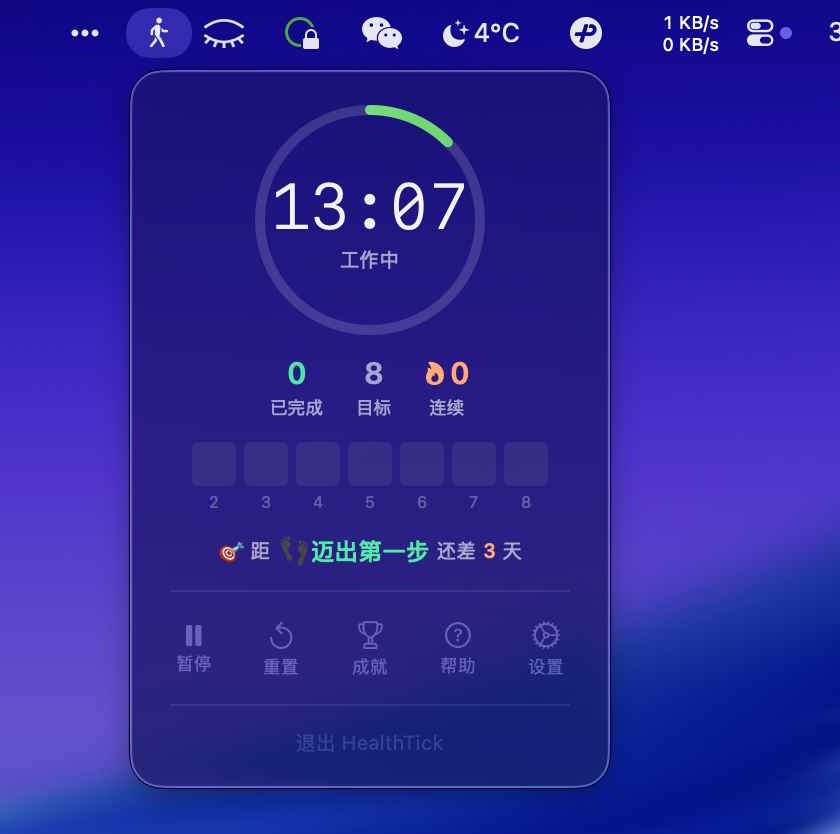
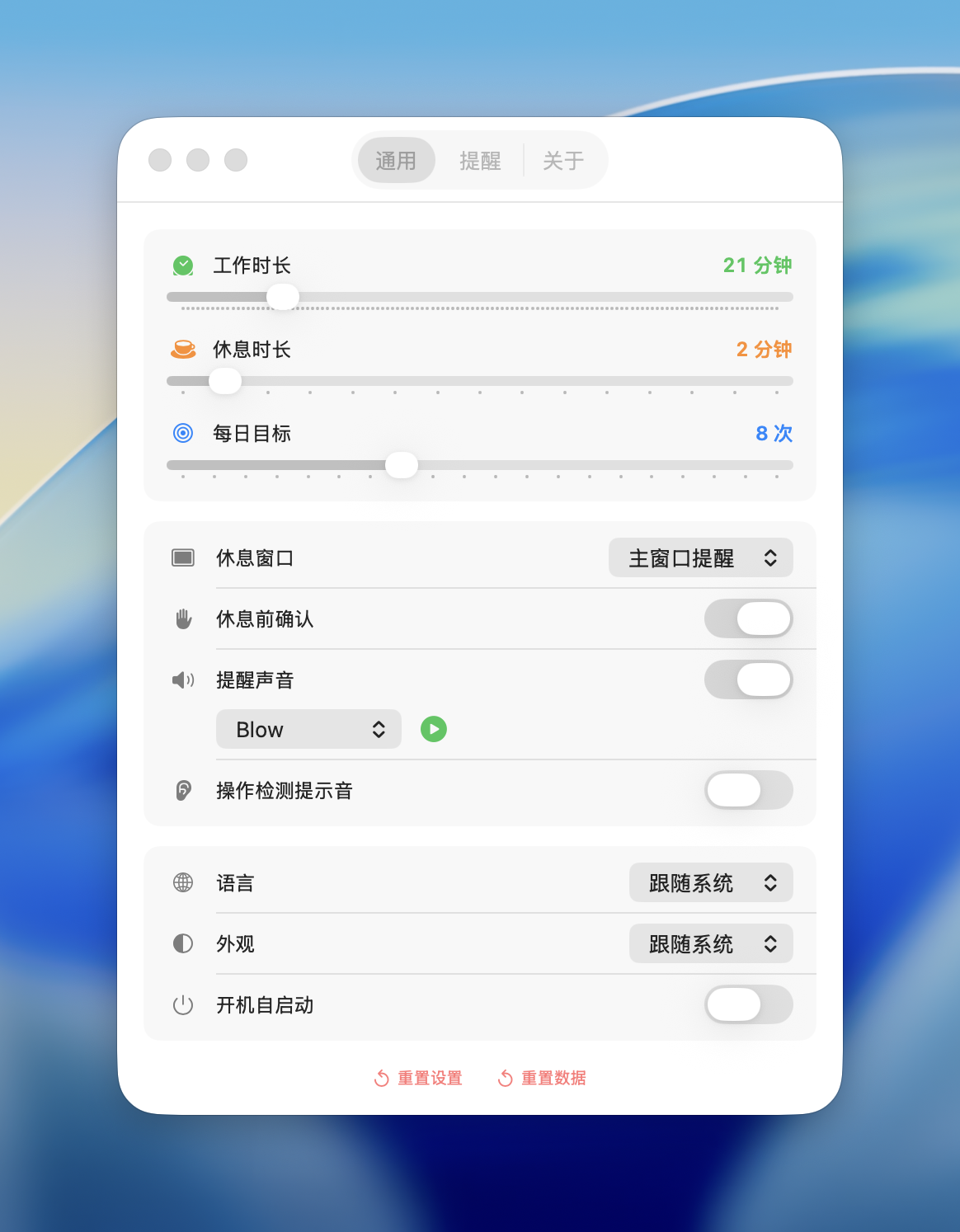
HealthTick - macOS Menu Bar Sedentary Reminder Tool
Screenshots
How to install HealthTick on a Mac
- Get OpenDMG. It is a free app store for open source Mac apps. Download OpenDMG.
- Search for HealthTick and press Get. OpenDMG downloads version 1.6.32 from lifedever's own GitHub release.
- Open it. The download is checked against its SHA-256 fingerprint and its signature is checked on your Mac before it lands in Applications.
Updates to HealthTick show up in OpenDMG and install with one button. No account is needed.
Prefer to do it by hand? The developer's files are on GitHub: HealthTick-v1.6.32-Apple-Silicon.dmg (2.6 MB), HealthTick-v1.6.32-Intel.dmg (2.6 MB).
What is new in HealthTick 1.6.32
## HealthTick v1.6.32

### ✨ 新增功能
- **导入数据**:设置 → 通用 → 导入数据,从导出的文件恢复打卡记录和设置。换电脑或重装后,把之前导出的文件导回来,徽章和统计会一并恢复
- 导入是合并方式,和现有记录自动去重,同一份文件导入多次也不会产生重复记录
- 导入前自动把当前数据备份到 `~/.health-tick/backups/`
- 导出不再需要设密码,文件是明文 JSON,可以直接打开查看。旧版本导出的加密文件仍然能导入,会提示输入当时的密码
- 导出文件名精确到秒,同一天导出多次不再互相覆盖

### 🐞 Bug 修复
- 重置数据后,「今日工作时长」和本周图表里当天的数据没有归零
- 重置数据后,当时正在进行的那个工作周期结束时,这段时长会丢失

### 📦 下载
- **Apple Silicon (M1/M2/M3/M4)**: `HealthTick-v1.6.32-Apple-Silicon.dmg`
- **Intel**: `HealthTick-v1.6.32-Intel.dmg`

### 📥 安装方式
打开 `.dmg` 文件,将 HealthTick 拖入 Applications 文件夹。
首次打开请前往 **系统设置 → 隐私与安全性** 点击"仍要打开"。
More System Tools apps
-
 PearcleanerApp Cleaner and Uninstaller Tool
-
 OpenInTerminalFinder toolbar tool for opening the current folder in a terminal
-
 PureMacFree open-source system cleaner with privacy protection
-
 DockDoorWindow peeking for macOS
-
 LatestApp update checker that notifies you of available updates for installed applications
-
 DorsoPosture reminder that progressively blurs your screen when you slouch