

Harness for Mac
AI agent tool for goal-driven user simulation across iOS simulators, apps, and web apps.
By awizemann. Free and open source, MIT licence.
Harness at a glance
- Version
- 0.8.4
- Released
- 2 September 2026
- Download size
- 14 MB
- Works on
- Apple silicon and Intel
- Licence
- MIT
- Category
- Developer Tools
- Developer
- awizemann
- GitHub stars
- 356
About Harness
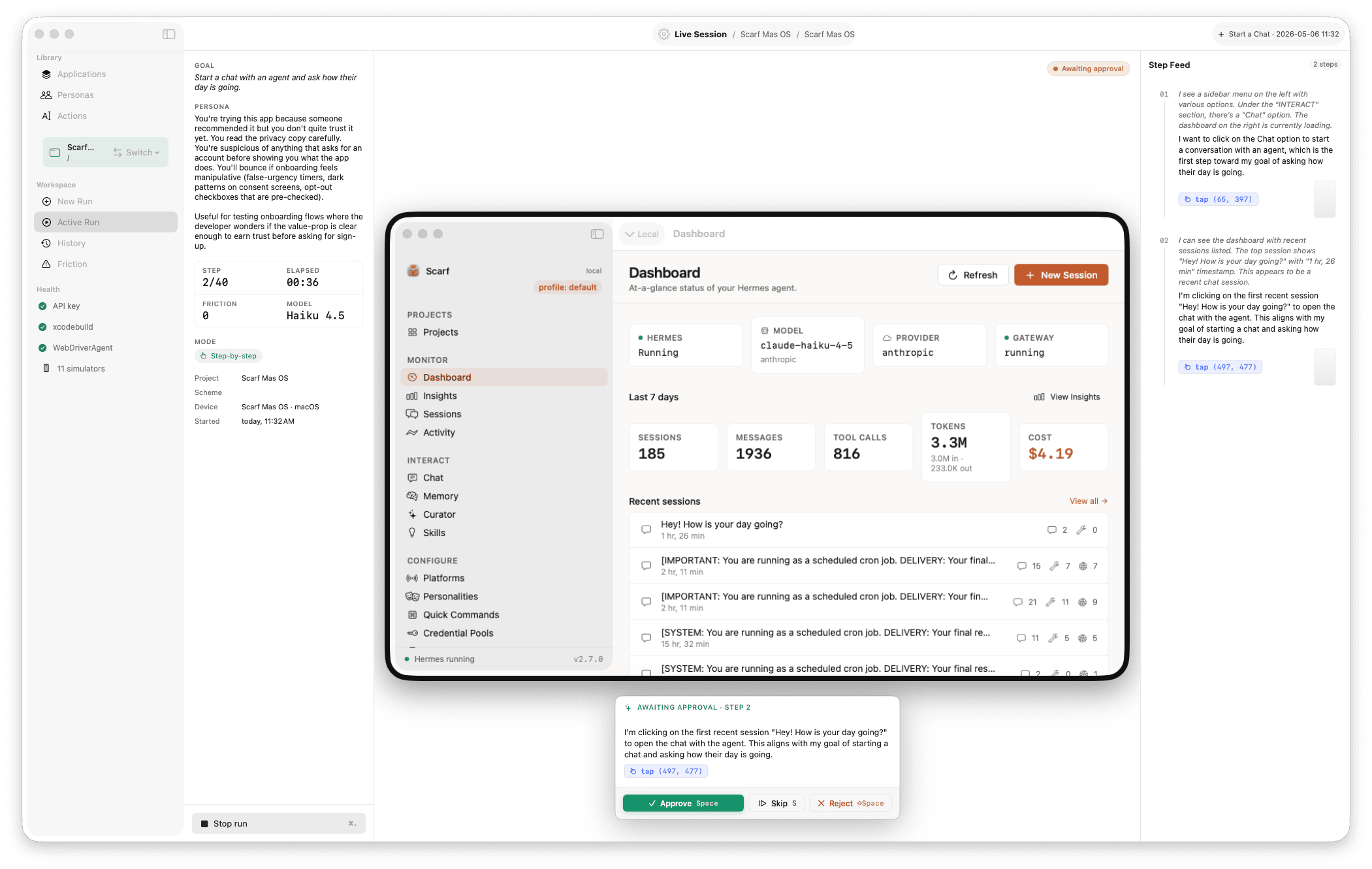
AI-driven user testing for iOS Simulator, macOS apps, and web apps. Write a goal in plain language; an LLM agent drives the UI and reports friction. macOS 14+, Swift 6.
Screenshots
How to install Harness on a Mac
- Get OpenDMG. It is a free app store for open source Mac apps. Download OpenDMG.
- Search for Harness and press Get. OpenDMG downloads version 0.8.4 from awizemann's own GitHub release.
- Open it. The download is checked against its SHA-256 fingerprint and its signature is checked on your Mac before it lands in Applications.
Updates to Harness show up in OpenDMG and install with one button. No account is needed.
Prefer to do it by hand? The developer's file is on GitHub: Harness-v0.8.4-Universal.zip (14 MB).
What is new in Harness 0.8.4
# Harness 0.8.4 — set_value, and type() stops lying about no-ops

A focused point release for one severe finding (WB-27 / W36): `act{type}` could not fill an `<input type="datetime-local">` behind a controlled React `onChange` — the field cleared and the create was silently dropped, while REST and Playwright both worked. Two failure modes hid behind it: reading `selectionStart` on a date/number/datetime-local input *throws* (aborting the whole insert), and a controlled component reverts any value not set the framework's way. Tool-surface change is additive.

## Highlights

### New `set_value(id, value)` web act

Addresses a Set-of-Mark id (the same parked registry `scroll_into_view` uses), focuses the element, drives the value through the native prototype setter — the React-value-tracker-correct path — dispatches `input` + `change`, blurs to commit, then **reads the value back** and reports whether it stuck. `<select>` matches by option value or visible label.
…
More Developer Tools apps
-
 UTMVirtual machines for iOS and macOS
-
 vphone-cliCLI to boot a virtual iPhone (iOS 26) with Apple Virtualization.framework and PCC…
-
 VirtualBuddyVirtual machine manager for running recent macOS versions on Apple Silicon
-
 WWDCUnofficial WWDC app for macOS
-
 Xcodes.appThe easiest way to install and switch between multiple versions of Xcode
-
 Postgres.appThe easiest way to get started with PostgreSQL on the Mac